

$429.00

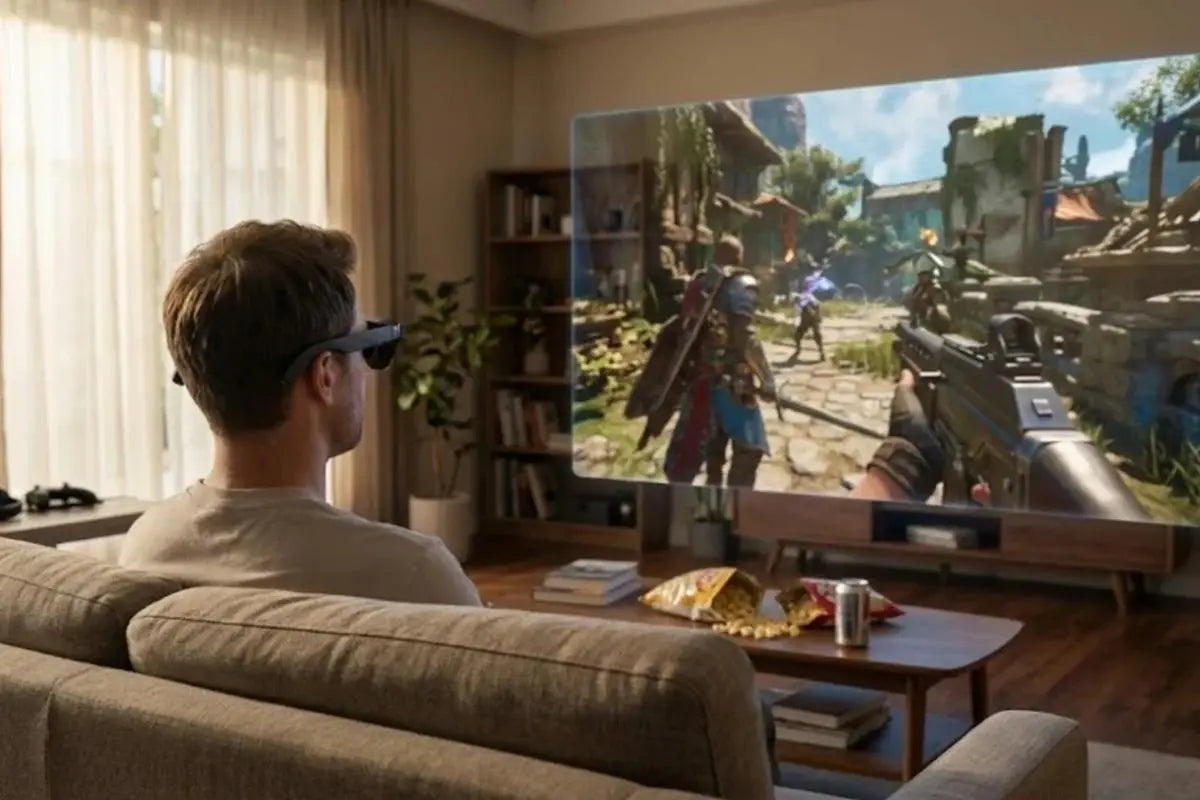
For gaming on a PC, RayNeo's two strongest options split along a single line: screen size or text sharpness. The RayNeo GT Max gives you the bigger picture, a 267-inch virtual display across a 59 degree field of view. It lists at $429, with $30 applied automatically at checkout for a final $399. The RayNeo Air 3s Pro gives you a tighter 201-inch screen at 46 degrees for $279, and because it packs the same 1920x1080 panel into a narrower view, fine detail looks denser.
Both run at up to 120Hz in 2D, both weigh under 80 grams, and both connect to a PC with one USB-C cable when the port supports video output. That last condition decides most PC gaming setups, so it is the place to start.
Two companion guides cover the neighbouring questions: gaming across PC, consoles, and handhelds if your setup spans more than one platform, and switching one pair between office work and gaming if the same glasses have to do both. This one stays on the PC, and includes the cheaper Air series as well as GT Max.
These glasses are displays. They need a video signal, and a USB-C port only carries video if it supports DisplayPort Alt Mode, a specification that lets some of the cable's lanes carry a display signal instead of just data. Plenty of USB-C ports, including on current machines, are charging and data only.
That splits PC gamers into three groups:
Gaming laptops with USB-C video output. One cable from the laptop to the right temple, and Windows treats the glasses as a second 1920x1080 monitor. Nothing else to buy.
Desktop PCs. Desktop graphics cards usually expose HDMI and DisplayPort rather than USB-C with DP Alt Mode. Here you need the RayNeo HDMI Adapter ($64, sold separately), plus one detail that catches people out: the adapter needs its own USB-C power delivery source plugged in. HDMI carries video but not power, so without that supply the glasses will not run. RayNeo's GT Max FAQ puts it plainly, instructing that if you are using an adapter, make sure it is connected correctly and sufficiently powered.
Laptops without USB-C video. Same as the desktop path, through the machine's HDMI output.
The fastest way to check which group you are in is to look up your machine's port spec for the phrase "DisplayPort Alt Mode" or "USB-C video output." If neither appears, plan on the adapter.
Desktop owners ask one question before buying: does the adapter cost you 120Hz? It does not. The RayNeo HDMI Adapter runs HDMI 2.0, which carries 1080p at 120Hz with bandwidth to spare, and that is exactly the signal these glasses accept. Set 1920x1080 at 120Hz in your graphics driver and the picture arrives at full rate.
| Device | How it connects | What you need to buy |
|---|---|---|
| Gaming laptop with USB-C DisplayPort Alt Mode | Direct USB-C | Nothing, cable is included |
| Desktop PC (HDMI or DisplayPort out) | Through the HDMI Adapter (HDMI 2.0) | HDMI Adapter ($64) plus a USB-C PD power source |
| Laptop without USB-C video output | Through the HDMI Adapter | Same as desktop |
| USB-C handheld with DisplayPort video output | Direct USB-C | Nothing |
| Handheld docked to a dock's HDMI output | Through the HDMI Adapter | HDMI Adapter plus PD power |
| PlayStation and Xbox consoles | Through the HDMI Adapter | HDMI Adapter plus PD power |
| Nintendo Switch and Switch 2 | Through JoyDock | JoyDock (89), plustheSwitch2Bracket(15) for Switch 2 |
| Phone or tablet with USB-C video, for cloud and remote-play streaming | Direct USB-C | Nothing |
| Older Lightning devices | Through Apple's Digital AV Adapter | Adapter, not included |

RayNeo's own compatibility lists group devices by connection type rather than by model name, which is the more useful way to think about it: the question is never "is my exact PC on the list," it is "does this port send video."

Both models run 1920x1080 per eye at up to 120Hz in 2D, dropping to 60Hz for 3D content, so the PC sends a 1080p signal whatever the desktop is set to.
Where the two models differ is what they do with those pixels: GT Max spreads them across a 267-inch screen at 59 degrees for the larger image, Air 3s Pro packs them into a 201-inch screen at 46 degrees for the denser one. Size and density trade against each other, and each model picks a side.
Hands-on testing fills in the rest. Gaming Nexus, connecting the Air 3s Pro to a Steam Deck, confirmed the handheld defaulted to 1920x1080 at 120Hz and reported seeing "no ghosting in fast-paced games," describing the result as playing on a higher-quality screen than the handheld's own. TechRadar Pro reached the same conclusion from the other direction, calling the setup plug-and-play with an instant, bright, clear display over a single cable.
For PC gaming that adds up to a display that behaves like any other 1080p 120Hz monitor on the end of a cable, because that is what it is. Micro-OLED switches pixels off individually rather than fading them, so blacks stay black and fast pans stay clean.
GT Max ships four display modes, Standard, Movie, Eye Protection, and Office, plus three spatial modes that control how the screen behaves as you move your head. For gaming, Follow keeps the screen centered as you turn, which is what you want when you shift in a chair; Pinned locks the screen to one spot in space, better suited to sitting still through a cutscene-heavy session or watching something.
One tradeoff to know: Pinned mode caps brightness at 336 nits, while Follow and Steady run up to 1,200 nits. If a game looks dimmer than expected, the spatial mode is the first thing to check.
The Air 3s Pro lists six optimized viewing modes on its product page, and RayNeo's own product materials name them: Game, Movie, Eye-Care, Professional, Vision Boost, and Standard. Gaming Nexus's walkthrough of the on-glasses menu found the same set alongside a choice between 60Hz and 120Hz and 20 levels of brightness. Gaming Nexus noted those separate brightness and volume rockers on the temples as one of the nicer touches, since you adjust without diving into a menu mid-game.
Choose GT Max if you want the screen to feel big. The 59 degree field of view and 267-inch virtual display (227-inch and 307-inch sizes are also available) are the reason to pay the extra $120. Field of view describes how much of your vision the virtual screen fills, and in both models the screen is sized to sit inside that view rather than run past its edges, so you are not turning your head to find a corner. The wider number simply means the picture occupies more of what you see. It also comes in three IPD sizes, S under 64mm, M 64 to 67mm, and L over 67mm, chosen at checkout, which matters over three-hour sessions since a mismatched eye distance is a headache generator. Bang & Olufsen tuned quad speakers and head-tracked spatial audio come with it.

Choose Air 3s Pro if you care more about clarity per dollar. Same 1080p panel, narrower 46 degree view, which concentrates the pixels: Gaming Nexus put it at 49 pixels per degree against GT Max's specified 38 PPD. Denser pixels mean sharper UI text, and at $279 it is also the cheaper way in, $120 below GT Max's $399.
Matched to genres, the split looks like this. Open-world games, racing, flight, and anything cinematic reward the wider view and the larger screen, so GT Max. Strategy games, MMOs, management sims, and shooters with dense HUDs ask you to read small text for hours, which is where the denser pixels of Air 3s Pro pay off. Mixed libraries tend to land on GT Max, since a bigger screen also enlarges the text, just at lower density.
Both carry TÜV SÜD certification for low blue light and flicker-free performance, and both use RayNeo's 3,840Hz high-frequency dimming. Both also work with prescription lenses through RayNeo's optical partner Lensology, though the pages describe it differently: Air 3s Pro's listing says it is engineered with full compatibility for prescription lenses and accommodates both near-sighted and far-sighted users, while GT Max's page states prescription support through the same partner without publishing a range. Lensology builds to your prescription for both models, and works from your numbers when you order.
For the full walkthrough of connecting to Windows, including how the glasses appear in display settings, see our Windows PC display guide. For console-specific setup, the Xbox guide covers the HDMI path in more detail.
GT Max weighs 78 grams and Air 3s Pro 76 grams, both light enough that TechRadar's reviewer noted an hour of viewing without meaningful nose pressure. On a wired connection the PC does the work, powering the glasses and processing the video, so mild warmth and a little extra draw on that machine are simply how the system runs.
Voice chat stays on the PC side of the setup. Both models are built around speakers rather than microphones: a Bang & Olufsen tuned quad-speaker system on GT Max, a four-speaker array on Air 3s Pro. The practical arrangement is the one most PC players already have: the glasses carry the picture and the game audio, and your existing headset mic, desk mic, or webcam mic keeps handling the talking. Nothing about the glasses interferes with a mic already connected to the PC.
Audio leaks less than you would expect for open speakers. Whisper Mode, enabled through the volume rocker or the RayNeo XR app, is described by RayNeo as reducing audio leakage in quiet or public environments, and TechRadar's test in a commuting context found it kept the sound from bothering nearby people. In a shared room it is the difference between gaming at 1 a.m. and being asked to stop.
Will my PC need a driver or special software?
No installation is involved. The glasses present themselves as a standard DisplayPort or HDMI display, the same category Windows already handles for external monitors, so the setup work is choosing mirror or extend in display settings.
Can I use them alongside my existing monitor?
Yes. Windows applies its normal multi-monitor rules, so the glasses become an additional display you can extend onto, which is useful for keeping chat or a guide on the physical screen while the game fills the virtual one.
Does the HDMI adapter add lag compared with direct USB-C? The adapter converts the signal rather than re-encoding it, so both paths behave like a standard display connection. Choose between them on what your machine offers: a video-capable USB-C port means one cable, and an HDMI output means the adapter with its own power supply.
Why does my desktop need a power supply for the adapter when my laptop does not?
A USB-C DisplayPort Alt Mode connection carries video and power on the same cable, so the host feeds the glasses. HDMI carries only video, so the adapter has to be fed separately through its USB-C power input. It is the single most common reason an otherwise correct HDMI setup shows nothing.
Is 3D gaming supported?
Both models handle 3D content at 60Hz rather than 120Hz, and GT Max also lists AI 2D-to-3D conversion, with the product page noting that feature is available on iPhone 15, 16, and 17 series devices, excluding the 16e, 17e, and Air. For a PC, plan around the 2D 120Hz path.
Does a three-hour session tire your eyes more than a monitor?
Both models run OptiCare 3,840Hz high-frequency dimming and carry TÜV SÜD certification for low blue light and flicker-free performance, which is the engineering that matters over a long session. Air 3s Pro adds 20 levels of brightness control, so a late-night session can run dim enough to be comfortable rather than fighting a screen set for daylight.
Pick your setup: RayNeo GT Max for the biggest picture, RayNeo Air 3s Pro for the sharpest text per dollar, and the RayNeo HDMI Adapter if your machine sends video over HDMI.







Share:
What the RayNeo AI Assistant Can Actually Do?