

$429.00

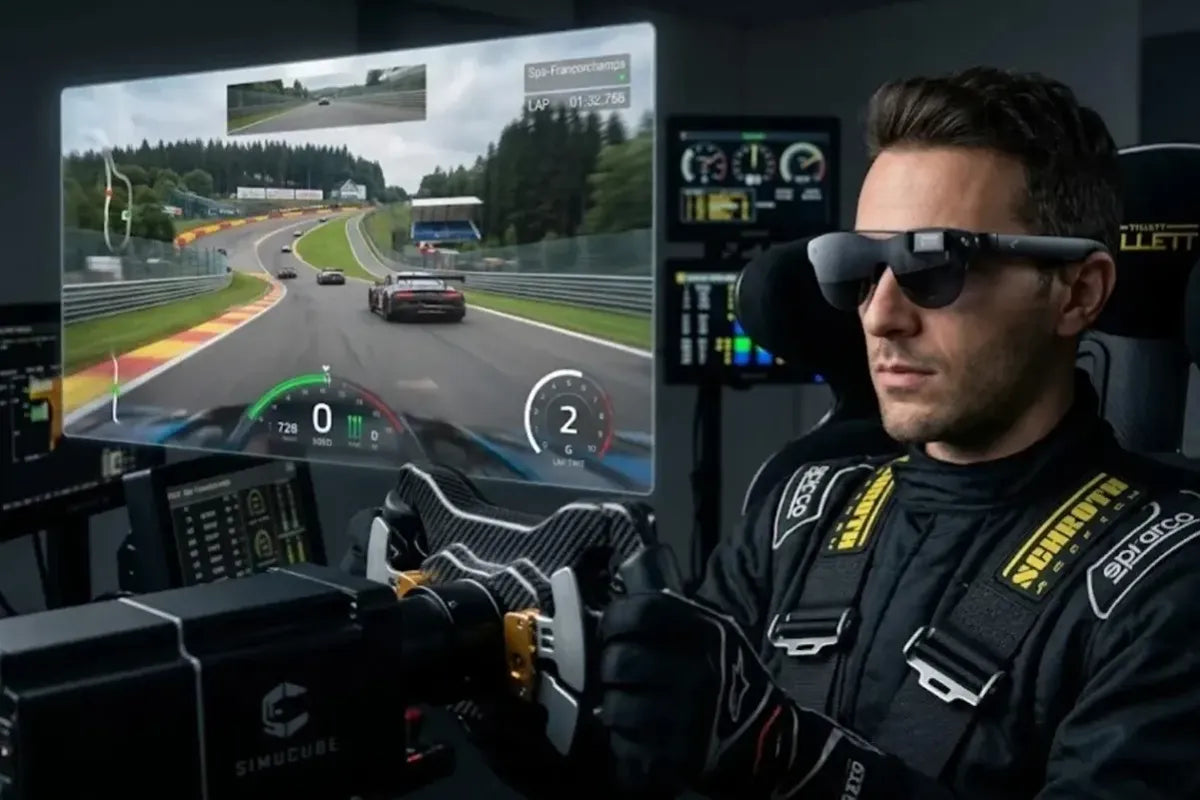
Getting a pair of display glasses to work with a gaming setup comes down to one question for each platform: does the device output video over USB-C, or does it only output HDMI? That single detail decides whether the glasses connect with the cable already in the box or need an adapter, and it’s different for a gaming laptop, a PS5, and a Steam Deck.
The RayNeo GT Max is built around exactly that kind of wired, cross-platform connection. It’s a 59-degree field of view AR display, projecting a 267-inch cinema display, with 227-inch and 307-inch sizes also available, running at 120Hz in 2D and 60Hz in 3D, at $399 at the time of writing. The lighter RayNeo GT covers the same three platforms for $299 at the time of writing, with a narrower 46-degree field of view and a fixed 64mm IPD rather than GT Max’s three IPD size options. Everything below applies to both models unless noted otherwise.
| Platform | Connection type | What you need |
|---|---|---|
| Windows PC / gaming laptop (USB-C video out) | USB-C DisplayPort Alt Mode, direct | Included USB-C cable |
| Windows PC / desktop (no USB-C video out) | HDMI | RayNeo HDMI Adapter ($64) + a USB-C PD power source |
| PS5, PS4 | HDMI | RayNeo HDMI Adapter ($64) + a USB-C PD power source |
| Xbox | HDMI | RayNeo HDMI Adapter ($64) + a USB-C PD power source |
| Nintendo Switch / Switch 2 | HDMI or dock | RayNeo HDMI Adapter ($64) + a USB-C PD power source, or JoyDock ($89) + Back Clip |
| USB-C handhelds with DisplayPort video output (e.g., Steam Deck, ROG Ally) | USB-C DisplayPort Alt Mode, direct | Included USB-C cable |
Any setup that runs through the RayNeo HDMI Adapter needs one more thing beyond the adapter itself: a USB-C PD power source plugged into it, since the HDMI side only carries video. More on that in the console section below.
Most modern gaming laptops and some desktop motherboards carry USB-C ports that support DisplayPort Alt Mode, a USB-C spec that lets part of the cable’s data lanes carry a video signal instead of just data. When a port supports it, GT Max plugs in directly with the included USB-C cable, which carries video and supplies power over that single connection.
RayNeo’s compatibility notes list these as direct-connect devices, no adapter required:
Desktop PCs are the exception more often than the rule. Most desktop graphics cards and motherboards still route video exclusively through HDMI or DisplayPort ports rather than a USB-C port carrying an Alt Mode signal. For that setup, RayNeo’s own HDMI Adapter ($64) sits between the PC’s HDMI output and the glasses, converting the signal so GT Max can display video from that HDMI source. The adapter needs its own USB-C PD power source plugged in to run; the desktop’s HDMI port supplies video only.
Once connected, the panel switches refresh rate depending on what’s being played: 120Hz in 2D mode, the rate worth using for anything twitch-based, competitive shooters, fast platformers, real-time strategy, since a higher refresh rate cuts down on the blur and input lag that show up during quick camera movement. 3D mode runs at 60Hz and suits slower-paced, story-driven or exploration games where refresh rate matters less than depth.
For desk-based PC use specifically, GT Max includes an Office display preset alongside Standard, Movie, and Eye Protection modes, useful for switching between a gaming session and reviewing a document or spreadsheet without changing cables.

What you need for PC gaming: a USB-C port with DisplayPort Alt Mode support (laptops, most modern gaming notebooks) for a direct connection, or the RayNeo HDMI Adapter ($64) plus a USB-C PD power source for a desktop PC without that port.
PS5, PS4, Xbox, and Switch all output video over HDMI rather than a USB-C video signal, so none of them connect to GT Max with a plain cable. All four route through the same RayNeo HDMI Adapter ($64), which takes the console’s HDMI output and converts it into a signal GT Max can display. There’s no separate adapter model for PlayStation versus Xbox; the same accessory covers both.
The adapter needs its own power to run. RayNeo’s product page for the HDMI Adapter notes that if you’re using an adapter, make sure it’s connected correctly and sufficiently powered, meaning a USB-C PD charger has to be plugged directly into the adapter to power the glasses; the console’s HDMI output supplies video, not power for the adapter. For PS5, PS4, and Xbox, all of which are already plugged into a wall outlet, this just means having a spare USB-C PD charger next to the console for the adapter.
Switch has a second, more portable option built specifically around it. The JoyDock ($89) with the Back Clip accessory gives the console a compact dock aimed at handheld-to-big-screen switching without carrying a full HDMI Adapter setup. A separate JoyDock Switch 2 Bracket ($15) adapts the same dock to the newer Switch 2 body. JoyDock’s own product page also lists a firmware update tied to Switch 2 compatibility, worth checking before assuming the Bracket alone completes the setup. For a straightforward HDMI-out connection instead, the standard HDMI Adapter (plus its own USB-C PD power source) works with Switch as well.
What you need for console gaming: the RayNeo HDMI Adapter ($64) plus a USB-C PD power source for PS5, PS4, or Xbox; either that same combination or the JoyDock ($89) plus Back Clip for a more portable Switch setup.
USB-C handhelds with DisplayPort video output are the one console-shaped category that connects the same way a laptop does, because their USB-C port is built to carry a DisplayPort Alt Mode video signal rather than only charging or data. That means GT Max plugs directly into a compatible handheld with the included cable, no HDMI Adapter needed, the same setup used for a MacBook or a USB-C Android phone. RayNeo’s compatibility notes describe this category generically rather than naming every specific model; Steam Deck is a common example that fits it, and ROG Ally’s DisplayPort Alt Mode support is documented in ASUS’s own published specs rather than named on RayNeo’s compatibility page.
A USB-C handheld connects one of two ways depending on where the video signal leaves the device. Through its own USB-C port with DisplayPort Alt Mode support, it’s the direct connection described above, no adapter needed. Run out through a docking station’s HDMI output instead, it becomes an HDMI source like a console, which calls for the RayNeo HDMI Adapter plus its own USB-C PD power source. Which path applies depends on whether the video comes from the handheld’s own port or from a dock’s HDMI output, not on the specific handheld model.
The tradeoff worth knowing before a long handheld session: GT Max and GT draw their power from whatever they’re plugged into, so running the glasses off a handheld’s battery adds to that device’s own power draw on top of running the game itself. A handheld that already runs demanding titles for two or three hours on a full charge will likely see that window shrink somewhat with the glasses attached. Some handhelds have a second USB-C port or support charging through a different port while the primary one handles video, which lets you charge the handheld while gaming with the glasses connected. Check the specific port layout for a given model before assuming both are possible on the same port.

What you need for handheld gaming: a USB-C port on the handheld that supports DisplayPort Alt Mode video output (confirm this for a specific model before buying), and the included USB-C cable. No adapter required for handhelds with that port; docking a handheld through its HDMI-out dock instead calls for the RayNeo HDMI Adapter and its own USB-C PD power source, the same as any other HDMI console setup.
GT Max is built around the display specs that matter most across all three platforms above: a 59-degree field of view, 120Hz refresh in 2D, and a virtual screen available in three preset sizes: 227, 267, and 307 inches. Its Zone 360 chip powers the 3DoF spatial tracking behind its three display modes, while a separate Vision 4000 chip handles image processing:
Brightness differs by mode: Follow and Steady (both non-pinned modes) run at 1,200 nits, while Pinned runs at 336 nits.
Both GT Max and GT share a 1920×1080 (Full HD) panel, but pixel density isn’t identical. GT’s narrower 46-degree field of view packs that same resolution into 49 pixels per degree, versus 38 PPD on GT Max’s wider 59-degree view. A higher PPD number generally reads as sharper on-screen text and finer UI detail, which could matter more in strategy games or text-heavy RPGs than in fast-action titles. GT Max trades some of that pixel density for a larger virtual screen and a choice of IPD sizes.
Audio for both models comes from their own built-in Bang & Olufsen-tuned quad speakers, so no headphones are required to hear game audio in any of the setups described above. Whisper Mode 2.0 reduces audio leakage in quiet or public environments, per RayNeo’s product page, useful when gaming somewhere shared with others; it switches on with a long press on the volume rocker or through RayNeo XR App > Glasses Settings > Whisper Mode. RayNeo’s own reference point is that the open-ear speakers become hard to make out from roughly 1.5 meters away, though they may still be audible up close.
GT Max comes in three IPD sizes chosen at checkout (S, M, L, measured with RayNeo’s online IPD tool) and weighs 78 grams. The standard GT weighs less at 68 grams and costs $100 less at $299 at the time of writing, but has a fixed 64mm IPD and a narrower 46-degree field of view with a 201-inch primary screen size. GT is worth considering if that fixed IPD happens to match your face and the wider view isn’t a priority; GT Max is the better fit for anyone who wants a choice of IPD sizes or the larger screen.
Neither model’s spec sheet lists a camera; both connect the same way across PC, console, and handheld platforms described above, since the connection method depends on the source device’s video output, not on which GT model is attached.

Do I need a separate adapter for every console?
Does the RayNeo HDMI Adapter draw its power from the console or PC it’s connected to?
Does GT Max support 3D content while gaming?
Is Dolby Vision available while gaming through GT Max?
Does GT Max work with a Nintendo Switch docked at home the same way it works handheld?
Start with what the source device outputs. A gaming laptop or a USB-C handheld with DisplayPort video output (such as Steam Deck or ROG Ally) plugs directly into RayNeo GT Max with the included cable, no extra purchase required. A desktop PC, PS5, PS4, or Xbox needs the RayNeo HDMI Adapter ($64) plus a USB-C PD power source added to the cart alongside the glasses. Switch owners get a choice: the same HDMI Adapter and power source, or the more portable JoyDock ($89) with Back Clip for handheld-to-big-screen switching on the go. Either GT Max or the lighter, less expensive RayNeo GT works across all six platform categories above; the choice between the two comes down to field of view, pixel density, and IPD fit rather than which platforms they support.







Share:
RayNeo Smart Glasses Comparison: iO vs GT vs GT Max vs X3 Pro
The Newest Smart Glasses Released in 2026: RayNeo's iO and GT Series