

$429.00

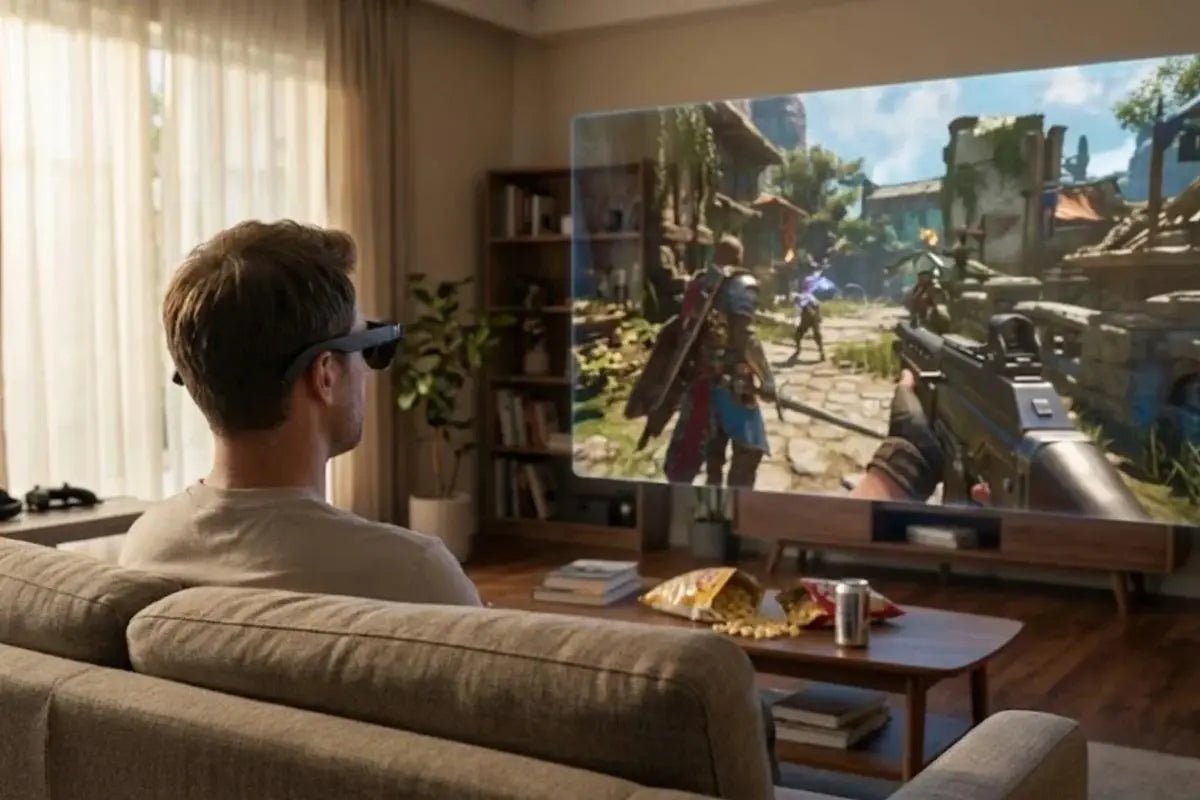
For a single PC that has to cover both a workday and a gaming session, RayNeo GT Max is built to do both without swapping hardware. The same pair of glasses, connected over the same USB-C cable, switches between an Office display preset for daytime work and a Movie or Standard preset with Follow tracking for gaming at night. The switch happens on the glasses themselves, not by re-plugging or reinstalling anything on the PC.
That distinction matters because most people asking this question aren’t choosing between a “work pair” and a “gaming pair.” They’re asking whether one pair of glasses can reasonably replace a monitor for both jobs on the same machine. The short version: yes, with different mode settings for each part of the day, and a couple of cable and app details worth knowing before buying.
GT Max lists two separate sets of controls that matter here: display modes (Standard, Movie, Eye Protection, Office) and spatial modes (Follow, Steady, Pinned). RayNeo’s product page names the four display modes without detailing exactly what each one adjusts; matching them to different tasks, the way this guide does, is a suggested pairing rather than an official RayNeo workflow. Spatial modes describe how the virtual screen behaves as you move: Follow keeps the screen centered as you move your head, suited to casual and everyday viewing; Steady offers stable viewing with subtle natural movement, suited to travel and commuting; and Pinned keeps the screen fixed in one position, suited to focused, cinema-like viewing.
Neither setting requires touching the PC. RayNeo describes both as controls on the glasses themselves, which is what makes switching between an office setup and a gaming setup during the same session practical instead of a hassle.
For working at a desk, Office is the display mode worth trying for text-heavy content like documents, spreadsheets, code, and browser tabs. Paired with Pinned mode, which keeps the screen fixed in one position instead of following your head as you turn it, GT Max can function like a monitor sitting on the desk: glance down at your keyboard or over at a second physical screen, and the virtual display stays where you set it rather than trailing your gaze.
Two other specs matter specifically for a desk-bound workday:
Text sharpness. GT Max’s optical engine renders at 38 pixels per degree (PPD), a measure of how many pixels fall within one degree of your field of view; the higher the number, the sharper fine detail like small text can look. That’s the density RayNeo specs for GT Max; the standard GT model runs a sharper 49 PPD in exchange for a narrower field of view, a tradeoff covered later in this guide.
Eye comfort features. RayNeo’s OptiCare system uses 3,840Hz high-frequency dimming and carries three TÜV SÜD certifications, for Eye Comfort, Low Blue Light, and Flicker Free, aimed at reducing the flicker that can contribute to eye strain during long stretches of screen time.
Quieter in shared spaces. GT Max’s audio runs through an open-ear, Bang & Olufsen-tuned quad-speaker system rather than sealed earbuds. RayNeo’s own FAQ describes the design as making sound “difficult to hear clearly from approximately 1.5 meters away,” though someone standing very close may still hear some sound. Whisper Mode 2.0, toggled with a long press on the volume rocker or through RayNeo XR App > Glasses Settings > Whisper Mode, is described in RayNeo’s FAQ as reducing audio leakage in quiet or public environments, the setting worth using in an open office or shared workspace.
Pinned mode caps brightness at 336 nits rather than the 1,200 nits available in Follow or Steady. RayNeo doesn’t explain the reasoning behind the split, but it’s a straightforward tradeoff worth knowing about before switching modes for a desk-bound workday.

Switch the display mode to Standard or Movie and the spatial mode to Follow, and the same glasses shift into a gaming setup. RayNeo describes Follow as keeping the screen centered as you move your head, suited to casual and everyday viewing, which for gaming means the display stays in front of you rather than requiring you to hold your head still.
Refresh rate is the other piece that separates gaming from office work. GT Max’s 1920x1080 Micro-OLED panel supports up to 120Hz in 2D mode (60Hz when viewing 3D content), which RayNeo’s spec sheet frames as delivering smoother motion for fast camera pans or quick-scrolling action.
Non-Pinned brightness (used in Follow and Steady modes) reaches 1,200 nits, more than triple the Pinned-mode cap. RayNeo doesn’t explain the reasoning behind the brightness split between Pinned and non-Pinned modes, but it means gaming and other non-Pinned content run at the higher cap by default.
Audio switches the same way. A long press on the volume rocker cycles between Standard, Whisper, and Spatial Surround. GT Max’s spec sheet separately lists Immersive Spatial Sound with head-tracked spatial audio through the four B&O-tuned speakers, and the volume rocker’s Spatial Surround setting draws on the same speaker system. That’s the opposite setting from the Whisper Mode used during the workday.

The cable and the connection stay exactly as they are. GT Max connects to a PC over a single USB-C cable using DisplayPort Alt Mode, a USB-C specification that lets some of the cable’s data lanes carry video instead of just data. Per RayNeo’s FAQ, that same connection carries video output while the connected device also supplies power to the glasses. Switching from a workday to a gaming session doesn’t mean unplugging that cable or reconnecting to a different port.
What changes is entirely on the glasses: the display mode and spatial mode are both adjusted directly on the glasses, and the audio profile through the volume rocker. As with any DisplayPort or HDMI monitor, none of that requires a driver reinstall or a change to the PC’s video output configuration.
| Setting | Workday (Office) | Gaming (Night) |
|---|---|---|
| Display mode | Office | Standard or Movie |
| Spatial mode | Pinned | Follow |
| Brightness | 336 nits (Pinned cap) | Up to 1,200 nits (non-Pinned) |
| Refresh rate | 120Hz (2D content) | 120Hz (2D) / 60Hz (3D) |
| Audio profile | Whisper Mode 2.0 | Standard or Spatial Surround |
| Best for | Documents, spreadsheets, code, browser tabs | Fast-paced games, movies, 3D content |
GT Max connects to a USB-C laptop over DisplayPort Alt Mode directly, no adapter needed, as long as the port supports video output (RayNeo lists compatibility with MacBooks from 2015 onward and Android devices from Galaxy S8 to S25; check your specific PC’s USB-C port for DP Alt Mode support, since not every USB-C port carries video). For a desktop PC or a laptop without a USB-C video-out port, RayNeo’s HDMI Adapter ($64, sold separately) takes the place of the direct cable. That path needs two extra things RayNeo’s listing makes easy to miss: an HDMI cable running from the PC’s HDMI output to the adapter, and a USB-C PD power source plugged into the adapter itself, since an HDMI connection alone doesn’t carry power the way a direct USB-C DisplayPort Alt Mode connection does. RayNeo’s GT Max FAQ instructs that if you’re using an adapter, “make sure it is connected correctly and sufficiently powered.” Skip that power source and the HDMI path won’t run the glasses.
Once connected, Windows treats GT Max like any external monitor. It shows up in Windows display settings as a second display, and whether it mirrors the laptop screen or extends the desktop, letting you drag separate windows onto it, is controlled there rather than on the glasses. A physical monitor already plugged into the same PC keeps working alongside GT Max under the same multi-monitor rules Windows applies to any two displays.
This article focuses on the display side of the setup, the mode switching that separates office work from gaming, rather than the step-by-step cable and Windows display configuration. For a full walkthrough of connecting GT Max to a Windows PC as an external display, see RayNeo GT Max as a Windows PC display.
Over the direct USB-C connection, the glasses are powered by whatever they’re plugged into rather than carrying their own battery for video output, so expect the connected PC’s battery to drain somewhat faster during use, particularly on a laptop running on battery power. GT Max ships with a USB-C cable in the box. RayNeo’s Eco Mode and Auto-Dim Brightness are separate power-saving settings built for phone-based use rather than a direct PC connection: Eco Mode dims the connected phone’s screen when playing video in XR Space, and Auto-Dim Brightness, turned on through RayNeo XR App > Immersive Casting, dims the phone’s screen after about 10 seconds of inactivity during screen casting. Neither setting changes how much power a directly connected PC draws.

The RayNeo GT runs the same display modes, spatial modes, refresh rate, and Whisper Mode setup as GT Max, at $299 against GT Max’s $399 (both prices at the time of writing). The tradeoffs: GT’s field of view is narrower at 46 degrees compared to GT Max’s 59 degrees; its cinema display is built around a 201-inch virtual screen (136-inch and 231-inch sizes are also available) against GT Max’s 267-inch screen (227-inch and 307-inch sizes also available); and GT has a fixed 64mm IPD rather than GT Max’s three IPD size options (S, M, L) chosen at checkout. GT also weighs less, 68 grams against GT Max’s 78 grams.
That narrower field of view isn’t a straightforward downside for office use. Both models run the same 1920x1080 panel, and packing that resolution into a smaller field of view gives GT a sharper 49 pixels per degree (PPD) against GT Max’s 38 PPD. In practice, that means dense text in a spreadsheet or code editor can look a touch crisper on GT, the tradeoff being a smaller-feeling overall screen rather than the wider, more immersive view GT Max offers.
For someone who mainly wants the office-to-gaming workflow described above, doesn’t need the widest possible field of view, and values text sharpness over screen size, GT covers the same day/night switching at a lower price. GT Max is the better fit if a wider FOV, a larger cinema display, or IPD-matched fit for extended sessions matters more than the $100 difference.
Can I still use a physical monitor at the same time as GT Max?
Which spatial mode should I use for gaming, Follow or Steady?
Does GT Max work with a desktop PC that doesn’t have USB-C video output?
Does GT Max need a driver installed on Windows?
Can I use GT Max for gaming on a handheld or console instead of a PC?







Share:
RayNeo Smart Glasses Comparison: iO vs GT vs GT Max vs X3 Pro
The Newest Smart Glasses Released in 2026: RayNeo's iO and GT Series