

$449.00

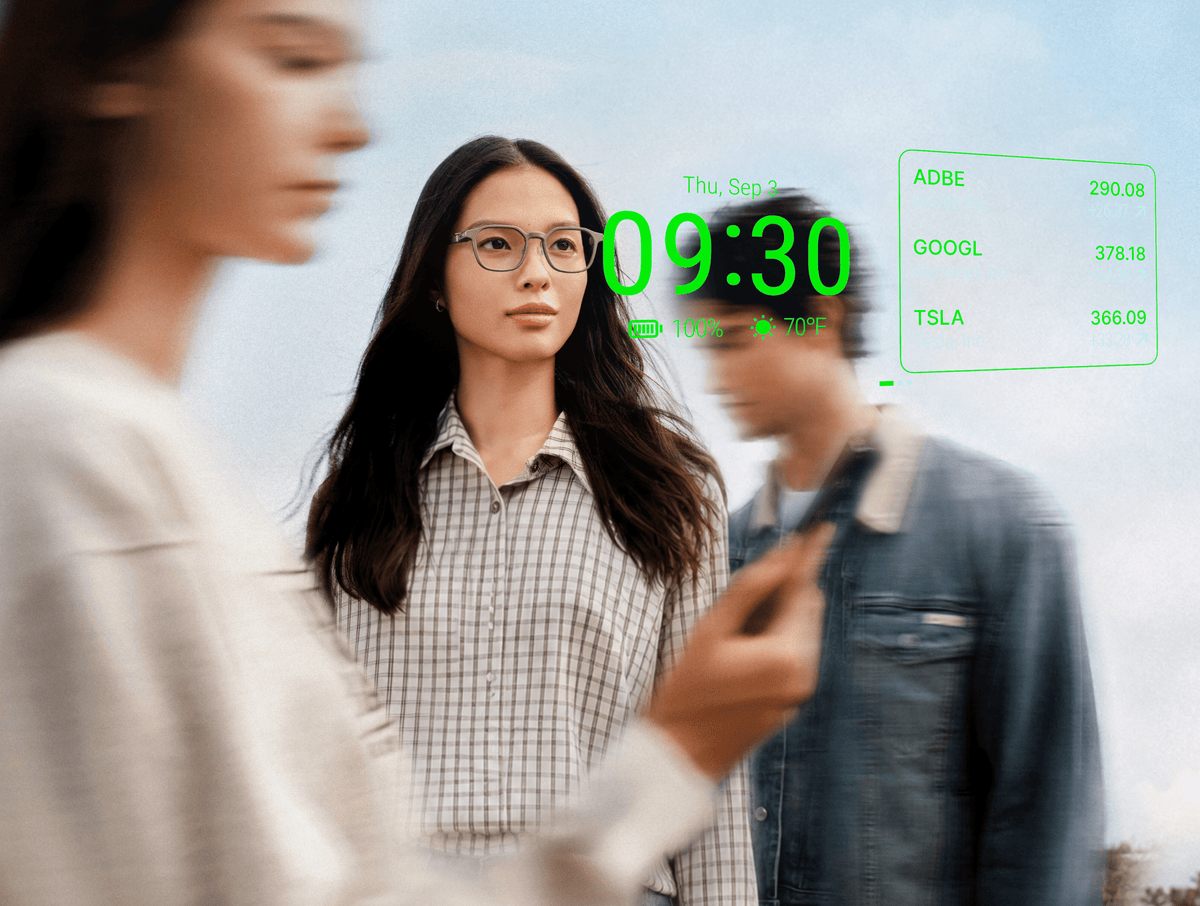
RayNeo iO turns the meetings and conversations you record into to-do items, keeps your to-do list and calendar on a heads-up Dashboard, and lets you confirm notifications and RayNeo Suggestions with a nod, so the phone can stay in your pocket. RayNeo X3 Pro brings an AI Smart Assistant that manages to-dos, memos, schedules, and meeting summaries hands-free on a full-color display.
iO has three input methods: the Smart Crown, voice input, and head gestures. The Smart Crown is the dial-and-button control on the upper front of the right temple: rotate it to scroll, click it to select.
On iO, AI extracts to-dos from the conversations you record, and these features handle the rest:
| Feature | What it does | How you use it |
|---|---|---|
| Voice Memo | Records a meeting, then produces an AI summary with key conclusions and to-do items | App List on the glasses, "Hey RayNeo" or "OK RayNeo", a shortcut gesture, or the RayNeo app |
| Life Log | All-day audio logging; AI extracts action items, organizes to-dos, and summarizes key takeaways | A voice command to RayNeo AI |
| To-Do widget | Shows your to-do items on the Dashboard | Lift your head (with HeadUp Display on) or click the Smart Crown |
| Calendar widget | Shows ongoing and upcoming events from the calendar source you authorize | Same as above |
| Head Controls | Nod to confirm, shake to dismiss a notification or RayNeo Suggestion | Head movement, no hands |
| RayNeo AI record search | Answers questions such as "What were my action items from last week's meeting?" | "Hey RayNeo", or double-click the Smart Crown |
Voice Memo is iO's recording feature, and it is the deliberate route. It offers two pickup modes: Wide Spectrum captures a room evenly for meetings and lectures, and Voice Isolation focuses on the person in front of you for one-on-ones. Transcription covers more than 100 languages, and for long sessions iO is rated for 18 hours of continuous recording on its 240mAh battery.
During the meeting, a single click of the Smart Crown flags the moment someone commits to something. When the AI builds the summary, it gives content around flagged moments extra attention. The finished summary includes key conclusions and to-do items, and Speaker Recognition can separate and rename each voice so the transcript shows who said what. Templates generate further summaries of the same meeting from different perspectives. For a deeper look at the transcript side, see how RayNeo glasses transcribe and summarize meetings.
Life Log is the passive route. Once you start it, it captures audio through the day and works quietly in the background to extract action items, organize to-dos, and summarize key takeaways, including the ones that come up in a hallway rather than a calendar slot. Life Log keeps only the text generated from conversations, and the original audio is not retained.
Recording lights a white indicator at the temple tip, and recording features should be used in line with local law, with consent from other people where it is required.
The Dashboard is iO's home screen of glanceable widgets, shown on a see-through, monochrome green MicroLED display in both lenses, equivalent to a 33-inch screen at 2 meters. HeadUp Display is a setting that wakes the Dashboard when you lift your head to a preset angle (adjustable from 0° to 60°, 30° by default). With the display off, a single click of the Smart Crown does the same.
For tasks, the Dashboard offers two widgets:
Rotate the Smart Crown to step through widgets in the order you set in the app. The Dashboard holds up to five widgets, so a task-focused layout can lead with To-Do and Calendar and leave room for Weather, Mail, or World Clock. Classic Mode shows full widget cards; Minimal Mode trims the view to time, weather, and battery level, so Classic is the mode for keeping tasks visible.

Reminders, notifications, and RayNeo Suggestions (the proactive prompts iO surfaces on the display) arrive in your field of view on their own. When a notification or Suggestion pops up, Head Controls let you answer without touching anything: nod to confirm, shake your head to dismiss.
When you need a stretch without interruptions, Focus Mode mutes proactively pushed notifications, RayNeo Suggestions, and Reminders together. Turn it on from the App List on the glasses, in the RayNeo app, or by voice through RayNeo AI, and set a recurring schedule so deep-work hours stay quiet automatically.
RayNeo AI can also search your personal records, including Voice Memo and Live Captions sessions, to answer questions such as "What were my action items from last week's meeting?" Data type tags such as Voice Memo and Life Log set the search scope, an answer you want to keep can be saved as a new summary tab with one tap, and the original summaries stay in Sessions, the app's record library.
Reminders and to-dos are only a glance away when the glasses are already on your face, and iO is built for all-day wear. The frame weighs 33g, the 240mAh battery supports up to two days of everyday use, and IP54 dust and water resistance makes iO ready for daily life. Its camera-free design helps reduce concerns about unwanted recording for both the wearer and people nearby, which suits a full day of meetings.
After the first pairing in the RayNeo app, simply unfolding the temples reconnects the glasses automatically, so there is no need to pair them again each time you put them on. When you set them down, folding the temples gives the best standby time.
The ultra-light Eyewear Charging Clip charges iO through USB-C, and the optional Eyewear Charging Case adds up to 5 full charges on the go. More on everyday glance-and-go use is in how smart glasses fit into a phone-free routine.

Say "Hey RayNeo" and X3 Pro is ready to manage schedules and to record and summarize meetings with voice-to-text transcription and key-point extraction. Meeting notes, transcription, and memos make up its AI productivity tools.
X3 Pro is a standalone smart-glasses platform with its own processor, storage, RayNeo AIOS, Wi-Fi 6, and battery, and a full-color display. Beyond voice, it offers a five-dimensional touch control on the temple, phone-as-air-mouse control, and Apple Watch gestures on compatible models.
| RayNeo iO | RayNeo X3 Pro | |
|---|---|---|
| Task features | Voice Memo and Life Log to-do items, To-Do and Calendar widgets, Focus Mode | AI Smart Assistant for to-dos, memos, schedules, and meeting summaries |
| Where you see them | Dashboard To-Do and Calendar widgets on a monochrome green display | Full-color display running RayNeo AIOS |
| Controls | Hands-free: nod or shake for notifications and Suggestions, "Hey RayNeo" voice. By hand: Smart Crown | Hands-free: "Hey RayNeo" voice. By hand: temple touch, Apple Watch gestures on compatible models |
| Connectivity | Bluetooth 5.4, MFi Certified; reconnects automatically when you unfold the temples | Standalone platform with Wi-Fi 6 and Bluetooth 5.3 |
| Weight | 33g | 76 ± 1g |
| Battery | 240mAh, up to two days of everyday use | 245mAh, full charge in 38 minutes |
| Camera | Camera-free | 12MP main camera |
Choose iO when your tasks come out of meetings and conversations: start a recording or Life Log and the AI pulls out the to-dos, your list and calendar sit a glance away, and notifications and Suggestions take a nod, all day, in a 33g frame built for all-day wear.
Choose X3 Pro when you want your to-dos, memos, and schedules on a full-color display, on a standalone platform with its own Wi-Fi 6. For the full range of what each assistant handles beyond tasks, see what the RayNeo AI assistant can do.
Which calendar does the iO Calendar widget show?
Can I keep reminders from appearing during a presentation?
Can I choose which AI model writes my meeting summaries?
Can I control what iO learns about me over time?
Ready to keep your list in view instead of in your pocket? Explore RayNeo iO for to-dos pulled from the conversations you record, or see RayNeo X3 Pro for an AI Smart Assistant on a standalone platform.







Share:
Live Captions With Multiple Speakers, Accents, and Rapid Turn-Taking
What Does Smart-Glasses AI Handle on the Glasses Themselves?