

$429.00


RayNeo currently has two products built with an official meeting-transcription and summary feature: the X3 Pro, its current AI and AR display glasses, and the newly announced RayNeo iO, launching September 4, 2026. Both record audio and turn it into a text transcript with an AI-generated summary, no separate transcription app or manual note-taking required. Both use the same record-then-review approach: you capture the audio first, then get a structured transcript and summary once the recording stops, rather than live captions scrolling by as people talk.
Which one fits you depends on what you actually need. If you want a shipping product today that also has a camera, a color AR display, and general AI assistant features, X3 Pro is the option you can buy right now and put to work in your next meeting. If your priority is specifically capturing meetings, lectures, or interviews for as long a stretch as possible, in the lightest possible frame, iO is built closer to that use case, though it hasn't shipped yet.
This is a closer look at RayNeo's own lineup, comparing X3 Pro and iO side by side to see which one fits your meetings, lectures, or interviews.

The RayNeo X3 Pro lists "Meeting Notes / Transcription / Memos" directly in its published tech specs, under an AI Productivity category. Its launch page describes the feature this way: saying "Hey RayNeo" lets the glasses "record and summarize meetings with intelligent voice-to-text transcription and key-point extraction," and separately frames the always-on Gemini assistant as an "Always-There AI Companion and Secretary" that handles to-dos, memos, and audio-to-text transcription.
In practice, this means you can trigger recording by voice mid-meeting, without touching the glasses or your phone, and later get a text transcript with the main points pulled out rather than a raw wall of text you'd have to read start to finish.
Real-time translation on X3 Pro covers 14 languages: Chinese, English, Cantonese, German, French, Spanish, Italian, Japanese, Korean, Russian, Thai, Vietnamese, Indonesian, and Malay. RayNeo's specs don't break out a separate language list for the Meeting Notes transcription itself, and don't state whether it needs an active phone connection to process. Both details are documented more specifically for iO, covered next.
Battery holds up well for this use case. RayNeo rates X3 Pro's audio recording at up to 5 hours on a full charge, enough to cover a full day of meetings or a half-day conference without a recharge. That's separate from its video-recording rating of about 36 minutes, since continuous video draws far more power than audio alone. For a multi-day conference, you'd want to top off the battery between days.
A few other specs worth knowing before you commit to X3 Pro for this use case:
As of this writing (August 22, 2026), RayNeo's site lists X3 Pro at $1,099 as part of an "End of Summer Sale," down from a $1,299 list price. Check RayNeo's current product page for the live price, since promotional pricing runs for a limited time.
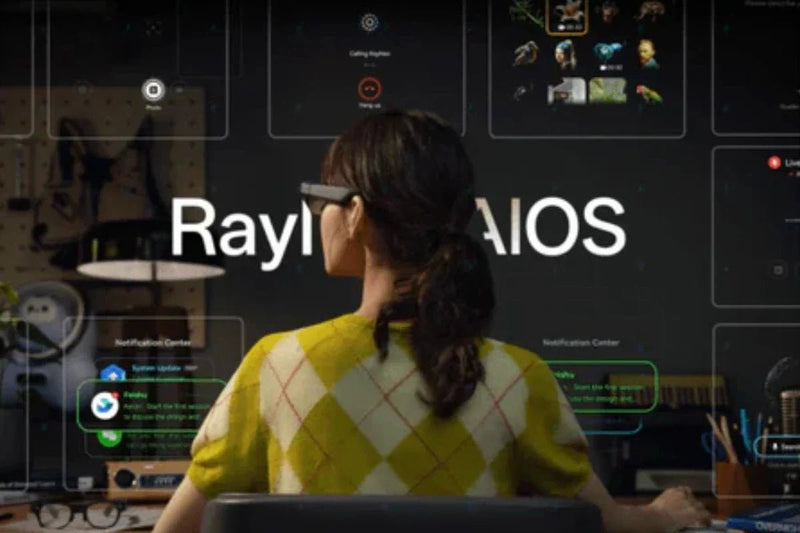
RayNeo iO was announced around August 21, 2026, with a launch date of September 4, 2026. RayNeo positions it around reducing phone dependency for everyday AI tasks, with an "invisible" waveguide display, a monochrome green display visible to the wearer but not to people looking at them, rather than the color AR display on the X3 Pro.
RayNeo's iO support page documents a real-time captioning feature called Live Captions & Translation. According to that documentation, iO "converts speech into text in real time and displays the captions directly in your field of view," so the text appears in the lens as the other person talks, not after the fact. It's designed around a single speaker in front of you, filtering out your own voice so the captions track only what that person is saying, similar in spirit to how the device handles real-time translation of another language. RayNeo builds this one specifically for one-on-one conversations; for group settings, the feature designed for that job is Voice Memo, covered next.
The feature RayNeo documents for meetings specifically is Voice Memo, with two recording modes:
That's a level of built-for-meetings detail not published for X3 Pro's version of the feature.
The same documentation states that Voice Memo automatically distinguishes different speakers and lets you rename them in the transcript, and that after recording, a transcript is generated and an AI summary is created automatically, covering key conclusions and to-do items, with different summary templates available. Like X3 Pro's Meeting Notes, this is a record-then-review feature, not live captions of the whole meeting as it happens.
According to RayNeo's official launch materials, iO weighs about 33 grams (less than half the X3 Pro's 76 grams) and runs on a 240mAh battery rated for up to 18 hours of continuous recording, well ahead of X3 Pro's audio-recording figure.
The companion app also lets you choose which AI model handles queries, connected over Bluetooth:
RayNeo's press release describes this multi-model access as an "optional... tier," which points to a paid membership layer for at least some of the model options. RayNeo hasn't published the membership pricing yet, so exact costs will need to wait until closer to launch.
On language coverage, RayNeo's support page confirms 40 languages for real-time translation and 100+ languages for Voice Memo transcription, both well ahead of anything currently published for X3 Pro. A separate figure of 112 languages for a dictation mode has circulated in media coverage of the announcement; since it isn't listed on RayNeo's own pages, treat the confirmed 100+ figure as the number to rely on.
RayNeo's own iO page currently shows an early-bird price plus a promo code rather than a fixed retail price, standard for a device that hasn't launched yet. Coverage of RayNeo's official launch announcement cites $479, with a charging-case bundle listed around $529. RayNeo's product page will reflect the standing price once iO ships on September 4, 2026.
Two things worth factoring in before you commit to iO for this use case:
| Feature | RayNeo X3 Pro | RayNeo iO |
|---|---|---|
| Availability | Shipping now | Announced; launches September 4, 2026 |
| Meeting feature | Meeting Notes / Transcription / Memos (AI Productivity spec) | Voice Memo, with Wide Spectrum and Voice Isolation modes |
| Speaker separation | Not published | Confirmed: automatic speaker distinction, renaming |
| Transcript timing | Not specified; feature description implies post-recording | Confirmed post-recording (transcript generated after recording ends) |
| Real-time in-lens captions | Not published | Yes, via Live Captions & Translation, designed for one-on-one speaker focus |
| Transcription language coverage | Not specified (14 languages listed for translation only) | 100+ languages per RayNeo's support page |
| AI summary output | Key-point extraction (per launch page copy) | Structured summary: key conclusions, to-do items, templates |
| Recording battery life | Up to 5 hours of audio recording | Up to 18 hours of continuous recording (per launch materials) |
| Camera | Yes, dual camera (12MP main + depth sensor) | Not listed in published specs |
| Display | Full-color MicroLED, ~30° FOV | Monochrome green waveguide, described as invisible to others |
| Weight | 76g | ~33g (per launch materials) |
| Price | $1,099 promotional price as of Aug. 22, 2026 (list price $1,299) | Early-bird price plus promo code on RayNeo's page; 479anda 529 case bundle cited in launch coverage |
| Phone app required | Yes, for setup and firmware | Yes, for setup, pairing, and AI model selection; Voice Memo launches from the glasses once paired |
It's easy to assume a "live captions" feature means your meeting shows up as scrolling subtitles while it happens. That's not quite what either device does for meetings specifically.
Recording a meeting also raises a practical, non-technical issue: consent. Many workplaces and jurisdictions have rules about recording conversations without telling the other people in the room, and those rules vary by location. That's worth checking against your own situation and company policy before you record a meeting, independent of what the hardware itself can technically do.
If you need something you can buy and use this week: X3 Pro is the only one of the two currently shipping, and its Meeting Notes feature is ready to use today.
If your main use case is capturing meetings, lectures, or interviews specifically, and you can wait a few weeks: iO is built closer to that job, with named recording modes suited to different conversation types, automatic speaker separation, and a battery rated for much longer continuous recording. Its pre-launch status and lack of a listed camera are worth weighing against that.
If you also want a camera and a color AR display for things like navigation overlays or point-of-view video: X3 Pro covers that; iO's public specs don't currently include a camera.
If all-day comfort while wearing the glasses for hours of back-to-back meetings matters most: iO's roughly 33-gram weight is significantly lighter than X3 Pro's 76 grams.
If multilingual coverage for transcription specifically is a hard requirement: iO's 100+ language Voice Memo transcription and 40-language real-time translation are both broader than what's currently published for X3 Pro, whose 14-language figure applies to real-time translation only.
Do RayNeo's meeting-transcription features work without an internet or phone connection? iO's Voice Memo can be launched directly from the glasses once they're paired, which points to at least some on-device processing. RayNeo doesn't spell out whether transcription and summary generation run fully offline or need connectivity at some stage, and X3 Pro's Meeting Notes documentation doesn't address this either. If you're recording somewhere with unreliable signal, this is the one detail neither product's official pages confirm yet.
Can these glasses tell who said what in a meeting with multiple speakers? Yes, on iO: RayNeo's support documentation confirms automatic speaker distinction, with the option to rename speakers directly in the transcript. X3 Pro's Meeting Notes doesn't document this level of detail, so if speaker-by-speaker breakdown matters to you, iO currently has the documented edge.
Is RayNeo iO available to buy right now? Not yet. iO was announced in late August 2026, with a stated launch date of September 4, 2026. RayNeo's iO page currently shows an early-bird price and promo code; standard retail pricing will show once it ships.
Does either device record video of a meeting, not just audio? X3 Pro does, through its dual-camera setup, rated for roughly 36 minutes of video per charge, well short of its 5-hour audio-recording figure, since video is the more power-intensive mode. For capturing a full meeting, audio recording is the mode to use on X3 Pro. iO's published specs don't list a camera, so its meeting feature is audio-only for now.
Does iO show live captions I can read during a meeting? Yes: iO's Live Captions & Translation feature displays real-time, in-lens text as someone talks. RayNeo built it around one-on-one conversations, tracking a single speaker and filtering out your own voice. For group meetings specifically, Voice Memo is the feature designed for that job, recording the conversation first and generating a transcript and summary once you stop.
The two products aren't competing for the same buyer. X3 Pro is a shipping AR display device where meeting notes are one feature among several, ready to record and summarize a conversation the moment you say "Hey RayNeo." iO is a lighter, audio-first device built specifically around capturing and organizing spoken conversations, with recording modes tuned for meetings versus interviews, automatic speaker separation, and 100+ language transcription.
If transcription is the reason you're looking at either one, both cover the core job: record a conversation, get back a transcript and an AI summary without manual note-taking. X3 Pro gets that done today, alongside a camera and AR display for everything else you might use smart glasses for. iO takes the more specialized approach once it ships on September 4, 2026, trading the camera and color display for a lighter frame and longer recording time built around exactly this use case.







Share:
Best Camera Glasses for Video Recording in 2026, by Use Case
Smart Glasses for Blind Users: Navigation, Reading, and Object ID