

$429.00

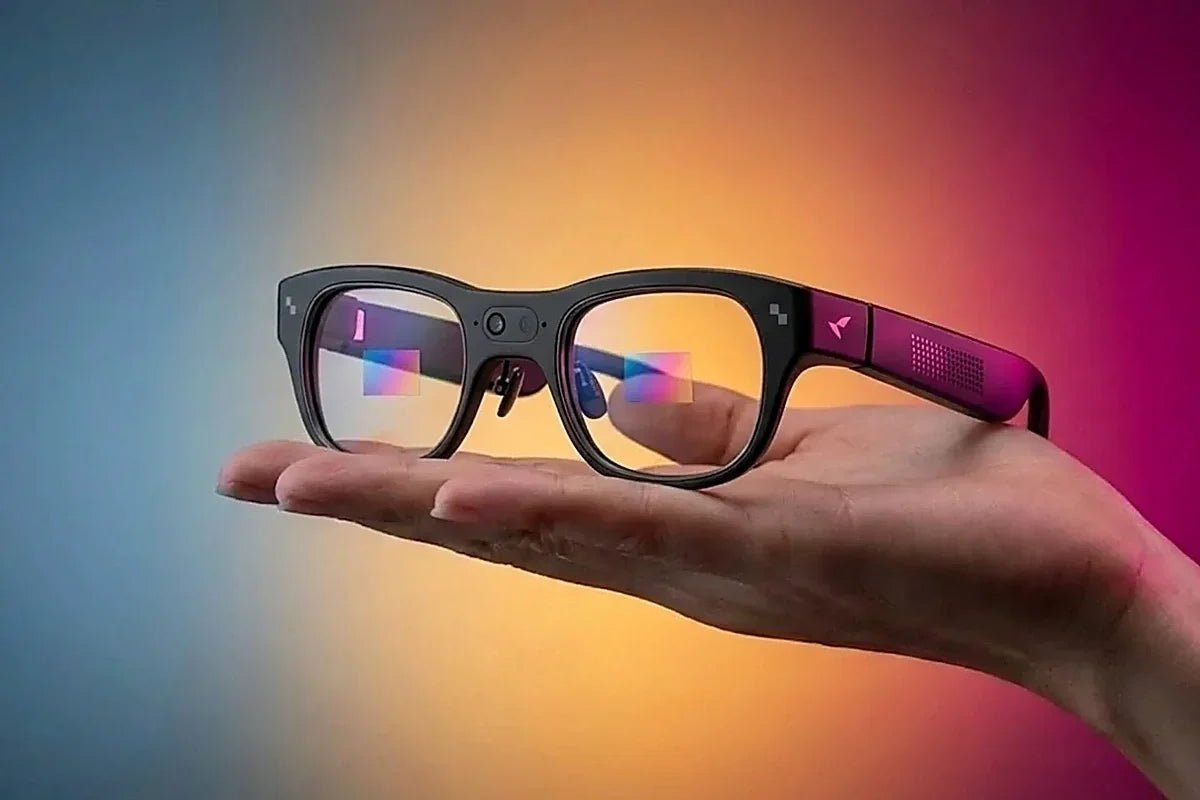
The RayNeo iO is the model built around this. Live Captions is a named feature rather than a side effect of translation: speech in front of you becomes text in your sightline, on a display that stays invisible to the person you are talking with. The RayNeo X3 Pro also puts text on screen, through its translation and transcription features, but its captions arrive as part of those tools rather than as a dedicated captioning layer.
Three related jobs run on the iO, and they work differently enough to be worth separating: captions while someone speaks, transcripts after a meeting ends, and a teleprompter for when you are the one talking.
Operating them well comes down to three things: which setting to pick, what each control does, and where each feature stops. Whether on-lens captioning suits your situation at all, including how it reads for deaf and hard-of-hearing users and how it behaves in a loud room, is covered in our guide to captions for conversations.
Four behaviors decide how captions feel in use:
It prioritizes the other person. The microphone array distinguishes the wearer's voice from other speakers, and the captions deliberately filter out your own voice so the text stays focused on what you are listening to.
You choose the tradeoff between speed and stability. A setting called Live Calibration controls how text appears during real-time translation. One option updates word by word as the person speaks, which shows text sooner but may shift as the sentence resolves. The other waits until a complete sentence is recognized, which is steadier to read. Fast conversation and comfortable reading pull in opposite directions, and this is where you decide which matters more.
You can look back without stopping the conversation. Rotating the Smart Crown scrolls through earlier captions during a live session, with a progress bar showing your position, and the display returns to the ongoing conversation automatically after a pause.
It saves what was said. When the conversation ends, the complete transcript is saved. In translation mode, original and translated text are stored side by side as conversation bubbles with each speaker labeled.
Live captions and speaker names are two different tools. While a conversation runs, the array keeps the text on whoever is speaking to you and filters your own voice out, which is what makes a four-person meeting readable in the moment. Speaker Recognition, which separates each voice and lets you rename them, belongs to Voice Memo: start a recording alongside the captions and the finished transcript arrives with every speaker named.
Nothing scrolls away for good. Rotate the Smart Crown mid-conversation and the captions rewind, with a progress bar showing where you are; pause for a moment and the display returns to what is being said now. Missing a sentence in a fast exchange stops being a problem when the line is still there to go back to.
It needs a connection. RayNeo's instructions are to select the language the other person is speaking and make sure the phone has an available network connection before starting.

For translation specifically, the iO covers 55 languages and 109 accents with approximately one second of latency by RayNeo's figures, which our translation accuracy guide covers in depth.
Caption quality comes from the engineering around the microphone, and iO is built for it: a four-microphone array with a bone-conduction sensor that isolates the speaker in front of you, 55 languages and 109 accents of coverage, roughly one second of latency, and a waveguide at 97% transparency that keeps the text yours alone. Coverage of the launch in Hearing Review and Hearing Health & Technology Matters picked up on the same combination.
The variables that move accuracy in practice are the ordinary ones: background noise, accents, overlapping speakers, specialist vocabulary, and network quality. Any of these can degrade a caption, and none of them appears on a spec sheet.
Latency deserves the same treatment. Roughly one second describes how long after a phrase is spoken its text appears, not a delay that accumulates over a conversation, so a long exchange does not drift further behind. What one second changes is your place in the turn-taking: you are reading a sentence while the next one starts, which works in a structured discussion and gets harder in a meeting where people talk over each other. The Live Calibration setting is the lever here. Word-by-word mode gets text in front of you sooner, at the cost of words shifting as the sentence resolves, and sentence mode gives you clean text a beat later. For fast group conversation, the earlier text usually wins even though it looks less tidy.
iO is a consumer device rather than a hearing aid, so where captions are part of how you access conversation because of hearing loss, it works alongside your existing solution rather than in place of it. The conversation guide linked above goes into that fit in detail, and 30-day free returns mean you can try it in the rooms you actually spend time in.
Captions are live and ephemeral. Voice Memo is the one that produces something you keep, and it has its own set of controls.
Recording starts from the app, a bound shortcut gesture, or a voice command using "Hey RayNeo" or "OK RayNeo". Two pickup modes cover different rooms: one captures voices around you evenly, which RayNeo recommends for meetings, lectures, and multi-person conversations, and one focuses on the voice directly in front of you while reducing background noise, recommended for interviews and one-on-one conversations. Choosing the right one is the single biggest thing you control about transcript quality.
While recording, a single click of the Smart Crown flags an important moment, and RayNeo notes that repeated taps within a short period will not create duplicate flags. Those flags feed the summary: content around flagged moments receives additional attention when the AI generates its output. You can add text notes in the app that link to the corresponding moment.
Afterwards, Speaker Recognition separates different speakers and lets you rename them, and the AI produces a structured summary with key conclusions and to-do items, with templates for generating summaries from different perspectives. Transcription supports more than 100 languages, which is a wider net than the 55 covered for live translation.

On the X3 Pro, the equivalent is voice-to-text transcription with key-point extraction and meeting summaries, described on its product page alongside the rest of its AI tools.
One responsibility comes with the feature. A white indicator light appears at the temple tip when recording starts, and RayNeo's own guidance is to follow the laws and regulations in your region, obtain consent from other participants when required, and use recording responsibly. Consent rules for audio are stricter than for video in many places.
When you are the one speaking, the iO displays your script on the near-eye display so you can hold eye contact instead of looking down at notes.
Three modes cover different delivery styles: one follows your reading pace and advances as you speak, one scrolls automatically at a speed you set, and the preset scenarios are labeled Video, Voiceover, Speech, and Default. Nearly everything about presentation is adjustable, including display distance, screen size, display height, text size, text width, line spacing, and display depth. Scripts are created and managed in the RayNeo app.
The practical advantage over a phone or a printed card is that your eyes stay where the audience is. For trade shows and demos specifically, our guide to talking points on stage covers the workflow in more detail.
Only two RayNeo models put text in your sightline at all, and they are built for different starting points, so the table is short by necessity rather than by preference.
| What you need | Model | Notes |
|---|---|---|
| Live captions, transcripts, and teleprompter as the main job | iO | Dedicated Live Captions with speed and stability options, Voice Memo with Speaker Recognition and AI summaries, teleprompter with three modes; 55 languages and 109 accents, roughly one second of latency |
| Captions nobody else can see | iO | 97% transparent lens, no screen glow, camera-free |
| Transcription alongside a camera, navigation, and visual AI | X3 Pro | Voice-to-text with key-point extraction on a standalone platform that also sees what you see |
The iO answers most of this list, which is unsurprising: at 33 grams with a 240mAh battery rated for up to two days of typical use, 18 hours of continuous recording, or 6.2 hours of continuous translation, it was designed for exactly these jobs. It costs $449, and RayNeo sells it with a prescription option.
Do captions work without internet?
RayNeo's setup instructions call for an available network connection on the paired phone before starting, so plan on connectivity. RayNeo's own materials describe fast on-device processing for voice pickup, and the network requirement indicates the language work happens in the cloud rather than on the glasses.
Can I use captions and record at the same time?
They are separate features with separate outputs: captions run live and save a transcript when the conversation ends, while Voice Memo is the recording tool with flags, speaker recognition, and summaries. If what you want afterwards is a structured summary rather than a plain transcript, start a Voice Memo rather than relying on the caption session.
How readable are captions while walking?
The display is optically equivalent to a 33-inch screen at two meters, monochrome green, with the lens at 97% transparency, which is legible without blocking your view. Save captions for situations where you can give them part of your attention, and keep the display clear when the road needs all of it.
Will the other person see that I am captioning them? They cannot read your display, but they can see the status light that illuminates when recording or translation functions are active. Saying what you are doing remains the right practice, and in some places obtaining consent is a legal requirement rather than a courtesy.
Does the teleprompter work with the captions at the same time?
They are separate apps in the App List, which matches how you use them: captions when you are listening, teleprompter when you are speaking.
See it in your own meetings: explore RayNeo iO for captions, transcripts, and teleprompter in one 33-gram frame.







Share:
RayNeo Translation Glasses: Languages, Latency, Accuracy
Which AR Glasses Have the Sharpest Text for PDFs and Code?