

$429.00

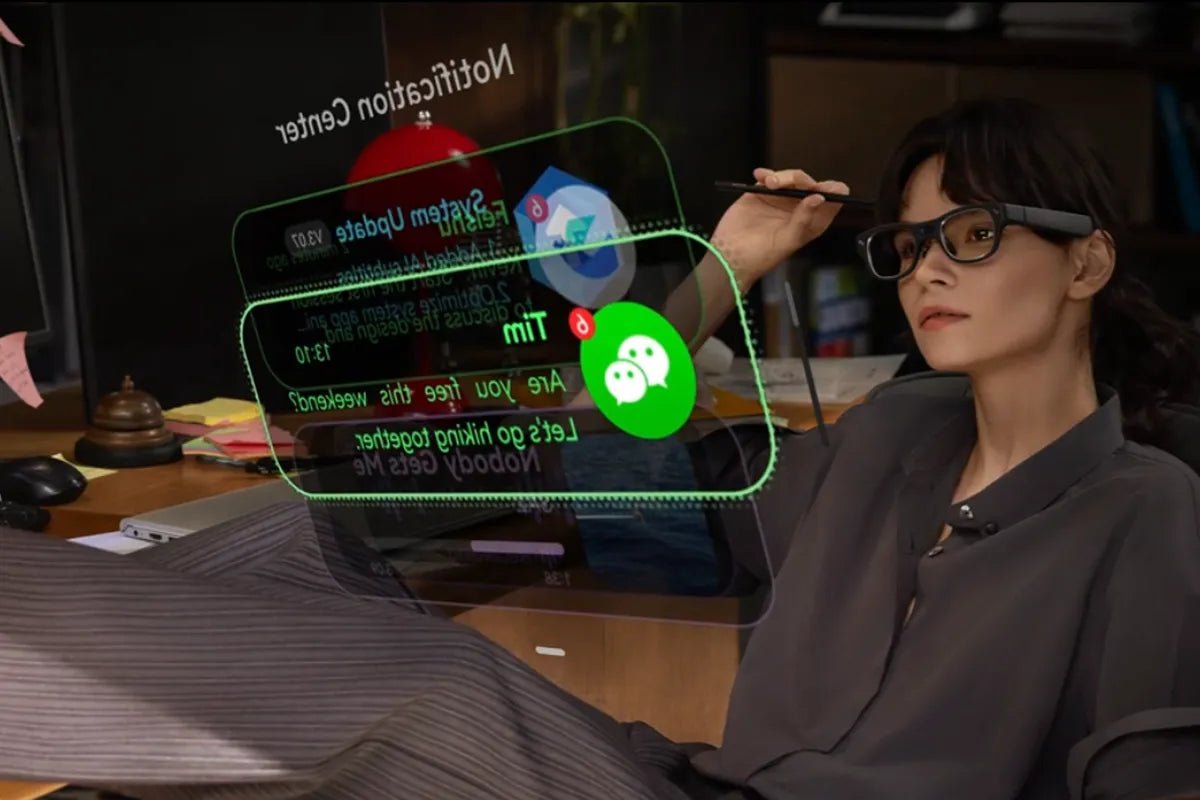
For reading rather than watching, the answer runs against the instinct that bigger is better. The RayNeo GT at $299 and the RayNeo Air 3s Pro at $279 render text more crisply than the larger RayNeo GT Max, and they do it with exactly the same panel.
The reason is pixel density. All three use a 1920x1080 per-eye Micro-OLED display. GT projects it across a 46-degree field of view for 49 pixels per degree. GT Max spreads the same pixels across 59 degrees, which works out at 38 PPD. Gaming Nexus's testing puts Air 3s Pro alongside GT at 49 PPD. Wider screen, same pixels, less density per degree of vision, and text is what notices first.
Resolution tells you how many pixels exist. PPD tells you how tightly they sit in your view, which is what determines whether the crossbar of a lowercase e survives at 11 point type.
Watching a film, density hardly matters, because the content is large shapes in motion and the wider view wins on immersion. Reading a PDF, density is the whole game. A 267-inch virtual screen sounds ideal for documents until you realize the text on it is built from the same 1920x1080 grid as the smaller screen, just stretched further.
That stretching does not shrink the type. A 12-point line is actually larger on GT Max, about 25.3 arcminutes against 19.6 on the narrower models, since every pixel is magnified along with it. What grows with it is the pixel structure: a single pixel covers about 1.58 arcminutes on GT Max and 1.22 on GT and Air 3s Pro, against an eye that resolves detail down to roughly one arcminute. So GT Max gives you bigger letters with visibly coarser edges, and the narrower models give you smaller letters that sit closer to the limit of what your eye can resolve. For a page of text you read for an hour, the second is the more comfortable trade.
Documents reward density; films and games reward width. Our guide to display glasses covers where each model lands across all the display metrics.

A few settings turn a big screen into a comfortable page.
Approximate it before you buy. You can get close on hardware you already own. Set a 1080p display to fill your view at the distance where it subtends roughly the same angle: GT's screen is equivalent to a 201-inch display at six meters, the same angular size as a 27-inch monitor at about 80cm, or a 15-inch laptop screen at about 45cm. Put a 1920x1080 signal on a screen at that distance, open the actual PDF you care about at the zoom level you normally use, and sit back. That is close to what these glasses will show you, minus their contrast advantage. It is the cheapest test available and it answers the 11-point-type question with your own documents.
Scale up, and here is where the type lands. Working from RayNeo's published pixel densities, 12-point text at 100% scaling (roughly 16 pixels tall) subtends about 19.6 arcminutes on a 49 PPD screen, which sits just under the 20 to 25 arcminute range usually treated as comfortable for sustained reading. Push scaling to 125% and it lands at 24.5 arcminutes; 150% puts it at 29.4. That is the arithmetic behind bumping editors and PDF readers up a notch, and it costs you nothing because the screen is already enormous.
Change scaling once, at the system level. Rather than adjusting zoom app by app, raise the display scaling in Windows display settings or macOS display preferences while the glasses are the active screen. Everything inherits it, and you can drop back when you unplug.
Favor dark text layouts at lower brightness. Micro-OLED panels switch pixels fully off, giving the 200,000:1 contrast the spec sheets quote, so dark backgrounds genuinely go dark rather than glowing grey. Air 3s Pro offers 20 levels of brightness adjustment, which is the finest control in the lineup for dialing a bright page down in a dim room.
Use the display mode built for it. GT Max and GT ship four display modes, Standard, Movie, Eye Protection, and Office, and the Office preset is the one to try for text-heavy work. Air 3s Pro instead offers six, named in RayNeo's product materials as Game, Movie, Eye-Care, Professional, Vision Boost, and Standard, where Professional is the closest equivalent for document work. RayNeo names the modes without detailing exactly what each adjusts, so treat these pairings as sensible starting points rather than documented workflows.
Pin the screen. On GT and GT Max, Pinned mode keeps the screen fixed in one position, which RayNeo recommends for focused viewing. For desk work this is the setting that lets you glance down at a keyboard without the document following your gaze. The tradeoff is brightness: Pinned runs at 336 nits against up to 1,200 in the other spatial modes, so give yourself a dimmer room rather than fighting it.
Sharpness across the screen depends less on the panel than on whether your eyes sit where the optics expect them.
Air 3s Pro publishes a 14x7mm eyebox, which RayNeo says keeps images sharp for 93% of users without constant adjustment, and offers nine levels of temple adjustment and three nose pad heights to get there. GT Max takes a different route, selling in three IPD sizes chosen at checkout, S under 64mm, M 64 to 67mm, and L over 67mm, with adjustable nose pads on top. GT uses a fixed 64mm IPD design and relies on nose pads for alignment, which is why RayNeo directs buyers who need a personalized IPD to GT Max.
The practical consequence for reading: if text looks crisp in the middle and soft toward one side, adjust before you conclude anything about the display. Nose pad height changes the vertical alignment, temple adjustment changes how far the optics sit from your eyes, and on GT Max the IPD size you bought sets the horizontal baseline. RayNeo provides an IPD measurement tool at ipd.rayneo.com for getting that choice right the first time.
Reading is where fatigue shows up, so this deserves specifics rather than reassurance.
What is documented: all three models use RayNeo's OptiCare system with 3,840Hz high-frequency dimming, and carry TÜV SÜD certification for low blue light and flicker-free performance. Air 3s Pro's page describes it as PWM plus DC dimming at that frequency with 20 levels of brightness control, and GT Max and GT include an Eye Protection display mode.

Certifications describe how the display behaves; the rest is the same discipline any long reading session deserves, with one AR-specific addition. Drop the brightness to the lowest comfortable level, since an over-bright virtual screen in a dark room is the most common cause of strain, and take breaks on a timer rather than by feel. The AR-specific part concerns focal distance. These screens present at a fixed equivalent viewing distance, GT's 201-inch screen as seen from six meters, so the image sits at one distance and stays there while you read rather than shifting the way a printed page does as you move. Looking at something genuinely distant every so often, which the see-through design allows without taking the glasses off, is worth building into the habit, and it is the same advice optometrists give for any fixed screen.
| Priority | Pick | Why |
|---|---|---|
| Sharpest text per dollar | Air 3s Pro, $279 | 49 PPD by independent measurement, 20 brightness levels, 76g |
| Sharpest text with the newest feature set | GT, $299 | 49 PPD published by RayNeo, three spatial modes, 68g, the lightest of the three |
| Reading plus films and gaming on one pair | GT Max, $429 list and $399 after the automatic checkout discount | 38 PPD is a step down for text, and the 267-inch screen and 59-degree view are a step up for everything else |
| Reading in a shared or public space | GT or GT Max | The GT series spatial modes let you pin the page in place, and Whisper Mode reduces audio leakage while nobody beside you can read the screen at all |
If documents are most of what you do, the $100 you save by choosing GT over GT Max buys you sharper text, not worse hardware. If you want one pair for the working day and the evening, GT Max remains the better all-rounder and its text is perfectly usable at a larger zoom level, which is the compromise most mixed users land on.
Can I actually code in these?
The setup that works is a virtual monitor at a comfortable zoom rather than a dense multi-pane IDE layout shrunk to fit. At 1080p the canvas is one screen's worth of real estate, which suits a focused single-window workspace, with a physical monitor alongside it for panel-heavy layouts. Our PC productivity guide covers the mode switching in more detail.
Does a bigger virtual screen help with small text?
It enlarges everything, including the pixel grid, so text gets bigger but not finer. Density is what makes a character's fine strokes clean, which is why the narrower-view models read better despite showing a smaller picture.
How do white document pages look?
White pages sit on the same Micro-OLED panel as everything else: 200,000:1 contrast, 98% DCI-P3 coverage, and color error under ΔE 2 on the GT series, which keeps a document page neutral rather than tinted. Thirty days of free returns cover reading your own PDFs on it before you commit.
Is 1080p enough for a full page of A4?
For reading, yes at fit-width zoom. For comparing two pages side by side at full size, you will be zooming and scrolling more than on a 1440p desktop monitor. That is what a 1920x1080 panel delivers, on all three models equally.
Do prescription lenses change text sharpness?
They should improve it if you need correction, since a blurry starting point is not something a display can fix. RayNeo works with an optical partner for prescription lenses, and Air 3s Pro's page describes compatibility for both near-sighted and far-sighted users. Get the fit right first, then judge the panel.
Does reading in AR beat reading on a laptop screen? For portability and privacy, yes: a 201-inch screen in a bag, and a document nobody beside you can read. For raw text fidelity, a good laptop display still resolves finer detail. Buy these for where you read rather than to out-resolve a monitor.
Read on the sharpest screen in the lineup: RayNeo GT and Air 3s Pro put 49 pixels per degree in front of your documents, while GT Max trades density for the widest view.







Share:
Which Smart Glasses Show Live Captions? Every Setting on RayNeo iO
Which Camera Glasses Record the Best Video?