

$449.00

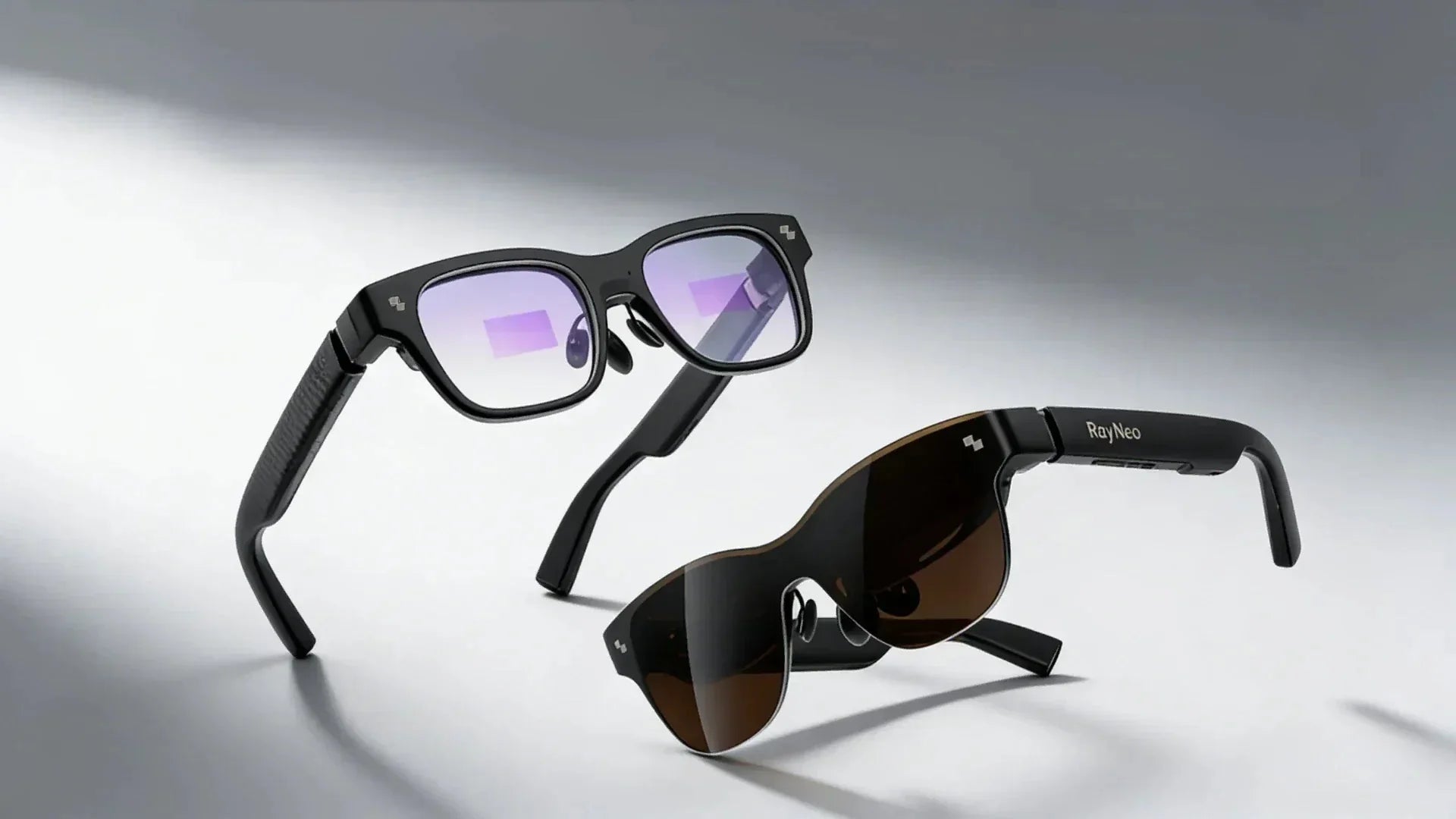
Smart glasses with cameras are becoming more practical everyday devices, helping users capture moments, access information, and stay connected without constantly reaching for a phone. With camera, audio, and AI features, these glasses can record from a first-person perspective, answer questions about what you see, and provide hands-free assistance.
However, smart glasses vary widely in features and capabilities. Some models focus on simple photo and video capture, while others add AI functions or combine cameras with built-in displays. This guide explains how smart glasses with cameras work, how to choose the right type for your needs, and what to consider before buying.

Smart glasses with cameras are wearable eyeglasses with a built-in front-facing lens, microphones, speakers, and a wireless connection to your phone. They let you shoot photos and video from your own point of view, take calls, listen to audio and, on AI-enabled models, ask an onboard assistant about whatever is in front of you. Some advanced models feature a see-through display, so information appears in your field of view rather than on a screen in your hand.
Smart glasses with cameras combine several technologies into a lightweight wearable device. Instead of relying on a single component, they integrate cameras, microphones, speakers, processors, and connectivity features to capture information, understand user requests, and provide near real-time feedback.
AI-powered smart glasses can combine camera input with voice commands to provide more contextual responses. Instead of only answering questions, they can analyse what users are looking at and offer relevant information.
Common AI features include:
This combination of vision and language processing is known as multimodal AI, allowing smart glasses to understand both what users say and what they see.
Camera smart glasses can help users understand their surroundings by analysing visual information in real time. AI models process images captured by the camera and provide results through audio, displays, or both.
Key functions include:
This hands-free approach allows users to access information without constantly checking a smartphone.
Smart glasses with cameras provide a first-person view for recording content while keeping users' hands free. They are useful for capturing daily moments, tutorials, and outdoor activities without additional equipment.
Common uses include:
By combining cameras, AI, and hands-free operation, smart glasses offer a convenient way to capture experiences and interact with digital information.
Choosing smart glasses with cameras is not only about image quality or the latest AI features. The right choice depends on how you plan to use them, whether you need a display, how comfortable they feel, and how often you will use the smart features.
Start by identifying what you want the glasses to do in your daily life. Different features matter for different situations:
Choosing based on your main use case helps avoid paying for features you rarely use.
Smart glasses come in different categories, and the price usually reflects the level of technology and hardware included.
| Type | Features | Best For |
| Camera-only | Capture photos/videos, audio, and calls without AI or display | Simple hands-free recording |
| AI smart glasses | Camera-based AI for object recognition, text reading, and assistance | Everyday AI support |
| AR display glasses | Virtual screens and digital content in your view | Entertainment and productivity |
| AI + AR | AI features combined with an AR display | Users who want both smart assistance and visual information |
More advanced features usually mean higher costs, greater battery demands, and more complex setup. The right choice depends on whether you prioritise capture, AI assistance, immersive viewing, or a combination of these functions.
Since smart glasses are worn for extended periods, comfort is just as important as technology.
Pay attention to:
A comfortable fit is essential because even the most advanced smart glasses are less useful if you do not enjoy wearing them.
Cameras, AI processing, and displays can consume significant power, especially during continuous use. Before choosing a model, consider how you typically use smart glasses.
For longer trips or frequent recording, look for:
If the glasses rely on a connected device for power or processing, battery performance may differ from fully standalone models.
Smart glasses are available across a wide range of prices, depending on their technology level.
A practical way to compare options:
Instead of choosing the most feature-rich option, focus on the functions you will use regularly. The best smart glasses are the ones that fit your lifestyle and provide useful features without unnecessary complexity.
Smart glasses with cameras create a unique privacy challenge because the camera is worn on your face and can capture moments from a first-person perspective. Unlike a smartphone, which is usually raised intentionally before recording, a face-mounted camera may make recording feel less obvious to people nearby. Responsible use requires awareness of both technology and social expectations.
Manufacturers address these concerns through features that make recording more transparent:
These features help create a clearer balance between convenience and personal privacy.
Recording laws vary depending on location and the type of content being captured. Audio recording is often more legally sensitive because private conversations may require consent.
In the United States, federal law generally allows recording when at least one party consents under 18 U.S.C. § 2511(2)(d). However, some states require all parties to consent when recording confidential conversations. California generally requires all-party consent for recording confidential conversations under Cal. Penal Code § 632.
Video recording in public spaces may be treated differently from recording private conversations, so users should check local laws before recording.
Beyond legal requirements, simple habits can help others feel comfortable:
Camera-equipped smart glasses offer new ways to capture and interact with the world, but responsible use depends on respecting the privacy of those around you.
This section provides general information, not legal advice. Check the rules in your jurisdiction before recording.
Smart glasses come in different forms depending on whether you need AI assistance, camera functions, or an immersive display experience. The right choice depends on how you plan to use the glasses in daily life. Below are two options designed for different needs, from AI-powered interaction and hands-free capture to portable AR entertainment.
For users who want smart glasses with camera and display capabilities, the RayNeo X3 Pro AI+AR Smart Glasses combine AI assistance, AR visuals, and hands-free capture in one wearable device. Instead of only recording videos or playing audio, they combine a camera, display, and AI capabilities to provide real-time information directly in the user's field of view.
Key features include:
These glasses are best suited for travellers, creators, and users who want AI-powered assistance combined with AR visuals in everyday situations.

If your priority is a private viewing experience rather than camera-based features, AR display glasses may be a better choice. The RayNeo Air 4 Pro AR Glasses focus on creating a large virtual screen for entertainment, gaming, and productivity without including a built-in camera.
Key features include:
Unlike AI camera glasses, this type of AR glasses is designed for private viewing rather than capturing the surrounding environment. It is a better fit for users who want a portable screen experience without recording features.

Buy for the job, not the spec sheet. The right smart glasses with camera are the pair that matches what you actually do all day: capture and AI if you travel, create and want answers about the world in front of you; a big private screen if you mostly watch, game or work on the move. Get that call right, and the glasses disappear into your routine, which is the whole point. Compare X3 Pro and Air 4 Pro and pick the one that fits your day.
They record photos and video from your point of view, take calls, and play audio through open-ear speakers. AI glasses with camera can also analyse images, identify objects, and provide hands-free assistance. For users looking for AR glasses with camera, models with built-in displays can add visual information, notifications, or translation directly in the field of view.
It depends on the model. AI models need a connection for cloud tasks such as translation and assistant queries; they use Wi-Fi or your phone's data through the companion app. Basic capture, playback and calls usually work offline over Bluetooth. Many display-only AR glasses do not require Wi-Fi because they receive video signals directly through a wired connection, although some features may still require companion apps.
You control them three ways: a touch panel on the temple, a physical button, and voice. A tap or button press starts capture. A wake phrase summons the assistant. On the RayNeo X3 Pro, a five-way touch control navigates the spatial interface, and an Apple Watch can serve as a remote. Pair the glasses with the companion app once, and settings, media, and updates sync from there.





Share:
What Are AR Glasses? Exploring Augmented Reality Wearables
AI Translation Glasses: How They Work and How to Choose