

$449.00

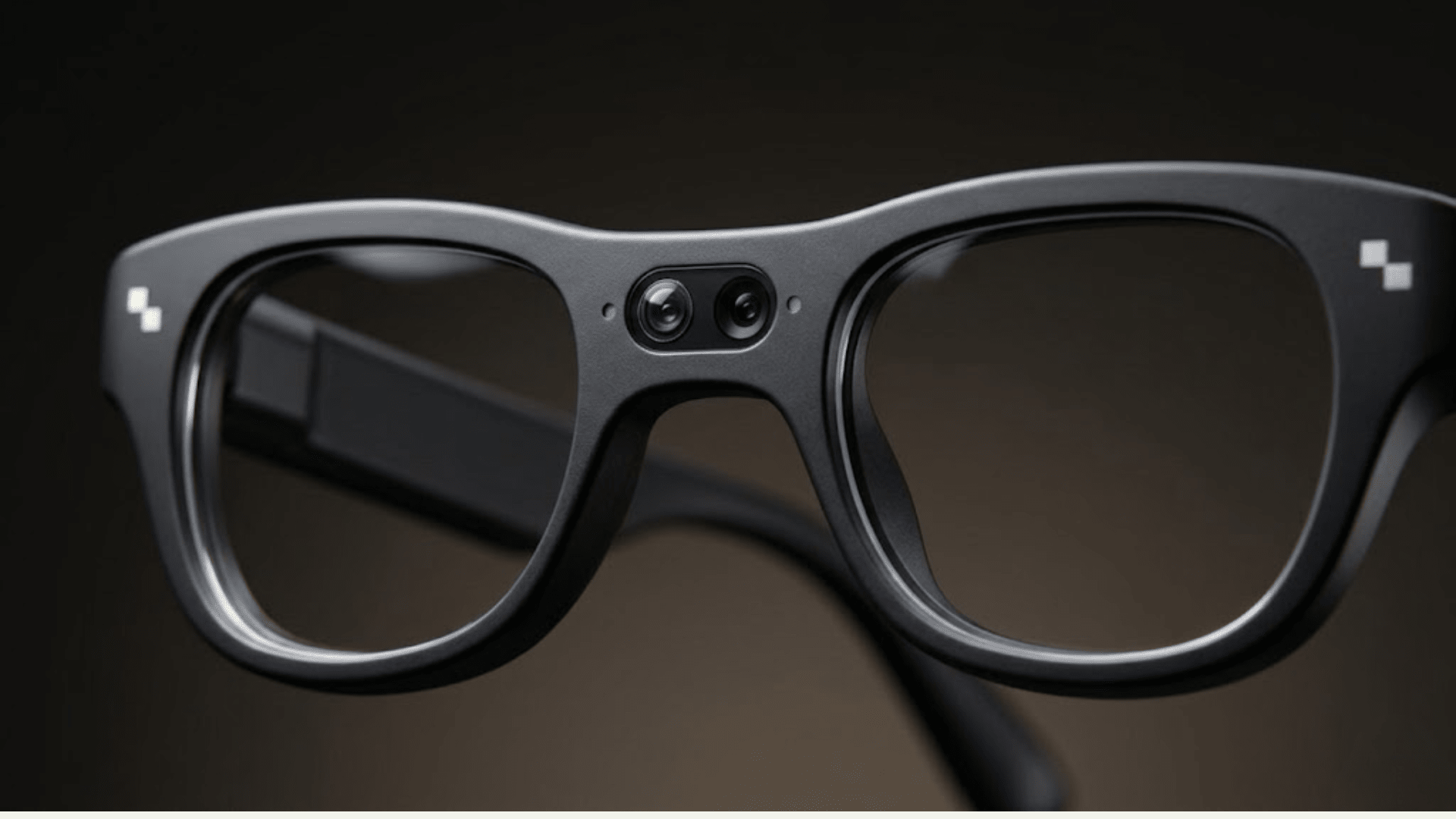
"Smart glasses for blind people" covers two genuinely different kinds of product, and confusing them leads to disappointment either way. One category is built from the ground up around blindness: dedicated wearables and apps designed specifically to read text aloud, describe scenes, or help someone navigate without sight. The other category is general-purpose AI or AR glasses, built primarily for sighted or low-vision users who want a camera, a voice assistant, or a heads-up display, where any accessibility benefit is a side effect of features designed for something else.
RayNeo's current lineup falls into the second category. Its general-purpose AI+AR glasses, the X3 Pro, weren't engineered or certified as an accessibility device, and RayNeo doesn't market it that way. That doesn't make it irrelevant to this conversation. RayNeo has published its own thinking on where AI glasses like this one can realistically help low-vision users, and that's worth walking through honestly, alongside what a dedicated device does that general-purpose AI glasses don't.
This distinction shapes everything else in this article, so it's worth stating clearly upfront. Someone with no functional vision at all gets zero benefit from anything projected onto a lens; a display, however bright or well-placed, isn't perceivable. Audio output, a spoken description, a phrase read aloud, a translated sign, is the only channel that matters for that person.
Someone with low vision, meaning some usable but limited or distorted vision, may benefit from both channels: a display that magnifies or enhances contrast for things they can partially see, plus audio for the details that fall below their visual threshold entirely (fine print, distant signage, low light).
Any product review or spec sheet that doesn't separate these two situations is skipping the single most important qualifying question. The rest of this article treats them separately.
Strip away brand names and marketing language, and the features that determine whether a piece of wearable technology genuinely helps someone who is blind or has significant vision loss come down to a short list:
Every product mentioned below, RayNeo's included, should be judged against this list rather than against a generic spec sheet.
Several categories of product exist that are engineered specifically around vision loss, rather than adapted from a general-purpose device. Describing them by function, without naming specific brands:
OCR reading devices. Some wearables are built almost entirely around one job: pointing at text and having it read aloud immediately, menus, mail, product packaging, street signs. A defining feature of the best-known devices in this category is that they can do this fully offline, with no smartphone or Wi-Fi required, since all processing happens on the device itself.
AI scene-description glasses. A separate category goes further than text reading, using AI models to describe entire scenes, identify objects, and answer specific questions about what's in front of the camera ("what color is this shirt," "is anyone in this room"). These are typically sold with a subscription for ongoing AI processing and support, and are marketed and documented specifically for blind and low-vision users, including third-party accessibility reviews and dedicated customer support built around that population.
Haptic obstacle-avoidance wearables. A smaller category takes an approach closer to a guide dog's function: combining obstacle detection with path planning, and communicating direction through vibration (haptic feedback) rather than audio, which leaves your ears free to listen to traffic or conversation while walking.
Free scene-description and text-reading apps. Several free smartphone apps use the phone's own camera (no dedicated glasses required) to read text aloud and describe scenes, a genuinely useful, zero-cost starting point for anyone who wants to try this kind of assistance before considering a dedicated wearable.
Low-vision magnification devices. A separate category again serves a different population: people with usable residual vision who need magnification and contrast enhancement for detailed tasks (reading, close work), rather than voice-based description. These are built around enhancing what someone can already partially see, not converting vision into audio.
The RayNeo X3 Pro is a general-purpose AI+AR device priced at $1,299: an always-on Google Gemini assistant, a 12MP main camera paired with a secondary depth-sensing camera, a 640x480 full-color MicroLED display with a roughly 30-degree diagonal field of view, and a 3-microphone array, built primarily around translation, navigation overlays, and hands-free everyday tasks for a general audience.
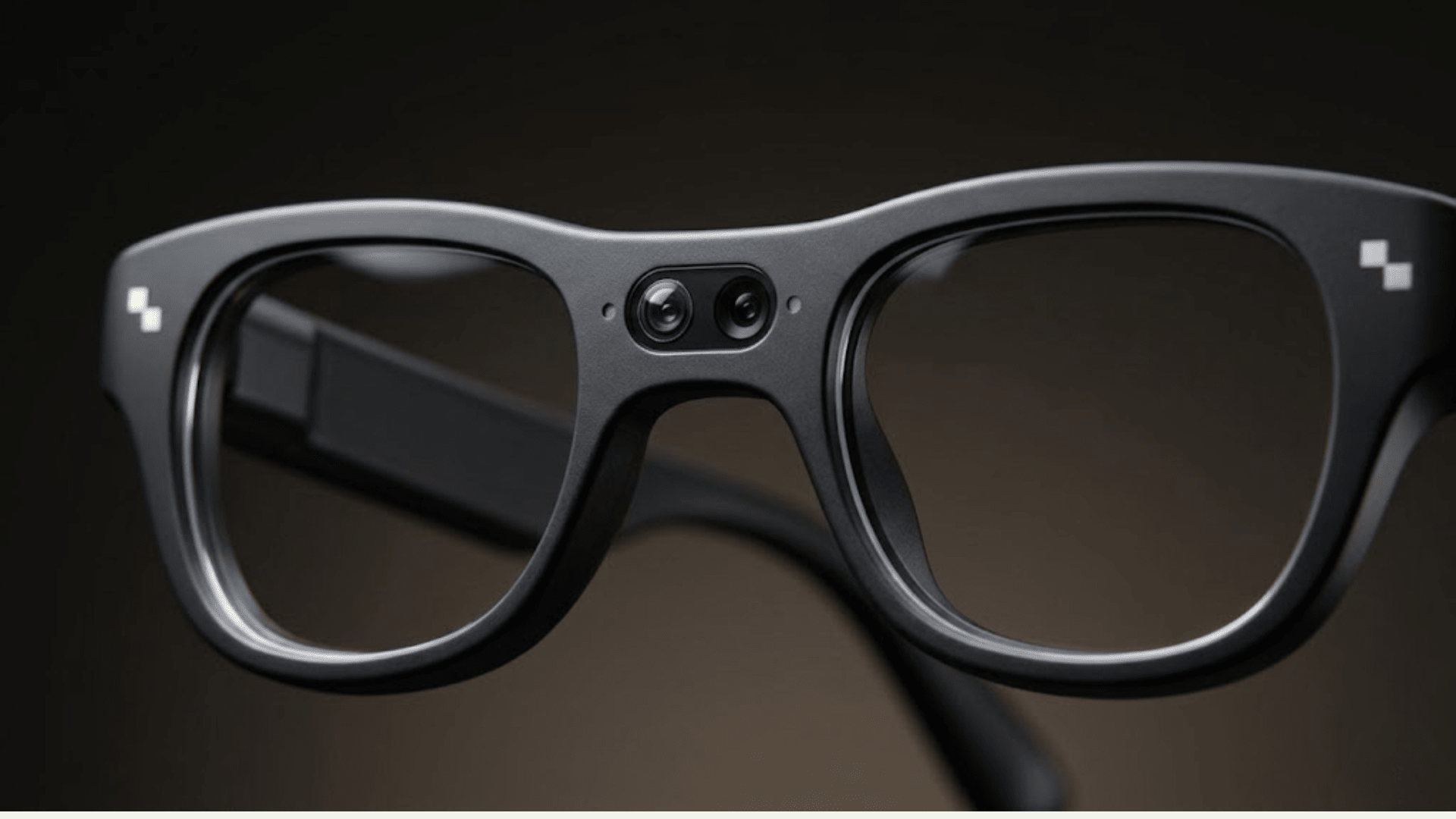
The larger lens is a 12MP color camera; the second is a depth-sensing camera. RayNeo documents this second camera as a spatial-tracking component for AR display stability, not as a hazard-detection feature (more on what that means below).
This is a binocular display, meaning it projects to both eyes rather than one. RayNeo's official materials don't publish a brightness (nits) figure for it, though. For someone with low vision who still has enough functional vision to see an overlay at all, that's a real gap: how bright that display's text renders in practice matters more than the resolution number alone, and it isn't something a spec sheet answers.
RayNeo's own blog post on this topic, "AI Glasses for Blind," describes the X3 Pro as "more like a portable multimodal AI assistant," suited to two groups: low-vision users who need help with text and fine detail, and frequent travelers. That's a meaningfully more modest claim than "designed for blind users," and it's worth taking at face value rather than reading more into it.
Here's what that means in practice. Because the X3 Pro's Gemini assistant is multimodal, it can look at what the camera sees and describe it in conversation: identify a plant, answer a question about an object, or translate a menu with synchronized audio for the translated phrase. This is the same general capability RayNeo documents for its translation and everyday-use features, not a separate accessibility mode, and the audio piece of it is confirmed specifically for translation (more on that distinction below).
For someone with low vision and enough functional vision to operate the device and see the display's basic prompts, that general capability could serve as a supplementary tool for reading fine print or translating signage.
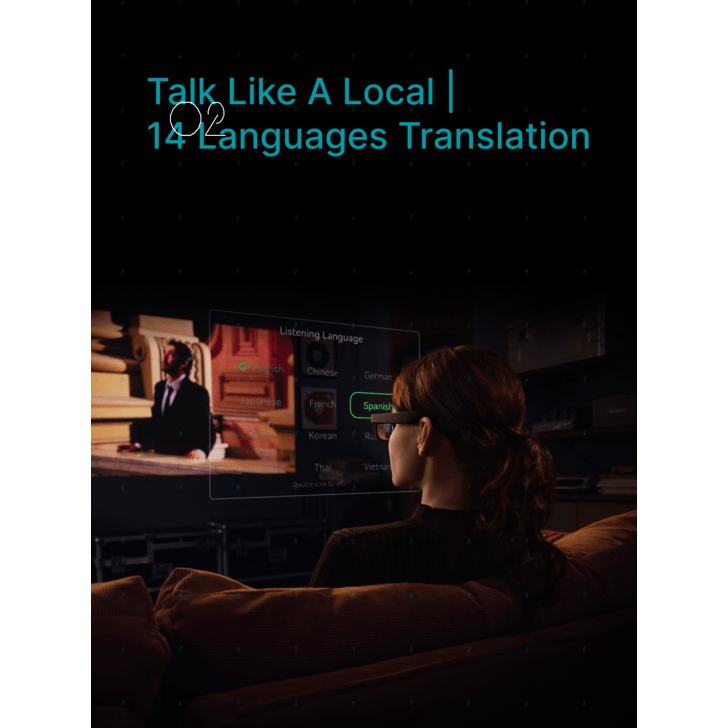
This is the translation feature specifically, which RayNeo's FAQ confirms includes synchronized audio alongside the on-screen text. That's a different confirmation than general Gemini question-and-answer responses, covered in detail just below.
For someone with no functional vision at all, the picture is less clear, and this is worth stating precisely rather than glossing over. RayNeo's official FAQ describes Gemini's answers as appearing "directly in your field of view," which is a visual, display-based description, not an audio one. The translation feature is documented differently: RayNeo's FAQ states translated speech "can appear as on-screen text and supported synchronized audio," meaning audio output is explicitly confirmed for translation specifically. Whether general Gemini question-and-answer responses, asking what an object is or what a sign says outside of the translation feature, are also read aloud through the speakers isn't stated anywhere on RayNeo's official pages. Someone with no usable vision shouldn't assume that part works the same way translation does until RayNeo confirms it directly.
A few things are missing compared to a dedicated device, though, and they matter:
RayNeo describes the X3 Pro as a standalone platform, with its own processor, storage, operating system, Wi-Fi, and battery, so it isn't strictly dependent on a paired phone for basic operation. RayNeo's own FAQ notes that a phone is still useful for setup, connectivity, and hotspot access. Gemini's cloud-based queries and real-time translation need an internet connection either way, whether that comes from the glasses' own Wi-Fi or a phone's hotspot, so anyone considering this for use in an area with no Wi-Fi and no phone hotspot available should expect those specific features not to work.
No product discussed in this article, RayNeo's included, has been marketed, tested, or certified as a medical device or as a substitute for a white cane, a guide dog, or orientation and mobility (O&M) training from a qualified specialist. AI-based description and reading tools are a supplement to those fundamentals, not a replacement for them. The American Foundation for the Blind's orientation and mobility resources are a reasonable starting point for finding a qualified O&M instructor, and the American Council of the Blind's guide dog resources cover what's involved in that separate decision. Anyone evaluating smart glasses, from either category described above, for daily independent mobility should treat this as a supplementary tool to layer on top of established mobility skills, not a starting point on its own.
| Device category | Primary function | Audio scene description | Text reading (OCR) | Obstacle/hazard detection | Works without a phone | Marketed specifically for blindness |
|---|---|---|---|---|---|---|
| Dedicated OCR reading device | Read text aloud | Limited | Yes, core feature | No | Often yes (on-device processing) | Yes |
| AI scene-description glasses (subscription-based) | Describe scenes, answer questions about surroundings | Yes, core feature | Yes | Varies by model | Usually needs connectivity for full AI features | Yes |
| Haptic obstacle-avoidance wearable | Path planning, direction guidance | Limited | No | Yes, core feature | Varies | Yes |
| Free scene-description/reading app | Read text and describe scenes via phone camera | Yes | Yes | No | No (phone-based) | Yes |
| Low-vision magnification device | Magnify and enhance contrast for residual vision | No | Limited | No | Varies | Yes (low vision) |
| RayNeo X3 Pro | General AI assistant, translation, camera, AR display | Confirmed for translation only; unconfirmed for general Gemini answers | Yes, via Gemini; audio confirmed for translation only | Not documented | Partially (own Wi-Fi, but cloud features need internet) | No |
Can smart glasses restore vision for someone who is blind? No. As RayNeo's own blog on this topic states, "AI cannot restore biological sight, but it can translate visual information into voice and haptic cues." Every product in this article, dedicated or general-purpose, works by converting camera input into audio (or, for some dedicated devices, vibration), not by restoring sight itself.
Does RayNeo make smart glasses specifically for blind people? RayNeo's own blog describes the X3 Pro as potentially useful to low-vision users who need help with text and detail in daily tasks, using its camera and AI features to read out what the wearer points it at. That said, the X3 Pro and the rest of RayNeo's current lineup are general-purpose AI and AR hardware, not a certified or dedicated accessibility product built specifically for blindness, so someone who is fully blind should look to the dedicated devices covered above rather than the X3 Pro.
Can the RayNeo X3 Pro read text aloud for someone with low vision? That depends on which feature is doing the reading. RayNeo's translation feature explicitly supports synchronized audio, so a translated phrase can be read aloud, not just shown as on-screen text. General Gemini question-and-answer responses, like asking about a menu or a piece of mail outside the translation feature, are described by RayNeo as appearing in your field of view; whether those responses are also read aloud isn't confirmed on RayNeo's official pages. Either way, the bigger practical question is reliability: RayNeo's own material on this category flags that recognition accuracy drops in poor lighting, bad weather, or cluttered scenes, and there's no way for someone who can't see the source text to visually catch a misread. That's worth weighing against a dedicated reading device with a documented accuracy track record for this specific task.
Do accessibility-focused smart glasses need to be connected to a phone? It depends on the category. Some dedicated OCR reading devices are designed to process everything on-device, with no phone or Wi-Fi required. RayNeo describes the X3 Pro as a standalone platform with its own Wi-Fi, so a paired phone isn't strictly required for basic operation, though RayNeo's FAQ notes a phone is still useful for setup and hotspot access. Translation and cloud-based Gemini features need an internet connection either through the glasses' own Wi-Fi or a phone's hotspot.
Where can I get personalized advice on choosing assistive technology? A qualified orientation and mobility (O&M) specialist, reachable through state services for the blind or organizations like the American Foundation for the Blind, can evaluate individual needs in a way no product review can. That's a more reliable next step than choosing hardware first.
If you're blind or have significant vision loss and searching for smart glasses, the first decision isn't which brand, it's which category. Dedicated devices and apps built specifically around blindness handle text reading, scene description, and in some cases obstacle detection as their core purpose, with support and documentation built around that use case. RayNeo's X3 Pro is a general-purpose AI and AR device that happens to include a camera and voice assistant capable of some of the same underlying tasks, translation, text recognition, scene description, but it wasn't engineered, certified, or marketed as an accessibility product, and RayNeo's own materials don't claim otherwise. For low-vision users with some functional vision left who already want general AI and translation features for other reasons, that overlap can be a genuine bonus. It isn't a reason to choose it over a dedicated device, or over foundational mobility training, if independent daily navigation is the actual need.







Share:
Safety Glasses With a Camera for Worksite Recording and Inspections
Which Smart Glasses Support Transition Lenses for Indoor and Outdoor Use?