

$449.00

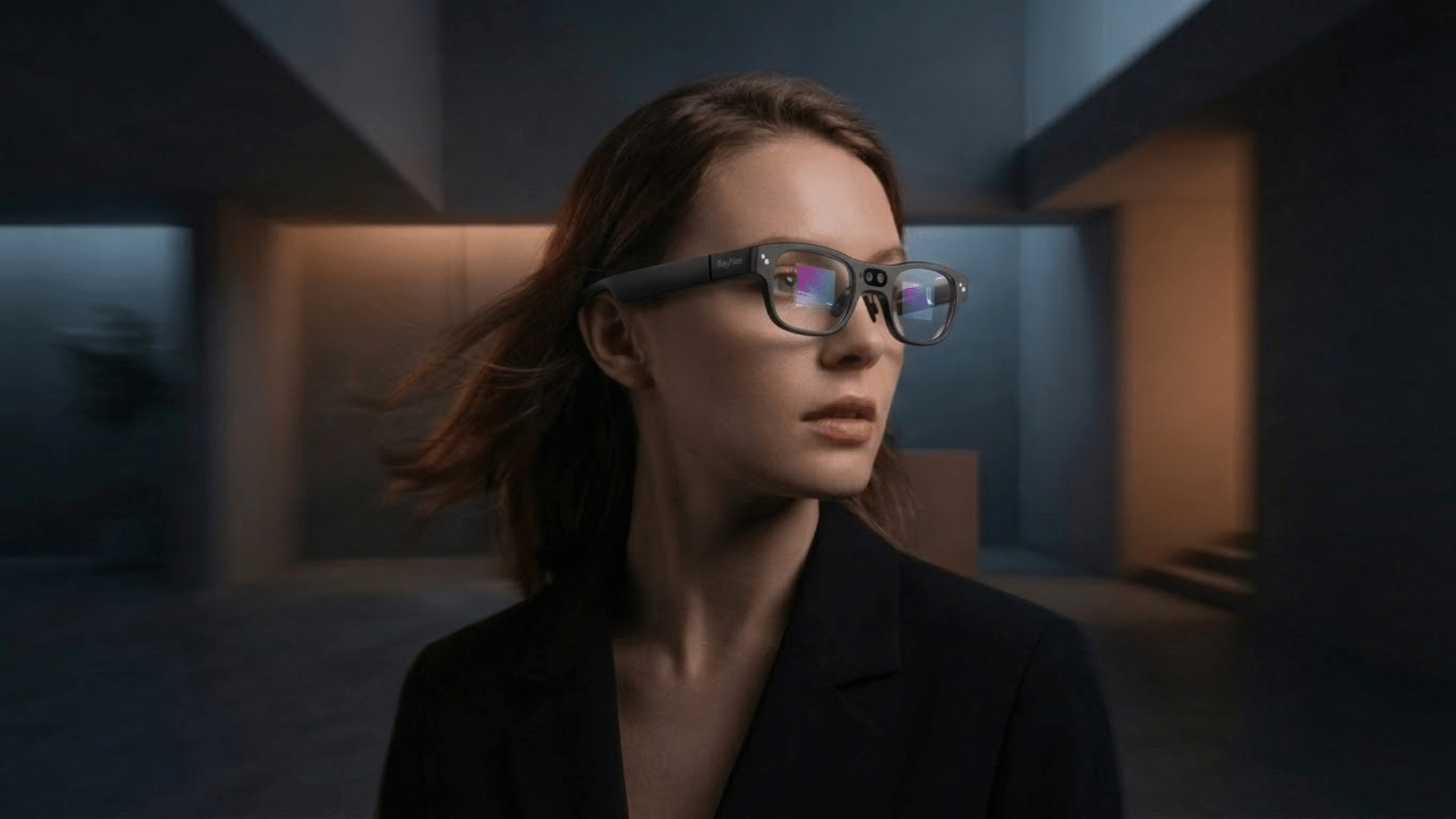
If you're weighing RayNeo's current AI glasses against its previous generation, the real question isn't which model is newer. It's whether the jump from $499 to $1,299 buys you something you'd actually notice using the glasses every day.
The RayNeo X3 Pro is the stronger overall pick between the two for AI assistant, camera, and daily usability, but that's only useful if you understand what specifically changed and whether it's worth paying for. It runs an always-on Google Gemini assistant, pairs a 12MP main camera with a secondary depth-sensing camera, and weighs 76 grams, light enough for extended daily wear.
Its predecessor, the RayNeo X2, used GPT-4 with Vision and a 16MP camera, and introduced multiple interaction methods including the RayNeo Ring. It's officially listed as sold out on RayNeo's website, though, so it isn't something you can weigh this against as a live purchase option.
The comparison below is built around three things that decide whether AI glasses actually get worn every day rather than tried once and shelved: how the assistant performs in real use (translation, hands-free tasks), whether the camera captures usable moments without you pulling out your phone, and whether the hardware itself (weight, controls, battery) holds up through a full day.
If you're buying today, X3 Pro is the current, purchasable option. X2 is relevant mainly as a reference point for how much RayNeo's AI and camera experience has evolved, and for judging whether that evolution is worth the price difference.
A note on scope: This article compares RayNeo's own current and previous-generation AI glasses. It is not a cross-brand test against other AI display glasses on the market, including other camera-equipped AI glasses and AR display glasses from different manufacturers. If you're weighing RayNeo against other brands, use the specs, strengths, and limitations below to evaluate what RayNeo specifically offers, then compare that against the manufacturer specs for whichever other brand you're considering.

The RayNeo X3 Pro runs an always-on Google Gemini assistant, a dual-camera setup built for both photography and spatial tracking, and a 76-gram frame that RayNeo positions as one of the lighter builds among AR glasses with an onboard camera and processor. It's RayNeo's current AI+AR glasses model, actively sold on RayNeo's site as of this writing at $1,299.

Even though the X2 is no longer sold, it's worth looking at closely here because it's the baseline the X3 Pro replaced: comparing the two shows exactly what changed between generations and whether those changes justify paying nearly $800 more for the X3 Pro. The RayNeo X2 was an earlier entry in RayNeo's AI glasses line, built around GPT-4 with Vision for multimodal AI queries and a 16MP camera, and it stood out for offering three separate ways to interact with the display: temple touch controls, voice commands, and the RayNeo Ring, a wearable spatial controller. It originally sold for $499. As of this writing, RayNeo's official product page lists the X2 as sold out, and RayNeo hasn't said whether it plans to restock it or offer another channel for buyers who specifically want its multi-input controls, so it's included here mainly for comparison and historical context rather than as an active purchase recommendation.
The X3 Pro is built around Google Gemini as its on-device AI assistant, described by RayNeo as providing "always-on AI assistance." According to RayNeo's official product and launch pages, it supports real-time translation (RayNeo's launch materials cite around 14 languages, including Chinese, English, German, French, Spanish, Japanese, and Korean), task management (to-dos, memos, and schedules surfaced directly in the display), heads-up navigation, and a spatial 3D interface through RayNeo's own AIOS software layer. Because Gemini runs with always-on access rather than requiring you to open an app each time, it's positioned for continuous background use, such as glancing at a translated subtitle mid-conversation rather than stopping to type a query.
The X2's assistant was built on GPT-4 with Vision (GPT-4V), an earlier generation of multimodal AI that could still handle voice-activated queries, dialogue translation across roughly 8 languages, real-time information lookups, and general voice chat. It worked on demand rather than staying continuously active in the background. Compared to the X3 Pro's Gemini integration, the X2's setup covered fewer languages and represented an earlier stage of on-device multimodal AI, though it was still a notably early example of putting a multimodal assistant directly into a pair of glasses.
Basic display functions on the X3 Pro don't require Wi-Fi, but network-dependent features like real-time translation and cloud-based AI queries need an internet connection, in practice through the phone the glasses are paired with (see the compatibility FAQ below for how that pairing works).
The X3 Pro uses a dual-camera setup: a 12MP main camera (reported as a Sony IMX681 sensor) for photo and video capture, paired with a secondary monochrome camera used for spatial positioning and depth sensing (supporting 6DoF and SLAM tracking rather than photography). The second camera is what enables features like spatial mapping and more stable AR overlays; it's not meant for taking pictures itself. In practice, that pairing is meant for capturing what's in front of you as you move through it, a quick photo of a whiteboard mid-meeting or a few seconds of video on a walk, without stopping to pull out a phone.
The X2 featured a single 16MP camera capable of 1080p video with anti-shake stabilization, oriented for first-person-view recording, the kind of setup suited to things like recording a bike ride or a hands-on repair without holding a camera. On paper, 16MP is a higher megapixel count than the X3 Pro's 12MP main sensor, though megapixel count alone doesn't determine real-world photo or video quality; sensor size, processing, and stabilization all factor in, and RayNeo hasn't published a direct side-by-side image quality comparison between the two models.
The X3 Pro pairs a full-color MicroLED display (640 x 480 resolution) with a field of view of approximately 30 degrees diagonal, per RayNeo's own explainer on field of view, a figure sized for information overlay and navigation rather than for filling your entire visual field with content. At 76 grams, it sits closer to standard eyewear than to bulkier AR headsets, which matters for anyone planning to wear it through a workday or a full day of travel rather than for short demo sessions. It's built for glanceable overlays (a translated subtitle, a navigation arrow, a notification) rather than for watching wide-frame video, and it runs on a Qualcomm Snapdragon AR1 chipset.
The X2 used a binocular full-color Micro-LED optical waveguide display with 16.7 million colors and up to 1,000 nits of brightness (some earlier RayNeo marketing referenced up to 1,500 nits; that reflects a 2024 crowdfunding-stage figure rather than a competing current claim). It ran on a Qualcomm Snapdragon XR2 chipset with 6GB RAM and 128GB storage. Neither field of view nor net weight for the X2 is published on RayNeo's official pages at the time of writing, which makes it hard to judge directly how it compared to the X3 Pro for all-day comfort or immersiveness.
The X3 Pro relies on 5-way touch input, with support for pairing an Apple Watch as a secondary control input. The X2 offered more variety here: temple touch controls, voice commands, and the RayNeo Ring, a separate 3-DOF spatial ring controller that let users navigate menus and interact with the display using hand gestures, an alternative to touching the glasses' temple or speaking a command out loud.

That kind of quiet input was genuinely useful in situations like a meeting, where a small ring gesture beats saying a voice command out loud. It's a flexibility the X3 Pro doesn't carry forward in the same form; touch and Apple Watch pairing cover a narrower range of quiet-input scenarios.
A few figures above come from RayNeo's own materials but don't fully agree with each other, and are flagged here for RayNeo's product team to resolve rather than presented as settled specs:
Until these are resolved internally, treat the ranges above as the best available picture rather than a single confirmed number.
| Feature | RayNeo X3 Pro | RayNeo X2 |
|---|---|---|
| AI assistant | Google Gemini, always-on | GPT-4 with Vision (GPT-4V), on-demand |
| Translation | ~14 languages (per RayNeo launch materials) | ~8 languages |
| Main camera | 12MP (reported Sony IMX681), plus secondary monochrome depth camera | 16MP, 1080p video, anti-shake |
| Display | Full-color MicroLED, 640×480 | Full-color Micro-LED waveguide, up to 1,000 nits |
| Field of view | ~30° diagonal (per RayNeo's FOV explainer) | Not published |
| Chipset | Snapdragon AR1 | Snapdragon XR2 |
| Weight | 76g | Not published by RayNeo |
| Interaction | 5-way touch, Apple Watch support | Touch, voice, RayNeo Ring (3-DOF) |
| Price | $1,299 | $499 (as listed when available) |
| Availability | In stock (per official site) | Sold out (per official site) |
At $1,299 versus $499, the X3 Pro costs roughly 2.6 times what the X2 did. RayNeo hasn't published a breakdown of this price difference, so what follows is analysis based on the documented spec differences rather than an official company explanation:
None of this is confirmed by RayNeo directly; it's a reasonable read of the spec sheet. If the exact reasoning matters to your purchase decision, that's a fair question to put directly to RayNeo support or sales.
Do RayNeo's AI smart glasses need to be connected to a phone? Yes, in practice. The X3 Pro runs its own Android-based operating system (RayNeo AIOS) on a Snapdragon AR1 chipset, so display and AI processing happen on-device rather than by mirroring a phone screen. Setup, firmware updates, and feature activation go through the RayNeo AR app, per RayNeo's own connection guide, which lists general OS guidance of Android 10 or iOS 15 and above for RayNeo's AI/AR glasses apps. RayNeo hasn't published an X3 Pro-specific compatibility table like the one it maintains for its Air series. Basic display functions reportedly don't require Wi-Fi, but real-time translation and other cloud-based AI features need an internet connection, typically routed through the paired phone.
Is the RayNeo X2 still available to buy? No, not through RayNeo's official channels as of this writing; the product page lists it as sold out. Third-party listings may still turn up, but they wouldn't reflect current official inventory or warranty support.
What's the practical difference between Gemini and GPT-4V in these glasses? Both are multimodal AI systems that understand images and language together, not just text. The X3 Pro's Gemini integration runs always-on and supports more translation languages than the X2's GPT-4V setup, per RayNeo's materials. No independent, controlled side-by-side test of the two assistants on RayNeo hardware exists yet.
Are these AR glasses or just a display accessory? Both models are AR display glasses with their own onboard camera and processor, not passive accessories that only mirror a connected device's screen. Some features, like real-time translation, still depend on the paired phone's internet connection, so "standalone" doesn't mean the glasses work fully independently of a phone for every function.
Is the X3 Pro comfortable for all-day wear? At 76 grams and with a ~30° field of view built for overlays rather than immersive content, RayNeo positions the X3 Pro as lightweight relative to other AR glasses with a built-in camera and processor. Real-world comfort still comes down to individual fit, prescription lens needs, and how heavily the camera and display get used; heavier camera use in particular runs into the battery limitations noted above.
Within RayNeo's own lineup, the X3 Pro is the clear pick if you're buying today, since the X2 simply isn't purchasable through official channels right now. The decision that matters more than "X3 Pro vs. X2" is whether the X3 Pro's specific tradeoffs fit you: an always-on Gemini assistant and lighter build are real advantages, but a ~30° field of view, unresolved battery-life figures, and a $1,299 price tag mean it rewards a specific kind of buyer (frequent travelers, always-on AI users) more than a casual one. If that's you, confirm current specs, lens compatibility, and phone requirements on the X3 Pro product page before purchasing. And if you're also comparing RayNeo against other AI glasses brands, treat this article as the RayNeo half of that research, not the whole picture.







Share:
Camera Glasses You Can Trust: How Reliable Are Smart Glasses With a Built-In Camera?
Best Video Recording Glasses for Travel, Sports, and Daily Use (2026 Guide)