

$449.00

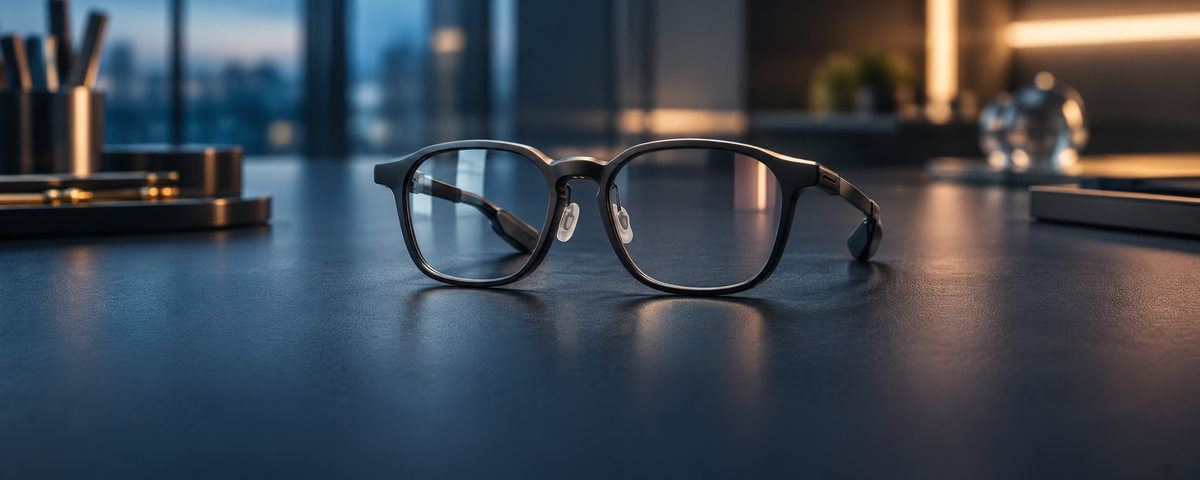
Eye strain differs between the two designs because of one thing: whether both eyes see the same image. A monocular display shows content to one eye while the other eye sees only the world, so the brain has to reconcile two different pictures. A binocular display sends a matching image to both eyes, and the brain fuses them into one, the same way it handles ordinary vision.
Binocular is the easier starting point, and alignment is what makes it work. Both RayNeo models in this comparison are binocular: RayNeo iO puts green text on a clear lens for glances through the day, and RayNeo GT Max opens a full-color virtual screen for films and games. Each handles alignment and comfort in its own way.
The visual system expects the two eyes to report nearly the same scene. When they report different things, the brain does not blend them evenly. It tends to favor one input, then the other, a process vision scientists call binocular rivalry.
On a one-eye display, the patch of text in one eye competes with plain background in the same spot of the other eye. Depending on which input wins at a given moment, the text can seem to fade, pulse, or look semi-transparent. Holding it steady takes a small but constant effort.
Eye dominance adds a second layer. Most people have a dominant eye, and a display placed in front of the other eye asks the brain to promote its weaker input. The extra light reaching only one eye is a third difference for the visual system to settle, and it stands out most in dim rooms.
Rivalry builds with time spent reading. A one-word glance gives it little room to develop, while a paragraph of captions or a long script gives it plenty. The effects show up as effort rather than as a change in vision: tired eyes, headaches, or trouble keeping the text in focus, easing once the eyes rest.

With a binocular display, each eye receives the same image in the same position, and the brain merges them into one stable picture. There is no competition between the eyes to resolve, so reading text on the lens follows the same process the eyes use for ordinary vision.
The condition is alignment. Horizontally, the optical centers have to match the distance between your pupils, your IPD. Vertically, the image has to sit at the height of your pupils. The eyes adjust readily to small horizontal offsets but have far less tolerance for vertical ones, which is why nose-pad height matters as much as frame width.
Optics designers describe the zone where an eye sees the complete image as the eye box. With both eyes inside it and the image at pupil height, the two pictures line up without the eyes having to work to pull them together.
| Monocular display | Binocular HUD (RayNeo iO) | Binocular virtual screen (RayNeo GT Max) | |
|---|---|---|---|
| What each eye sees | One eye sees content plus the world; the other sees only the world | Both eyes see the same green text over the world | Both eyes see the same full-color image |
| Main visual demand | Reconciling two different images (rivalry, eye dominance, uneven light) | Keeping text aligned with both eyes and shifting attention between text and world | Holding a large image aligned and steady through a viewing session |
| Typical use | Brief glances | Glances through the day | A film, a game, or a work session |
| What keeps it comfortable | Short reading, display in front of the dominant eye | On-demand display, Focus Mode, multi-size nose pad bridges and vertical angle for the eye box, TÜV SÜD Low Blue Light and Flicker Free | S/M/L IPD sizes, S/M/L nose-pad heights, native 3DoF, 3840Hz dimming, TÜV SÜD Eye Comfort, Low Blue Light, and Flicker Free |
iO uses a binocular MicroLED engine with a diffractive waveguide, so both eyes receive the same monochrome green text. With 97% active display transparency, the world stays clear around and behind the words, and the frame weighs 33 grams.
Two actions wake the display: raising your head to a preset angle with HeadUp Display, or a click on the Smart Crown. Focus Mode mutes proactive notifications, RayNeo Suggestions, and reminders, which cuts the number of times the lens pulls your eyes toward it, and it can run on a recurring schedule.
Fit is what lines the text up with both eyes. iO comes with nose pad bridges in multiple sizes to place your eyes inside the eye box, and the glasses have an adjustable vertical angle for different pupil heights. In the RayNeo app, the Adjust page moves display height and the near/far effect until the image is comfortable to view.
The display carries TÜV SÜD Low Blue Light and Flicker Free certification, and the glasses meet the EN ISO 12312-1 eyewear standard. Our guide to wearing HUD glasses all day looks at long-wear comfort beyond the display.

GT Max pairs 0.6-inch SeeYa Micro-OLED with the Peacock Optical Engine 3.0 Max, and its comfort features center on keeping that image matched to both eyes. The first is hardware sizing: three IPD versions, S (under 64mm), M (64 to 67mm), and L (over 67mm). Choosing the size that matches your IPD helps align your eyes with the optical viewing area for clearer visuals and a more comfortable viewing experience. Our explainer on IPD covers why the measurement matters for clarity.
Vertical alignment has its own adjustment. GT Max includes S, M, and L nose-pad heights for different pupil heights, so the image sits level with your eyes. The virtual screen comes in three sizes, 227, 267, or 307 inches, to match your viewing preference.
Motion is the next factor. Native 3DoF, run by the Zone 360 3DoF chip, keeps the screen steady as you move your head, reducing unwanted visual movement for a more comfortable viewing experience over longer sessions. GT Max plays both 2D and 3D content, and pressing the Volume Button and Spatial Mode Button together switches between the two.
Light quality rounds it out. OptiCare 3840Hz PWM hybrid dimming maintains high-frequency dimming even in low-light environments, and the GT series holds three TÜV SÜD certifications: Eye Comfort, Low Blue Light, and Flicker Free. An Eye Protection display mode sits alongside Standard, Movie, and Office.
How do breaks differ between a glanceable HUD and a big-screen session?
What changes for nearsighted wearers?
Are binocular smart glasses suitable for children?
Two binocular ways to look: RayNeo iO for green text on a clear lens through the day, and RayNeo GT Max, sized to your IPD, for a big screen that stays aligned and steady.





Share:
What Are the Main Trade-Offs Between AI Glasses and AR Display Glasses?
RayNeo × Call of Duty®: Modern Warfare® 4: Meet the GT Max Limited Edition