

$429.00

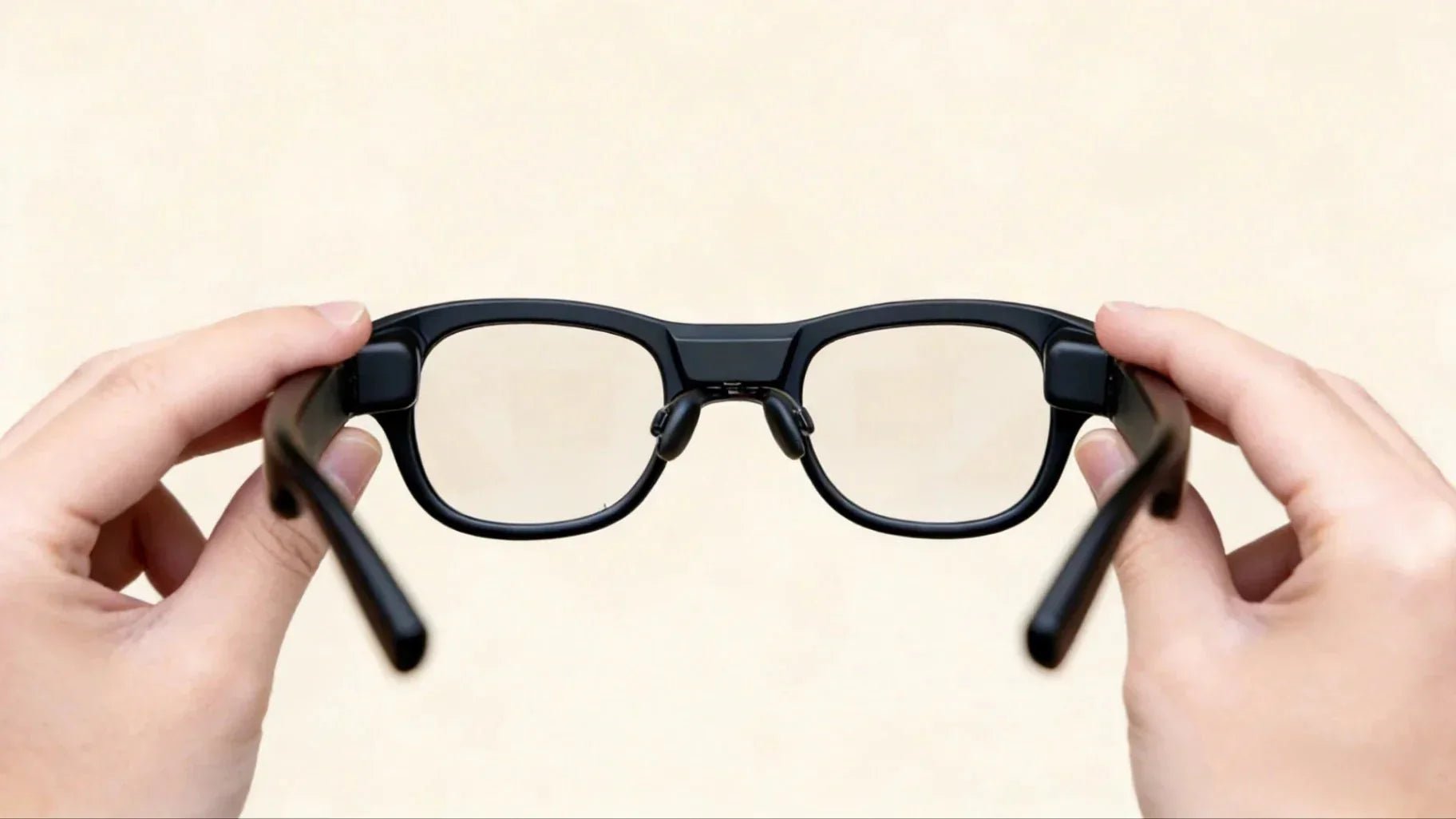
IPD stands for interpupillary distance, which is the space between the centers of your pupils. You often see this metric on eye exam prescriptions. IPD directly affects whether the virtual overlays on AR glasses look sharp, if the focus feels natural, and if the 3D depth is believable. If your IPD settings are wrong, you can almost certainly expect blurry images, ghosting, dizziness, and eye strain to happen all at once. In this article, we will break down the concept of IPD and how to measure it. We will explain why it is the key to clarity and comfort in AR glasses. Finally, we will share hands-on tips for choosing and calibrating your gear to help you get the best experience during your daily commute, office work, multi-screen multitasking, or immersive gaming.
IPD stands for interpupillary distance. It is the straight-line distance between the centers of your pupils, usually measured in millimetres. In binocular display devices like AR glasses and VR headsets, the optical system uses IPD to set the parallax between the two images. This mimics how human eyes see the 3D world. From the eye to the optical engine, IPD is the invisible ruler that aligns the world. One end of the IPD scale connects to your pupil, and the other connects to the center of each optical lens. When the distance between the optical centers matches your actual IPD, the images seen by each eye overlap naturally. This makes the sense of depth and scale feel real and believable. The larger the mismatch, the more effort your brain spends trying to fix the error. Physically, this leads to fatigue, nausea, blurred focus, and headaches.
Before fully understanding the link between IPD and AR clarity, you need a reliable IPD value. Measuring it is not complicated. The challenge lies in precision and repeatability, as this directly affects how well you can calibrate your AR glasses.
Based on population data, adult IPD falls within a relatively concentrated range. Industry literature and wikis note that the average adult IPD is around 63 mm. The common range is about 54 to 72 mm, with most users falling between 58 and 70 mm. This explains why most AR or VR headset manuals list a recommended IPD coverage, typically between 56 and 70 mm. In our long-term user testing, we have observed a similar distribution. For example, there are gender differences: male users tend to have a larger average IPD, while female users have a slightly smaller. However, some users fall outside this standard range. If these users choose fixed-focus AR glasses without IPD adjustment, their image clarity and comfort will likely suffer. For heavy users who wear AR glasses for work or entertainment, we suggest aiming for a calibration error of only 0.5 to 1 mm.
Tools for measuring IPD range from simple to professional. Here are the most frequent and practical options:
Phone or Tablet Apps
These tools use front-facing depth cameras or structured light to measure interpupillary distance automatically. For example, iOS apps using the TrueDepth camera can keep errors within 0.5 mm to 1 mm in good lighting when the head is facing forward. For users planning to buy AR glasses, this is the most affordable and accurate solution.
Browser or Online IPD Tools
Some web tools use a camera and a reference object of a known size, like a credit card, to estimate IPD. This method depends on user behavior and camera calibration. In tests, the error is slightly larger. We recommend using this for a quick estimate and then double-checking with a more precise method.
In-Person Optometry and Professional Measurement
At an eye clinic, refractors and optometrists can provide a stable IPD value, including distances for near and far vision. For developers, designers, or creators planning high-intensity AR use, getting professional distance and near IPD measurements provides long-term value for all future device choices.
The Simple Ruler and Mirror Method
Some users use a millimeter ruler and a mirror to measure their own IPD. Community feedback shows that errors are often 1 to 2 mm or higher due to viewing angle shifts and difficulty aligning the scale. This method works as a temporary reference. However, if you demand high clarity and a strong 3D effect, we suggest using at least a phone depth camera or a professional eye exam for calibration.

The relationship between IPD and AR clarity comes down to whether the optical center and the eye position overlap correctly. If they are misaligned, the sweet spot of the image will not fall on your actual line of sight. This affects contrast, sharpness, and stereo matching. In real user feedback, common complaints like dizzy vision after long use or blurry near-field objects can mostly be explained by poor IPD matching.
When the optical center distance of AR glasses does not match your actual IPD, the images seen by each eye create a slight or even obvious horizontal offset. While each eye should see a slightly different image to create a 3D effect, the error caused by wrong IPD settings is not healthy parallax. Instead, it is a form of skewed distortion.
Based on our testing with different users, these are the common symptoms:
Drifting Sweet Spot: Users feel the center of the image is slightly blurry, while a specific area in the top-left or top-right remains the sharpest. The eyes subconsciously chase that clear area, which eventually leads to eye muscle fatigue.
Slight Ghosting and Blurry Outlines: On high-contrast text or UI elements, users see effects similar to a shadow or slight double vision. This is especially noticeable on black text over a white background or in HUD-style interfaces. Unlike ghosting on a traditional monitor, this is caused by the 3D images failing to overlap precisely.
Gaze Offset and Unnatural Posture: To see more clearly, some users subconsciously tilt their heads or adjust the height of the glasses. They try to find that one angle where everything looks sharp. Working or viewing content in this posture for a long time quickly leads to neck and shoulder discomfort.
For AR glasses, clarity is not just the sharpness of a 2D image. It is about the believability of spatial depth. If the IPD is not set correctly, the parallax between the left and right eye images deviates from your real pupillary distance. Your brain is then forced to compensate when rebuilding the 3D world.
We have verified this phenomenon across multiple 3D scenes and spatial UIs:
If the device IPD is fixed at a value smaller than your actual IPD, virtual objects will seem further away, and the space will look flattened. Conversely, if the device IPD is too large, virtual objects may feel like they are uncomfortably close to your face.
Wrong IPD settings warp the brain’s estimation of size. For example, a 3D object of the same size might look abnormally huge or tiny under the wrong parallax. This is a critical issue for tasks requiring precise size judgment, such as industrial design reviews, architectural previews, or UI spacing adjustments.
On AR glasses with hand tracking or spatial pointers, the wrong IPD affects your judgment of what is directly in front of you. You might think your finger is tapping a button, but the actual interaction point is to the left or right. Users describe this as feeling like their hands and eyes are out of sync.
The current AR glasses market is divided into three categories: fixed IPD, manual mechanical adjustment, and software-based virtual IPD calibration. Now that you understand the link between IPD and AR visuals, the next step is learning how to complete the adjustment on your specific device.
Manual adjustment works by physically changing the distance between the two optical lenses. In high-end setups, the display modules move along with the lenses to ensure optimal optical alignment. However, when evaluating the broader engineering landscape of what are smart glasses with display architectures, most lightweight consumer products choose to bypass full mechanical adjustment to maintain a slim form factor, relying instead on preset physical intervals or software tuning to cover the general population.
When we test devices with physical adjustment structures, we follow these steps:
Get an accurate IPD value first. In other words, measurement comes before turning any knobs or sliders. Use your measured value as a reference and stop the mechanical adjustment at the scale closest to your personal IPD.
Wear the glasses and run a text or subtitle test. Once the physical adjustment is set, pick high-contrast text content like subtitles or a high-resolution interface. Observe the image at different distances, including near-field at 1 meter and far-field at over 3 meters. If the sharpest zone for either eye is not in the center of your vision, fine-tune the setting by 0.5 to 1 mm.
Verify with long-term wear. We typically use a 30 to 60 minute cycle for validation. Use the glasses for work, reading, or video playback and check for symptoms like migraines, pressure between the eyebrows, or eye socket soreness. If you remain comfortable during this time, the IPD setting is likely good for long-term use.
It is important to note that for AR glasses without mechanical IPD adjustment, you can slightly change the relative position of the lenses by adjusting the nose pads or temple angles. However, this only offers limited improvement and cannot replace a true IPD adjustment mechanism.
Software-based calibration is a major trend for AR and XR devices, especially for lightweight glasses. We see more products using algorithms to compensate for structural limits. This is usually done in two ways: using eye-tracking to dynamically adjust rendering and distortion, or using a setup wizard where users enter their IPD or perform alignment tests to correct the output.
Based on our experience, here are our tips for software calibration:
Always complete the initial calibration wizard. Many users think the default is fine and skip the IPD or eye-position setup. This leads to using the device with mismatched parameters for a long time. Software calibration only works if you carefully follow every focus and alignment step.
Watch your lighting and posture. When performing software calibration, choose an indoor environment with even lighting. Keep your head upright and natural. Avoid tilting or leaning back. Strong backlight or cluttered light sources can interfere with pupil detection and edge recognition accuracy.
Strategies for shared devices. If one pair of AR glasses is shared among family members, we recommend saving a separate IPD and display profile for each person. Some devices support multiple profiles, allowing you to quickly load personal calibration results. This maintains clarity and comfort for everyone using the shared gear.
In our long-term tests for office work and multi-screen mirroring, software IPD calibration significantly improved text edge sharpness, window alignment, and 3D UI stability. This was especially evident on lightweight AR glasses that lack a mechanical IPD structure.
A truly reliable AR clarity experience is a complete process that covers purchasing, wearing, calibration, and re-testing. We hope this guide helps every reader achieve a sharp, comfortable, and long-lasting AR visual experience.
For users planning to buy smart glasses or AR glasses, IPD should be a top priority alongside weight, resolution, FOV, and brightness. In our long-term conversations with the smart glasses community, most cases of buyer's remorse come down to two scenarios. First, the fixed IPD of the device deviates too far from the user. Second, the IPD coverage range is too narrow, making it impossible for outliers to get a clear image.
To maximize your success rate, we suggest the following:
Use a phone depth camera or a professional eye exam to get your distance IPD data.
Check the supported IPD range of the device before buying. Ensure your value sits in the middle of that safety zone.
Prioritize products that offer a mix of hardware and software optimization. This means hardware designed for IPD fit and software that allows for fine-tuning.
In our RayNeo AI Glasses product lines, such as our lightweight AI+AR glasses RayNeo X3 Pro for commuting and mobile work, we use population IPD data during the design phase. We optimize optical production tolerances and factory default IPD settings to cover over 95% of our target users.

Your IPD does not change often, but small adjustments to lens position, posture, and nose pad height happen constantly during use. Combined with system upgrades, software updates, and switching between devices, regular IPD calibration is the key to maintaining long-term clarity.
We have developed a simple routine based on our internal and community testing:
When using a new device for the first time, complete the full system guide and custom test scenes. We suggest using high-contrast text, multi-line subtitles, and 3D scenes with clear depth. Compare the clarity and comfort across different IPD settings.
Recalibrate your IPD or perform a quick focus check after changing nose pads, adjusting temple angles, or significantly changing how you wear the glasses. Minor differences in fit are enough to shift the optical center away from your pupils. This is especially true for users with strong prescriptions and thicker lenses.
For heavy users, we recommend a full display configuration and IPD re-check every quarter. This is vital for those who spend long hours on multi-screen mirroring, remote collaboration, or 3D content creation. These tasks place a high load on the eyes, and even a small IPD mismatch can turn into significant discomfort over time.
For users with refractive errors, IPD issues intertwine with factors like prescription strength, astigmatism axis, and pupil height. Relying solely on the IPD adjustment of the AR glasses themselves makes it hard to ensure stable clarity and comfort over time. In our tests with users who have myopia or astigmatism, adding custom lenses or dedicated optical inserts led to obvious improvements in image quality and a significant drop in eye fatigue.
Let us look at a typical scenario involving a product we have refined deeply. Professionals like programmers, designers, and financial analysts often need to set up large-screen, multitasking environments while traveling or working in tight spaces. These users require high-resolution, high-contrast AR visuals, but they also need precise IPD alignment and vision correction.
In these cases, AR glasses that consider both IPD fit and an optical accessory ecosystem offer a major advantage. Take the RayNeo Air 4 Pro AR Glasses as an example. Its hardware was optically optimized for the standard adult IPD distribution during the design phase. When paired with optional prescription clips or custom lenses, it allows users to maintain high refresh rates and sharp text on a virtual 120-inch screen. During long sessions of reading code or switching between multiple spreadsheets, users reported much lower eye strain compared to setups with no correction or poor IPD matching.
The table below summarizes key values and practical advice regarding IPD and AR clarity for quick reference.
|
Item |
Typical Value or Recommendation |
|
Average Adult IPD |
Approximately 63 mm |
|
Common IPD Range |
Approximately 54 to 72 mm |
|
Suggested Adjustment Precision |
Keep error within 0.5 to 1 mm |
|
Optimal IPD Coverage for Long-term Use |
Device range should center around your personal IPD |
|
Calibration Frequency for Heavy Users |
Full re-check recommended every quarter |
|
Users with Prescriptions |
Strongly recommended to use custom lenses or dedicated optical inserts |
Finally, as a team deeply involved in the smart glasses industry, we have always emphasized one idea: a truly great AR experience is not just about flashy specs like resolution or brightness. It is about how precisely every detail aligns with the human eye. If you are evaluating your next pair of AR glasses or just bought a pair for work and play, we sincerely hope you take a few minutes to measure your IPD. Completing the IPD calibration process ensures that every frame appears clearer, more natural, and closer to how you see the real world.







Share:
Glasses That Record Video: Best Camera Glasses for Hands-Free Filming
Glasses and Camera: Best Smart Glasses for Filming and Hands-Free Photos