

$449.00

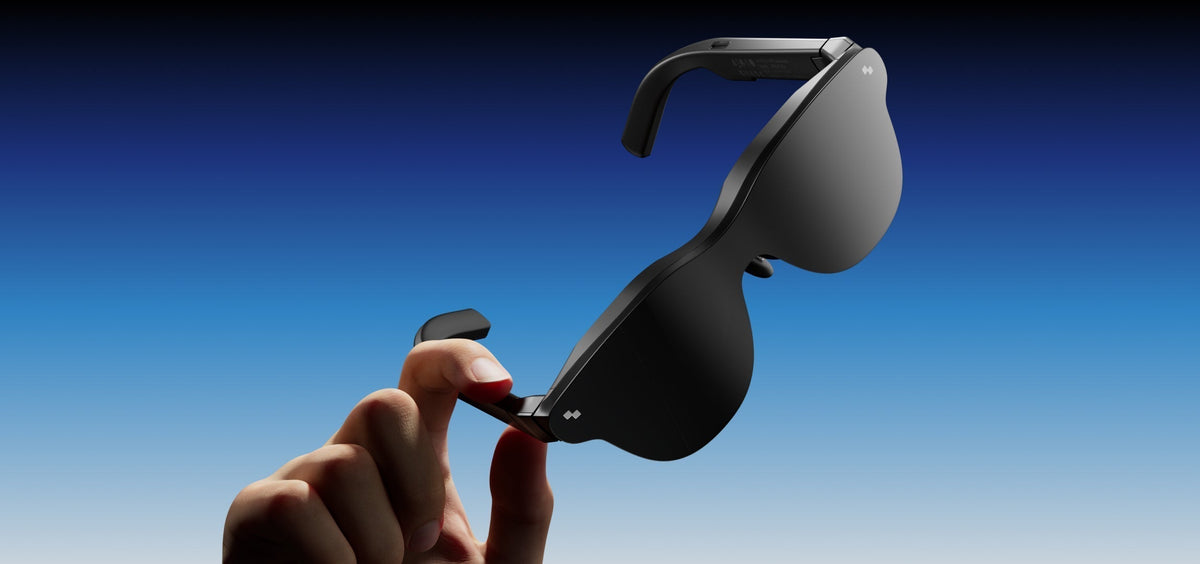
Meta's smart glasses generate quite a bit of buzz, but alternatives exist that might fit your needs better. Whether you need actual display capabilities, want entertainment features Meta doesn't offer, or prefer keeping data outside Meta's ecosystem, numerous capable options exist today. This guide shows which glasses solve specific problems.
Meta currently sells three products, all marketed as smart glasses despite serving different purposes.
Standard Ray-Ban Meta Gen 1 and Gen 2 glasses are smart sunglasses with cameras and speakers. They capture content, play audio, and run Meta AI through voice commands. What they lack is display capability. They might be wearable in public without looking like a tech experiment. But no screen means no entertainment or productivity displays. Many users looking for more functionality often search for alternatives to Ray-Ban Meta smart glasses that offer a visual interface.
Released late 2025, the Display glasses add a small heads-up display to the right lens. This 600×600 pixel monocular screen shows notifications, messages, and Meta AI visual responses. It bundles with the Meta Neural Band, a wrist device using EMG sensors for gesture control.
These offer genuine utility for glanceable information. But these are not for entertainment or extended work sessions. Both Meta options require constant phone connectivity and route your data through Meta's servers for AI features.
To help you find the best alternatives for meta smart glasses, the current market can be divided into display-first options for entertainment and hybrid models that blend smart assistant features with immersive visuals.
These lead with one of the most expansive viewing areas available. Sony's 0.55-inch Micro-OLED displays deliver 1080p resolution per eye at 120Hz with 700 nits brightness. The X1 spatial computing chip enables 3DoF tracking at 3ms latency.
Bose-tuned audio without in-ear discomfort
Instant lens dimming controls privacy
Optional camera enables advanced spatial tracking
Best for: Gamers needing peripheral vision, professionals managing multiple virtual monitors, anyone wanting the most spacious digital workspace.
These offer nearly identical capabilities to its premium sibling while cutting costs. Same smart chip and head tracking, just a slightly smaller viewing window. Recent firmware updates brought flagship features down to this model.
Smart chip handles spatial computing without lag
Works immediately with phones, laptops, consoles
Regular updates add new capabilities
Best for: Tech enthusiasts who research before buying, people entering AR glasses unsure about commitment level.
VITURE Pro XR solves using AR glasses in public without broadcasting content to everyone around. Press a button and electrochromic film blocks external light while preventing screen visibility. Perfect for flights, trains, or coffee shops. Built-in myopia adjustment handles nearsightedness without separate prescription lenses.
One-button privacy mode
Myopia adjustment built-in (up to -5.0D)
Multi-screen software arrangements
Aircraft-grade aluminum durability
Best for: Frequent travelers, coffee shop remote workers, anyone valuing privacy in public spaces.
VITURE’s Luma Pro XR brings enhanced resolution, making text crisper for documents and detailed content. The expanded viewing area provides more room without added weight. Premium Sony displays maintain vibrant colors across the larger canvas.
Sharper text rendering for productivity
Same instant privacy mode
Multi-platform software compatibility
Best for: Video editors, movie enthusiasts, and readers consuming long-form content.
Specializes in cinema-quality viewing. HDR support lets bright scenes shine without washing out, while dark scenes reveal actual detail. Bang & Olufsen audio tuning cuts leakage dramatically. Spatial audio makes action sequences immersive. Balanced weight distribution prevents pressure points during marathons.
First AR glasses displaying true HDR content
Cinema-grade audio tuning
Comfort-focused weight balance
Works with prescription lenses

Best for: Streaming enthusiasts with premium services, home theatre fans wanting portability, and people sensitive to audio leakage.
Rokid AI Glasses Style bridges display and smart assistant features without looking like tech prototypes. Fashion-forward design suits public wear while projecting usable screens and responding to voice commands.
Fashion-forward design
Voice AI without complex setup
12MP POV Camera for recording meetings
Lighter than most alternatives
Best for: Style-conscious early adopters, people wanting AI without Meta's ecosystem.
RayNeo X3 Pro solves standard display glasses' biggest limitation: uselessness for real-world information. Google's latest AI assistant stays readable even in bright sunlight. Real-time translation works during conversations with natural subtitles. Voice recording transcribes and summarizes meetings automatically.

High brightness keeps displays visible outdoors, which makes it great for remote work, outdoor venues, and sunny environments. Temple controls work reliably with gloves on.
Google Gemini AI responds to viewing content
Translation handles 14 languages live
Visible in direct sunlight
Meeting recording with AI summaries
Glove-friendly controls
Best for: International business travellers, construction supervisors, field service technicians,and anyone working outdoors or AR developers. Those interested in cutting-edge tech can read more about why RayNeo X3 Pro earned a special mention in TIME’s Best Inventions list.
These keep smart glasses looking like regular eyeglasses. Minimalist display shows just enough—notifications, navigation, reminders—without overwhelming vision. The battery lasts days, showing simple graphics instead of full-colour video.
Regular eyeglass weight
Multi-day battery life
Professional appearance
Best for: Executives needing discrete notifications, professionals in conservative industries, battery life prioritizers.
|
Model |
Resolution |
Brightness |
Key Feature |
Best For |
|
XREAL One Pro |
1080p |
700 nits |
Widest viewing area |
Gaming and multitasking |
|
XREAL 1S |
1080p |
600 nits |
X1 chip at lower price |
Budget tech enthusiasts |
|
VITURE Pro XR |
1080p |
1000 nits |
Instant privacy dimming |
Travelers |
|
VITURE Luma Pro XR |
1920×1200 per eye |
1000 nits |
Enhanced clarity |
Media professionals |
|
RayNeo Air 4 Pro |
1080p |
1200 nits |
HDR10, B&O audio |
Cinematic viewing |
|
RayNeo Air 3s |
1080p |
650 nits |
Complete package |
First-time buyers |
|
RayNeo X3 Pro |
640×480(binocular Full-Color Micro-LED) |
6000 nits |
AI assistant, outdoor |
Field workers |
|
Meta Ray-Ban Display |
600×600 |
5000 nits |
EMG gesture control |
Quick info |
Choosing the right device comes down to how you’ll actually use it day to day. When you match your main use case to the hardware’s strengths, you avoid paying for features you don’t need.
To really replace a TV or get into gaming on the go, the picture and audio quality are what matter most. You’ll want glasses that offer high refresh rates for a smooth experience and HDR to make sure the colors look amazing.
For this scenario, the RayNeo Air 4 Pro stands out thanks to its cinema-level display with HDR10 support. The audio by Bang & Olufsen is top-notch, so you won’t miss a word of dialogue or a second of the action. And honestly, the best part is that it works right out of the box with your iPhone, Android, or Steam Deck via USB-C.
Value models are the best route if you want a giant screen without the high price tag. You can still get a high-quality setup by picking glasses that focus on a big display and the must-have gaming features rather than all the luxury bells and whistles.
If you’re looking for a portable cinema, the RayNeo Air 3s gives you a huge 201-inch view using some really impressive Micro-OLED displays. It’s got a 120Hz mode that’s perfect for gaming on the go, and Whisper Mode so the person next to you won't hear your movie. At its discounted price of $199, it’s a super accessible entry into the world of XR.
If your work requires managing multiple virtual monitors or using AI to summarize meetings, you need a device with advanced processing and high brightness. These tasks demand stability so that virtual windows stay pinned in place while you move.
For professionals, the RayNeo X3 Pro earns its price by combining Google Gemini AI for real-time translation and instant information access with a 6,000-nit display that stays readable in bright conditions. The XREAL One Pro, meanwhile, is an alternative choice for spatial computing, offering a large, multi-window virtual workspace.
When your main goal is getting notifications on the down-low, you have to prioritize a light frame and a battery that actually lasts. In this category, it’s all about finding gear that passes for regular eyewear so you can stay connected in meetings without standing out.
The Even Realities G1/G2 weighs the same as regular eyeglasses and focuses on providing just enough information—like navigation or reminders—without overwhelming your vision. Because it uses simple graphics, the battery lasts significantly longer than display-heavy models.
Meta's approach to smart eyewear serves a specific audience, yet it may not satisfy your needs for high-quality entertainment or professional spatial computing.
The Meta AR glasses alternatives highlighted here provide practical solutions that you can use right now with your existing devices. Whether you choose the immersive visuals of the RayNeo Air 4 Pro or the AI-driven utility of the RayNeo X3 Pro, there is a pair of glasses ready to fit your lifestyle.
Yes. Ray-Ban Meta glasses require paired smartphones with Meta AI app for most features. Alternative smart glasses only need phones for display connection via USB-C. Once plugged in, they work without apps or cloud services.
No. Photos capture to glasses initially, then transfer to your phone. Meta's servers store content if you enable automatic backup.
Standard Ray-Ban Metas work for daily wear if the style fits you. Battery life limits all-day use at 4-6 hours active use.
No. Meta glasses have IPX4 water resistance, handling sweat and rain but not submersion. Most alternative smart glasses are only splash-resistant, and not waterproof as well.
Ray-Ban Meta smart glasses start at $299. Ray-Ban Meta Display glasses cost $799 including Meta Neural Band wristband.







Share:
Smart Glasses for Athletes: Types, Uses, and Buying Guide
Before Buying Ray Ban AI Glasses: What to Know About Display Smart Glasses