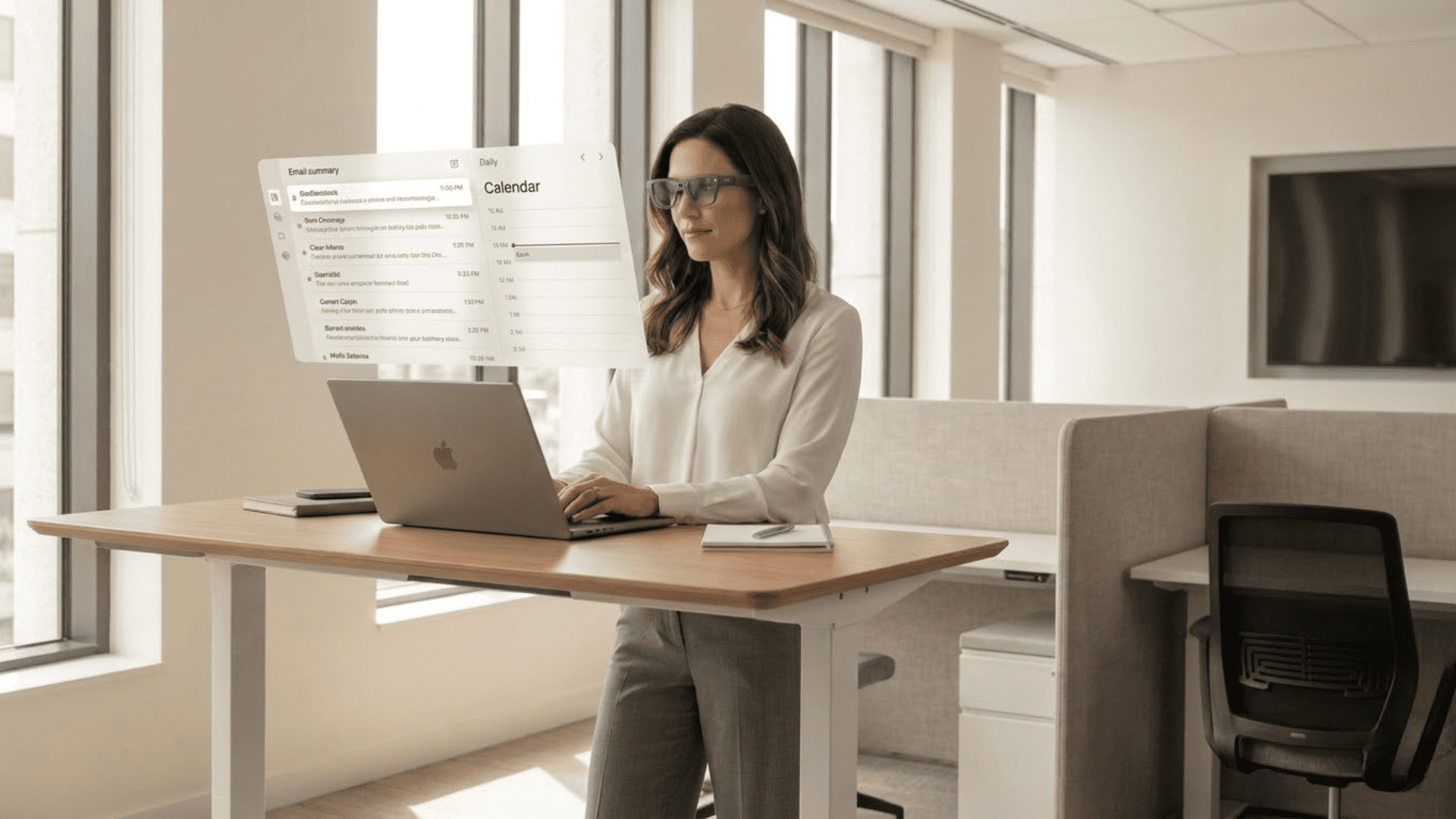
How Glasses That Display Video Are Changing Desktop Work
- by MarketingTeam

Over the past two years, we have seen a consistent trend among power users. More and more knowledge workers are starting to treat video glasses as their primary mobile monitor rather than just a travel toy for movies. This is especially true for programmers, designers, and investment analysts. Therefore, we can reach a clear conclusion. In 2026, smart glasses that display video have begun to truly change the desk-based work style. They can provide a virtual workspace that matches or even exceeds traditional dual or triple-monitor setups. In this article, we will focus on the real-world experience of using smart glasses for remote work and digital nomadism. We will break down key pain points and technical requirements to help you decide if your next monitor should simply be a pair of glasses.
The cognitive shift from the desk as physical furniture to the desk as a spatial environment you can load anytime will directly impact your expectations for AR glasses. Once you understand the structure of a spatial workstation, it becomes easier to decide if moving from physical monitors to a virtual desktop is right for you.
Traditional desktop setups have clear physical bottlenecks. Desk width is limited. Most people can fit one 27 inch external monitor alongside a laptop screen at most. Adding more often sacrifices posture and viewing distance, causing eye and neck strain to spike. For example, we find that even with three monitors, the truly efficient area is limited to the center and about 1/3 of the sides. The rest provides more of a sense of psychological security than a real boost in efficiency.
The spatial workstation approach of AR glasses is entirely different. For instance, using a 201 inch equivalent virtual screen as an upper limit is like viewing a projection on a full wall from 4 meters away. You can then divide this wall into three to five main work zones. Each zone is equivalent to an independent 27 to 32 inch monitor. Devices equipped with 0.6 inch Micro OLED panels, providing 1920×1080 resolution and up to 120Hz refresh rates, can already support this virtual multi-screen layout with retina-level clarity and smoothness.
From an engineering perspective, we typically use this benchmark: when the field of view for a virtual screen is around 40 to 50 degrees, the readability of text and charts is closest to a traditional 27 inch monitor. We can scale and adjust the virtual screen distance so the main work area falls within this range. Other screens, like chat tools or monitoring panels, can sit in the peripheral vision. You can switch between them with a slight movement of the eyes or head. This experience breaks the 27 inch limit without adding an inch to your physical desk.
In professional office settings, these devices are not just simple screen-casting tools. Understanding how-monitor-glasses-change-your-workday-forever highlights their true identity as head-mounted display terminals with three core capabilities: a high-contrast micro-display, a lightweight structure for long-term wear, and window management deeply integrated with PCs and phones.
On the display side, typical professional video glasses use Micro OLED or Micro LED solutions. The former provides a contrast ratio as high as 200,000 to 1 and a 145 percent sRGB color gamut. The latter offers better brightness and outdoor visibility.
For connectivity, professional scenarios require video glasses to do more than just connect directly to a laptop via USB C DP Alt Mode. They must also interface with virtual desktop software to manage the position, size, and hierarchy of virtual windows. In actual deployments, we often help users pin high-frequency collaboration tools like Slack or Teams to the top left of the virtual desktop. We place code editors or design software in the center and browsers or document readers on the right. This closely mimics the muscle memory of a traditional three-monitor setup.
A very obvious phenomenon in 2026 is that more users are sharing their pocket office setups on social media. This usually consists of a 13 inch ultrabook and a pair of AR glasses. The total weight is less than 1.5 kg, yet it can create a three-screen office equivalent in cafes, airports, or hotel rooms.
For anyone navigating a modern digital-nomad-lifestyle, carrying two 27 inch monitors is simply not realistic. The core appeal of a pocket office is having a complete desktop available anytime and anywhere.
According to Statista data on the AR glasses and headset market, the market size was about 6.3 billion dollars in 2024. It is expected to exceed 8.5 billion dollars around 2028. A significant portion of this growth comes from productivity scenarios for corporate and professional users.
Our frontline observations align with this trend:
More companies are providing video glasses to remote employees.
These tools unify the remote desktop experience.
They are especially useful for multinational team collaboration and meetings across different time zones.
From an experience standpoint, the true threshold for a pocket office comes down to two points:
Spatial Stability: Virtual screens must remain stable in a fixed spatial position without drifting during subtle head movements.
Ergonomic Comfort: The pressure on the bridge of the nose and behind the ears after long-term wear must stay within an acceptable range.
We are only willing to use AR glasses as a primary work tool once these two challenges are solved.
If the spatial workstation explains why glasses can replace monitors, the productivity revolution explains why many high-intensity workers actually choose to do so. Screen space, privacy, ergonomic posture, and mobile freedom define the entire value of the AR office experience. In 2026, devices like the RayNeo X3 Pro have set a new benchmark for this transition. Recognized as a TIME Best Invention of 2025, the X3 Pro combines an ultra-lightweight 76g frame with a 6,000-nit full-color MicroLED display, allowing professionals to maintain a high-contrast virtual workspace even in bright outdoor environments (PR Newswire, 2025).

What impresses heavy desktop users most is not flashy AR effects. It is the simple fact that they no longer need to Alt Tab between windows. When you have enough virtual screens, you can spread out your IDE, terminal, logs, API docs, designs, and browser like building blocks. This vastly increases the visible context and speeds up decision-making.
Virtual multi-screening has another advantage over traditional monitors: saving layouts by scenario. We often see three main templates. First is coding mode, with the IDE centered, terminal on the right, and docs on the left. Second is meeting mode, with the video call centered, notes on the left, and browser on the right. Third is creation mode, with the draft editor centered and reference materials surrounding it. Users switch layouts with a simple hotkey, much like switching between different work personas.
Privacy is the main reason many remote workers previously avoided handling sensitive files in cafes or airports. No matter how good a privacy filter is on a laptop, someone standing nearby can still glimpse your emails, financial reports, or internal docs. In industries like finance, law, and healthcare, this involves compliance risks rather than just personal habits.
AR glasses provide physical privacy protection. The image only exists in your field of vision. Even someone sitting directly across from you cannot see what you are viewing. When deploying to finance clients, we found they value the ability for employees to handle internal data in any public space without worrying about wandering eyes.
Privacy also includes data transmission security. We strongly suggest users connect via wired mode or use controlled virtual desktop clients. This keeps sensitive data within the corporate VPN while the glasses act only as a display terminal. This architecture has no more risk than an external monitor. It actually reduces the risk of leaks by removing the physical screen from public view.
The tech neck phenomenon happens when looking down at laptops or phones for too long. This causes the neck to bend forward and muscles to stay tense. Traditional solutions involve risers or external monitors to lift the screen to eye level. However, these require a fixed desk. In a cafe or temporary meeting room, users go back to hunching over.
Video glasses change viewing postures through their optical design. Virtual screens usually appear slightly above the line of sight, about 10 to 15 degrees higher than natural eye level. This allows the neck to stay in a more upright position.
After a few weeks of use, many people notice a change. Their neck and shoulder tension decreases significantly after an hour of focused work. For remote workers used to working from couches or recliners, they no longer need to lean forward to see the screen. Instead, the screen follows their comfortable posture. This shift from humans catering to equipment to equipment adapting to humans is a long-term value of AR.
Digital nomads have clear requirements for a mobile desktop: a full experience, global power compatibility, and fast pack-up. In the past, they stuffed folding screens or portable monitors into backpacks along with chargers, stands, and cables. Setup and teardown took over ten minutes and used a lot of table space.
After talking with many digital nomads, we identified three deal-breakers for AR glasses. First, the total weight must stay under 300 grams. Second, it must take less than 30 seconds from taking them out to starting work. Third, they must adapt to various lighting and seating in cafes, airports, or Airbnbs. AR glasses with Micro OLED displays offering up to 1200 nits and 60 to 120Hz refresh rates keep the desktop clear in bright rooms without being too bright in dark ones.
For these users, the change is not about whether they can work, but whether they are willing to work during fragments of travel time. When a full desktop loads in seconds, 40 minutes at a gate or 20 minutes before hotel checkout becomes high-value deep work time. This has a direct impact on freelance income and project delivery.

A set of AR glasses for work is more than just a list of specs. Display, positioning, and interaction must work together to create a seamless experience. This ensures the device is ready to be your primary screen.
Understanding technical details helps you see past the hype. For a virtual office, the display tech, spatial positioning, and software stack are what matter. These three modules decide if your virtual office can handle a real workload.
Work requires two things: clear text and low eye strain. Micro-OLED tech on 0.6-inch panels now offers 1920x1080 resolution. It also provides a 200,000:1 contrast ratio and nearly 100 percent DCI-P3 color gamut. This means sharp edges for text and clean transitions for high-contrast UIs.
The refresh rate affects how smooth scrolling and cursor movements feel. 60Hz is the minimum for daily work. However, 120Hz is much better for reducing motion sickness when dragging or switching windows. 60Hz is best for static documents or power-saving modes. 120Hz is ideal for long sessions of coding, design, and editing. It provides smoothness without sacrificing heat control.
By leveraging principles like depth of field (DOF), spatial positioning creates a sense of stability in AR experiences.3DoF only tracks head rotation, so the screen stays centered in your view. 6DoF tracks both rotation and movement. This allows you to anchor virtual windows to a real spot in the room.
We recommend spatial anchoring for work. A virtual screen should not be stuck to your face like a TV. It should hang in space like a real monitor. We keep spatial error under 0.5 percent. This means a window drifts less than a few centimeters at a distance of 3 meters. This stability prevents the subtle feeling of unease during long use.
Not all work needs full 6DoF. 3DoF can actually be better on a plane or subway. It keeps the screen from shifting when your body moves. We offer multiple modes for different needs:
Fixed in Front: Best for reading or watching content while lying down.
Fixed to Desk: Best for standard work postures, keeping the screen in a set spot.
Display and positioning handle the visuals, but the software stack makes the experience smooth. For professional use, we focus on window management, input support, and cross-platform compatibility.
User feedback shows that most knowledge workers prefer keyboards and mice over complex gestures. Gestures are best for quick tasks. These include maximizing a window or switching to a meeting layout.
Cross-platform support is essential. Professional AR glasses must work with Windows laptops, MacBooks, and tablets or phones with DP Alt Mode. We use a dual-path approach: a direct connection plus virtual desktop software. This ensures plug-and-play capability. It also allows for advanced features like window pinning and layout templates. This keeps your experience consistent across all your devices.
For many people looking to upgrade their desk, the main question is not about how cool AR technology is. They want to know if they should buy two 4K monitors or a pair of AR glasses. To answer this, we need to compare space usage, cost, and setup maintenance.
Traditional multi-monitor setups are increasingly difficult to fit into small urban apartments or shared offices. Two 27-inch 4K monitors with a stand require at least 120 cm of width and 70 cm of depth. You also need space for a keyboard, mouse, and files. For users in single rooms or shared workspaces, this is a major physical constraint.
AR glasses provide a near zero-footprint alternative. Virtual screens hang in the air, so the desk only needs to hold a laptop and a simple stand. In dense offices, this allows more workstations with multi-screen capability without changing furniture. Everyone's screens are in front of their eyes instead of crowding the desk.
For those living with a spouse or roommates, there is another practical benefit. Large screens cause significant light disturbance at night. This is especially true when working late. AR glasses concentrate light at the user's eyes, which reduces the brightness in the room. This is a real plus for those working while others sleep.
Regarding pure hardware costs, flagship AR glasses are often similar to or slightly more expensive than two high-quality 27-inch 4K monitors. This makes many buyers hesitate. Traditional monitors feel like a safer bet because they do not require learning a new device or an adaptation period.
When calculating the value, we break the cost into three parts. First is the hardware purchase. Second is the annual cost of space and moving. Third is the long-term impact on productivity. For users who work in a fixed location, the visual experience of dual 4K monitors remains excellent. AR glasses serve better as a portable multi-screen supplement. For digital nomads who move frequently, the cost of moving and rewiring large screens is very high. Over two or three years, AR glasses often have a lower total cost.
On the efficiency side, if you already use two or three screens, AR glasses mostly add portability and privacy. The actual volume of information you can see is similar. However, if you currently only use a single laptop screen, AR glasses can change how you work. For tasks involving heavy multi-window use like data analysis, writing, and coding, the productivity boost is clear.
Minimalists know the pain of cable hell. Two external monitors, laptop power, a dock, speakers, USB cables, and external drives create a jungle of wires. Even with careful cable management, you have to redo it every time you move equipment or change your layout.
AR glasses have a natural advantage here. They usually handle both power and video through a single USB-C cable. In some cases, you can even use wireless casting. This allows users to unplug one cable and take their entire desktop environment with them. For those working from home who switch between the office and the living room, the burden of cable management is much lower.
After several product iterations, we are certain about one thing. Within the next decade, the workplace will move toward a post-screen era. Traditional physical monitors will not disappear overnight. However, their role will shift from the main character to a supporting player. They will become a supplement rather than the only window into our digital work.
The combination of Generative AI and spatial computing is the engine driving this post-screen era. Most virtual desktops today simply copy traditional monitor layouts. The real turning point arrives when AI integrates with time management, knowledge retrieval, and spatial organization.
Smart Workspace Capabilities:
Context Awareness: The system can detect when you are adjusting an analysis script. It then automatically enlarges and pins the log window to the side.
Focus Mode: When you join a meeting, the system hides auxiliary windows. It keeps only the meeting interface and your note-taking tools.
Generative AI can also appear directly in your spatial environment. A virtual assistant can float next to your screen to help search for data or summarize meeting points. This removes the need to switch between application windows. In this model, the spatial workstation is no longer just a set of floating screens. it is a dynamic workspace that shapes itself based on your specific task.
When will AR glasses replace traditional monitors as the primary work device for the mainstream? Based on technical maturity and price, we expect a phased evolution.
Early Adopter Phase (2026 to 2028): AR glasses will likely become the primary display for three specific groups:
Digital Nomads: Professionals who work remotely and travel frequently.
Space-Constrained Users: City dwellers living in small apartments where a large desk is not practical.
Privacy-Focused Professionals: Workers who handle sensitive information in public or shared spaces.
For these groups, AR glasses solve enough critical problems to justify the learning curve.
Broad Market Adoption: For the general office population, we expect a hybrid desktop model. Users will keep one high-quality physical monitor and use AR glasses as a flexible partner. Complete replacement will only happen when device weight drops further and optics improve. AR glasses will become the standard only when the comfort level allows users to almost forget they are wearing them.
From Silicon Valley engineers to remote entrepreneurs, more and more high-efficiency workers have added Glasses That Display Video to their list of indispensable tools. If you still define your work boundaries by a fixed monitor, take five minutes to understand this technology that is rewriting the rules. Your workflow might need an upgrade more than you think.
Share:
3D Movie Glasses vs. AR Glasses: Which One Is Best for Your Needs?
Display Size Explained: Why Bigger Screens Create Better Viewing Experiences