

$449.00

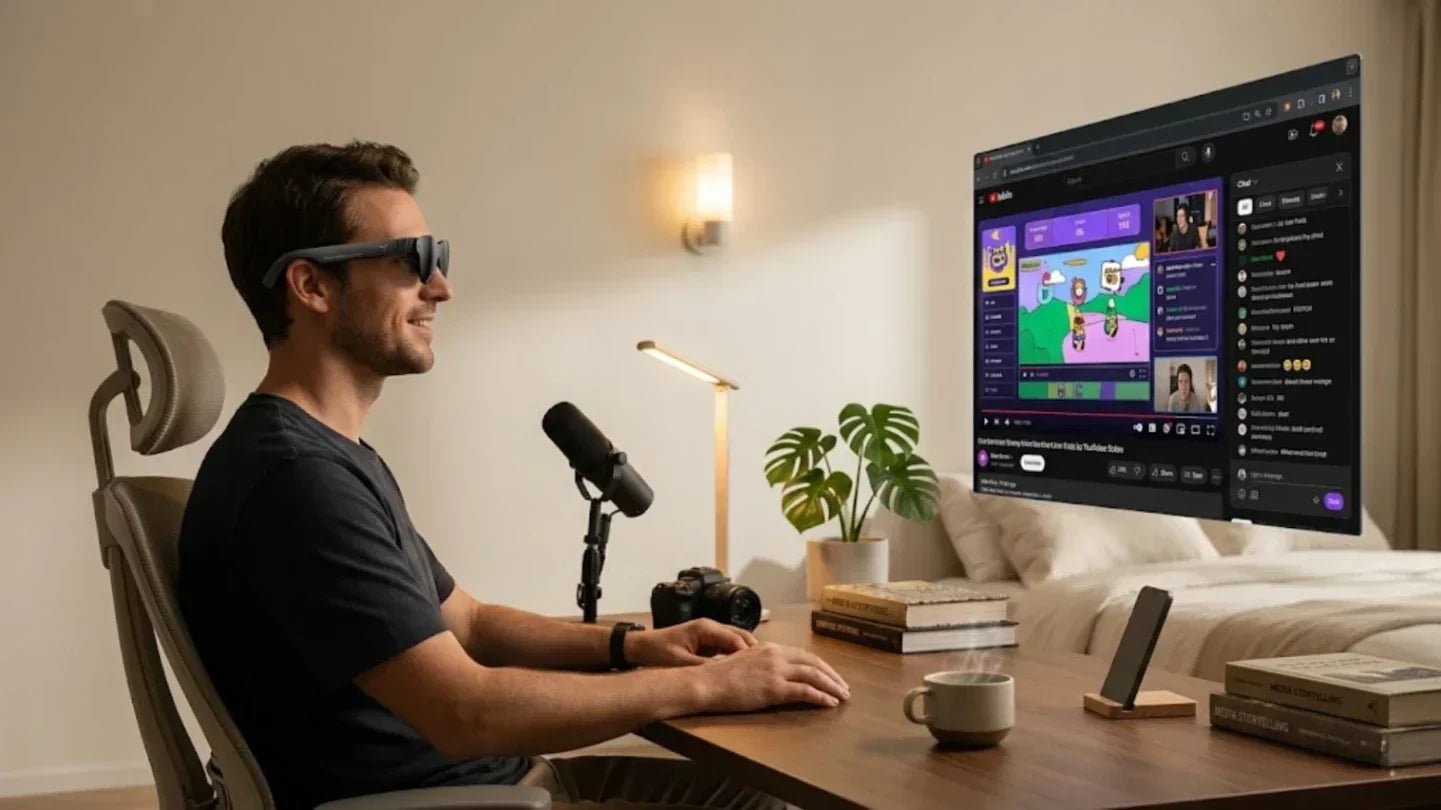
You open your laptop. You need to look at code, check documents, and reply to Slack at the same time. The 13 inch screen feels as crowded as a messy wall of sticky notes. You bought an external monitor, but it stays in the office when you travel. You tried a portable screen. Now the charging cables, stands, and power adapters are just another burden.
You collect more screens, but your efficiency lags behind. Monitor Glasses are breaking this endless cycle. In 2026, AR glasses have evolved into lightweight and stylish wearables. They project multiple high-definition virtual screens right in front of you. The world is your workspace, whether you are on a plane, in a coffee shop, or on your living room couch.
In this article, we will focus on work efficiency, real user needs, buying logic, and practical application. We will help you decide if monitor glasses belong in your workflow. We will also help you see which product truly fits your pace.

IDC research shows global XR device shipments grew by 44.4% year over year in 2025. Smart glasses drive this growth. This shows the market shifting from bulky headsets to lighter, everyday glasses built for long term wear. We should pay attention to this shift. Work environments have low tolerance for clunky devices. Users stick with tools that fit their rhythm, reduce distractions, and smooth out information access. Monitor glasses are gaining traction because they excel at exactly this.
Many productivity issues look like a heavy workload but are actually a lack of screen space. Documents, spreadsheets, meeting windows, browser tabs, and chat apps all fight for the same display area. Observing how-glasses-that-display-video-are-changing-desktop-work highlights a clear solution to this constant fragmentation. Creators using AR glasses for work note their most direct value: they bring order to a standard desk by placing virtual screens freely, making checking references and multitasking feel natural. Placing virtual screens freely makes checking references and multitasking feel natural. This works perfectly for people who switch between home, travel, and temporary workspaces.
The real appeal of AI glasses often lies in how they quietly optimize small actions. They save us from looking down at our phones one more time. They reduce the constant switching between computers and mobile devices. They stop notifications from breaking our train of thought. These seem like tiny savings. Over a full workday, they build into massive gains in focus.
Discussions around smart glasses consistently highlight one steady demand. People want information in their line of sight faster. They want timely reminders and natural, lightweight interactions. For people processing high volumes of information, keeping their heads up improves workflow continuity. It also aligns better with our reliance on natural vision.
Remote collaboration often fails not from a lack of software, but a lack of shared understanding. People look at the same document but interpret it differently. AR glasses bring value by moving information from flat windows into physical space. This gives presentations, explanations, guides, and live chats a much clearer visual reference.
A practical example is drone operation and field monitoring. When paired with RayNeo Air 4 Pro, pilots can review live feeds, mission maps, and flight parameters on a large virtual display without constantly looking down at a handheld controller or tablet. This makes it easier to maintain situational awareness, especially during outdoor inspections, search tasks, or content capture in bright environments. For drone users who need both mobility and a clearer visual workspace, monitor glasses turn a small control setup into a more immersive and efficient operating experience.
This is crucial for users who need to present on the move, inspect sites, or talk while walking. You might not need complex features every day. When work happens in a dynamic setting, keeping information near your line of sight makes communication lighter and reactions faster.
Our core demand for AI glasses is clear today. Much like how we use different AI tools for tasks like vibe coding, we need to know if these glasses hold real work value on the move. You might organize tasks during a commute. You might scan summaries while walking to a meeting room. You might need quick translations and reminders on a business trip. These situations require a device light enough and interactions smooth enough to act as a daily assistant.
The RayNeo X3 Pro suits people who work outside the office frequently. It packs a Snapdragon AR1 Gen 1 chip, full color MicroLED binocular displays, a 640 by 480 resolution, a 30 degree field of view, and a 12MP camera into a 76 gram frame. It handles mobile navigation, instant viewing, real time translation, visual recording, and light AR office work with ease. Information appears the moment you look up.
Mobile work means more than taking a laptop outside. It means your workflow travels with you. Many people open their computers on trains, at airports, or in cafes, only to find their vision restricted by the environment. The screen is too small. The posture is uncomfortable. The table is unstable. They end up waiting until they return to a proper desk to do the important work.
This is the exact appeal of monitor glasses. They detach the display space from the physical desk. They give users a more private and free interface in public areas. This sense of boundaries is a core part of modern productivity.
Some people want AR overlays and mobile interaction; others prioritize large-screen displays and comfort for long-term reading. Smart glasses will only become high-frequency tools when the task structure aligns perfectly with device capabilities.
The ideal state for work-oriented AR glasses is the ability to handle instant information retrieval without ruining the daily wearing experience. Users don't actually pay for technical jargon. They pay for tools that make work smoother and save time, effort, and attention in their most common environments.
If your core needs lean toward AI interaction, real-time translation, navigation alerts, first-person filming, and mobile office assistance, the RayNeo X3 Pro is a better fit for that workflow. It uses a full-color microLED optical solution that supports high-brightness display and multi-modal interaction. This provides natural visual assistance during walks, commutes, meetings, or while handling tasks on the go.

When picking smart monitor glasses, first ask yourself where your workday actually gets stuck. Is it a lack of desk space, frequent business trips, fatigue from staring at small screens, or the need to process info while moving? Different pain points determine the role the product should play.
The lens experience affects more than just display quality; it impacts your connection to the environment. Work scenarios require users to see content clearly while staying aware of their surroundings. This means a balance between transparency and clarity is essential. Such glasses are ideal for commutes, open offices, and impromptu meetings.
The details that actually matter are text edge stability, natural transitions between light and dark environments, and whether your eyes feel strained after long sessions. For professional users, these factors are more important than flashy immersion.
Work-oriented smart glasses must withstand frequent carrying, storage, and the risk of bumps during travel. If the lens materials and overall structure aren't stable, the device will fail to become a daily tool, no matter how advanced it is.
Experienced users prioritize one practical question: can these glasses be taken to the airport, the subway, and the coffee shop without worry? If a device can't handle high-frequency use environments, it will quickly lose its place in your workflow.
Comfort is the line that determines if smart glasses can survive a full workday. Many users find that if there is pressure on the nose bridge, unstable frames, or physical fatigue, usage drops fast.
The best way to judge a pair of glasses isn't a quick try-on. Instead, imagine if they can stay on through your entire commute and then a long work session. Products that pass that test are the ones that qualify as real productivity tools.
The way monitor glasses truly change work is rarely through a single moment. Instead, after a week, you suddenly realize you are looking down less, switching screens less, and finding it easier to bridge fragmented time on the road. The most effective way to start is to put them into real life. Let the device experience your commute, temporary workspaces, and the trip home.
Only when a device performs reliably in these environments does it earn the right to be part of your workflow. Technology that provides real value always proves its worth through high-frequency, repetitive, and daily use.
If you have nearsightedness or other vision correction needs, your first step should be getting your visual foundation right. Clarity and wearing comfort are the prerequisites for the entire experience. If the basic fit is off, it is easy to misjudge what the product can actually do.
For those with myopia or astigmatism, we offer an official prescription lens service. You can try on the device first to confirm if you need lenses, then use the QR code on the Prescription Service Guide card inside the box to order via the mini-program. Additionally, you can order prescription lenses through our official optical partner, Lensology. Currently, we support myopia from 0 to -10.00D and astigmatism from 0 to -2.00D. If your needs fall outside this range, this specific lens solution may not be suitable.
Commutes and coffee shops are the two best settings to test smart glasses. One represents information continuity in a dynamic environment; the other represents real-world usability in a light office setting. They quickly reveal whether a pair of glasses is helping you or adding to your burden.
Real-world cases prove the point. One user mentioned that after using wearable display glasses on a plane, they realized they no longer had to hunch over their device for hours to play games or view content. Wearable displays brought a sense of relaxation similar to a fixed screen for the first time during travel. This improvement applies equally to reading documents and attending video calls on long trips.
Don't rush to a conclusion during the testing phase. The best approach is to observe changes in your behavior. For example, check if you are looking at your phone less, switching windows less, or staying focused longer in open environments. These changes are far more convincing than just saying efficiency has improved. When users review their experience this way, they find the value of smart glasses rarely depends on dramatic moments. It is more about a series of small, steady optimizations that gradually smooth out the workday and pull your attention back from distractions.
A pair of glasses truly suited for work will eventually make you forget you are using a new device. It becomes a more flexible screen and a more personal information gateway, quietly entering your commute, meetings, and temporary workspaces.
This is why smart glasses are gaining momentum again today. The market trend is clear: users are willing to pay for a lighter, more natural form of computing that fits the rhythm of daily work.

Monitor glasses are set to transform the workday by shifting screens from a fixed position to the direct line of sight. This moves professional productivity away from a static desk and into broader, real-world environments. For those looking to boost mobile efficiency, reduce neck strain, and reclaim fragmented time, smart glasses and AR glasses are no longer a distant concept. They are becoming a practical way of working that integrates seamlessly into daily life.
Yes. This is currently one of the most established uses for display-centric smart glasses. For anyone wanting a larger private screen during commutes, flights, or even while relaxing in bed, monitor glasses offer a significant upgrade in viewing comfort.
Yes, provided your needs align with what the product offers. If you require more screen real estate, want to avoid the fatigue of looking down at small devices, or need to maintain workflow continuity while on the move, screen glasses provide immediate value.
Yes. Many AI and AR smart glasses come equipped with cameras. In professional settings, these features are often used for site documentation, first-person perspective capture, and real-time visual assistance.
If your main priority is a large virtual display for long reading sessions or remote office work, display-focused smart glasses are usually the best fit. However, if you prioritize interacting with digital overlays in your physical environment or need instant mobile assistance, AR-centric products will better suit your professional needs.







Share:
How to Connect Smart Glasses to Phone: A Step-by-Step Guide
Gesture Recognition Technology 101: Everything You Need to Know