

$449.00

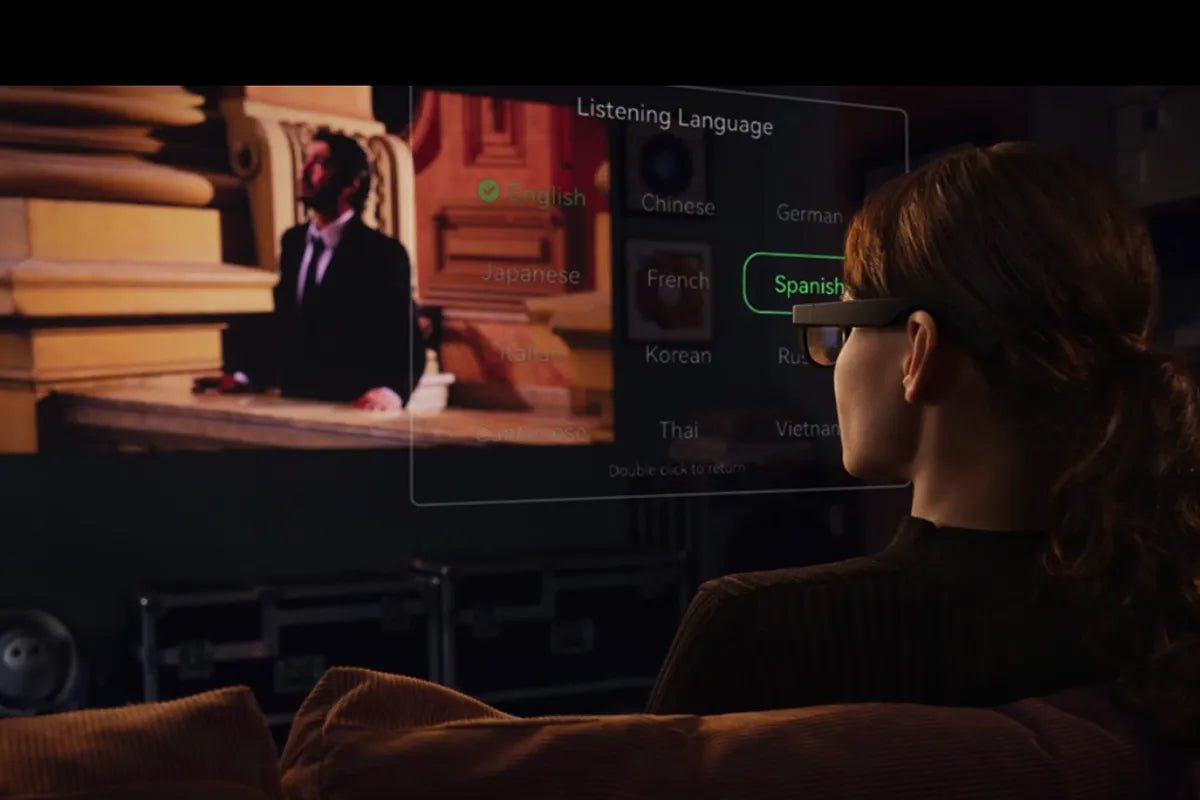
Smart glasses for translation are becoming an emerging solution for cross-language communication, combining artificial intelligence, speech recognition, and augmented reality technologies. However, different smart glasses use different translation methods, including AR subtitles, voice translation, and smartphone-assisted translation. Each approach offers unique advantages depending on the environment, communication style, and accuracy requirements.
This guide compares the main translation methods, explains their practical applications, and helps you understand which features to consider when choosing best smart glasses for translation.

Translation smart glasses use microphones, AI-powered speech recognition, and translation technology to capture spoken language and deliver translated information to users.
The main difference between models is how the translation reaches you. Most translation smart glasses use one of three approaches: AR subtitles, voice translation, or phone-assisted translation. Each method offers different advantages depending on how and where you use the glasses.
AR subtitle systems use a built-in display to place translated text within the user's field of view. The glasses capture speech through microphones, process the audio with AI, and then display the translated text within the user's field of view so users can read the information while continuing to look at the speaker.
Some systems can also show the original transcription alongside the translation, allowing users to check what the glasses detected before the translation step. This approach relies on optical display technology to combine digital information with the real-world view.
Voice-over translation works by converting translated text into synthetic speech and delivering it through built-in speakers or open-ear audio systems, often using open-ear audio technology. Instead of displaying words visually, the glasses provide translated audio directly to the user.
This approach reduces the need for a visual display and allows users to receive translations while walking or interacting naturally. However, because the translation is delivered through audio only, users have less visual information to verify the original speech or identify potential recognition errors.
Phone-assisted translation uses smart glasses together with a connected smartphone or translation app. The phone typically handles the translation process, while the glasses provide a more convenient viewing experience.
This method works well for reading translated text from menus, signs, documents, or other visual content. However, because it depends on a connected device, it offers less hands-free interaction than dedicated translation-focused smart glasses.
There is no single best translation method for every situation. The right choice depends on how you communicate and where you plan to use the glasses.
| Scenario | Best delivery style | Why |
| Face-to-face conversation | AR subtitles | You can maintain eye contact and read translations at your own pace |
| Business meeting or lecture | AR subtitles | You can verify wording and review translated text |
| Walking, travelling, or hands-busy situations | Voice translation | You can receive information without focusing on a display |
| Menus, signs, and labels | Phone-assisted translation | Visual text translation works better for printed content |
| Foreign-language films or documents | Phone-assisted translation | Existing translated content can be displayed through connected devices |
| Language learning | AR subtitles | Seeing original text and translation together supports learning |
Visual AR subtitles are often considered easier to follow than audio-only translation because they work with the way the human brain manages attention and information processing. Instead of asking the brain to process multiple audio streams at the same time, visual translation separates information across different sensory channels. This difference can make conversations feel more natural, especially in complex or high-pressure environments.
The human brain is capable of focusing on one voice while filtering out surrounding sounds, a phenomenon known as the cocktail party effect. However, this selective attention requires mental effort. Adding a translated voice on top of the original speaker creates another audio stream that the brain must process simultaneously.
AR subtitles reduce this burden by moving the translated information from the auditory channel to the visual channel. Users can listen to the original speaker while reading the translation, making it easier to follow conversations in busy environments like restaurants, conferences, or public spaces.
Human and AI speech recognition systems can both make mistakes, so users need a way to identify where errors occur. Visual translation provides an additional layer of information by showing the recognised text or translation directly in the user's view.
When a translation seems incorrect, users can check whether the issue came from inaccurate speech recognition or a translation error. This ability to verify information can improve confidence in situations where accuracy matters, especially professional conversations or important discussions.
Visual information is also more discreet than spoken translation. Because AR subtitles are displayed only to the wearer, there is no external audio output that could interrupt a conversation or be heard by others.
In professional environments like meetings, negotiations, or client discussions, silent subtitles allow users to access translation support while keeping the interaction natural and respectful.
Before using live translation, complete a few basic setup steps. The glasses act as the wearable interface, but the actual translation performance often relies on a stable internet connection through Wi-Fi or a connected smartphone.
First, pair your smart glasses with the companion app on your smartphone and make sure they have access to the internet. Depending on your situation, you can connect through:
Because many live translation features rely on cloud processing, connection quality can affect response speed. A weak or unstable signal may create longer delays between the original speech and the translated result.
Open the companion app and configure your translation settings before use. Select the languages you want to translate between and choose how the translation is delivered.
Depending on the smart glasses model, available options may include:
Some devices support limited offline language functions for basic phrases or travel situations. However, offline features may not offer the same accuracy or real-time performance as cloud-based translation.
Select a translation mode based on your environment and conversation type.
Choosing the right mode helps improve speech recognition and makes the translation experience more natural.
Before using smart glasses in a business meeting, presentation, or important conversation, run a quick test.
Check that:
Testing beforehand helps identify problems with settings, microphone performance, or connectivity before they affect real communication.
Some smart glasses can store transcripts or record conversations. Before enabling these features, check the privacy and recording rules that apply in your location.
For professional settings, it is good practice to inform participants when translation, transcription, or recording features are active. This helps maintain transparency during meetings and conversations.
The right smart glasses depend on what you need them to do. RayNeo offers two different experiences: RayNeo X3 Pro is designed for real-time translation and AI assistance, while RayNeo Air 4 Pro focuses on immersive AR display and second-screen use.
If translation is your main reason for buying smart glasses, RayNeo X3 Pro AI+AR Smart Glasses are designed for this purpose. Unlike display-focused AR glasses, they combine a camera, AI features, and a see-through MicroLED display to support hands-free translation during real conversations.
The glasses can provide translated information through visual text and audio output, helping users communicate while keeping their attention on the person they are speaking with. With support for translation across 14 languages and built-in AI assistance, RayNeo X3 Pro is designed for travel, multilingual conversations, and professional communication scenarios.
Key advantages include:
With its built-in camera, AR display, and translation-focused features, RayNeo X3 Pro is best suited for users who need frequent real-time language support.

RayNeo Air 4 Pro AR Glasses are not translation glasses and do not offer live translation features. Instead, they are designed as a portable AR display that connects to smartphones, laptops, and other devices.
They are better suited for users who want a private large-screen experience while travelling or working remotely. You can use them to watch foreign-language films with subtitles during a flight, or view translated documents and work files on a virtual second screen in a hotel room.
Key use cases include:
With Micro-OLED displays, HDR10 support, up to 120Hz refresh rate, and a lightweight 76g design, RayNeo Air 4 Pro works best as an AR display companion rather than a translation device.

Choosing the right smart glasses for translation depends on how and where you need language support. AR subtitles provide visual assistance for conversations that require accuracy and context, while voice translation offers a more flexible hands-free experience. Smartphone-assisted translation remains useful for visual content and connected translation tools. Understanding these differences can help users select best smart glasses for translation that better match their communication needs and everyday scenarios.
Smart glasses with translation features typically combine directional microphones, AI language processing, and a display or audio system to deliver translated information. A see-through display allows users to read subtitles while staying focused on the speaker, while camera-based recognition can help with visual information.
RayNeo X3 Pro is designed for this type of real-time translation experience, supporting translation across 14 languages with visual text and synchronised audio output.
Yes, many smart glasses can provide near real-time translation. The glasses capture speech, use AI to recognise and translate the language, then deliver the result through subtitles, audio, or both. Response speed depends on factors like internet connectivity, language pair, and processing conditions.
Some smart glasses include AI features, while others are designed mainly as wearable displays. AI enables functions like speech recognition, translation, visual understanding, and voice-based assistance.
RayNeo X3 Pro integrates Gemini-powered AI features through RayNeo AI OS, supporting tasks beyond translation. By contrast, RayNeo Air 4 Pro is designed as an AR display for entertainment and productivity rather than an AI translation device.





Share:
Smart Glasses with Teleprompter: How They Work and What to Buy
Are AI Glasses Worth It? An Honest Buyer's Verdict