

$449.00

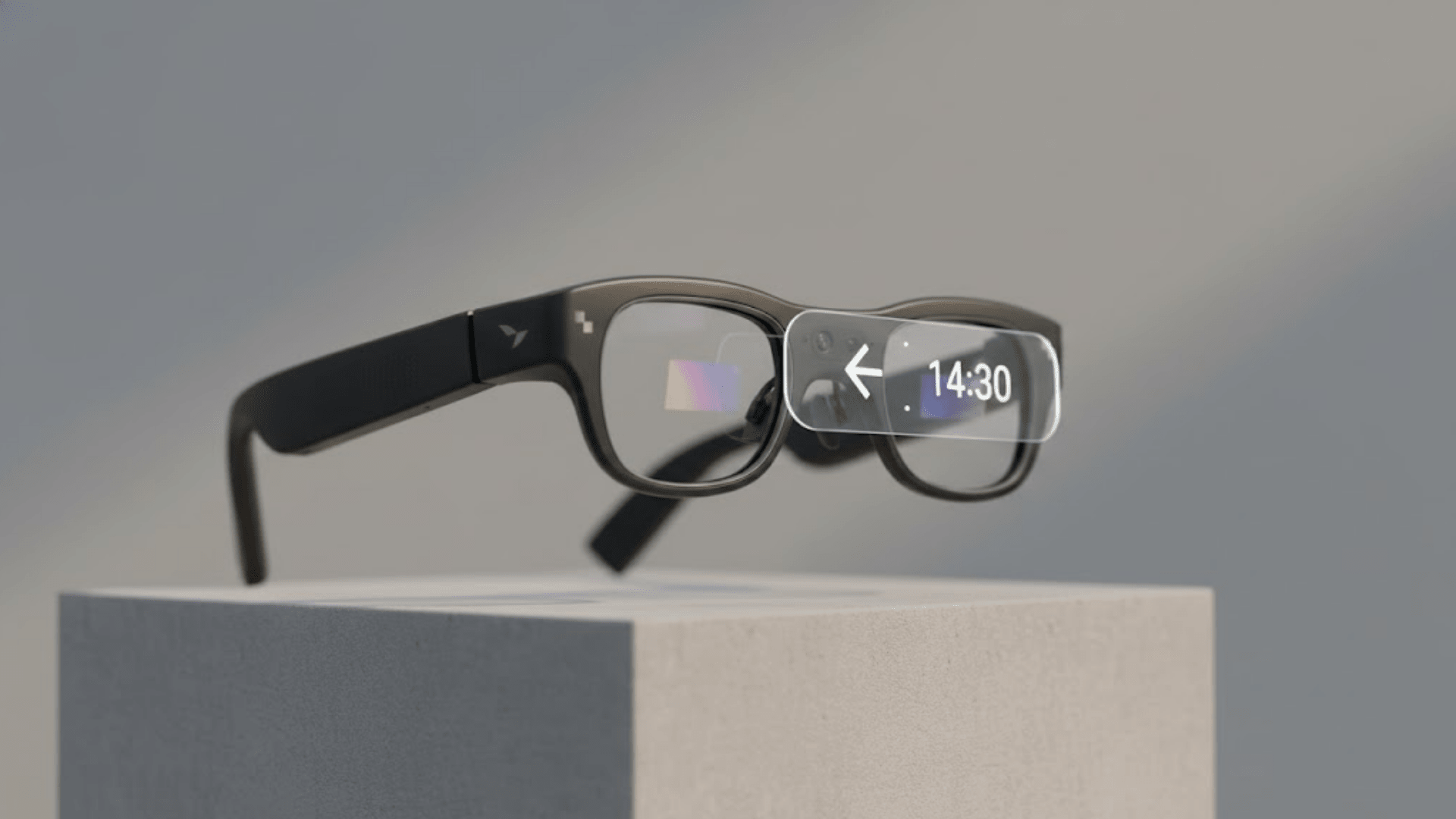
Among RayNeo's current lineup, only one model has an actual Bluetooth radio built into the glasses themselves: the RayNeo X3 Pro. It carries Bluetooth 5.3, pairs directly with a phone, and uses that connection for both calls and A2DP music streaming. RayNeo's own connectivity guide also lists a wireless keyboard and a game controller as compatible Bluetooth peripherals.
Every other model in RayNeo's Air series connects to a phone or computer over a wired USB-C cable, and none of them list a built-in Bluetooth chip on their official spec pages. That distinction matters more than it sounds, because a lot of what gets marketed as "Bluetooth smart glasses" turns out to mean something narrower once you check the spec sheet.
There are two different things a product page can mean when it says "Bluetooth":
The first is native Bluetooth: the glasses have their own radio, pair directly with your phone the way a smartwatch does, and can receive calls or stream music without any other device in the loop. RayNeo's own connectivity guide, "Which Smart Glasses Support Bluetooth? The 2026 Connectivity Guide," describes this as the glasses having "an internal processor and a dedicated Bluetooth radio" that "can search for other devices and initiate connections" on their own.
The second is what that same guide calls ecosystem or host Bluetooth: the glasses connect to your phone or laptop over a wired cable for video, while your phone separately uses its own Bluetooth to talk to a different device, like your regular wireless earbuds. The glasses aren't doing anything with Bluetooth themselves. Your phone is.
For a search like "smart glasses with Bluetooth for calls and music," that difference decides which product actually answers the question. If you want the glasses to be the Bluetooth device, the way earbuds are, only the native version works.
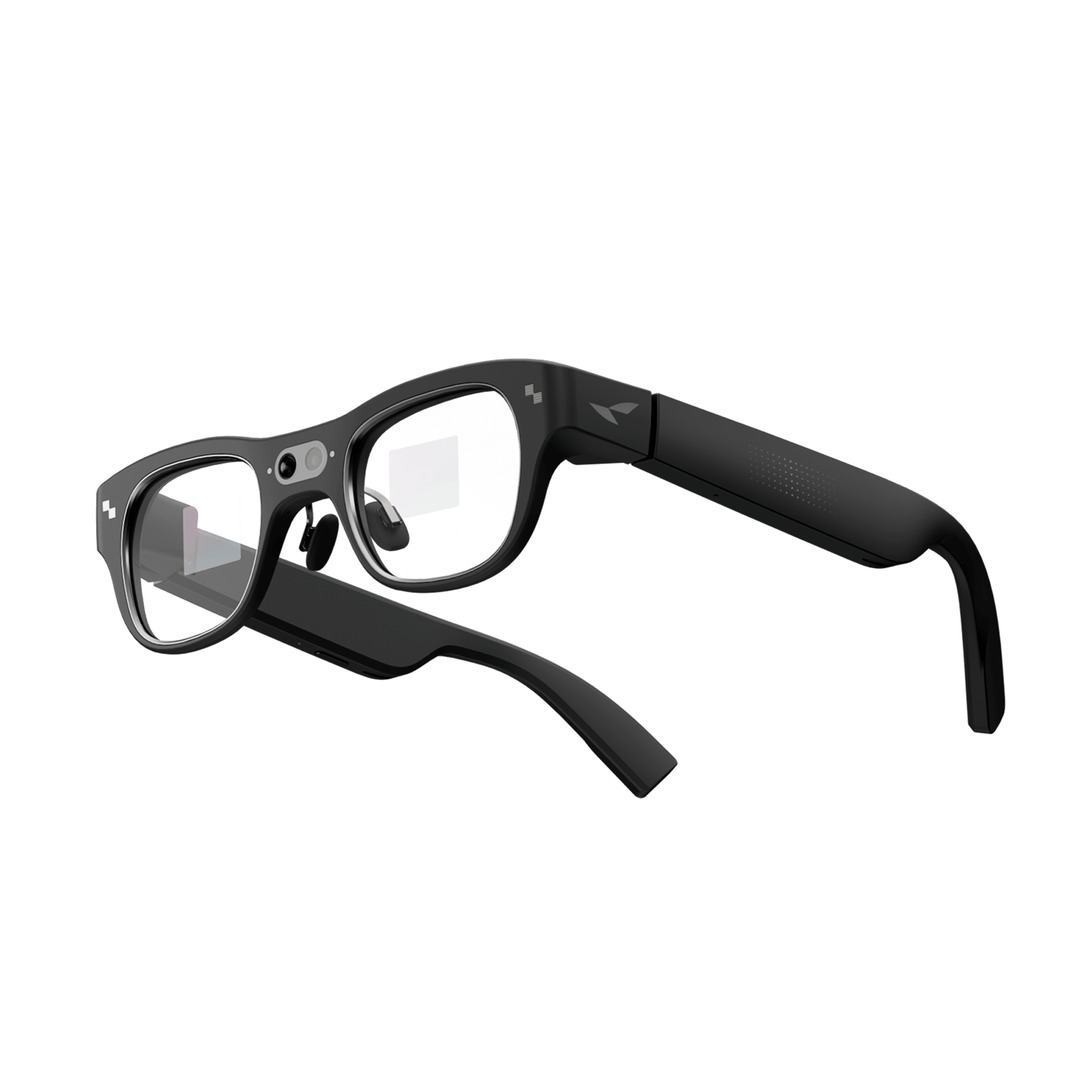
The RayNeo X3 Pro is a standalone AI and AR device built around a Qualcomm Snapdragon AR1 processor, Bluetooth 5.3, Wi-Fi 6, and a 3-microphone beamforming array. It also has a 12MP camera and a small full-color MicroLED display (640x480) used for notifications, translation, and navigation prompts, not for watching long-form video.
Because the Bluetooth radio lives inside the glasses, the X3 Pro pairs with your phone directly, the same way a pair of wireless earbuds does. According to RayNeo's own connectivity guide, that pairing supports A2DP for music and call audio, plus BLE for notifications. The same guide notes you can also pair the X3 Pro with other Bluetooth peripherals, including a RayNeo Ring, a wireless keyboard, or a game controller.
That list doesn't include your own separate Bluetooth earbuds. The X3 Pro plays audio through its own built-in open-ear speakers, not through a paired set of earbuds, and RayNeo's connectivity guide doesn't describe third-party earbuds as one of the peripherals it connects to. In practical terms, the X3 Pro is meant to replace your earbuds for calls and music, not to work alongside them.
In practice, that means two things. For calls, the 3-mic beamforming array is built specifically to pick up your voice and filter background noise, so you can take a call without pulling out your phone. For music, you can stream from Spotify, Apple Music, or any other app directly to the glasses, with no wired connection and no separate earbuds required.
RayNeo's official X3 Pro product page lists the microphone array and Bluetooth version in detail but doesn't publish specific speaker specs or a branded audio-tuning partnership, unlike the Air 4 Pro, which names a Bang & Olufsen co-tuned system on its own page. Independent coverage, including a review from Notebookcheck, describes the X3 Pro's audio setup as open-ear, earbuds-like speakers paired with the beamforming microphone, without giving a detailed assessment of bass response or music-listening quality.
What that means practically: expect clear voice pickup for calls and workable, casual music playback, but don't expect the layered, bass-forward sound RayNeo's higher-end Air 4 Pro is built for during movies and games. Open-ear speakers of any kind can't reproduce deep bass the way a sealed earbud can, since there's no ear-canal seal to hold in low frequencies. That's a limit of the open-ear design itself, not something specific to this one model.
The same open design cuts both ways on calls. Because there's no seal against your ear, a faint version of whatever you're hearing can be audible to someone standing close to you, the way open-ear earbuds sound in a quiet office or on a train. If you take calls in shared spaces and want the audio to stay private, that's a real limitation of open-ear audio generally, and worth factoring in before you rely on it for calls at work.
RayNeo's own figures put the X3 Pro's battery at 245 mAh, and runtime varies a lot depending on what you're actually doing with the glasses:
RayNeo doesn't publish a separate figure specifically for phone calls, but call audio uses the same radio and speaker path as music playback, so real-world talk time is likely to land closer to that 3-hour number than to the 5-hour one. If your plan is all-day Bluetooth calling and music without a recharge, this isn't the device for that; it's built for shorter, active-use sessions rather than an all-day substitute for earbuds.
RayNeo lists the X3 Pro at $1,299, with early-bird pricing of $1,099 offered at various points. That's a meaningfully higher price point than RayNeo's Air series glasses, and it reflects a different category of product: a standalone AI device with its own processor and radios, not a display accessory that plugs into your phone.
If your priority is watching video or gaming on a bigger virtual screen and you'd rather not deal with wired earbuds, RayNeo's Air series offers a workaround worth knowing about, even though the glasses themselves aren't Bluetooth devices.

The RayNeo Air 3s Pro connects to your phone over USB-C for the video signal. Separately, your phone can use its own Bluetooth to connect to a pair of wireless earbuds, so the picture arrives over a wired, lossless connection while the sound arrives wirelessly through your earbuds. RayNeo's own connectivity guide describes this setup as a way to get "a private cinema experience where the image is wired (lossless) and audio is wireless."
That's a real and useful setup for movies or gaming, but it isn't the same as the glasses supporting Bluetooth calls or music on their own. The glasses have no microphone and no Bluetooth chip, so incoming calls, voice assistants, and direct Bluetooth pairing aren't part of what this model does.
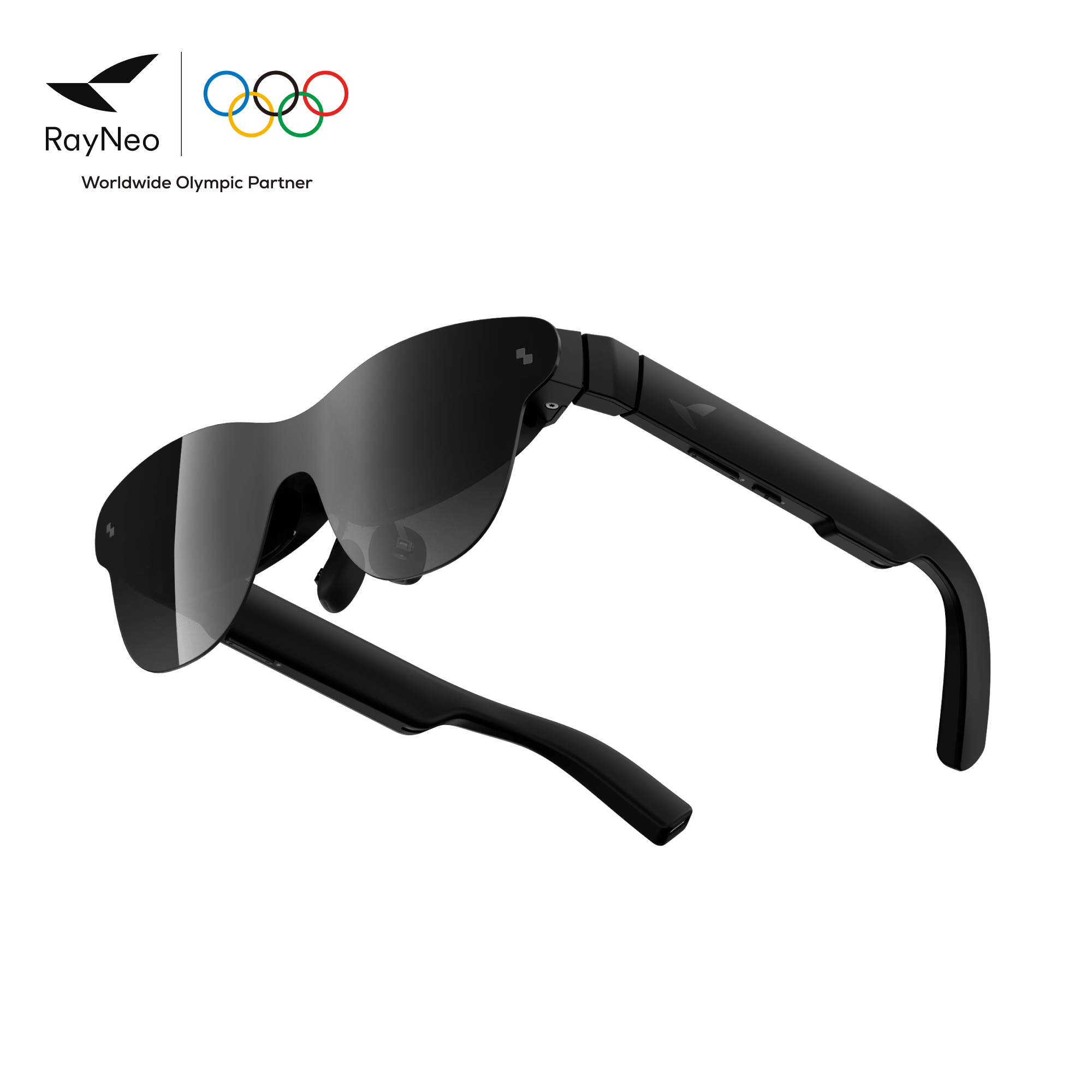
The RayNeo Air 2s and Air 4 Pro follow the same wired-only pattern: USB-C for video and audio output through their built-in speakers, no Bluetooth chip listed on either product page, and no microphone for calls. The Air 4 Pro's Bang & Olufsen-tuned speakers are the best-sounding option in RayNeo's lineup for movies and games, but that's a wired listening experience through the glasses' own speakers, not a Bluetooth one.
Air 2s and Air 4 Pro are grouped in one column below because they share the same wired USB-C connectivity and the same answers on every Bluetooth-related row. Where they differ, on speaker tuning and price, each model's own figure is listed separately.
| RayNeo X3 Pro | RayNeo Air 3s Pro | RayNeo Air 2s / Air 4 Pro | |
|---|---|---|---|
| Bluetooth chip inside the glasses | Yes, Bluetooth 5.3 | No (confirmed in RayNeo's connectivity guide) | Not listed on either official spec page |
| Can pair directly with a phone over Bluetooth | Yes | No (video is wired) | No |
| Can stream music over Bluetooth | Yes (A2DP) | Only via phone-to-earbuds workaround | No |
| Can take phone calls | Yes (3-mic beamforming array) | No (no microphone) | No (no microphone) |
| Video/data connection | Bluetooth + Wi-Fi 6 | USB-C (wired) | USB-C (wired) |
| Built-in speaker audio tuning | Not specified on official spec page | Self-developed quad-speaker + spatial algorithms (Air 3s Pro) | Push-push quad-speaker (Air 2s); Bang & Olufsen co-tuned (Air 4 Pro) |
| Weight | 76g | 76g | 76g |
| Official price (at time of writing) | 1, 299list(1,099 early-bird has been offered) | $299 | 159−299 (Air 2s) / $299 list, $254.15 on sale (Air 4 Pro) |
Prices and connectivity details reflect RayNeo's official product pages and connectivity guide as of August 2026, and are subject to change.
The X3 Pro is worth considering if hands-free Bluetooth calling, a voice assistant, or leaving your phone in a pocket or bag (as long as it stays within Bluetooth range) while still handling notifications and short music sessions matters more to you than watching a movie on a large virtual screen.
It's a weaker fit if you mainly want long listening sessions, since 3 hours of continuous music is a real ceiling, or if bass-heavy sound quality is a priority, since neither RayNeo's own spec page nor independent reviews confirm audiophile-grade tuning for this model.
It's also a mismatch if your budget is closer to what the Air series costs. At $1,299 list, the X3 Pro is priced as a standalone AI device, not as an accessory, and that price difference should factor into the decision as much as the connectivity type does.
Do any RayNeo smart glasses have Bluetooth built into the glasses themselves? Yes, but only one model: the RayNeo X3 Pro, which has its own Bluetooth 5.3 radio. The Air 2s, Air 3s Pro, and Air 4 Pro all connect via wired USB-C instead. RayNeo's own connectivity guide directly confirms the Air 3s Pro has no Bluetooth chip inside the glasses; the Air 2s and Air 4 Pro's official spec pages likewise don't list one.
Can the RayNeo X3 Pro replace my Bluetooth earbuds for calls? It's built to replace earbuds rather than pair with them: the X3 Pro connects to your phone directly over Bluetooth and plays audio through its own open-ear speakers, and RayNeo's connectivity guide doesn't list separate Bluetooth earbuds as a supported peripheral. Whether it actually replaces your earbuds day to day comes down to battery life more than the calling feature itself, and that's the real limiting factor (see Battery Life above).
Do I need a companion app, and does the X3 Pro work with any phone? RayNeo's official X3 Pro product page doesn't spell out a specific iOS-versus-Android compatibility breakdown or list a companion-app requirement. Bluetooth pairing for calls and music works the same way it does with a pair of wireless earbuds, so it isn't restricted to one phone brand, but standalone AI glasses in this category typically rely on a companion app for firmware updates and AI feature settings. RayNeo hasn't published which specific OS versions or app the X3 Pro requires, so it's worth checking the product page again closer to your purchase date.
Why does my phone show a Bluetooth connection when I use Air 3s Pro glasses? That Bluetooth connection is between your phone and a separate accessory, most likely your wireless earbuds, not between your phone and the glasses. The Air 3s Pro itself connects to your phone over a wired USB-C cable for video; RayNeo's own connectivity guide describes this as a way to get wired video with wireless audio through your own earbuds.
Is the RayNeo X3 Pro good for listening to music, not just calls? It supports Bluetooth music streaming through A2DP, so yes, functionally. RayNeo hasn't published detailed speaker specs for this model, and independent coverage describes the speakers as open-ear and earbuds-like without rating bass or clarity in detail, so this isn't positioned as an audiophile listening device the way the Air 4 Pro's Bang & Olufsen tuning is.
Are there Bluetooth smart glasses that don't have a screen at all? That's a separate product category some other manufacturers sell: open-ear audio glasses built around Bluetooth speakers and a microphone, with no display. RayNeo doesn't currently sell a display-free version of this kind; every current RayNeo model is either an AR display device (Air series) or a combined AI and AR device (X3 Pro).
How is the X3 Pro different from Bluetooth audio glasses that skip the display? Display-free audio glasses are built around one job: Bluetooth calls and music through open-ear speakers, usually at a lower price and lighter weight since there's no processor, camera, or screen to power. The X3 Pro carries that same Bluetooth calling and music function, but adds a MicroLED display for notifications, translation, and navigation prompts, a 12MP camera, and on-device AI processing, which is also why it costs more and runs a shorter battery life on power-heavy tasks like video. If Bluetooth audio is the only feature you want, a display-free pair is a lighter and cheaper way to get it; the X3 Pro is for people who also want the display and camera functions on top of that.







Share:
Which Camera Glasses Have Bluetooth, and How Do They Connect to a Phone?
Which Smart Glasses Look Stylish Enough for Everyday Wear?