

$429.00

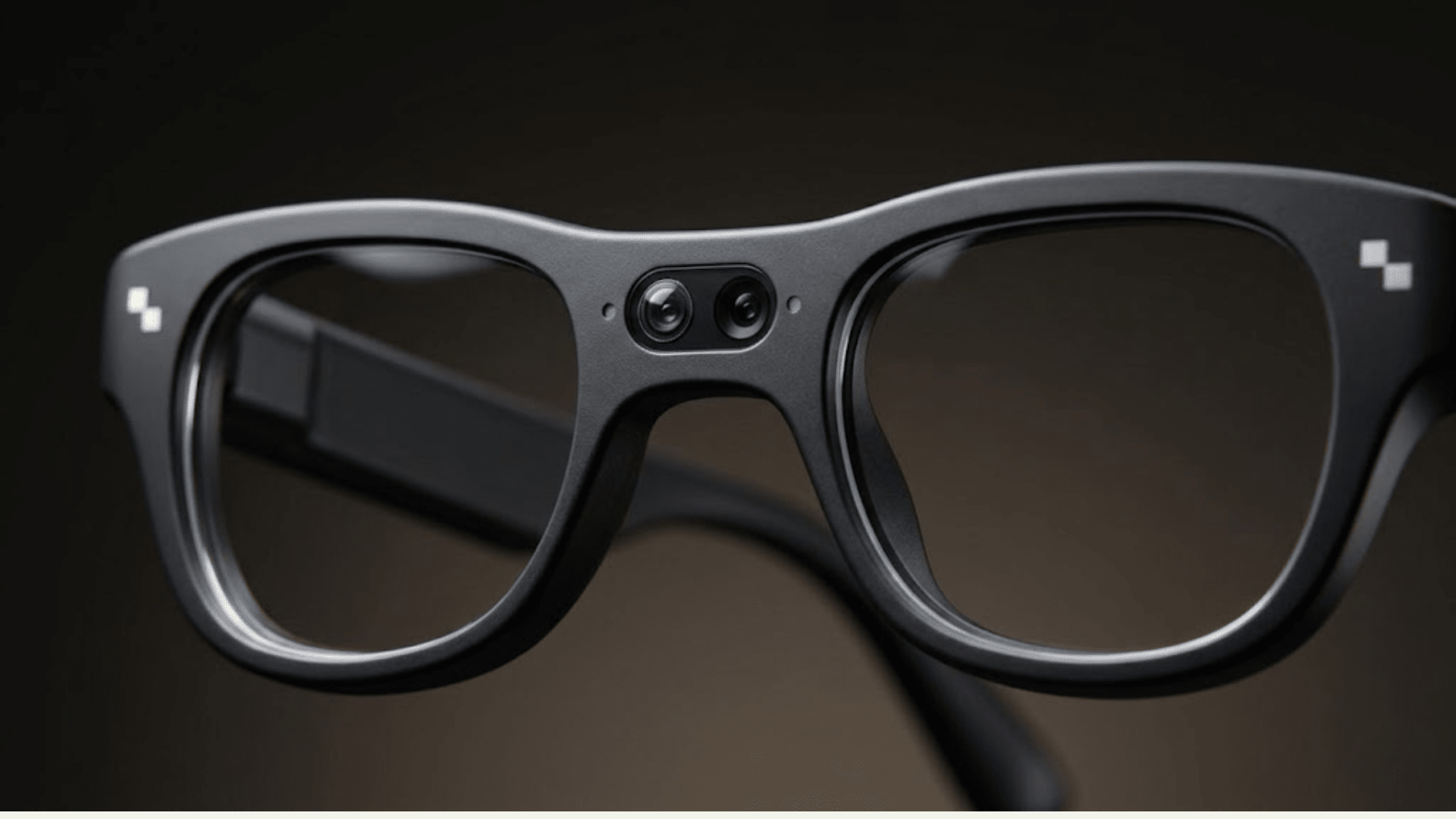
"Best video" from a pair of camera glasses isn't one number. Peak resolution, frame rate, how long a single clip can run, and how the footage holds up in low light or fast motion are four different specs, and right now no camera-equipped glasses lead on all four at once. RayNeo's X3 Pro is the one model in this comparison that pairs its camera with a full-color AR display and an onboard Gemini AI assistant, real-time translation, and heads-up navigation, features none of the other options here offer, even though it isn't the strongest performer on peak resolution or frame rate specifically.
Resolution alone tells only part of the story. A category of camera-only smart glasses (no display) currently publishes the highest peak number, up to 3K at 30fps, ahead of RayNeo X3 Pro's 1440p ceiling. That 3K mode only holds for clips under about three minutes before dropping to 1440p or lower, though, so the advantage shrinks once you're recording anything longer than a quick clip.
Frame rate tells a different story. That same camera-only category publishes multiple options, including a 60fps mode, while RayNeo doesn't publish a frame rate for X3 Pro's video at all. The single-eye display AR competitor sits in between, publishing 30fps, which matches the camera-only category's baseline mode but not its faster one. And if raw footage quality for anything you'd actually edit or post is the deciding factor, a dedicated action camera still outperforms every current pair of camera glasses, since it isn't constrained by the heat, battery, and size limits a frame worn on your face has to work within.
Here's how each of those measures breaks down on its own, with the specific numbers behind them, plus where X3 Pro's AR display changes the calculation once you look past the headline resolution figure.
| RayNeo X3 Pro | Camera-Only Smart Glasses (No Display) | Display-Equipped AR Glasses (Single-Eye Display) | Dedicated Clip-On Action Camera | |
|---|---|---|---|---|
| Category | AI + AR display glasses with dual camera | Camera-only smart glasses, no display | AR glasses with camera + single-eye display | Body-worn action camera, no glasses/display |
| Photo resolution | Up to 4K (12MP, Sony IMX681) | Up to ~12MP | ~12MP | N/A |
| Video resolution | Up to 1440p | Up to 3K/30fps, also offers 1440p/30fps and 1200p/60fps modes | Up to 3K/30fps | Native 4K/30fps, no mid-clip downgrade |
| Frame rate | Not published by RayNeo | 30fps (3K, 1440p modes), 60fps (1200p mode) | 30fps | Typically 30fps or higher |
| Max clip length | ~9 min/clip per RayNeo's comparison blog; official launch page separately cites 36 min of video per charge (details below) | Up to 3 min per clip at 3K (default 60 sec, extendable in app settings) | Up to 1 min per clip | Battery/storage dependent, no fixed cap |
| Stabilization | Not published; TechRadar notes no digital zoom or manual controls | No stabilization spec found in sources checked for this article | Same gap: no stabilization spec found in sources checked | Category-wide feature; dedicated stabilization modes are standard on this type of device |
| Low-light performance | Visible noise/graininess reported by TechRadar and Notebookcheck | Not tested in the sources checked for this article | Also untested in the sources checked here | Generally stronger than glasses-sized sensors, though this varies by specific model |
| Price | $1,299 | 299–379 depending on tier (as of August 2026) | Around $799 | Roughly 330–430 depending on retailer discounts |
The camera-only category's pricing also spans more than one tier: the original version that introduced the 3K mode in this table launched at $379, while a newer, lower-priced version released in mid-2026 at $299 carries the same video specification set (3K/30fps, 1440p/30fps, 1200p/60fps, roughly 3-minute clips at 3K), according to the manufacturer's own announcement. Both tiers are represented by the $299 to $379 range in this table, and the video specs listed apply across them.
Before getting into the spec-by-spec breakdown, one difference is worth flagging up front: RayNeo X3 Pro is the only device in this table that shows you a live viewfinder while you shoot, through its dual MicroLED AR display, instead of asking you to trust that a shot landed the way you expected. That doesn't change any of the resolution, frame rate, or clip-length numbers below, but it's a capability none of the other three options in this comparison offer, and it matters most if you plan to frame shots deliberately rather than just point and record.
Resolution is the spec every product page puts front and center, and it's also the spec most likely to mislead you if you stop reading after the first number. A 3K peak sounds higher than 1440p, and it is, but only for the first few minutes of a clip on the models that offer it. Once a camera-only competitor's 3K mode hits its roughly three-minute cap, it drops to 1440p or 1200p to keep recording, which means the effective resolution over anything longer than a short clip converges with RayNeo X3 Pro's flat 1440p ceiling.
That matters if you're picturing "best video" as one long, continuous recording. A vlogger walking through a city for twenty minutes isn't shooting at that peak 3K number the whole time on any current device; they're shooting mostly at 1440p or lower once the short high-resolution window closes. The peak spec on the box and the resolution in most of your footage are two different things.
RayNeo X3 Pro's photo resolution goes up to 4K (12MP, Sony IMX681 sensor), but that figure describes stills, not video. Video on X3 Pro is capped at 1440p across the entire clip, with no higher-resolution burst mode to start. In practice, that means X3 Pro's footage is more consistent (the same resolution from the first second to the last), while the camera-only competitor's footage starts sharper and steps down partway through.
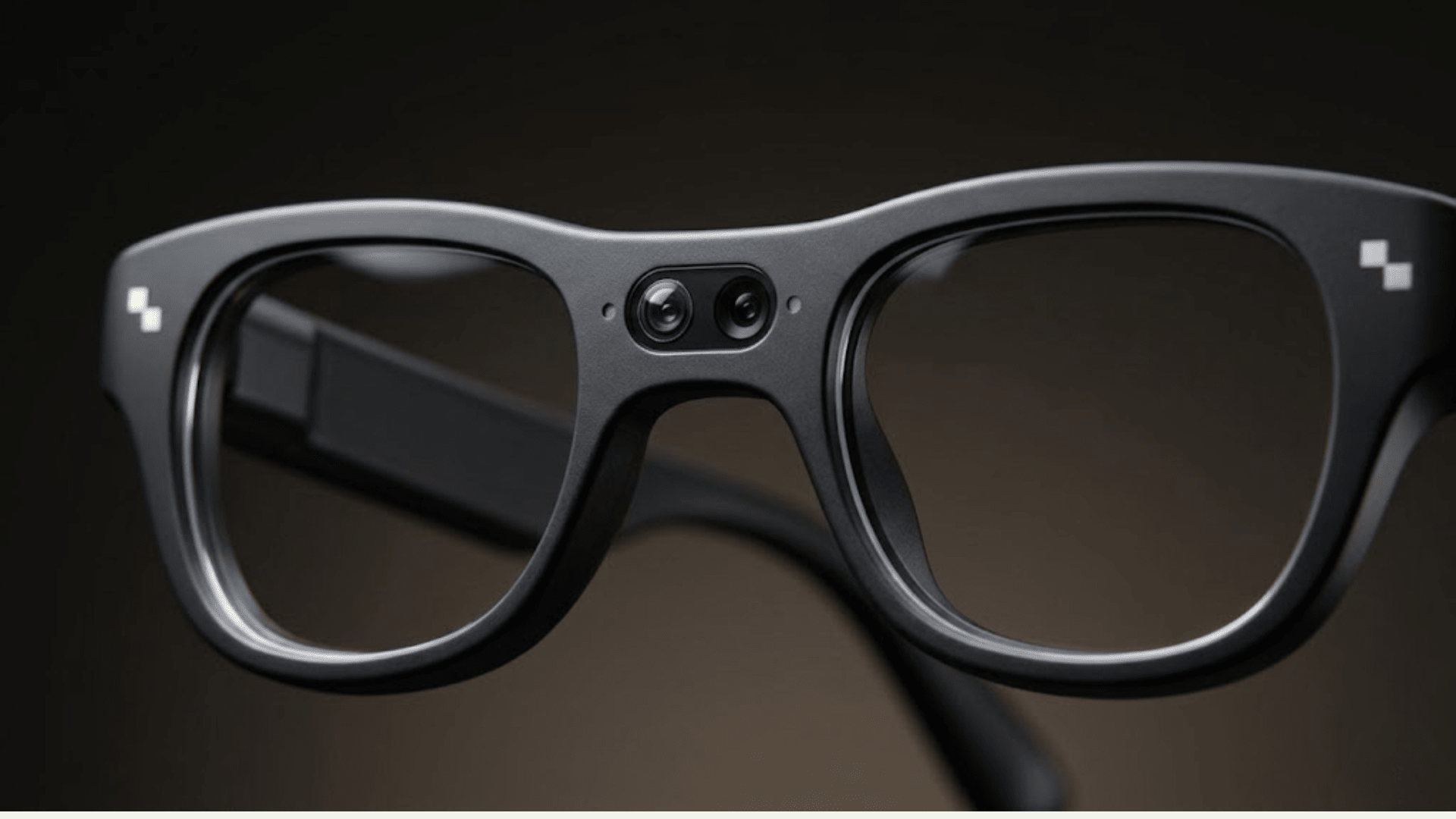
Frame rate determines how smooth motion looks on playback, separate from how sharp each individual frame is. A camera-only competitor publishes three frame rate and resolution combinations: 3K at 30fps, 1440p at 30fps, and 1200p at 60fps, giving you a choice between sharper footage and smoother footage depending on what you're filming. The single-eye display AR competitor publishes one figure, 30fps, matching the camera-only category's baseline mode.
RayNeo is the outlier here. X3 Pro's frame rate doesn't appear on the product page, the launch page, or the comparison blog RayNeo has published. That's not the same as the footage being choppy; it just means there's no published number to compare, which matters if smoothness is something you specifically care about (fast movement, action shots, anything panned quickly). If frame rate affects how you plan to use the camera, this is worth asking RayNeo directly before buying, since it isn't information currently available on any of RayNeo's public materials.
Resolution and frame rate describe what a single frame looks like. Clip length and battery describe how much usable footage you actually walk away with, and this is where the gap between camera glasses and a dedicated action camera is largest.
RayNeo X3 Pro's own materials give three different numbers for this, and it's worth naming that plainly rather than picking one and moving on. The official launch page states up to 36 minutes of continuous video per charge. RayNeo's separate comparison blog cites roughly 9 minutes per clip and about 50 minutes of total on-device recording capacity. Notebookcheck's independent test measured closer to 30 minutes in real-world use. RayNeo hasn't reconciled these three figures publicly, so the honest range to plan around is 30 to 36 minutes of video per charge, with the 50-minute figure treated as an upper estimate rather than a guaranteed one.
The camera-only competitor caps individual clips at up to 3 minutes at 3K (the default is 60 seconds, extendable in the companion app), while the single-eye display AR competitor caps clips at up to 1 minute. Across all three glasses categories, recording stops rather than pausing when you hit a limit; you start a new clip immediately, and whatever you already captured is saved. None of them record continuously for an hour the way a dedicated action camera or a phone can, since battery and heat budgets in a frame this small don't allow it.
Stabilization is the hardest spec to compare directly right now, not because one option clearly loses, but because it's the least documented across the board. RayNeo's earlier X2 model was marketed with "anti-shake filming" for its 1080p video, but X3 Pro's current materials don't repeat that claim for its 1440p footage, and TechRadar's review notes X3 Pro also lacks digital zoom or manual camera controls.
The camera-only and single-eye display competitors in this comparison don't have stabilization details confirmed in the sources checked for this article either. So this isn't a case where one option can be confidently ranked above another; it's a gap in what's publicly documented across the category, not a RayNeo-specific shortfall.
Because the camera sits fixed to the frame of the glasses rather than on a gimbal or a hand-held grip, footage on any pair of camera glasses moves with your head, not your hand. Quick head turns or a jog show up as motion in the footage, softened by software processing where it exists, rather than the smoother look a dedicated stabilization system produces. That's a structural limit of the glasses form factor itself, not something a firmware update alone typically fixes.
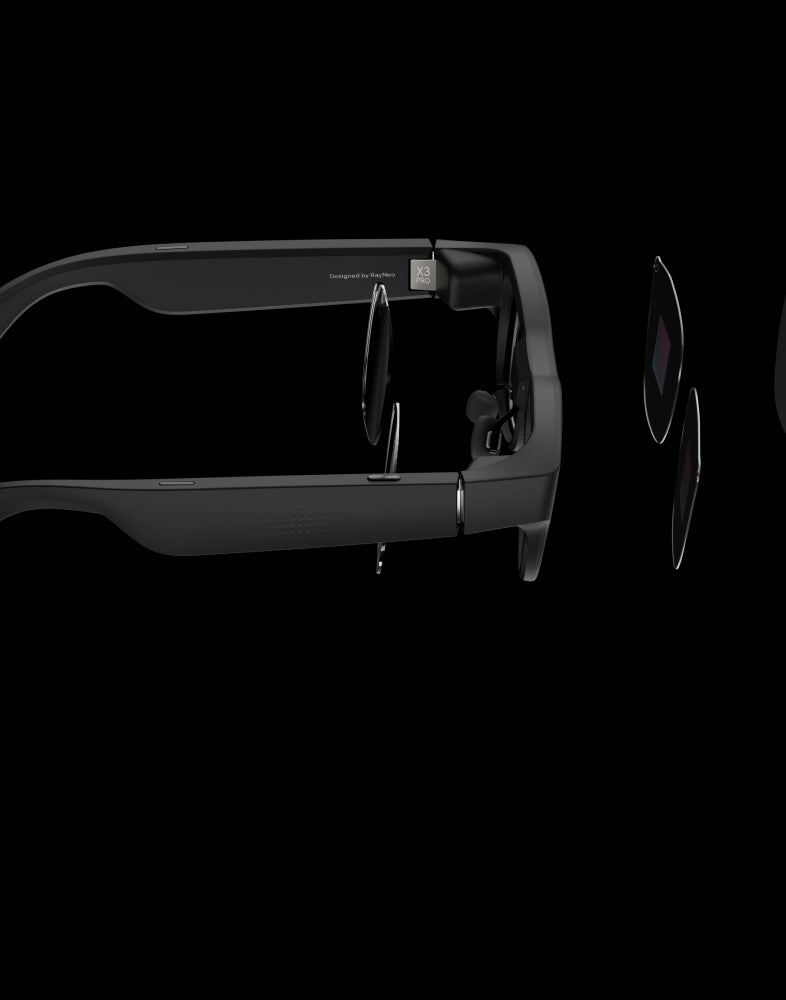
The sensor and lens assembly sitting inside a frame this size is also why smaller sensors gather less light than a phone or action camera in the first place. There simply isn't room in a pair of glasses for the larger sensor that better low-light performance usually requires.
Low light is more directly documented, at least for RayNeo. Both TechRadar and Notebookcheck's independent reviews describe X3 Pro's video as showing visible noise and graininess in dim conditions, a restaurant at night, an indoor space without much window light.
Neither review claims the other two glasses categories perform better or worse in low light specifically, since the sources checked for this article didn't test those models side by side under the same conditions. What's consistent across the category is that a smaller sensor gathers less light than a phone's main camera or an action camera's larger sensor, so grainier low-light footage is a reasonable expectation across all current camera glasses, not something unique to one brand.
RayNeo X3 Pro doesn't lead this comparison on peak resolution or frame rate. Its video tops out at 1440p, with no published frame rate, and its clip-length and battery figures come from three sources that don't fully agree with each other. On the specific question of "which glasses record the sharpest, smoothest single clip," it isn't the strongest option in this table.
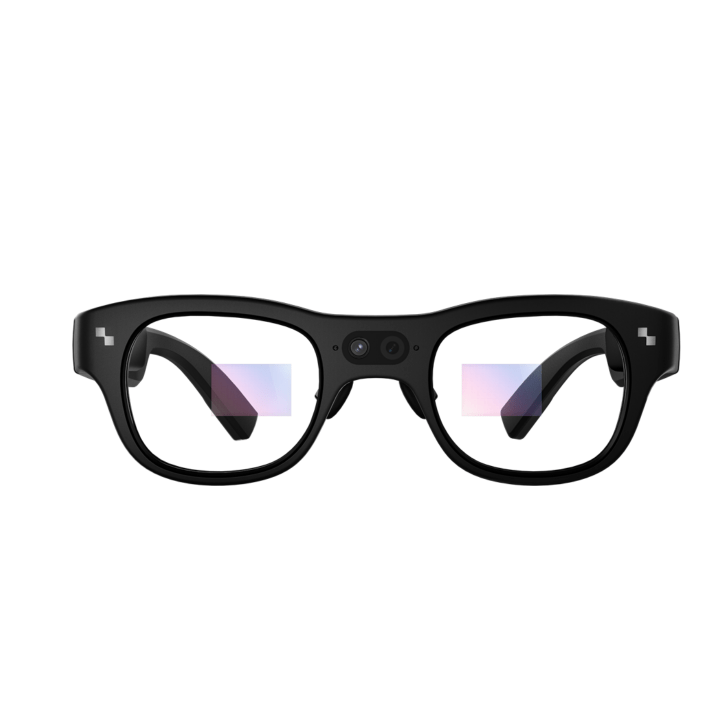
What X3 Pro adds instead is a dual full-color MicroLED AR display running on a Snapdragon AR1 chipset, a Gemini-based AI assistant, and real-time translation, layered on top of the camera. If a viewfinder, live translation, or heads-up navigation matter to you as much as the video spec itself, that combination is the actual reason to consider X3 Pro over a camera-only alternative, not a claim that its video quality leads the category. At $1,299, it costs meaningfully more than the camera-only competitor's starting price, and that difference buys the display and AI layer, not a sharper video mode.
The closer comparison is the single-eye display AR competitor at around $799, since it's the only other option in this table that puts any display in your field of view while you shoot. That roughly $500 gap doesn't buy X3 Pro a sharper video mode: the $799 competitor matches the camera-only category's 3K peak resolution for each of its clips (capped around 1 minute, shorter than the camera-only category's), and it publishes a frame rate, 30fps, where RayNeo doesn't. What the extra $500 buys, based on what each company has made public, is a dual-eye full-color display instead of a single eye, RayNeo's own AI assistant, and real-time translation built into the same device. Whether that combination is worth $500 more than a single-eye display with a higher resolution ceiling depends on how much you value two-eye display and translation versus out-resolving X3 Pro on video, not on video quality by itself.
RayNeo's previous model, X2, used a 16MP sensor recording 1080p video and was marketed with "anti-shake filming," a stabilization claim X3 Pro's current materials don't repeat for its 1440p video. X2 is listed as sold out on RayNeo's US site, so it's mentioned here as background rather than a current purchase option.
If raw video quality is the only thing you're optimizing for, none of the camera glasses in this comparison are the right tool. A dedicated action camera records native 4K at 30fps without dropping resolution mid-clip, generally handles low light and fast motion better because it isn't squeezed into a frame worn on your face, and typically runs stabilization modes built specifically for that kind of movement. It also has no display, no AR features, and no AI assistant, because it's built to do one job well rather than bundle a camera with everything else.
Camera glasses make more sense when hands-free capture, a display, or an AI layer matter as much as or more than the video spec itself. If the footage is genuinely the only priority, for a YouTube channel, a client project, or anything where a client or audience will judge the footage on its own, a dedicated action camera or your phone's main camera remains the more reliable choice.
Which camera glasses have the highest video resolution right now? A camera-only smart glasses category currently publishes the highest peak number, up to 3K at 30fps, ahead of RayNeo X3 Pro's 1440p. That peak only holds for clips under about three minutes before dropping to 1440p or 1200p, so the practical resolution gap narrows on longer clips. Worth keeping in perspective: even that 3K peak is still well below what a modern phone's main camera or a dedicated action camera records natively, so "highest among glasses" and "high resolution in absolute terms" aren't the same claim.
Do any camera glasses publish a frame rate for video? Yes, most of them. A camera-only competitor publishes 30fps for its 3K and 1440p modes, and 60fps for a lower-resolution 1200p mode. The single-eye display AR competitor publishes 30fps as well. RayNeo is the exception: it hasn't published a frame rate for X3 Pro's video on any of its public materials.
Is RayNeo X3 Pro's video stabilized? RayNeo's current materials don't make a stabilization claim for X3 Pro's video the way its previous X2 model did with "anti-shake filming" for 1080p. TechRadar's review also notes X3 Pro has no digital zoom or manual camera controls. If stabilization matters for how you plan to use the camera, confirm this directly with RayNeo before buying.
Which glasses record the longest single video clip? RayNeo X3 Pro's own sources cite figures ranging from roughly 9 minutes per clip (per RayNeo's comparison blog) up to 36 minutes of continuous video per charge (per RayNeo's launch page), with an independent Notebookcheck test measuring closer to 30 minutes. That's longer than the camera-only competitor's roughly 3-minute cap at 3K or the single-eye display competitor's 1-minute cap, though none of the three approach the recording length a dedicated action camera can sustain. One practical workaround reviewers have noted for X3 Pro specifically: pairing it with a small USB-C battery pack extends usable recording time across a full outing, since the built-in battery, not the clip-length cap, is usually what runs out first.
Why does low-light video look grainy on camera glasses? Glasses-mounted cameras use smaller sensors than phones or action cameras, which gather less light. TechRadar and Notebookcheck both describe RayNeo X3 Pro's low-light video as showing visible noise, and this is a category-wide limitation tied to sensor size rather than a single-brand issue.
Should I buy camera glasses just for the best possible video quality? Not if raw footage quality is your only criterion. A dedicated action camera or your phone's main camera will outperform any current pair of camera glasses on resolution consistency, frame rate options, low light, and stabilization. Camera glasses make sense when hands-free capture, a display, or AI features matter alongside the video, not instead of it.
If you're comparing camera glasses purely on which one shoots the best video, the honest answer is that it depends on which measure you weight most. A camera-only smart glasses model currently wins on peak resolution and published frame rate options; RayNeo X3 Pro trades some of that peak spec for a flat, consistent 1440p and a dual AR display with AI features the other options don't have; and if raw video quality is the deciding factor regardless of form factor, a dedicated action camera still outperforms every pair of glasses in this comparison. The right choice depends on whether you're buying a camera that happens to be glasses, or glasses that happen to have a camera.







Share:
What Smart Glasses Look Best for Women, and Are Comfortable for Everyday Wear?
Which Camera Glasses Have Bluetooth, and How Do They Connect to a Phone?