

$429.00

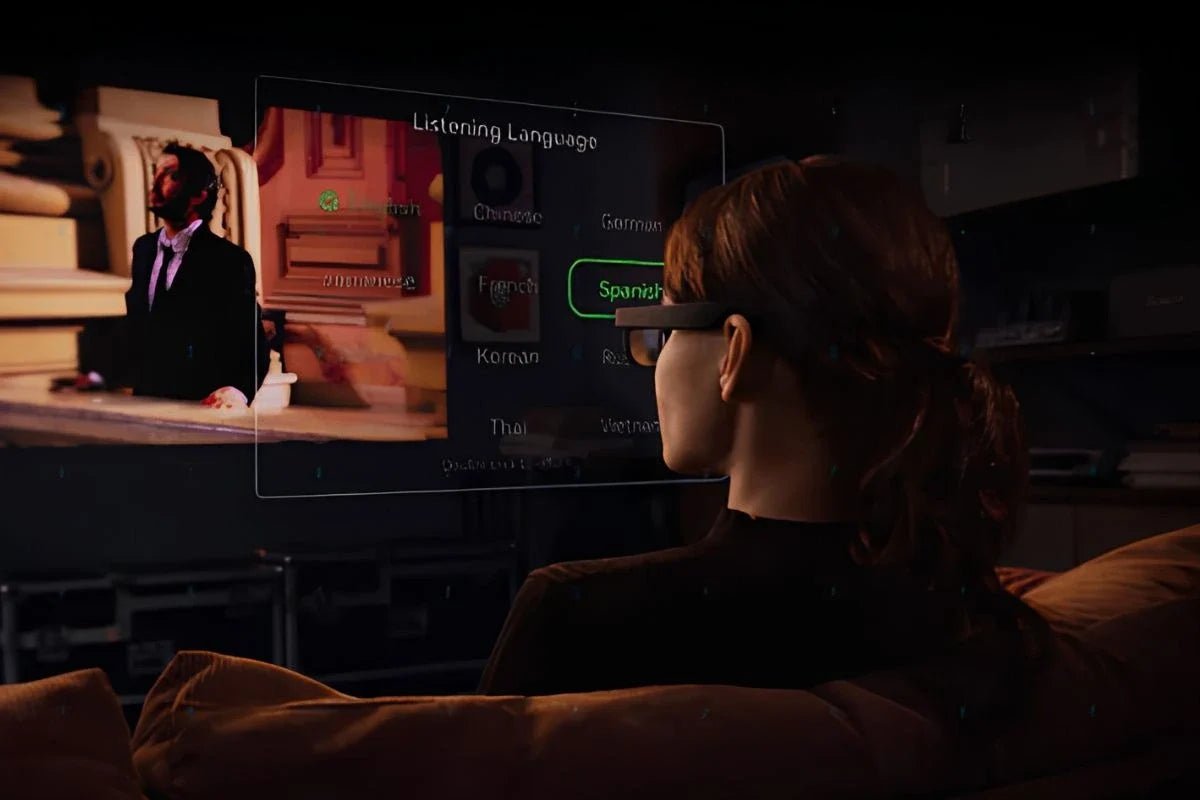
Conversations can be challenging for people with hearing loss, especially in busy restaurants, workplaces, or social gatherings where background noise makes speech difficult to follow. Thanks to advances in AI and augmented reality, smart glasses for deaf people are offering a new way to improve communication. Instead of amplifying sound like traditional hearing aids, these glasses display live captions directly in the wearer’s field of view, making spoken conversations easier to understand in real time.
Many models also include features such as live translation, navigation, and voice assistance for added convenience. As accessibility technology continues to evolve, smart captioning glasses are becoming a practical tool for everyday communication. This guide explains how they work, what features to look for, and which models are worth considering.

Smart glasses for the deaf are wearable devices that use speech recognition to turn spoken language into text and present that text through a near-eye display. For deaf and hard-of-hearing users who prefer visual speech information, this can make face-to-face conversations easier to follow without repeatedly looking down at a phone.
Different glasses handle that process differently. Some perform part of the transcription locally, while others rely on a connected phone or online service. Features may also include translation, adjustable caption positioning, speaker identification, conversation summaries, or environmental sound notifications.
Real-time text itself is an established accessibility tool. The U.S. Department of Justice lists real-time captioning among the auxiliary aids that can support effective communication for deaf and hard-of-hearing people.
Most AI glasses for deaf people follow the same basic speech-to-text workflow, although where the processing happens can vary from one product to another.
Many models also let you adjust caption size, language, and other settings for a more personalized experience, making conversations easier to follow while keeping your hands free and your attention on the people around you.
Hearing aid glasses and captioning glasses improve communication in different ways, so the right choice depends on your needs.
If your goal is better hearing, hearing aids are the better option. If you prefer visual speech support, especially in busy settings, captioning glasses may be a more effective choice.
Not all smart glasses offer the same experience, so comparing their features is essential before making a purchase. The best smart glasses with subtitles combine accurate live captions, reliable performance, and all-day comfort to support clear communication in a variety of everyday situations.
Choose smart glasses for deaf people that deliver fast, accurate live captions with minimal delay. High-quality microphones and AI-powered noise reduction help capture speech more clearly, even in noisy environments, making conversations easier to follow and reducing the chance of missed or incorrect captions.
If you need reliable captions while traveling or in areas with limited connectivity, choose glasses with true offline support. Some models still require internet access for setup, updates, or certain AI features, so verify how the device performs without a connection.
Choose lightweight, comfortable glasses you can wear all day without discomfort. A battery life of at least eight hours is ideal, ensuring reliable performance during work, social events, travel, or other daily activities without frequent recharging.
Look for models that support prescription lenses to ensure both clear vision and comfortable daily use. Some smart glasses include built-in prescription lenses, while others offer custom lens inserts designed to match your vision needs.
Check whether premium features require a paid subscription after purchase. Models with a free, long-term service plan can provide better overall value by avoiding recurring fees and unexpected costs over time.
Beyond dedicated captioning devices, AI glasses for deaf users are expanding accessibility through AI-powered features such as live translation, visual assistance, and smart notifications. Here are two RayNeo models that offer practical communication support for everyday use.
RayNeo iO AI Glasses are built as everyday AI eyewear rather than a dedicated hearing device. For users who value visual communication support, one of the most relevant features is Live Captions with real-time translation across up to 40 languages.
At the same time, the glasses are designed around long-wear comfort: the 34g frame uses 50:50 weight distribution, helping the technology feel closer to conventional eyewear than a front-heavy headset.
Here is how those features can help during everyday communication:
The RayNeo X3 Pro AI+AR Smart Glasses are better suited to users who want visual communication tools as part of a much broader AI+AR experience. Gemini, Global Translation, and a Full-Color MicroLED display bring information directly into view, while customized nearsighted lenses are available through RayNeo’s lens partners.
Here is what matters for this use case:

By displaying live captions, translations, and visual alerts within the wearer’s field of view, smart glasses for deaf people can make conversations easier to follow. They are especially useful in noisy places where speech may be difficult to understand, but they do not replace hearing aids. Look for a model with accurate captions, comfortable all-day wear, reliable battery life, and offline support when needed.
Yes, some smart glasses can make conversations easier by improving speech clarity or displaying live captions. AI-powered models can enhance communication in certain situations, while hearing aid glasses amplify sound for users with hearing loss. Your best choice depends on whether you need visual captioning, sound amplification, or both.
No. Smart glasses with captions are designed to complement hearing aids, not replace them. They convert spoken words into on-screen text, making conversations easier to follow, especially in noisy settings. Hearing aids amplify sound, while captioning glasses provide visual speech support. Many people benefit most from using both technologies together.
Some AI glasses for hearing impaired users can work without an internet connection by using on-device speech recognition for live captions. However, offline performance may offer lower caption accuracy and a more limited vocabulary than cloud-based processing. Check whether your chosen model supports offline captioning before buying.







Share:
Android XR Smart Glasses: Everything You Need to Know
Open-Source Smart Glasses Explained: Hardware, Software, and AI