

$429.00

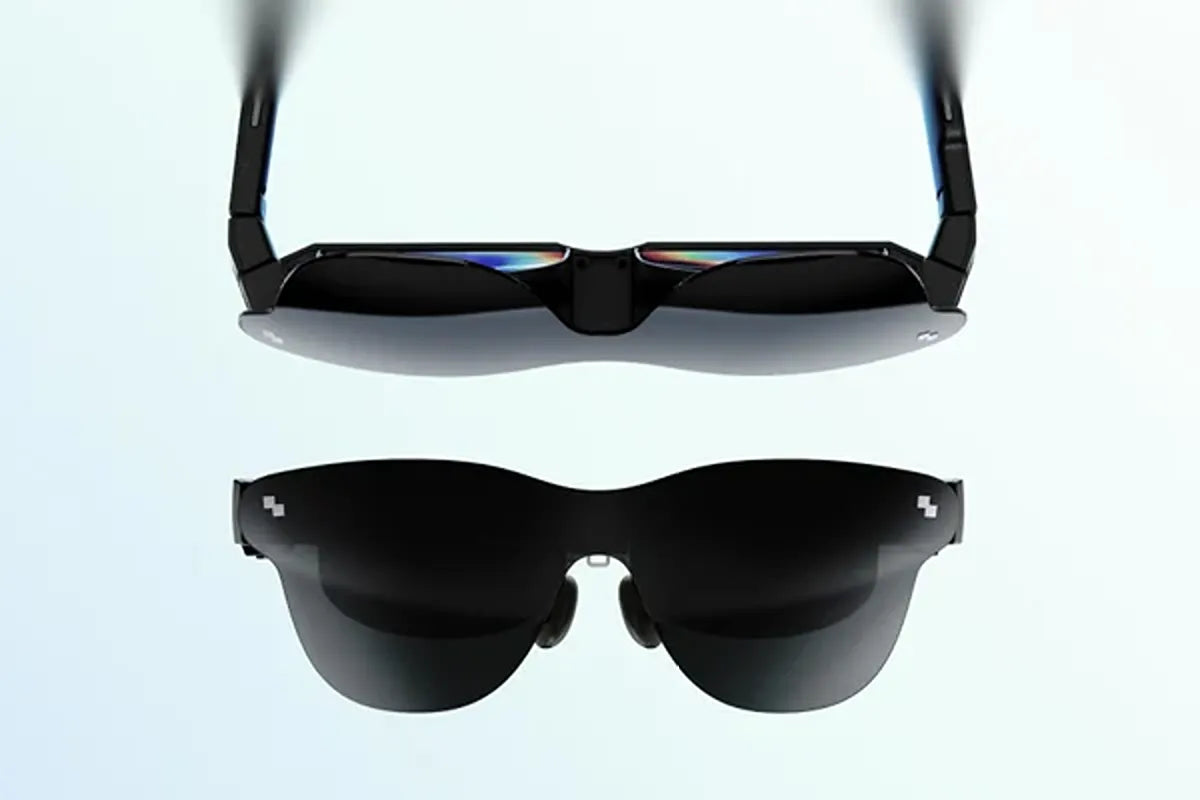
Smart glasses in 2026 aren’t one product category anymore. They split into three genuinely different jobs: a lightweight display for everyday notifications and AI tasks, a private big-screen viewer for movies and games, and a camera-equipped pair built for capturing what you see. RayNeo currently sells across all three, and the right pick depends on which job you actually need done, not which model has the longest spec sheet.
This comparison lines up the four models compared here, the RayNeo iO, RayNeo GT, RayNeo GT Max, and RayNeo X3 Pro, so you can see the real differences in one place and match one to what you’re trying to do.
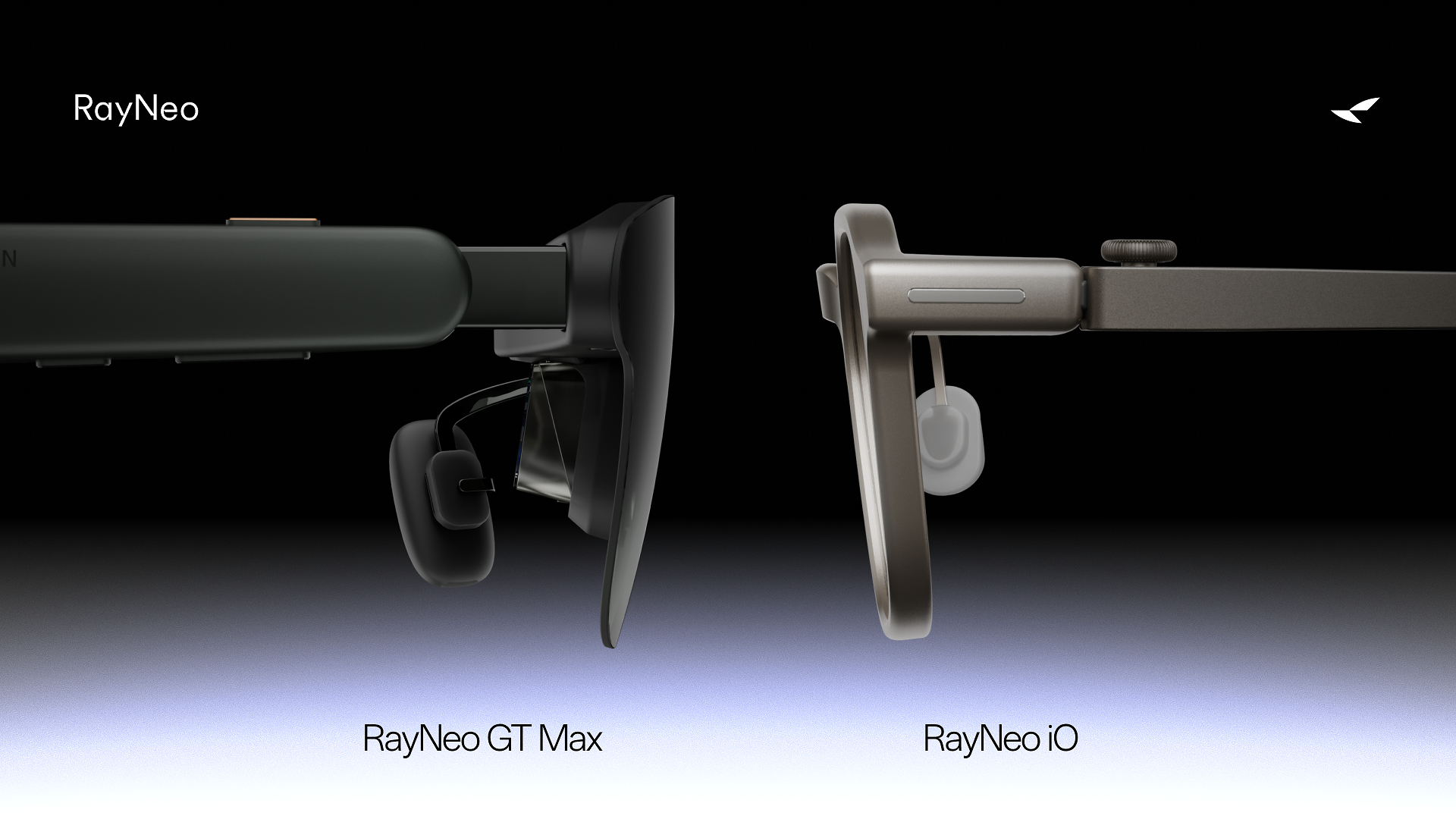
The RayNeo iO is built for glanceable information and AI assistance throughout the day: notifications, live captions, translation, and voice-driven tasks, delivered through a narrow monochrome display and no camera. RayNeo classifies it as “AI Glasses.”
The RayNeo GT and RayNeo GT Max are built to replace a monitor or TV screen with a private virtual display, wired to a phone, tablet, or laptop, with console support through RayNeo’s adapters. RayNeo classifies both as “AR Glasses.” They’re the same technology at two sizes and price points, not two different product lines.
The RayNeo X3 Pro adds a 12MP camera and an onboard chip to a full-color AR display, standing on its own without a wired connection to another screen. RayNeo classifies it as “AI+AR Glasses,” and it’s the only model among these four with a built-in camera.
None of these three jobs fully overlaps with the other two. That’s why the comparison below is organized by what each model is actually for, not by which one scores highest on paper.
| RayNeo iO | RayNeo GT | RayNeo GT Max | RayNeo X3 Pro | |
|---|---|---|---|---|
| Category | AI Glasses | AR Glasses | AR Glasses | AI+AR Glasses |
| Best for | Everyday notifications, captions, translation, AI tasks | Big-screen movies and gaming, lighter and lower cost | Big-screen movies and gaming, wider field of view and S/M/L fit sizing | Hands-free photo and video capture with an onboard AI assistant |
| Display | Binocular monochrome green MicroLED HUD, diffractive waveguide | 0.6” SeeYa Micro-OLED, 1920×1080 | 0.6” SeeYa Micro-OLED, 1920×1080 | Binocular diffractive waveguide, 640×480 full-color MicroLED |
| Field of view / virtual screen | 23.5° (equivalent to a 33” screen viewed from 2 meters) | 46°, a 201” cinema display (136”/231” sizes also available) | 59°, a 267” cinema display (227”/307” sizes also available) | About 30° |
| Refresh rate | Not listed | 120Hz in 2D, 60Hz in 3D | 120Hz in 2D, 60Hz in 3D | Not listed |
| Brightness | 1,300 nits, eye-level measurement | 336 nits in Pinned mode, up to 1,200 nits perceived in Follow/Steady modes | 336 nits in Pinned mode, up to 1,200 nits perceived in Follow/Steady modes | 3,500 nits avg. / 6,000 nits peak |
| Camera | None (camera-free by design) | Not listed | Not listed | 12MP main camera (Sony IMX681) |
| Audio | 4-mic array + bone conduction sensor, audio input only; no speaker listed | Bang & Olufsen-tuned open-ear speakers, Whisper Mode 2.0 | Bang & Olufsen-tuned open-ear speakers, Whisper Mode 2.0 | 3-mic beamforming array |
| Connection | Bluetooth 5.4, MFi Certified | Wired USB-C (DisplayPort Alt Mode) to compatible phones/tablets/laptops with USB-C video output; console support via HDMI Adapter or JoyDock (sold separately) | Wired USB-C (DisplayPort Alt Mode) to compatible phones/tablets/laptops with USB-C video output; console support via HDMI Adapter or JoyDock (sold separately) | Standalone: Bluetooth 5.3 and Wi-Fi 6 |
| Power | 240mAh battery, up to 2 days of typical use | Powered by the connected device | Powered by the connected device | 245mAh battery, about 38 minutes to full charge |
| Weight | 33g | 68g | 78g | 76g |
| Price at the time of writing | $449 (Charging Case Bundle $499) | $299 | $399 | $1,299 |
A note on the brightness row: RayNeo labels the iO’s 1,300 nits as eye-level brightness and the GT series figures as perceived brightness by spatial mode. Current specs and pricing for all four models are listed on their respective product pages. All four models carry a 30-day return window and a 1-year limited warranty, per their product pages. The GT, GT Max, and iO product pages also list 12% off toward a new pair when you trade in an eligible device; that trade-in offer isn’t listed on the X3 Pro’s product page.
Want to check notifications, live captions, or a translated conversation without pulling out your phone? The RayNeo iO is built for exactly this, with a 23.5° field-of-view HUD that places information directly in your line of sight without taking over it.
Want a private screen for watching movies or shows on a flight or during downtime? The RayNeo GT or RayNeo GT Max turns a paired phone or laptop into a large virtual screen.
Want to game on a console or handheld with a bigger display than the device’s own screen? Both GT models support HDMI sources through RayNeo’s HDMI Adapter, and the GT Max’s wider 59° field of view gives more room for fast-moving on-screen action.
Want to capture what you’re seeing hands-free, with a voice assistant that can act on it? The RayNeo X3 Pro is the only model here with a built-in camera, paired with Google Gemini for voice-driven tasks.
Want to wear glasses all day at a desk and get AI help without carrying an extra screen? The iO’s 33g build and up to two days of typical battery life, per RayNeo’s rating, are built for that kind of everyday wear.
Want to choose an IPD size that’s closer to your own, plus the widest viewing angle for a virtual display? The GT Max’s S/M/L interpupillary distance (IPD) options and 59° field of view are the step up from the GT’s fixed 64mm IPD and 46° field of view.

The GT and GT Max run on the same underlying technology: a 0.6” SeeYa Micro-OLED panel, 120Hz refresh in 2D and 60Hz in 3D, the same four display modes (Standard, Movie, Eye Protection, Office), and the same three spatial modes (Follow, Steady, Pinned). Both also share Bang & Olufsen-tuned open-ear speakers with Whisper Mode 2.0, RayNeo’s setting for cutting down how much sound leaks out to people nearby, and the same wired USB-C connection to a phone, tablet, or laptop, with console support through RayNeo’s adapters. The difference between them comes down to size and fit.
The three spatial modes control how the image stays anchored as you move. Follow keeps the screen centered in your view as you move your head, ideal for casual and everyday viewing. Steady offers stable viewing with subtle natural movement, ideal for travel and commuting. Pinned keeps the screen fixed in one position, ideal for focused, cinema-like viewing.
Brightness follows the mode: Pinned runs at 336 nits, while Follow and Steady run at up to 1,200 nits perceived brightness. Switching between spatial modes happens on the glasses themselves.
The GT Max widens the field of view to 59° with a 267” cinema display (227”/307” sizes also available), against the GT’s 46° and 201” cinema display (136”/231” sizes also available). That wider field of view comes with a trade-off in pixel density: spreading the same panel resolution over a larger image works out to about 38 pixels per degree (PPD) on the GT Max, against roughly 49 PPD on the GT.
The GT has the higher listed pixel density of the two, worth knowing if you plan to use either pair mainly as a text-heavy second monitor rather than for video. The GT Max also comes in three IPD-specific builds (S, M, L) measured through RayNeo’s ipd.rayneo.com tool, while the GT uses a fixed 64mm IPD adjusted through the nose pads; the GT Max is likely the better fit if your eye spacing doesn’t sit close to 64mm.
What you give up for the GT’s lighter build and $100 lower price is screen size and IPD-specific fit sizing, not core functionality or pixel density, since the GT’s smaller panel area actually gives it a higher listed PPD than the GT Max. The GT still runs the same panel resolution, refresh rate, brightness modes, and audio hardware as the GT Max; at 68g against the GT Max’s 78g, it’s also the lighter of the two to wear for extended sessions.
Both models connect the same way, over USB-C DisplayPort Alt Mode, and share the same connection requirements worth knowing before buying.

The iO and X3 Pro sit at opposite ends of price among these four models ($449 against $1,299) and in what they carry on your face. The iO’s product page confirms it ships with no camera at all; RayNeo’s own product copy frames this as a camera-free design that helps reduce concerns about unwanted recording.
Its 4-microphone array and bone conduction sensor handle audio input; the spec sheet lists no speaker for audio output. It connects over Bluetooth 5.4 with MFi Certification, RayNeo’s Apple accessory certification.
RayNeo’s product materials show the X3 Pro’s 12MP camera positioned in a visible opening in the front frame, alongside a Snapdragon AR1 Gen 1 chip that lets it run standalone over its own Bluetooth 5.3 and Wi-Fi 6 radios rather than depending entirely on a paired phone. That combination is what supports its live translation across roughly 14 languages, its voice assistant (Google Gemini, “Hey RayNeo” wake phrase), and its up to 4K/3K video capture, all in one pair of glasses.
The iO’s translation feature covers more ground on paper (55 languages and 109 accents, developed with translation partner Timekettle per RayNeo’s product materials, against the X3 Pro’s roughly 14). The X3 Pro’s translation runs alongside camera capture and a broader AI feature set, which is the trade-off for its higher price and additional 43g of weight.
If you want AI features and a camera in the same pair of glasses, the X3 Pro is the only model here built for that combination. If you want AI features without a camera on your face, the iO covers that job at less than half the price.

Do any of RayNeo’s smart glasses work completely on their own, without a phone?
Which RayNeo model has the widest field of view?
Can I use RayNeo GT or GT Max glasses with a game console?
Do any of these four RayNeo models have a built-in camera?
Do these models support prescription lenses?
These four models aren’t competing versions of the same product, they’re three different jobs with a size choice inside one of them. For everyday notifications, captions, translation, and AI tasks without a camera, the RayNeo iO is the lightest of the four. For a private big screen for movies and games, the RayNeo GT and RayNeo GT Max run the same display technology at two sizes, with the GT Max’s wider field of view and choice of S/M/L IPD sizes worth the extra $100 for anyone prioritizing screen size and fit precision. For hands-free capture with AI built in, the RayNeo X3 Pro is the only model here with a camera, and it’s priced accordingly.







Share:
The Best Glasses for Watching TV Comfortably
The Newest Smart Glasses Released in 2026: RayNeo's iO and GT Series