

$429.00

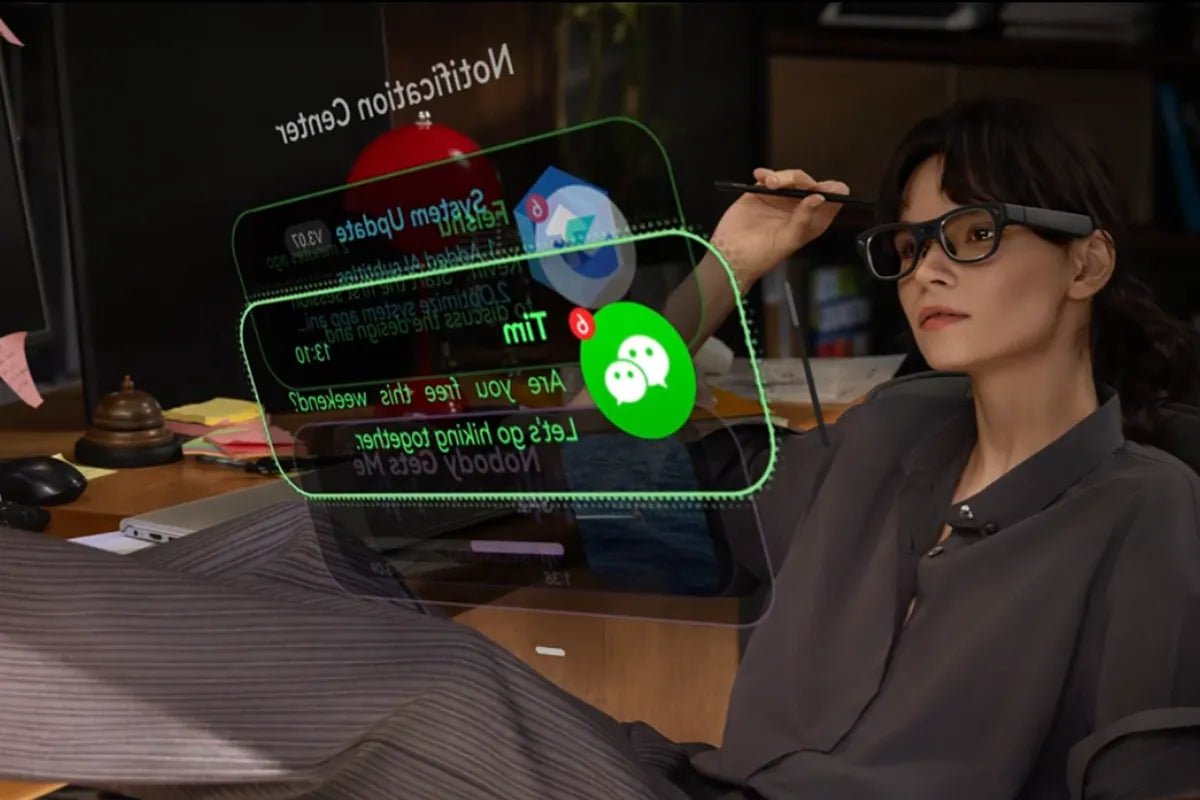
Many professionals manage multiple screens, notifications, and conversations throughout the day. Switching between desktop monitors, phone screens, and physical notebooks drains your energy and breaks your workflow. Productivity smart glasses give you a better way to handle your daily tasks. By putting key information right in your line of sight, these wearable tools help you stay focused and work faster without feeling overwhelmed.

Knowledge workers handle massive amounts of data every day. You likely manage incoming emails, team chat messages, client calls, and project boards all at once. This growing volume of workplace information can make it more challenging to prioritize tasks and maintain focus. Research from the Microsoft Work Trend Index highlights how evolving workplace demands and digital collaboration are changing the way professionals manage information.
Traditional hardware like laptops and smartphones often requires you to shift your attention away from your current task. Checking notifications or switching between applications may interrupt your workflow. Smarter tools can provide quicker access to important updates, helping professionals stay connected while keeping their hands free.
Smart glasses change how you interact with your digital workspace. Instead of pulling you away from your tasks, they blend helpful data into your natural line of sight.
Here is how smart glasses for productivity enhance your daily routine:
Selecting the right pair of glasses depends on your daily workflow needs. Look for these core capabilities when choosing wearable tech for work.
A clean visual display lets you view brief text updates without cluttering your field of vision. High-contrast micro-displays show caller IDs, calendar reminders, and urgent text messages quietly. You stay informed without distracting clients or coworkers during live conversations.
Built-in artificial intelligence helps you process complex information faster. Integrated AI Glasses can take audio notes, identify key action items from a conversation, and generate clean text summaries. You spend less time writing meeting recap emails and more time executing your goals.
Your smart eyewear should connect smoothly with your existing digital calendar and inbox. Seamless sync allows your glasses to prompt you when a meeting starts, display slide points, or read urgent emails aloud while you walk to your next task.
A powerful device is useless if it feels too heavy on your nose. Look for lightweight frames, adjustable nose pads, and balanced weight distribution. Prescription lens compatibility is also crucial for professionals who wear eyeglasses daily.
Information overload causes mental fatigue and lowers overall output quality. Digital eyewear can help organize important information by presenting selected updates when needed.
Constantly moving between browser tabs, chat programs, and documents fragments your attention. Displaying relevant updates in a single visual space keeps you focused on your core task without unnecessary software hops.
Keep critical references accessible while working. Whether you are reviewing an agenda, checking complex technical steps, or following a speech outline, essential details stay visible in your field of view.
Advanced notification settings allow you to filter out background noise. You select which contacts or applications can trigger real-time prompts, ensuring only urgent messages reach you during deep work periods.
Different career roles demand tailored tech solutions. Modern AI glasses adapt easily across a wide range of professional settings.
Presenting to stakeholders requires confident eye contact and smooth delivery. Using a subtle teleprompter feature lets you view script outlines without looking down at a paper binder or tablet screen. During group discussions, live audio recording captures key speaker points accurately.
Clear your inbox while on the move. Voice-activated message tools let you dictate replies during your morning commute or while walking between offices. Open-ear sound design keeps your ears open so you stay safe and aware of traffic around you.
Business trips present unique productivity challenges. Eyewear displays offer step-by-step navigation cues right in your view so you never miss a subway connection or airport terminal gate. Real-time audio processing translates foreign languages during international client meetings.
Share notes and project steps quickly across your entire department. Integrated microphones capture clear sound during group huddles, allowing team members to generate clean action items automatically without appointing a dedicated note-taker.

For professionals managing high information density and frequent context switching, the RayNeo iO AI Glasses provide a more efficient way to access information without constantly checking a smartphone. Combining an ultra-transparent waveguide display, Firefly Nano Optical Engine, and AI-powered features, iO keeps essential updates within your field of view.
Key features:
With its lightweight 34g design, 240mAh battery, and IP65 protection, RayNeo iO is designed for professionals who need hands-free access to information throughout the day.
Work demands continue to grow, but the right tech tools make managing them easier. Upgrading your workspace with productivity smart glasses helps reduce unnecessary interruptions, organize busy schedules, and streamline daily communications effortlessly. Modern eyewear empowers you to work smarter, stay focused, and achieve better results every single day.
The best smart glasses for productivity feature sharp head-up displays, real-time AI summaries, hands-free voice controls, and long-battery comfort. Top options include lightweight AI glasses with live translation, automated meeting transcription, and built-in teleprompter tools. Look for models that sync seamlessly with your calendar and email, helping you reduce screen time and stay focused throughout busy workdays.
Smart glasses are designed for everyday use when used according to product guidelines. Modern smart eyewear uses low-power wireless connections that meet strict international safety standards for electromagnetic radiation. Additionally, their open-ear audio designs keep your ears clear, allowing you to hear ambient sounds and stay aware of your surroundings. For comfortable visual use, choose properly fitted frames and take routine breaks to prevent digital eye strain.
Smart glasses typically connect to the internet by pairing with your smartphone via Bluetooth. Your phone acts as a cellular gateway, allowing the glasses to retrieve real-time data, sync calendar events, and process AI requests. Many models also feature built-in Wi-Fi, enabling them to connect directly to local wireless networks for fast cloud processing and system software updates without using phone data.







Share:
Why Use AI Captions for Gaming Teams? Esports Tech Guide
How to Choose the Best Smart Glasses for Work & Daily Tasks