

$429.00

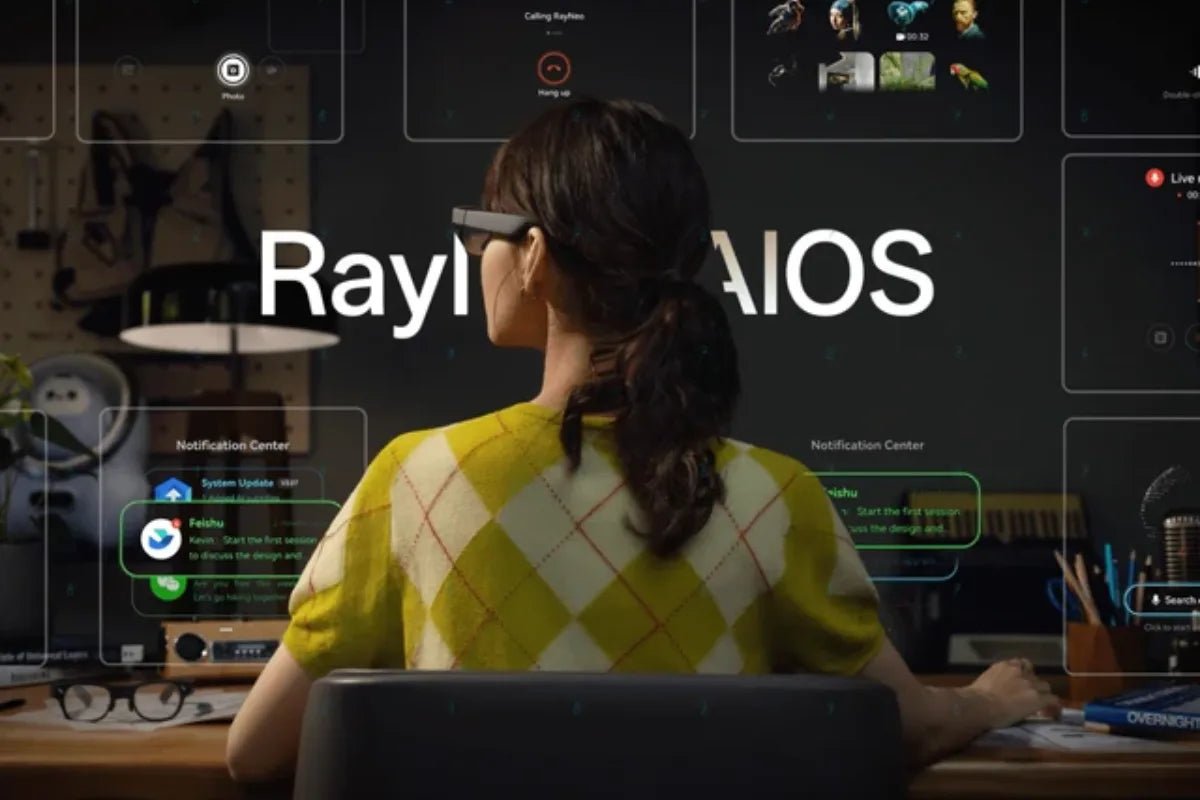
Laptops, smartphones, and smartwatches keep you glued to glowing screens all day. That constant gear-shifting drains your focus and slows down your output. Smart glasses provide another way to access work information without constantly switching between devices.
Choosing the best smart glasses for work allows you to view updates, track schedules, and tap into AI help right in front of your eyes. Here is your complete guide to making the right choice for your modern workflow.

Choosing the best smart glasses for work depends on how you plan to use them. The right pair should balance display quality, AI capabilities, comfort, battery life, and everyday usability.
Modern professionals often need to manage information while staying focused on the task in front of them. Constantly switching between monitors, smartphones, and notes can interrupt meetings, presentations, and hands-on work. Smart glasses provide a more convenient way to access selected information, notifications, and AI-powered assistance while keeping your hands available.
Professionals choose hands-free eyewear for clear operational benefits:
Finding the ideal pair requires evaluating key hardware specs, comfort features, and software functionality. Use this checklist to narrow down your options before buying.
Display clarity and viewing comfort are important when choosing smart glasses for work. Look for a display that keeps text easy to read while preserving a clear view of your surroundings. The American Academy of Ophthalmology recommends taking regular breaks and maintaining comfortable viewing conditions when using digital screens, so smart glasses should complement healthy screen habits rather than be treated as a way to prevent eye strain.
Modern AI glasses can provide assistant-like features through voice controls, transcription, and information access. Choose models that handle real-time tasks seamlessly:
Your eyewear must reliably power through a standard workday. Pick devices featuring low-energy Bluetooth connection protocols. Efficient components and charging solutions can help extend usage during busy workdays.
Ergonomics can make or break your daily experience. Look for lightweight frames with classic styles that blend into office settings. Adjustable nose pads, flexible temple stems, and balanced weight distribution prevent slipping and painful pressure points.
Smart glasses combine lightweight hardware with features designed for quick information access. These core features turn basic prescription-style glasses into high-value productivity tools.
A subtle glance up reveals incoming calls, calendar events, and urgent chat messages. You stay updated on key project changes without reaching for your phone during meetings.
Integrated artificial intelligence speeds up routine tasks. Tapping into smart assistance helps you:
Smart glasses can display glanceable information within your field of view. You can check task lists or follow presentation outlines without looking away from your audience.
Built-in microphone arrays let you control your device using natural voice commands. Modern directional mics record your voice clearly while filtering out ambient background noise in busy offices.
Wearable tech complements your existing gear while replacing tedious manual steps. Here is how hands-free eyewear compares to conventional office tech.
| Feature / Scenario | Smart Glasses | Smartphones | Laptops | Smartwatches |
|---|---|---|---|---|
| Primary Interaction | Glancing up / Voice | Touchscreen / Swiping | Keyboard / Trackpad | Wrist Glance / Touch |
| Portability | Worn on face | Pocket / Hand | Laptop bag | Worn on wrist |
| Main Advantage | Hands-free interaction | App variety | Complex editing | Health tracking |
| Workflow Impact | Reduce unnecessary task switching | Frequent screen interruptions | Fixed desk setup | Small screen limits |
Smartphones force you to look down, unlock screens, and swipe through apps. Eyewear can provide selected updates within your field of view, helping you maintain direct eye contact with coworkers.
Laptops excel at heavy typing and complex document creation. However, smart glasses win for quick data lookups, speech prompts, and live speech translation while standing or walking.
Smartwatches require lifting your wrist to read tiny text windows. Eyewear places notifications directly inside your peripheral view, making tracking updates far more discreet and natural.
The RayNeo iO AI Glasses are designed to bring useful information and AI assistance into your line of sight without making you reach for your phone throughout the day. At just 34g, the Crown Polygon Design frame combines an ultra-transparent waveguide display with the compact Firefly Nano Optical Engine, keeping the overall look close to everyday eyewear.
For work, that means you can check key information, follow conversations, capture meetings and present more naturally without constantly switching between your phone, laptop and notes.
Who it’s for:
In day-to-day work, those benefits come from a few practical features:

Weighing advantages against potential hardware trade-offs helps set realistic expectations before buying.
Advantages of Smart Glasses for Productivity
Limitations to Consider Before Buying
Upgrading your workspace tech simplifies daily tasks and improves personal focus. Hands-free eyewear gives you direct access to AI assistance, live translation tools, and discreet notifications. Selecting the best smart glasses for work helps you eliminate constant phone checks and screen fatigue.
Ready to build a smoother workflow? Choose a lightweight pair with powerful smart features today to work faster and smarter everywhere you go.
Smart glasses can complement a second monitor, but they rarely replace a full-sized physical desktop setup. Heads-up displays and micro-monitors excel at displaying quick notifications, reference notes, meeting scripts, or live AI transcriptions. However, for complex spreadsheet editing, dense coding, or heavy video timeline work, a dedicated physical desktop monitor remains far more efficient and comfortable.
Yes, most modern smart glasses work seamlessly across both Mac and Windows platforms. Lightweight AI and notification models sync wirelessly via Bluetooth, while extended-display models use standard USB-C DisplayPort inputs or desktop companion apps. As long as your computer supports standard wireless protocols or modern video outputs, you can mirror screens and sync device workflows effortlessly.
Battery life varies depending on how actively you use display and AI features. Standalone AI glasses with discreet glanceable displays can offer 2 to 48 hours of typical usage on a single charge. Video-heavy or continuous AR display modes consume significantly more power, often lasting 3 to 6 hours. Most models include fast-charging protective cases to extend power throughout the workday.







Share:
Productivity Smart Glasses: Boosting Professional Efficiency
AR Glasses Myopia: Dials or Prescription Inserts?