

$429.00

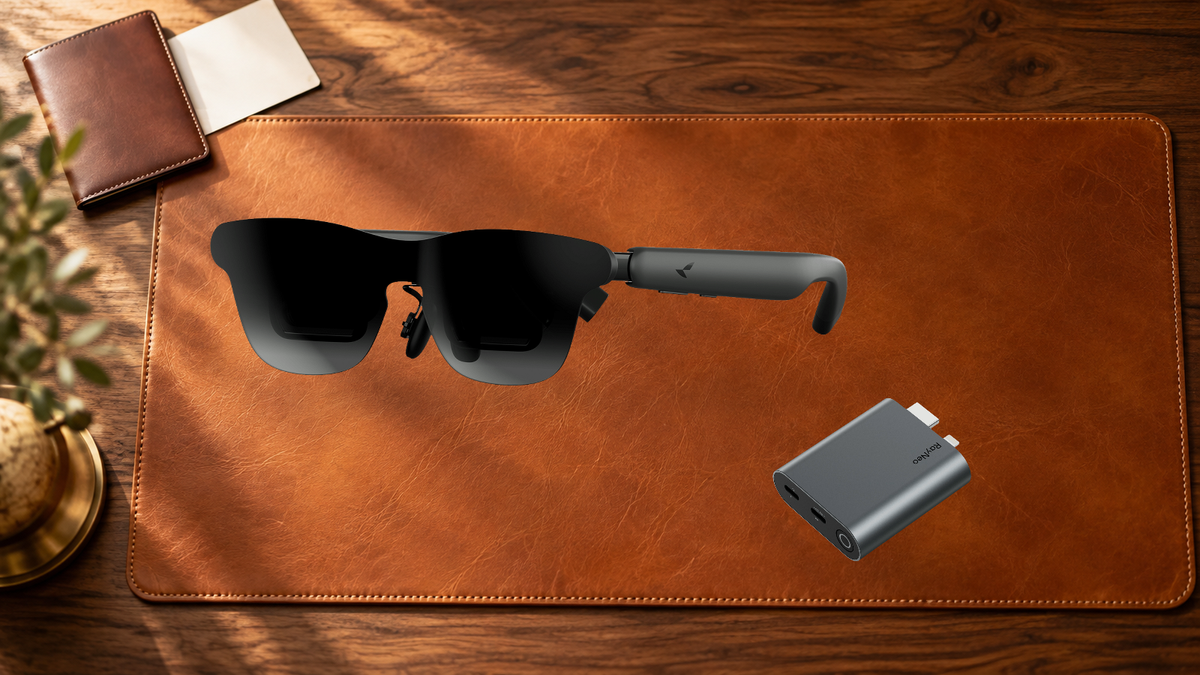
The smallest travel kit for wired AR glasses is the USB-C cable that already ships in the box. For a phone, tablet, laptop or handheld with DisplayPort video over USB-C, that one cable is the whole kit. Everything else depends on the source device: an HDMI adapter for consoles and HDMI-only computers, Apple's Lightning Digital AV Adapter together with that HDMI adapter for Lightning devices, and a charging adapter for keeping the phone topped up during a long watch.
RayNeo GT Max and RayNeo Air 4 Pro need no charging of their own. The USB-C cable carries power, video and audio from the connected device, and GT Max turns on by itself as soon as it detects a compatible power supply and video signal.
That changes what "power accessories" means on a trip. Every charger in the bag is for the device feeding the glasses, never for the glasses themselves.
Both pairs come ready for the most common setup, a direct USB-C connection.
The GT Max cable is DP compatible, and the included cable is the piece every kit below starts from. The spare nose pads are worth the space as well, since the right nose pad keeps the whole screen centered and clear in your view.
| Source device on the trip | Core kit | Worth adding |
|---|---|---|
| iPhone 15, 16 or 17 series (except 16e, 17e and Air) | Included USB-C cable | RayNeo USB-C Charging Adapter for long viewing sessions |
| Android phone with DisplayPort over USB-C, such as Galaxy S8 to S25 | Included USB-C cable | USB-C Charging Adapter |
| iPad 10th gen or newer with USB-C; MacBook 2015 or later with USB-C | Included USB-C cable | USB-C Charging Adapter |
| USB-C handheld such as Steam Deck | Included USB-C cable | USB-C Charging Adapter |
| PS5, PS4, Xbox, Nintendo Switch, laptop or desktop with HDMI output | RayNeo HDMI Adapter and the included cable | Lens Shade for a bright room (GT Max) |
| iPhone up to iPhone 14; iPad 4th to 9th gen (Lightning) | Apple Lightning Digital AV Adapter, RayNeo HDMI Adapter, included cable | Lens Shade for a bright room (GT Max) |
| No phone, GT series | RayNeo Pocket TV Pro and the included cable | microSD card loaded with movies; a USB-C charger for Pocket TV Pro |
| No phone, Air 4 Pro | RayNeo Pocket TV Streaming Box and the included cable | microSD card loaded with movies |
Buying GT or GT Max glasses brings 15% off eligible accessories bought with them, applied automatically in the cart.
The RayNeo HDMI Adapter brings anything with an HDMI output into the glasses, which on a trip usually means a PS5, Xbox, Switch or a laptop packed for the evening.
The adapter outputs 4K at 30Hz, 2K at 30Hz and 1080p at 120Hz. The 1080p at 120Hz mode matches the glasses' own 1920 x 1080 panel at up to 120Hz, the setting that matters for fast games. Lightning iPhones and iPads add Apple's Lightning Digital AV Adapter in front of it, and the guide to AR glasses without USB-C DP Alt Mode lays out each of these paths in detail.
For Nintendo Switch on Air 4 Pro, the RayNeo JoyDock Gaming Adapter ($89) is the other route, and RayNeo sells it with the glasses in a Switch gaming bundle.
GT Max and Air 4 Pro do not require charging. During use, power comes in from the connected device through the same USB-C cable, so the glasses never sit on a charger overnight and are ready whenever the source device is.
That puts the source device at the center of trip planning, and RayNeo has two answers for it:
Two accessories change the viewing experience more than their size suggests.
The RayNeo Lens Shade for GT Max ($19) fits the GT Max optical module and blocks ambient light, which creates a darker viewing space and improves perceived contrast by a bright window seat or in a sunny lobby. It is model-specific, so GT and GT Max each have their own shade.

The RayNeo Sound Tube for GT / GT Max ($19) directs audio toward the ears, with a boost of up to 15 dB for fuller bass and clearer sound. Air 4 Pro has its own Sound Tube. On GT Max, Whisper Mode is built in for private listening in quiet or public places, with no accessory needed: press and hold the Volume Rocker to switch to it.
For prescription wearers, custom inserts from RayNeo's lens partner Lensology go in before the trip, so there are no extra glasses to carry.
Which GT Max setting suits watching on a flight?
How does a console connect to the glasses in a hotel room?
How does the phone keep charging during a long movie?
Do GT Max and Air 4 Pro use the same adapters?
Pack once, watch anywhere: RayNeo GT Max for a 59° field of view and native 3DoF with Steady Mode for travel, or RayNeo Air 4 Pro for HDR10 entertainment at 76 grams.





Share:
Which Smart-Glasses Features Require a Paid Subscription After Purchase?
What Backup Controls Keep a Smart-Glasses Teleprompter on Pace?