

$429.00

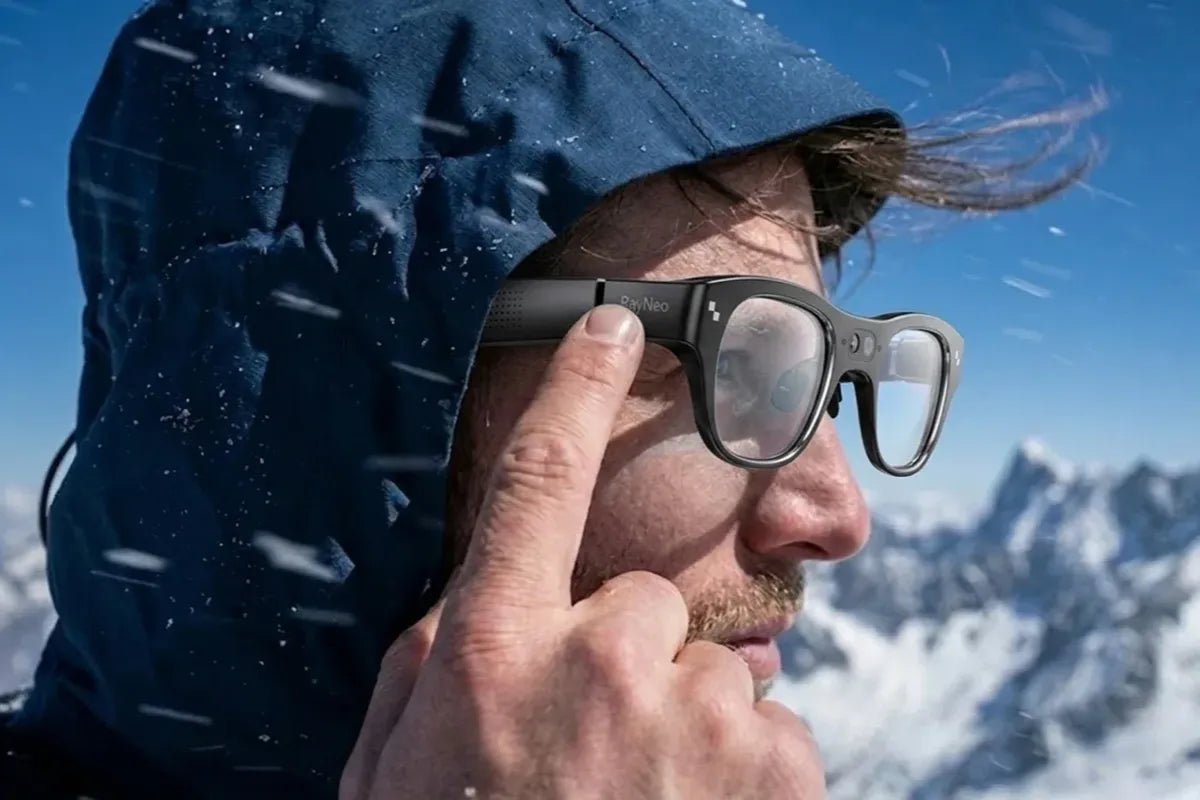
Glasses that record are eyewear with built-in cameras and microphones for capturing hands-free, first-person footage. They can take photos, record video and audio, and sometimes connect to a phone for sharing, calls, voice commands, or AI features. The best option depends on more than resolution: consider video quality, stabilization, smart features, battery life, storage, comfort, privacy controls, and how you plan to use the footage.
For many everyday users, Ray-Ban Meta smart glasses are a popular all-around option. Budget recording sunglasses can cost substantially less, while tactical camera glasses are better suited to extended recording, fieldwork, or rugged environments.

Glasses that record video use a small camera mounted near the bridge or outer edge of the frame to capture footage from approximately the wearer’ s point of view. Unlike ordinary eyewear, they include electronics, a rechargeable battery, controls, and data storage. Unlike display-only AR glasses, they are designed to capture the world rather than place images in front of your eyes.
A camera sits discreetly in the frame, usually at eye level, so the resulting footage can provide a more natural first-person perspective than a handheld phone. Built-in microphones record conversations, ambient sound, or narration, although audio quality varies considerably between models.
Most recording glasses include a physical button or voice command to start and stop filming. A status light may also indicate when the camera is active. Check the manufacturer’ s specifications carefully because some models record only video, while others capture both video and audio.
Smart glasses with recording functions typically pair with a companion app through Bluetooth and Wi-Fi. The app may be required to activate the glasses, change settings, preview clips, install firmware updates, or transfer files to your phone.
Some budget filming glasses use USB-C or a removable memory card instead. Direct storage can be convenient, but app-connected models often provide easier sharing to social media. Before buying, confirm that the app supports your iPhone or Android device and that the transfer process does not require a subscription.
Many glasses can capture still photos and short video clips, but recording limits differ. For example, Ray-Ban Meta Gen 2 glasses offer a 12MP camera and 1080p-plus video, with single clips limited to approximately three minutes. That format works well for travel memories and social posts, but not necessarily for uninterrupted surveillance.
Other models support longer or continuous recording by saving files to onboard storage. Continuous recording usually consumes more battery and creates larger files, so check the maximum runtime, storage capacity, file size, and whether the glasses split long footage into multiple clips.
Most recording glasses fall into three categories: connected smart glasses, budget action or POV frames, and tactical body-camera glasses. The table compares their typical functions, applications, and purchasing considerations.
| Recording-glasses type | Typical features | Common uses | Main advantages | Points to check |
|---|---|---|---|---|
| Smart glasses with cameras and open-ear audio | Built-in camera, microphones, open-ear speakers, smartphone connectivity, voice controls, and companion apps | Travel, daily documentation, calls, navigation prompts, and casual content creation | Conventional eyewear styling, convenient hands-free controls, streamlined file transfers, and easy sharing | Clip-length limits, battery life during recording or audio use, app compatibility, storage, and privacy indicators |
| Budget action and POV frames | Basic photo and video recording, onboard storage, USB file transfer, and, on selected models, stabilization or dual cameras | Recreational activities, simple first-person recording, and occasional hands-free filming | Accessible entry point, straightforward operation, and fewer connected features to configure | Actual resolution, microphone and low-light performance, battery consistency, build quality, storage limits, reviews, and return policies |
| Tactical and body-camera glasses | Local storage, extended or loop recording, durable frames, and, on selected models, motion-activated capture | Security documentation, inspections, outdoor work, training, and other extended recording tasks | Longer recording options, greater emphasis on local storage, and practical utility | Frame weight, battery configuration, recording settings, storage capacity, file segmentation, durability, and applicable recording rules |
The best camera glasses are not necessarily those with the highest advertised resolution. Focus on how each feature affects image quality, sound, reliability, and comfort in the situations where you intend to record.
Start with your intended use, then compare the specifications that directly affect it. A traveler may value comfort and quick sharing, while a security professional may need continuous recording and generous storage.
For travel, choose lightweight smart glasses with reliable phone integration, quick controls, and good daylight video. A three-minute clip limit may be perfectly adequate for landmarks, meals, walks, and spontaneous moments.
Open-ear audio and voice controls are useful when navigating a city or taking calls without reaching for your phone. Also consider polarized lenses, a protective case, and whether the glasses can be charged from a standard USB-C power bank.
Vloggers choosing recording glasses should prioritize a natural field of view, clear voice capture, stabilization, and efficient file transfer. Camera-equipped glasses can capture spontaneous first-person footage and hands-free B-roll, but they may not replace a dedicated camera for polished videos. Check whether the recording format and orientation suit TikTok, Instagram Reels, or YouTube Shorts without extensive cropping.
For creators who want to combine POV capture with AI and AR functions, the RayNeo X3 Pro AI+AR Glasses provide a relevant option. They feature a 12MP Sony IMX681 main camera, up to 4K video capture, and a three-microphone array for hands-free filming. The model also includes 32GB of storage and a full-color AR display. Before longer shoots, confirm current recording settings, file-transfer methods, and clip-length limits.
For outdoor activities, EIS, a secure fit, weather resistance, and physical controls are more valuable than advanced assistant features. Confirm the operating temperature and whether the model is rated for sweat, light rain, dust, or impact.
Glasses that record video can be convenient for short rides and hikes, but dedicated action cameras generally offer longer runtime, stronger stabilization, and more mounting options.
Inspectors, security staff, and field technicians may benefit from tactical or body-camera glasses with large local storage, loop recording, and replaceable or extended batteries. Date-and-time stamps, password protection, and tamper-resistant file handling can also matter in professional settings.
Before using them at work, review company policy and any rules governing customer, employee, patient, or client recordings. Technical capability does not replace proper documentation procedures.
Use this process before choosing the best video glasses:
Owning recording glasses is generally lawful in the United States, but how and where they are used may be restricted by federal and state recording laws, privacy rights, property rules, and workplace or venue policies. Requirements vary by jurisdiction and circumstances, especially when audio or private activity is captured. The following provides general information rather than legal advice.
Recording in an open public area may be treated differently from filming somewhere people reasonably expect privacy. Avoid recording in restrooms, changing rooms, medical areas, private homes, or other sensitive locations without authorization. Property owners and organizations may also prohibit cameras even when recording would not otherwise violate a criminal law.
Permission may be necessary when identifiable people appear in advertising, promotional materials, or other commercial content. Rules involving children, patients, employees, confidential documents, and restricted facilities may impose additional obligations. Check the laws and policies that apply to the location and intended use before recording.
Recording glasses may capture conversations as well as images. Under federal law, recording a conversation may be permitted when one participating party consents, subject to important exceptions. Some states apply stricter consent requirements, particularly to confidential or private conversations. The applicable rule may depend on where every participant is located.
Review the relevant state recording laws before activating a microphone. When the requirements are unclear, inform everyone involved and obtain explicit permission before recording. This is particularly important during interviews, meetings, private conversations, and professional interactions.
Schools, workplaces, courts, hospitals, shops, entertainment venues, and organized events may restrict recording devices through posted rules, contracts, or internal policies. Follow staff instructions and do not assume that admission permits filming. When a device includes a recording indicator, keep it visible and do not disable it to conceal recording activity.
Recorded files may create further privacy and data-protection concerns. Protect footage from unauthorized access, limit unnecessary cloud sharing, and delete material that no longer serves a legitimate purpose. Do not use recording glasses for harassment, stalking, covert monitoring, or collecting passwords, payment details, medical information, or other sensitive data.
Good glasses that record video can make hands-free POV filming simple, but no single model is ideal for every user. Smart glasses are convenient for travel, calls, and social content; budget frames suit occasional recording; and tactical models are designed for longer, tougher assignments.
Before buying, compare real recording time, clip limits, stabilization, audio, storage, phone compatibility, fit, and privacy controls—not just the camera’ s resolution. Choose the model that matches how you will actually record, and test it responsibly before using it around other people.
Yes, many camera glasses can record video and audio using built-in cameras and microphones. Recordings may be saved to internal storage, a memory card, or a connected smartphone app. Audio quality varies with microphone placement and background noise. Check the model’ s settings and follow local consent laws before recording conversations.
Some recording glasses support continuous video, while others limit recordings to short clips. Continuous recording uses more battery and storage, and footage may be divided into multiple files. Check the manufacturer’ s active recording time, storage capacity, and whether the glasses support loop recording before purchasing.
Camera glasses are generally legal to own and use in the United States, but recording rules vary by state and location. Privacy, audio-consent, workplace, school, medical, and venue restrictions may apply. Use recording indicators, ask for consent when appropriate, follow posted policies, and seek legal advice for specific situations.







Share:
Why TikTok Creators Are Switching to Recording Glasses
What Is IPD and How Does It Affect AR Glasses Clarity?