

$429.00

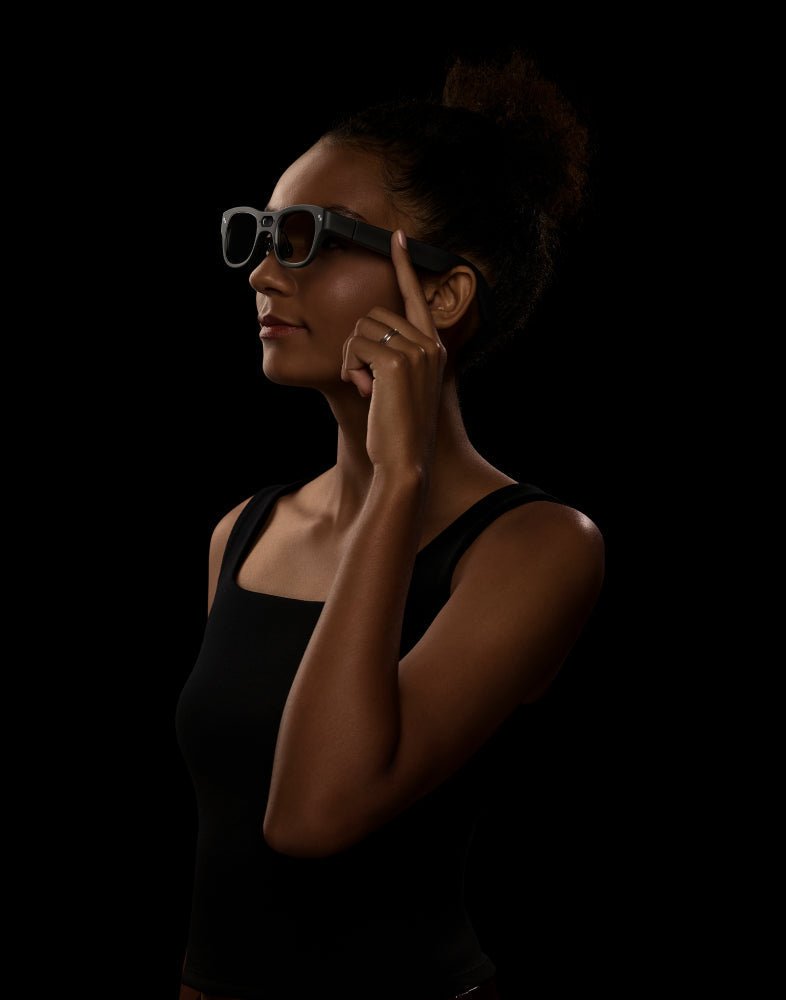
First-person video lives or dies on two things: whether the shot matches what you're looking at, and whether your hands are free to do the thing you're filming. That's true whether you're recording a walk-and-talk vlog, a POV clip from a bike ride, or a tutorial shot from the angle you're actually working in. Camera glasses are built around exactly those two mechanisms. The camera sits at eye level on the frame, so it points wherever your head turns, and because it's worn rather than held, your hands never have to touch it once recording starts.
That's a narrower promise than "glasses that can record video." A lot of camera-equipped smart glasses can technically shoot a clip. Far fewer are actually good at the specific job of first-person content creation, where framing has to follow your gaze automatically and your hands need to stay free for the whole shot, not just the moment you press record. This article looks at that specific job: what gaze-aligned framing and hands-free operation actually mean in practice, where RayNeo's X3 Pro fits and where it doesn't, and when a phone or a dedicated action camera is still the better tool.
Vlogging, workout POV, and tutorial recording share a structural requirement that a lot of other video doesn't: there's no separate camera operator. You are simultaneously the subject, the cinematographer, and the person doing whatever the video is about. That collapses "good camera" into two much more specific requirements.
The shot has to follow where you're looking, without you composing it. A tripod shot gets framed once and stays put. A handheld shot gets reframed constantly by whoever's holding the phone. First-person content needs something in between: the camera should track your head's orientation closely enough that when you look at something, that's what ends up in frame, with no manual adjustment.
Worth being precise about this from the start, since it's the mechanism this whole article is built around: camera glasses track head orientation, not eye movement. The lens points wherever your head is turned; it isn't a literal eye-tracking system watching where your pupils move. For most first-person content, head direction and gaze line up closely enough that the difference rarely shows up in the footage. It matters more in a specific case: if you glance sideways at something without turning your head (checking on someone next to you while facing forward, for example), the camera won't follow that glance the way true eye-tracking would.
Your hands have to stay free for the entire recording, not just the start. Pressing record hands-free is easy on almost any device with a voice command or a Bluetooth remote. Staying hands-free for the next ten minutes while you knead dough, adjust a bike chain, or gesture while talking is the harder requirement to meet, and it's the one that actually determines whether a device works for this use case.
Camera glasses are one of the only device categories built around both requirements at once. A phone satisfies neither by default, since your hand has to hold it and your hand's angle rarely matches your eyeline. A chest- or head-mounted action camera satisfies the hands-free part but not the gaze-tracking part, which is worth walking through in more detail.
A clip-on action camera, mounted to a chest harness or a helmet, is genuinely hands-free once it's attached. That's a real strength, and for some POV use cases (mountain biking, skiing, anything with heavy motion) it's still the better tool, for reasons covered later in this article.
What it doesn't do is track your gaze. A chest mount points wherever your torso faces, not wherever your eyes are looking, so the moment you turn your head to check something off to the side, a chest-mounted shot doesn't follow. A head-mounted action camera gets closer, but it still sits on a separate strap, at a slightly different angle than your natural eyeline, and has to be manually adjusted and tightened before each session.
Camera glasses close that gap because the lens is built into the frame itself, a few millimeters from your actual eyes. When you turn your head to look at a landmark, a recipe step, or the person you're talking to, the camera turns with it. There's no separate mount to adjust, no strap to tighten, and no gap between where you're looking and what's being recorded.
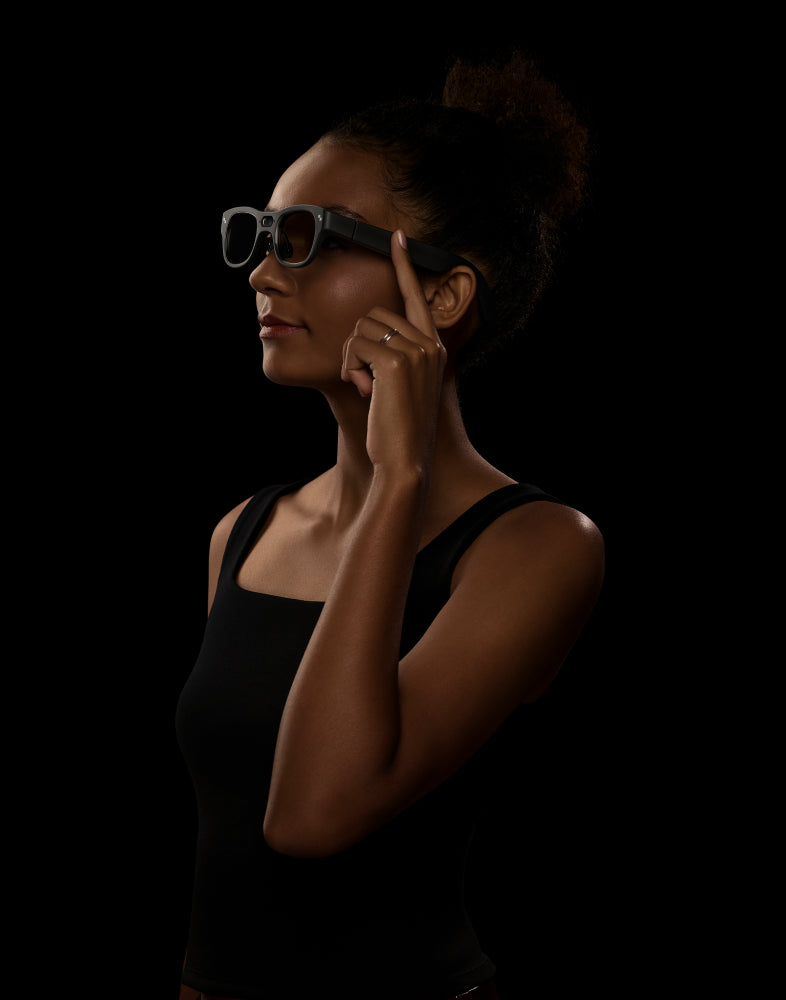
That combination, gaze-aligned framing plus zero setup, is the specific thing this article means by "best for first-person video capture." It's a narrower claim than "records good video," and it's worth being precise about, because a camera glasses model can nail this part of the job while still falling short on resolution, battery life, or low-light quality, all of which matter too and are covered below.
RayNeo X3 Pro is currently RayNeo's only model that pairs a working camera with a full AR display. The camera itself is a 12MP Sony IMX681 sensor, capturing photos up to 4K resolution and video up to 1440p. A second, monochrome camera on the frame handles spatial tracking (6DoF/SLAM) for the AR display; it isn't a second recording angle and doesn't affect video quality.
The part that matters most for first-person capture specifically is the display, not the camera spec sheet. Camera-only smart glasses with no screen give you no way to check framing before or during a shot; you're recording based on head position and trusting it worked. X3 Pro's dual MicroLED display shows a live camera preview, so you can actually confirm the shot lines up with what you meant to capture, a genuine advantage for anyone recording a tutorial where the framing has to be right on the first take, not fixed in editing.
A few numbers worth knowing before you plan a shoot:
Why it works: This is close to the ideal case for gaze-aligned capture. You're narrating while walking, occasionally turning to show something, and the camera naturally follows every head turn without you thinking about framing.
Workflow tip: Plan multiple shorter takes rather than one continuous 20-minute walk if you're covering a lot of ground.
Watch for: The 1440p resolution ceiling, and the roughly 30-minute window for one continuous take (or about 50 minutes if you break the walk into shorter clips). Both are fine for a single segment, but worth planning around before you start.
Why it works: Cooking, repairs, and craft demos work well with gaze-aligned capture specifically because most people naturally look at their hands while doing detailed work. That overlap between what you're looking at and what viewers need to see is exactly what this camera setup is built for.
Workflow tip: This is the scenario where not having to hold a phone or adjust a mount matters most, since your hands are already occupied with the task itself.
Watch for: Natural breakpoints in a recipe or repair job line up well with the clip-length limits covered above, so plan your stopping points around them.
Why it works: For a casual bike ride, a hike, or a jog, hands-free capture means you're not sacrificing grip or form to hold a device.
Workflow tip: The limits show up with intensity, not activity type. A rough trail, a hard sprint, or heavy vibration will expose the lack of hardware stabilization faster than a steady walk will.
Watch for: X3 Pro doesn't carry a published IP (dust/water resistance) rating, so treat it as unprotected against heavy sweat, rain, or splashes rather than assuming any level of resistance. That's typical for most current camera glasses in this category, not just this one. For high-motion footage, a mounted action camera with dedicated stabilization hardware and a published water-resistance rating is still the more dependable tool (more on that in the comparison section below).

The same mechanism that makes this useful also creates its own blind spots, and they're worth knowing before you plan a shoot around it.
It only captures what you're looking at, not what's happening around you. If you're demonstrating something with your hands while glancing away to talk to someone off to the side, the shot follows your eyes, not the action. This is the opposite failure mode of a fixed tripod shot, which never misses the frame but also never reframes for you.
There's no zoom or manual framing adjustment. Once the shot is set by your head position, there's no digital zoom, no manual exposure control, and no way to reframe after the fact the way you could crop a wider shot from a stationary camera. What you looked at is what you got.
Clip length caps interrupt continuous narration. For content that depends on one unbroken take, a long tutorial or a full workout session, the roughly 30-minute-per-session battery ceiling and the fact that recording stops rather than pausing at each clip's cap mean you'll need to plan for restarts rather than treating this as a run-and-record tool for anything long-form.
Peripheral motion doesn't register the way a wide action-camera lens would. A glasses-mounted camera frames roughly what a person naturally sees when looking straight ahead. It won't pick up on wide-angle context outside that field of view the way a wide-angle lens mounted on a chest harness or helmet often does.
| RayNeo X3 Pro | Head/Chest-Mounted Action Camera | |
|---|---|---|
| Shot follows | Head and eye direction (built into the frame) | Torso (chest mount) or head (head strap), set once per session |
| Setup before recording | None; the camera is already on your face | Mount, strap, or harness has to be attached and adjusted each time |
| Live viewfinder | Yes, through the AR display | Usually none; some models pair with a phone app for remote preview |
| Hands-free during recording | Yes | Yes, once mounted |
| Video resolution | Up to 1440p | Native 4K/30fps on most current models |
| Continuous recording | About 30 minutes per continuous take (up to roughly 50 minutes across a session broken into shorter clips) | Battery- and storage-dependent, generally longer per session |
| Stabilization | Software-only; no dedicated hardware | Dedicated stabilization hardware/software is standard on this category |
| Water resistance | No published IP rating | Varies by model; many current models publish an IP rating |
| Typical price | $1,299 official list price | Roughly 330–430, a general reference range |
A couple of notes on that price row: $1,299 is RayNeo's official list price for X3 Pro, but RayNeo runs promotional pricing periodically, so check the current price on the product page rather than treating this figure as fixed. The action-camera range comes from a broader RayNeo comparison piece rather than a retailer-by-retailer check done specifically for this article, so treat it as a rough benchmark, not a verified snapshot of every model on the market.
The clearest way to read that table: X3 Pro and an action camera solve different halves of the same problem. X3 Pro wins decisively on gaze alignment and zero setup time, and it's the only one of the two with a live viewfinder, so you can confirm your framing before you've even started recording, which no action camera in this price range offers. An action camera wins on raw video quality, stabilization, continuous recording length, and typically water resistance, once it's actually mounted.
Which one earns the roughly $700-plus price difference depends on what you're actually optimizing for. If skipping mounting hardware and checking your shot in real time matter more to you than maximum footage quality or battery life, X3 Pro's advantages line up well with walk-and-talk, tutorial, and casual outdoor use, the exact scenarios this article is built around. If raw video quality per dollar is the priority, or your content is mostly high-motion sports like mountain biking or skiing, a 330–430 action camera is the better tool for that specific job.
A good fit if you:
Probably not the right tool if you:
A phone still edges out glasses for indoor, low-light detail work, and a dedicated action camera still leads on resolution and stabilization for intense physical activity.
Does the camera really record exactly what I'm looking at? It tracks head orientation rather than eye movement, as covered above, so the practical question is when that gap actually shows up on camera. Talking to someone across a table while your eyes dart to your phone screen is a case where it will: your head stays facing the person, so that's what gets recorded, not the screen your eyes flicked to. Walking, cooking, or narrating a tutorial, where your head naturally turns toward whatever you're focused on, is where the two line up closely enough that most users don't notice the difference.
Can I check the shot before I start recording? Yes, on RayNeo X3 Pro specifically, because of its built-in AR display. The dual MicroLED screen shows a live camera preview, which is the reason X3 Pro handles this better than camera-only smart glasses with no screen: those give you no way to confirm framing until after you've already recorded and pulled the footage onto a phone.
How long can I record one continuous take for a workout or tutorial? Plan around 30 minutes for one continuous take, based on independent battery testing under active camera use. If you break the session into shorter clips with pauses in between, the way many tutorials naturally happen, RayNeo's own materials point to roughly 50 minutes of total on-device recording across a session. A separate official figure, 36 minutes of video, sits next to call and music playback numbers and most likely describes on-screen playback rather than active recording. For anything longer than about 30 minutes in one continuous take, plan to start a new clip once the current one hits its limit.
Do I need a mount or strap the way I would with an action camera? No. That's the practical difference this article keeps coming back to: the camera is already positioned correctly the moment you put the glasses on. An action camera needs a chest harness or head strap attached and adjusted before each session, which adds setup time and a separate piece of gear to carry.
Is footage from camera glasses stabilized like action camera footage? Head-mounted framing already smooths out some of the shake you'd get from a handheld phone, since your head moves less abruptly than a hand does during normal walking or talking. That steadiness comes from the mounting position itself, though, not from dedicated hardware: X3 Pro doesn't include a gimbal or optical stabilization system. For high-motion activity like trail running or mountain biking, footage will show more shake than a stabilized action camera would.
Will my hands show up on camera during a tutorial? Generally yes, and that's actually the point for this use case: most people naturally look at their hands while cooking, repairing, or demonstrating something in detail, so the gaze-aligned framing captures exactly that. If you're narrating while looking at the viewer instead of your hands, the shot will follow your eyes to your face instead.
Can camera glasses replace an action camera for extreme sports POV? Not for the highest-motion activities. X3 Pro doesn't include dedicated stabilization hardware, and independent testing shows meaningful battery drain under sustained continuous recording, both of which matter more once you're mountain biking, skiing, or doing anything with heavy, repeated impact. For casual rides, hikes, or jogs, the hands-free, gaze-aligned setup holds up well on its own. For intense, sustained motion, a dedicated action camera with actual stabilization hardware is still the more reliable choice.
Does X3 Pro work with my phone, and do I need an app? Yes to both. RayNeo's AR companion app runs on iOS 15.5+ and Android 9+, and you'll need it for initial setup and for pulling footage off the glasses afterward. Recording itself doesn't require an active phone connection once the glasses are set up, but ongoing use, including transferring clips, assumes a paired phone is nearby.
Can I get prescription lenses if I wear glasses daily? For X3 Pro specifically, RayNeo's product page states that prescription lens options for nearsighted (myopia) correction are available through its lens partners. The exact diopter range and partner availability vary by region, so confirm the current details on the product page or at checkout before ordering rather than assuming full coverage for your prescription.
The choice here isn't between a good camera and a bad one. It's between two tools built for different kinds of shots. If your footage depends on the frame matching what you're actually looking at, and on not fussing with a mount before you start, X3 Pro solves a problem that action cameras and phones don't solve by default. If your footage depends on resolution, stabilization, or shooting longer than about 30 minutes at a stretch, a dedicated action camera is still doing a different job better.
For walk-and-talk vlogging, tutorials, and casual outdoor content, that combination, gaze-aligned framing plus a display you can actually check while recording, is what separates X3 Pro from a camera you just point and hope. It's built to solve that specific problem well, not to out-shoot a dedicated action camera at high-motion sports, and knowing which of those two jobs your content actually needs is the fastest way to pick the right tool.





Share:
What Can AI Glasses Actually Do in 2026? A Feature-by-Feature Breakdown
Which Glasses Have a Camera Built In, and Which Are Best for Daily Use?