

$429.00

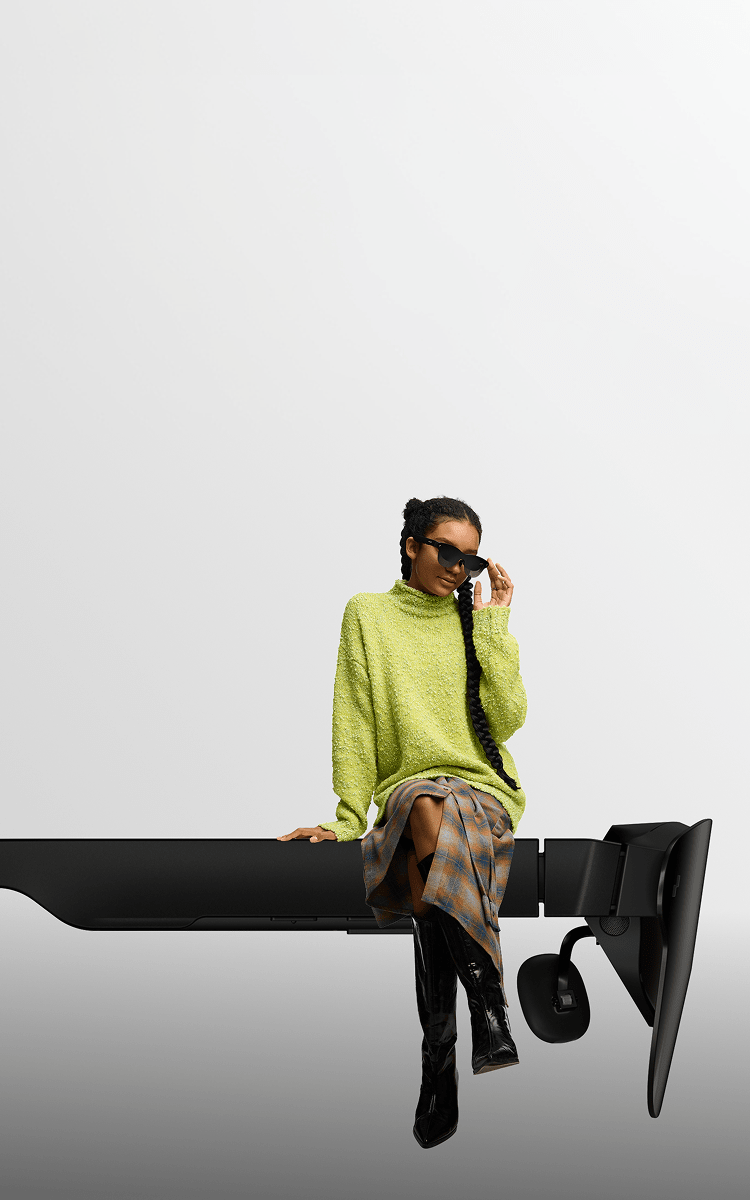
AI glasses that combine a camera, a hands-free voice assistant, and real-time translation in one pair are a specific combination, not something most “AI glasses” on the market actually include. The RayNeo X3 Pro is currently RayNeo’s only model built around exactly that three-feature combination, a dual camera, a Google Gemini voice assistant, and 14-language real-time translation shown on the display, because none of RayNeo’s other current models pair a camera with voice and translation features. This guide covers RayNeo’s own lineup rather than a cross-brand ranking.
Each of the three features adds its own hardware, and hardware inside a glasses frame competes for the same limited space, weight budget, and battery.
A camera needs a lens, an image sensor, and processing power dedicated to capturing and compressing photos or video. A voice assistant needs a microphone array good enough to isolate your voice from background noise, plus a live data connection for cloud-based reasoning. Real-time translation needs both of those (a microphone to hear the other person, an assistant or translation engine to process the speech) plus a display or speaker to actually show or say the result back to you.
That’s why the category splits the way it does. Some camera-focused glasses skip the display and translation features entirely and focus on capture quality instead. Some display-focused glasses skip the camera and microphone to keep weight and cost down. A device built to do all three is choosing a different set of tradeoffs, generally more weight, a higher price, and a battery that drains faster under heavy combined use, in exchange for covering more ground in a single pair of glasses.

The X3 Pro is a standalone AI and AR device, meaning it runs its own Android-based operating system rather than simply mirroring a phone’s screen.
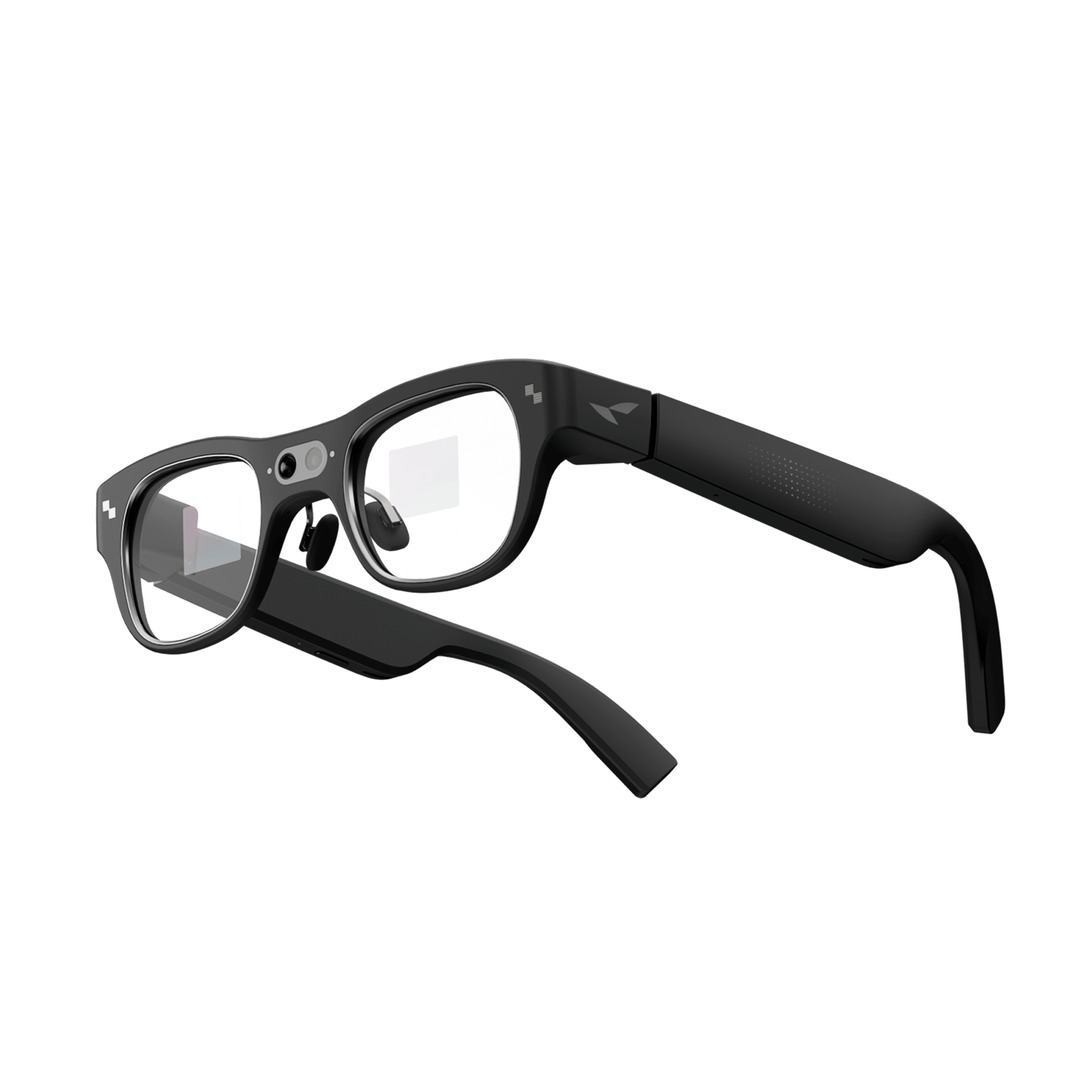
The main camera is a 12MP Sony IMX681 sensor, confirmed on RayNeo’s own product page, paired with a secondary monochrome camera used for spatial tracking (6DoF and SLAM) rather than photography. In other words, the second camera doesn’t shoot photos or video at all, it’s there to help the glasses track head movement and map the space around you, so everyday photo and video quality comes down entirely to that single 12MP sensor rather than a two-lens photography system the way “dual camera” might suggest on a phone. For everyday point-of-view video, plan around 1440p as the resolution you’ll get in typical recording; RayNeo’s materials also cite up to 4K/3K quality for specific capture modes, so the resolution you land on depends on how you’re shooting.
In practice, that camera setup is built for quick, in-the-moment capture rather than sustained filming. Think a photo of a whiteboard mid-meeting, or a few seconds of video of something happening in front of you, without pulling out a phone. It’s not built to replace a phone camera or a dedicated action camera for extended recording sessions; RayNeo’s own battery figures below explain why.
RayNeo’s spec sheet for the X3 Pro doesn’t list image-stabilization figures or a water-resistance rating, so plan around steady, dry conditions rather than motion-heavy footage while walking or exposure to rain and splashes. The spec sheet also doesn’t document indicator-light behavior for the camera; if letting people nearby know they’re being recorded matters for how you’d use it, keep that in mind, particularly in settings where a visible recording indicator is expected.

The X3 Pro uses a 3-microphone beamforming array to pick up your voice over background noise, feeding into a Google Gemini integration RayNeo describes as “Gemini Live.” Saying “Hey RayNeo” opens the assistant hands-free, no need to touch the frame first, which is confirmed directly in RayNeo’s own FAQ for the product.
What that wake word covers is specific: it opens a Gemini query or triggers translation. Menu navigation and mode switching still go through 5-way touch input on the frame (or an optionally paired Apple Watch), so “voice assistant” here means hands-free question-asking and translation, not full hands-free control of the whole device. General Gemini answers appear on the display; RayNeo’s materials don’t confirm whether those are also read aloud, though translated speech specifically is confirmed to include synchronized audio.
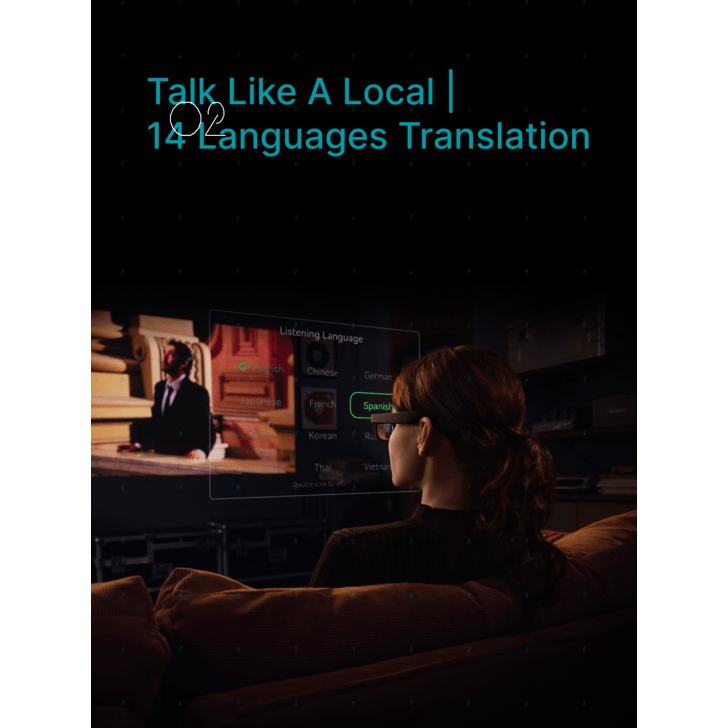
RayNeo’s product page lists 14-language real-time translation, covering Chinese, English, Cantonese, German, French, Spanish, Italian, Japanese, Korean, Russian, Thai, Vietnamese, Indonesian, and Malay. Translated speech shows up as on-lens captions and is confirmed to include synchronized audio through the glasses’ speakers, so you get both a caption and a spoken translation rather than one or the other.
That mechanism, though, works in one direction: the glasses show a caption and play translated audio of what the other person says to you. For your side of the exchange, the X3 Pro doesn’t include a documented way, such as turning the display or a paired phone toward them, to show your reply back to the other person. Plan on it as a tool for understanding what someone else is telling you in real time, rather than a full two-way exchange where both sides see captions on a screen.
That’s still meaningfully different from stopping to type into a translation app: you can glance at a caption mid-conversation without breaking eye contact or looking down at a phone. Translation, like Gemini’s question-answering, needs a live data connection through the paired phone; RayNeo’s current lineup doesn’t include an offline translation mode.
Camera, voice assistant, and translation don’t draw the same amount of power, and RayNeo’s own figures (from the X3 Pro’s launch page and a separate RayNeo blog comparison) describe battery life by scenario rather than a single number. Continuous camera or video recording runs about 30 to 36 minutes on the 245mAh battery. Active use of the AR display and camera together, the kind of session where you’re translating a conversation while occasionally snapping a photo, runs roughly 1 to 2 hours. Lighter, intermittent use (an occasional voice query, a brief translated exchange, a quick photo here and there) stretches to about 3.5 to 5 hours.
The practical takeaway: the X3 Pro handles short, mixed sessions well, a translated conversation over coffee, a few photos on a walk, a handful of Gemini questions, but it isn’t built for an all-day stream of continuous recording plus live translation plus constant assistant use. If your plan involves hours of continuous camera use specifically, budget for a recharge or a power bank along the way.
Not every RayNeo device is trying to do all three jobs at once, and that’s worth knowing if a camera specifically isn’t a requirement for you.
RayNeo’s Air series (Air 2s, Air 3s, Air 3s Pro, Air 4 Pro) is built around AR display for watching video, gaming, and screen mirroring over a wired USB-C connection. None of the Air series’ official spec pages list a built-in microphone or camera, so voice assistant, translation, and photo capture aren’t part of what these models do at all. They’re a different product built for a different job: a bigger virtual screen, not a camera-and-assistant device.
RayNeo’s iO smart glasses, announced August 21, 2026 and going on sale September 4, 2026, take a different split still. iO has no camera at all. Instead, it pairs a compact monochrome display with a voice assistant (RayNeo’s own assistant plus Gemini 3.1 Flash Lite) in a lighter 33-gram frame.
On language coverage, RayNeo’s own sources currently describe two figures that cover different ground. Its launch announcement cites translation support for up to 55 languages and 109 accents, while RayNeo’s separate iO support page describes a specific “Live Captions” feature covering 40 of those languages with two-way translation. Both numbers come directly from RayNeo: treat 40 languages as the figure confirmed for the Live Captions feature specifically, and 55 as the broader translation claim from the launch materials.
On price, independent tech media covering RayNeo’s announcement (Digital Trends, TechPowerUp, Engadget) report $479 for the standard model and $529 for a version bundled with a charging case. RayNeo’s own iO page currently shows an early-bird discount rather than a flat list price, so the number to check once iO ships is whatever RayNeo’s official page displays after the September 4, 2026 launch.
If translation and a voice assistant matter more to you than photo or video capture, iO is worth watching once independent reviews confirm these pre-release figures; it just isn’t a camera device.
| Capability | RayNeo X3 Pro | RayNeo iO (pre-release) | RayNeo Air series (e.g. Air 4 Pro) |
|---|---|---|---|
| Built-in camera | Yes: 12MP main + monochrome depth camera | No | No |
| Voice assistant | Yes: Google Gemini (Gemini Live), “Hey RayNeo” wake word | Yes: RayNeo’s own assistant + Gemini 3.1 Flash Lite (per announcement) | Not documented, no microphone listed |
| Real-time translation | Yes: 14 languages, on-lens captions + audio | Yes: 40 languages confirmed for Live Captions (two-way); up to 55 cited in launch materials | Not supported |
| Display | Full-color MicroLED, 640×480, ~30° FOV | Monochrome green MicroLED overlay | Full-color AR display built for video/gaming |
| Weight | 76g | 33g (per announcement) | Varies by model |
| Price (as of this writing) | $1,099 sale / $1,299 list | $479 to $529 (per tech media reports; confirm on RayNeo’s site at launch) | Varies by model |
| Availability | In stock | Ships September 4, 2026 | In stock |
RayNeo also announced GT and GT Max cinematic display glasses the same day as iO. Those two models are built around cinematic visual display rather than the camera-plus-voice-plus-translation combination this guide covers, so they’re left out of the comparison above.
The X3 Pro’s camera-plus-assistant-plus-translation combination fits a fairly specific use case well: someone who travels, sits in multilingual conversations, or wants quick hands-free photo and video capture, and who’s fine with a $1,099-plus price and battery life measured in single-session hours rather than a full day of continuous heavy use.
It fits less well if you mainly want one of the three features and would rather not pay for (or carry the battery weight of) the other two. If translation and a voice assistant are the priority and a camera isn’t, RayNeo’s iO is a lighter, less expensive option worth watching once it’s reviewed. If a bigger display for watching video or gaming is the actual goal, the Air series is built for that specifically and doesn’t carry camera or microphone hardware you wouldn’t use.
Can the RayNeo X3 Pro translate a conversation without connecting to a phone?
How many languages does the RayNeo X3 Pro support for translation?
Is the RayNeo iO a better choice than the X3 Pro if I mainly want translation and a voice assistant?
Do RayNeo’s Air series glasses have a voice assistant or translation feature?
Does using the camera, voice assistant, and translation together drain the battery faster?
If the goal is one pair of glasses that takes photos or video, works as a hands-free voice assistant, and translates a live conversation, RayNeo’s X3 Pro is currently the model built around that exact combination, with a 12MP dual camera, a Gemini-powered “Hey RayNeo” assistant, and 14-language real-time translation shown as on-lens captions. It comes with real tradeoffs: a $1,099-and-up price and battery life that favors short, mixed sessions over hours of continuous recording.
If a camera isn’t part of what you need, RayNeo’s iO, launching September 4, 2026, pairs a voice assistant and broader translation coverage (up to 55 languages, per RayNeo’s launch materials) in a lighter, less expensive frame worth watching once independent reviews are out. For anyone weighing the X3 Pro specifically for travel or multilingual conversations, the X3 Pro product page has the current 14-language list, translation demo footage, and live pricing to check against your own trip or use case before you buy.







Share:
What New Smart Glasses Are Available Now, and What's Coming Soon?
Which Smart Glasses Support Prescription Lenses, and Which Feel Most Comfortable?