

From $299.00

RayNeo’s X3 Pro pairs a 12MP camera with an on-demand Gemini-based assistant, so the same pair of glasses that shoots hands-free photos and video can also answer a spoken question about whatever the camera is pointed at. That combination, capture and visual AI running on one device, isn’t common yet; most camera glasses handle one job or the other. This guide covers how the two pieces work together, what the X3 Pro delivers today, and where a different device might fit better.
“Hands-free capture” and “visual AI” sound like they belong to the same feature, but they run on different hardware requirements and different triggers.
Hands-free capture just needs a camera, a way to start recording without touching a phone (a voice command or a button on the frame), and somewhere to store the file. That’s it. The glasses don’t need to understand what’s in the shot; they just need to save it.
Visual AI needs the camera too, but it also needs an AI model that can process an image, a data connection to run that processing (current models run this in the cloud, not fully on the device), and a way to deliver an answer back to you, either shown on a display or spoken through a speaker.
| Job | What it needs | What it does not require |
|---|---|---|
| Hands-free photo/video capture | Camera, hands-free trigger (voice or touch), on-device storage | An AI model, internet connection, or a display |
| Visual AI (ask about what the camera sees) | Camera, AI model, data connection, a display or speaker for the response | Continuous recording; most current models work on-demand, one question at a time |
A device can do the first without the second. Camera glasses with no built-in assistant fall into that group; they’ll shoot a clip, but there’s nothing on board to answer a question about it. A device can also do the second poorly if the only way it delivers an answer is a display you have to glance at mid-task, which matters if your hands and eyes are both busy with something else. Knowing which of the two you actually need is the first filter, before comparing specific models.
“Visual AI” in this category almost always means a multimodal AI assistant: one model that can process both the live camera feed and your spoken question together, rather than a photo being sent to a separate image-recognition tool. You ask something like “what plant is this” or “what does this sign say,” and the assistant looks at the frame the camera is currently pointed at and responds.
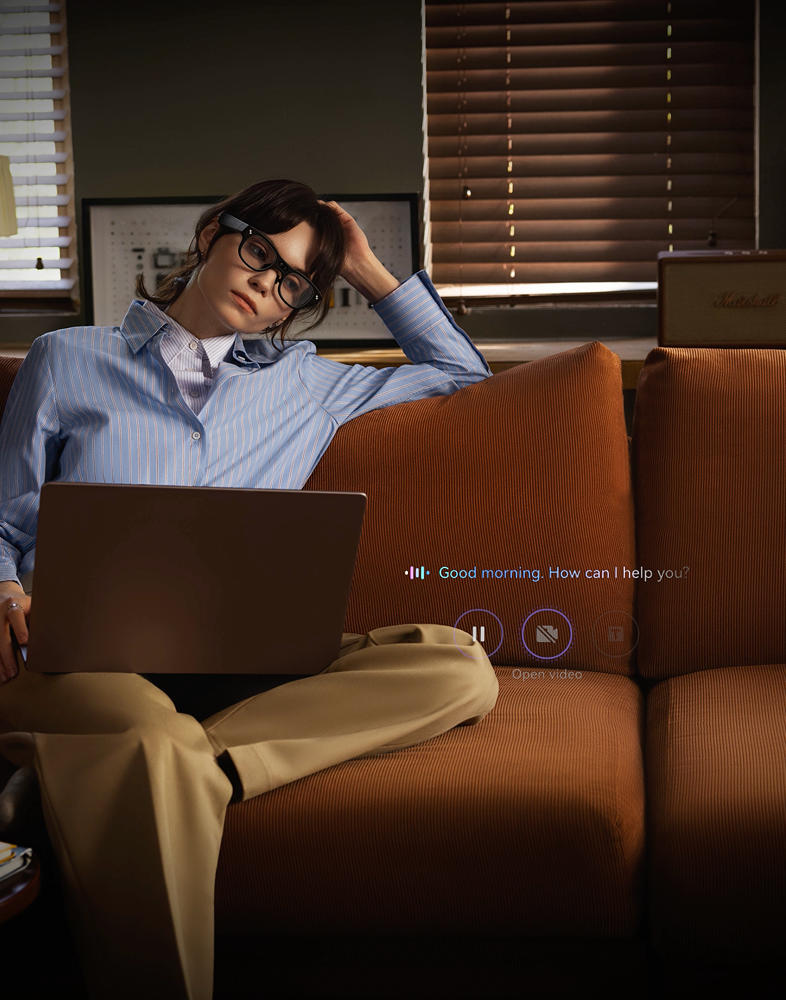
Two things about that setup are worth knowing before you rely on it. First, this runs on demand, not continuously. Current models don’t narrate your surroundings in the background the way a running commentary would; you ask a question and wait for a response, then ask again if you need more. Second, it needs a live data connection, since the actual image processing happens in the cloud rather than fully on the glasses themselves. If your phone loses its data connection, or the glasses’ own Wi-Fi drops, visual AI queries stop working even though the glasses are still powered on.
This runs on computer vision, pattern and edge detection that the model uses to identify what’s in frame, and it handles everyday tasks like identifying a medicine bottle, a piece of clothing, or an appliance button, and reading traffic signals in low light. Proactive guidance, prompting you through the next step of a task without being asked, is an early-stage capability that varies by brand across the industry. Plan around on-demand questions as the reliable core of the experience today, with proactive prompting as a capability still maturing.
Within RayNeo’s current lineup, the X3 Pro is the model built around this exact combination: a working camera, a display, and a built-in AI assistant you can wake and ask a question at any time. That assistant is on-demand rather than continuously monitoring your surroundings, the same distinction covered above, and it’s what separates the X3 Pro from RayNeo’s Air series (Air 2s, Air 3s, Air 3s Pro, Air 4 Pro), which have no assistant or camera at all. The newly announced iO and GT/GT Max lines also skip the camera, since they’re built for video and gaming viewing rather than hands-free capture.

Here’s how the X3 Pro’s core camera and display hardware breaks down:
That extra weight over a typical pair of glasses is the trade-off for packing in a camera, a display, and a battery.
The second, monochrome camera doesn’t add a scene-description angle or improve visual AI accuracy; it’s there to keep the AR overlay steady as you move, not to help the AI understand what it’s looking at.
The gap between photo and video resolution is normal for this category: a still photo is one frame at the sensor’s full resolution, while video has to process a continuous stream of frames in real time, which typically caps out lower than the sensor’s peak photo resolution.
In practice, the display’s field of view gives enough room to read a caption or a short answer clearly without it taking over your vision, though it’s a compact display rather than anything close to a wraparound screen. The Bluetooth and Wi-Fi connections keep the glasses paired with your phone, but the AI assistant’s actual responses still depend on that phone’s data connection, not just having Wi-Fi turned on.
Gemini is multimodal, meaning it can look at the live camera view and hold a conversation about it, which is the mechanism behind object identification, translation, and general visual questions on this device.
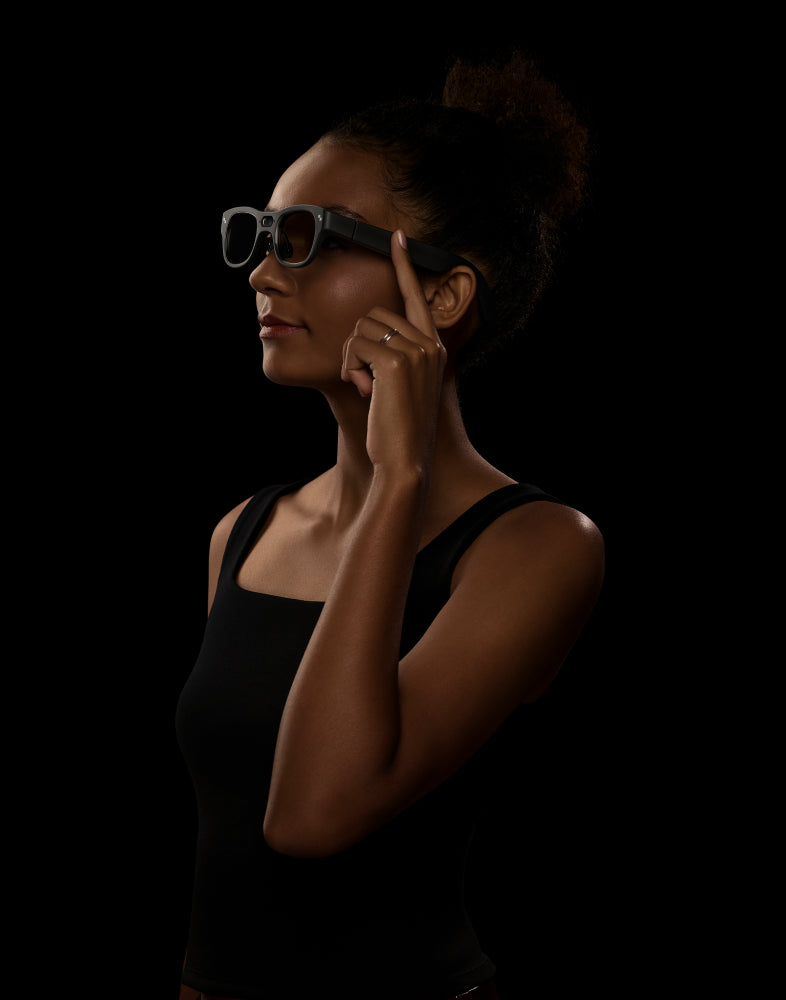
The X3 Pro supports two hands-free input methods: the spoken wake phrase “Hey RayNeo,” and 5-Dimensional Temple Control, a touch-sensitive area built into the frame. Either one lets you interact with the glasses without a phone in hand. The exact tap pattern and phrase mapped to triggering the camera are covered in the in-box quick-start guide, worth a quick read before you need it for a hands-full moment like carrying groceries or holding a tool.
Voice control runs through a 3-microphone array built into the frame, the same hardware used for calls and voice commands generally rather than a mic spec dedicated specifically to video audio. That array is tuned for everyday speech pickup; for windy outdoor conditions or a formal interview where crisp audio matters more than an occasional casual clip, expect the kind of dip in clarity that’s typical of a compact mic array this size, and plan accordingly for anything where audio quality is the priority.
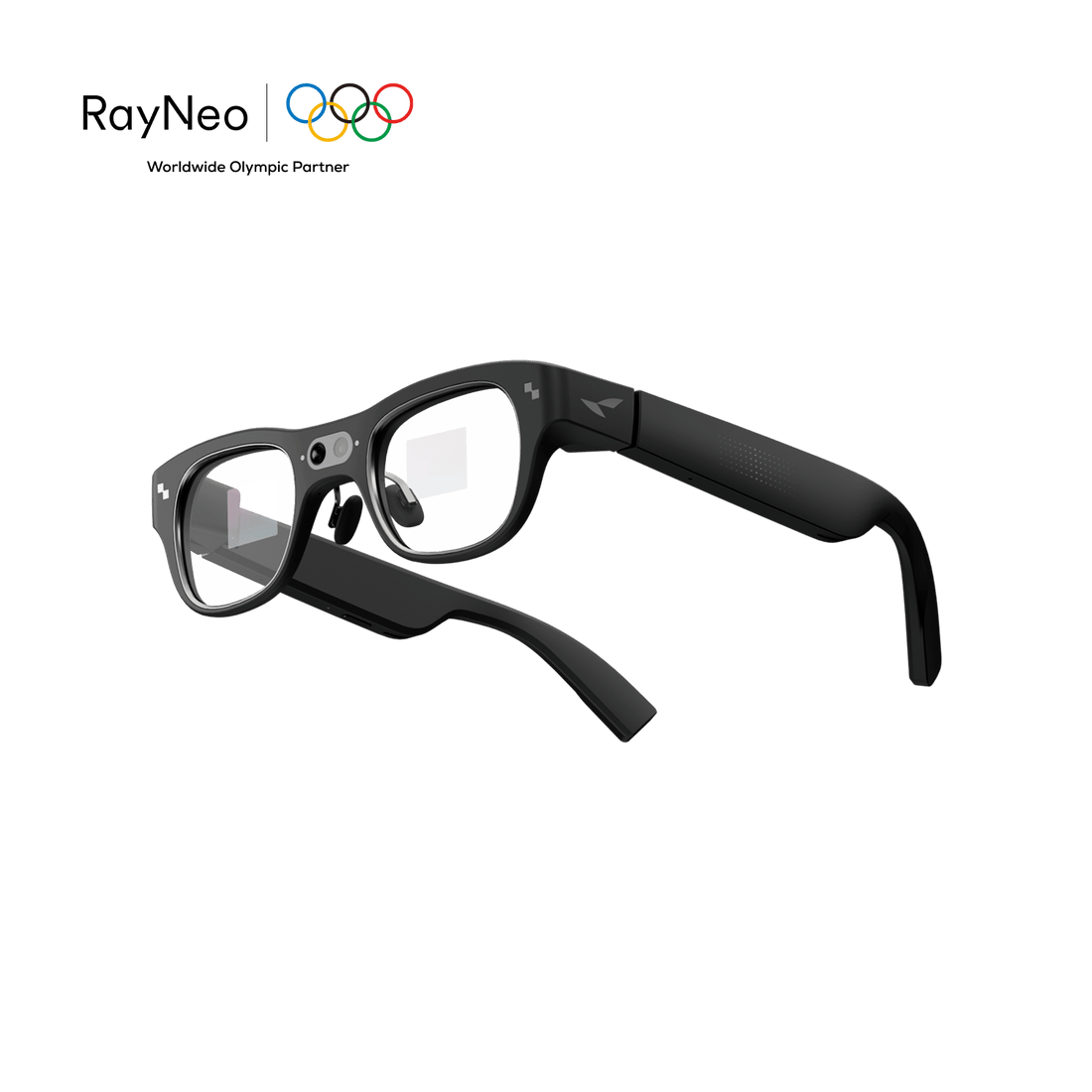
Whether anyone standing near you can tell you’re recording is a separate, fair question. The X3 Pro’s camera sits in a clearly visible housing on the browline rather than hidden behind the lens, which is a confirmed design detail. Hands-on coverage of the device has also noted a front LED that lights up during recording, though RayNeo’s published spec sheet doesn’t list indicator-light behavior as a documented feature. Either way, recording laws don’t carve out an exception for eyewear: the same consent rules that apply to filming with a phone apply here too.
Battery life is the practical ceiling on how much capturing and asking you can do between charges, and it changes a lot depending on what’s actually running. Independent testing and RayNeo’s own materials describe the X3 Pro’s 245mAh battery lasting roughly 30 minutes for one continuous video take, up to about 50 minutes of total on-device recording if you break a session into shorter clips, and up to about 5 hours of cumulative short-clip capture across a full charge. A separate figure RayNeo lists, 36 minutes of video, sits alongside call and music playback numbers and most likely describes on-screen video playback rather than active camera recording, so don’t read it as a second, higher continuous-recording ceiling.
Visual AI queries draw power differently than video recording does, since a single spoken question and response is a much shorter burst of activity than filming a clip. RayNeo doesn’t publish a separate battery figure specifically for AI queries, so the safest planning assumption is that light, intermittent use (an occasional question, a quick photo) fits comfortably within a normal day, while stacking continuous recording on top of frequent AI queries will draw down the battery faster than either one alone.
One more thing worth knowing before a full day of shooting: on-board storage capacity isn’t part of the X3 Pro’s published spec sheet. Media transfers off the glasses through the same phone connection the companion app uses for its other functions, rather than a cable. If you’re planning a full day of travel footage, build in periodic syncs to your phone rather than assuming unlimited on-glasses storage.
A few concrete scenarios show where this combination is genuinely useful, and where the on-demand, display-first design shapes the experience:
The honest caveats matter as much as the capability. RayNeo’s own blog post on this general topic acknowledges that AI-based visual recognition struggles in strong backlight, low nighttime lighting, rain or snow, dense crowds, and fast-moving scenes. That’s an industry-wide limitation, not something specific to RayNeo, but it means a positive identification from the assistant is a helpful starting point, not a guaranteed-correct answer, especially in tricky lighting.
The response also defaults to visual, not spoken. Outside of the translation feature specifically, RayNeo’s FAQ describes Gemini’s answers to general questions, including object and scene questions, as appearing on the display rather than being read aloud. If you need an audio-first answer because you can’t glance at a screen while your hands and eyes are busy, or because you have low vision, that’s a real constraint worth planning around rather than assuming it works like a voice assistant on a smart speaker.
That second point matters even more for anyone who can’t rely on a display at all. If you’re evaluating this category specifically for a blind or low-vision user, RayNeo’s X3 Pro wasn’t built, tested, or documented for that role, and RayNeo doesn’t position it that way. Our deep dive into smart glasses for navigation, reading, and object recognition walks through what dedicated, audio-first accessibility categories offer instead, and where the X3 Pro’s confirmed capabilities can still function as a supplementary convenience for someone with usable vision.
| Integrated AI + AR + camera glasses (e.g., RayNeo X3 Pro) | Camera-first audio glasses (category, no display) | Phone camera + AI app | |
|---|---|---|---|
| Hands-free capture | Yes, voice or touch trigger | Yes, typically voice or a capture button | No, requires holding and aiming the phone |
| Visual AI response | Shown on display; audio confirmed for translation only | Varies by brand; some rely on a paired phone app to show or read the answer | Shown on screen, sometimes read aloud depending on the app |
| Needs a data connection | Yes | Yes | Yes |
| Live viewfinder to check framing | Yes, on the built-in display | No, no display on the glasses themselves | Yes, on the phone screen |
| Where it fits best | Wanting capture and on-demand AI questions from one worn device | Wanting a lighter, display-free design and don’t mind checking answers on a phone | Occasional use, no interest in wearing a dedicated device |
Camera-first audio glasses, as a category, exist in the market without RayNeo currently building one: a camera and microphone with no display, meant to be lighter and less visually obvious than a display-equipped pair. RayNeo’s lineup doesn’t include that specific configuration today; the X3 Pro pairs its camera with a display rather than offering camera-plus-AI as a display-free option. If a smaller, screen-free profile matters more to you than seeing a live camera preview and on-screen AI responses, that’s a real trade-off worth weighing, since the display is exactly what lets you confirm a shot or read a translated caption without pulling out a phone.
A reasonable fit if you: - want to ask an AI assistant about what’s in front of you (identify an object, translate a sign or menu, get a quick answer) without pulling out a phone - also want hands-free photo and video capture in the same device, triggered by voice or a touch on the frame - are comfortable reading a response on a small display most of the time, with spoken audio available specifically for translated phrases
Probably not the right tool if you: - need an audio-first answer because you can’t or don’t want to look at a display, including low-vision use; a dedicated accessibility-focused device is the better-documented option for that - need continuous background narration of your surroundings rather than one question at a time - want a display-free, camera-plus-AI design; RayNeo’s current lineup doesn’t offer that specific combination, and pairing a phone’s camera with an AI app remains the more flexible option for occasional use
Does RayNeo’s visual AI answer out loud, or only show text on the display?
Do I need an internet connection for visual AI to work?
How accurate is object and scene recognition on camera glasses?
Does the secondary camera on the X3 Pro help with object recognition?
Can I ask the assistant a question without saving a photo or video?
What phone do I need to use the X3 Pro’s camera and visual AI?
Can I use the X3 Pro if I already wear prescription glasses?
Is this a replacement for a dedicated accessibility device for blind or low-vision users?
What does the RayNeo X3 Pro cost?
Does RayNeo make a camera-only AI glasses model without a display, for a lighter visual-AI-focused design?
The clearest way to evaluate this category is to separate the two things being asked of the glasses: capturing a photo or video hands-free, and having an AI assistant that can look at what the camera sees and answer a question about it. RayNeo’s X3 Pro does both from one 76-gram frame, triggered by a spoken wake word or a touch on the temple, with answers shown on its display and confirmed audio for translated phrases specifically.
That combination fits someone who wants an AI assistant they can point their attention at, alongside hands-free capture, and who’s fine reading most responses rather than hearing them. For anyone who needs to keep their hands free and still verify, on the spot and on the glasses themselves, what got captured or what the assistant just said, the X3 Pro is currently the most practical single device built around that exact pairing. It’s a narrower fit for anyone who needs audio-first answers, continuous scene narration, or a display-free design, each of which is better served by a different category of device covered in the comparisons above.







Share:
What Are AI Smart Glasses, and Which Ones Are Most Useful?
What Are the Best Smart Glasses With an AI Assistant?