

$429.00

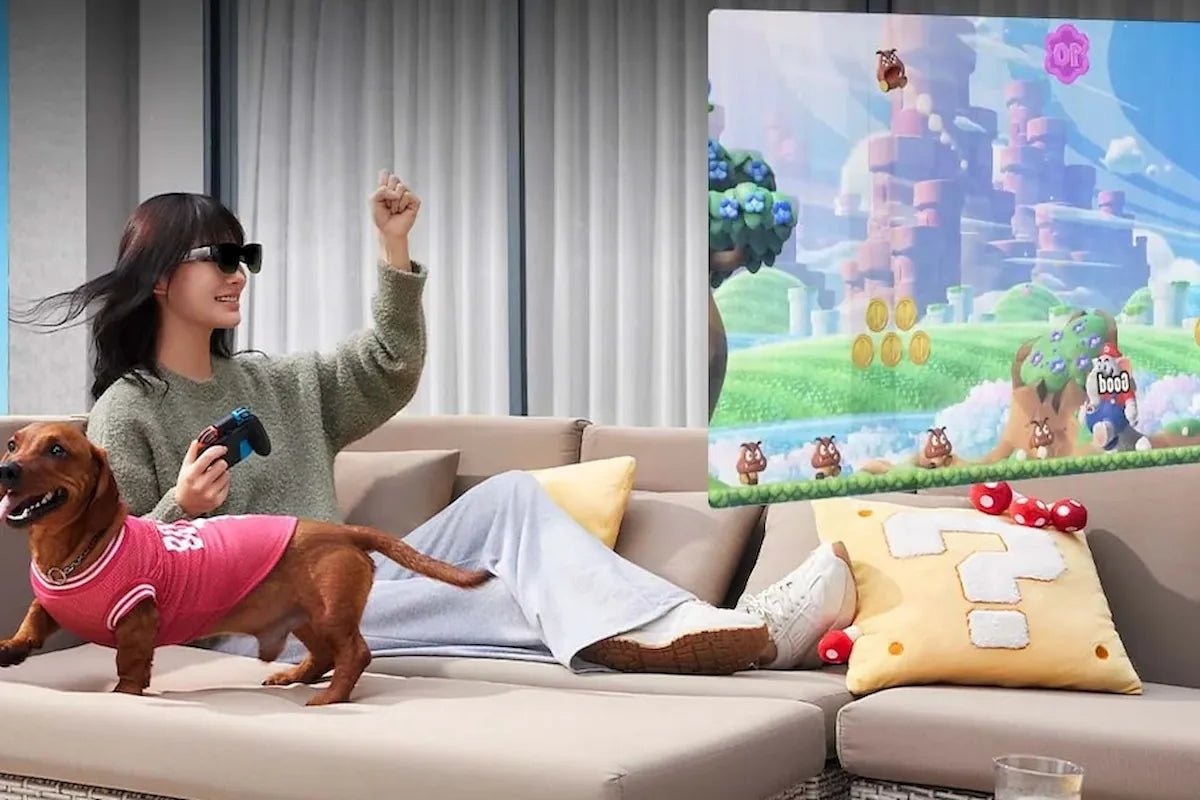
AR glasses for PC gaming give you a large private game display without requiring a traditional monitor in front of you. Connect a compatible pair to a gaming laptop, desktop PC, or handheld, and the game can appear on a virtual screen that travels with you.
The experience depends on more than screen size. Your PC needs the right video output, while resolution, field of view, refresh rate, spatial screen control, and fit all affect how the game actually looks and feels.
This guide explains how to set up AR glasses for PC gaming, what to check before buying, and which best AR glasses for gaming fit your priorities.

Yes. Video-display AR glasses can work as an external gaming display for compatible PCs, laptops, handhelds, and consoles.
A laptop or handheld with DisplayPort video over USB-C may connect directly with one cable. The Steam Deck supports DisplayPort over USB-C, while the ROG Ally’s USB-C interface supports DisplayPort 1.4.
Desktop PCs without USB-C video output may need an HDMI-to-USB-C or DisplayPort-to-USB-C solution designed for wearable displays. Always check both your computer’s video output and the glasses’ input requirements before buying.
AR glasses for PC gaming are wearable external displays that use miniature display panels and near-eye optics to create a much larger virtual image in front of you.
Unlike a VR headset, this type of AR glasses is not primarily designed to place you inside a completely virtual 3D environment. Instead, it gives you a private screen for ordinary PC games while using a lighter, more compact glasses-style form.
Many current AR game glasses use Micro-OLED panels because they can provide high pixel density, strong contrast, and deep blacks in a very small display. Depending on the model, the virtual screen may simply follow your view or use head tracking to remain stabilized or positioned in space.
For PC gaming, that makes AR glasses particularly useful when you want:
The connection depends mainly on the video outputs available on your computer. USB-C alone does not guarantee video support, so check the port specification rather than the connector shape.
VESA’s DisplayPort Alt Mode allows DisplayPort audio and video to travel through USB-C. A compatible USB-C port may therefore carry video, data, and power through the same physical connector.
If your laptop or handheld supports DisplayPort Alt Mode, DisplayPort over USB-C, or compatible Thunderbolt video output, setup can be straightforward:
Desktop graphics cards commonly provide DisplayPort or HDMI outputs rather than a USB-C port that can drive the glasses.
In that case, you need a conversion solution that sends the GPU’s video signal to the USB-C input used by the glasses. Depending on the product, this may be:
Do not assume that an ordinary passive USB-C-to-DisplayPort cable will work in reverse. Cable direction and signal conversion matter.
These three setups solve different problems. AR gaming smart glasses are strongest when portability and private big-screen viewing matter, while VR and conventional monitors remain better suited to other types of gaming.
| Feature | AR Glasses | VR Headsets | Traditional Monitor |
|---|---|---|---|
| Gaming experience | Large private virtual screen for standard PC games | Immersive VR environment and VR-specific games | Fixed physical screen |
| Portability | Compact and easy to carry | Larger headset and accessories | Usually fixed to a desk |
| Environmental awareness | Some surrounding view may remain visible, depending on lens design | Physical surroundings usually obscured during play | Full view of the room |
| Wearable weight | Lightweight glasses-style device | More weight around the head and face | Nothing worn on the face |
| Space required | Minimal physical screen space | May need room for VR movement | Requires desk or display space |
| Best suited to | Portable, private, large-screen gaming | VR games and highly immersive experiences | Competitive desktop gaming and conventional PC setups |
If AR glasses fit the way you want to play, the next step is choosing a model that matches your gaming setup. RayNeo offers several display-focused AR glasses for PC and handheld gaming, with different strengths in screen size, field of view, spatial screen control, portability, and plug-and-play connectivity.
The RayNeo GT Max AR Glasses are designed for a larger and more immersive gaming view. Their wide field of view, adjustable virtual screen, 120Hz display, native 3DoF tracking, and head-tracked spatial audio make them particularly well suited to AAA games, racing titles, and other games where a more enveloping screen adds to the experience.
Best for: AAA gaming, racing games, immersive PC gaming, and players who want a wider spatial screen.
The RayNeo GT AR Glasses take a more portable approach to spatial gaming. They retain the GT Series’ native 3DoF screen control and large virtual display while using a lighter 68 g frame, making them particularly suitable for handheld PCs, travel, and longer gaming sessions.
Best for: Handheld gaming, gaming laptops, travel, and players who want a lighter spatial display.
The RayNeo Air 4 Pro AR Glasses are a more straightforward choice when your priority is connecting a PC or handheld and getting a high-quality virtual gaming screen without needing native spatial screen anchoring.
Their HDR10 Micro-OLED display, up to 120Hz refresh rate, and broad device connectivity make them well suited to conventional PC and handheld games.
Best for: PC and handheld gaming when you want a straightforward plug-and-play 120Hz virtual display.

AR glasses for PC gaming can give you a large private display without committing to a fixed monitor setup. Before choosing a pair, check your PC’s video output first, then compare resolution, FOV, refresh rate, screen tracking, fit, and prescription support.
A wider spatial screen may suit immersive AAA gaming, while a lighter or simpler plug-and-play display may make more sense for handheld play, travel, or longer everyday sessions.
The best AR glasses for PC gaming can deliver up to 1200p-class resolution per eye, depending on the model. For example, RayNeo’s latest AR glasses can provide high-resolution visuals designed for an immersive gaming experience. However, resolution is only one factor to consider when choosing AR glasses for PC gaming. Refresh rate, field of view, brightness, and display quality can have an equally significant impact on how games look and feel.
Yes, if both the glasses and the rest of your setup support 120Hz. Your GPU must output the required resolution and refresh rate, and the USB-C connection or adapter must be capable of carrying that signal. You may also need to select 120Hz manually in Windows display settings or the game’s graphics settings. A pair of 120Hz glasses will still operate at a lower refresh rate if the source device or connection is limited.
It depends on your PC’s video outputs. If the computer has a compatible USB-C port with DisplayPort video, the glasses may connect directly. Desktop graphics cards that provide only HDMI or standard DisplayPort usually require an appropriate conversion solution. HDMI systems commonly need an active HDMI-to-USB-C adapter with power, while DisplayPort setups need a cable or adapter specifically designed to send DisplayPort output into a USB-C display.







Share:
What Is AR Coating on Glasses? Benefits, Types, and Care
The Newest Smart Glasses Released in 2026: RayNeo's iO and GT Series