

$429.00


AI camera glasses are smart glasses that pair a built-in camera with an AI system capable of recognizing what it sees, translating spoken language, or answering questions about your surroundings. What separates them from a plain "glasses with a camera" is the AI layer sitting on top of the footage.
Some models only let you hear the AI's response through a speaker. Others can display that response as text or graphics directly in your field of view. That distinction matters more than most buying guides admit.
A pair of AI camera glasses that can identify a building but can't show you anything is a different experience from a pair that overlays the building's name in front of your eyes while you look at it. This article breaks down what AI actually adds to camera glasses, where the current limits are, and how display-equipped models like the RayNeo X3 Pro differ from voice-only alternatives.
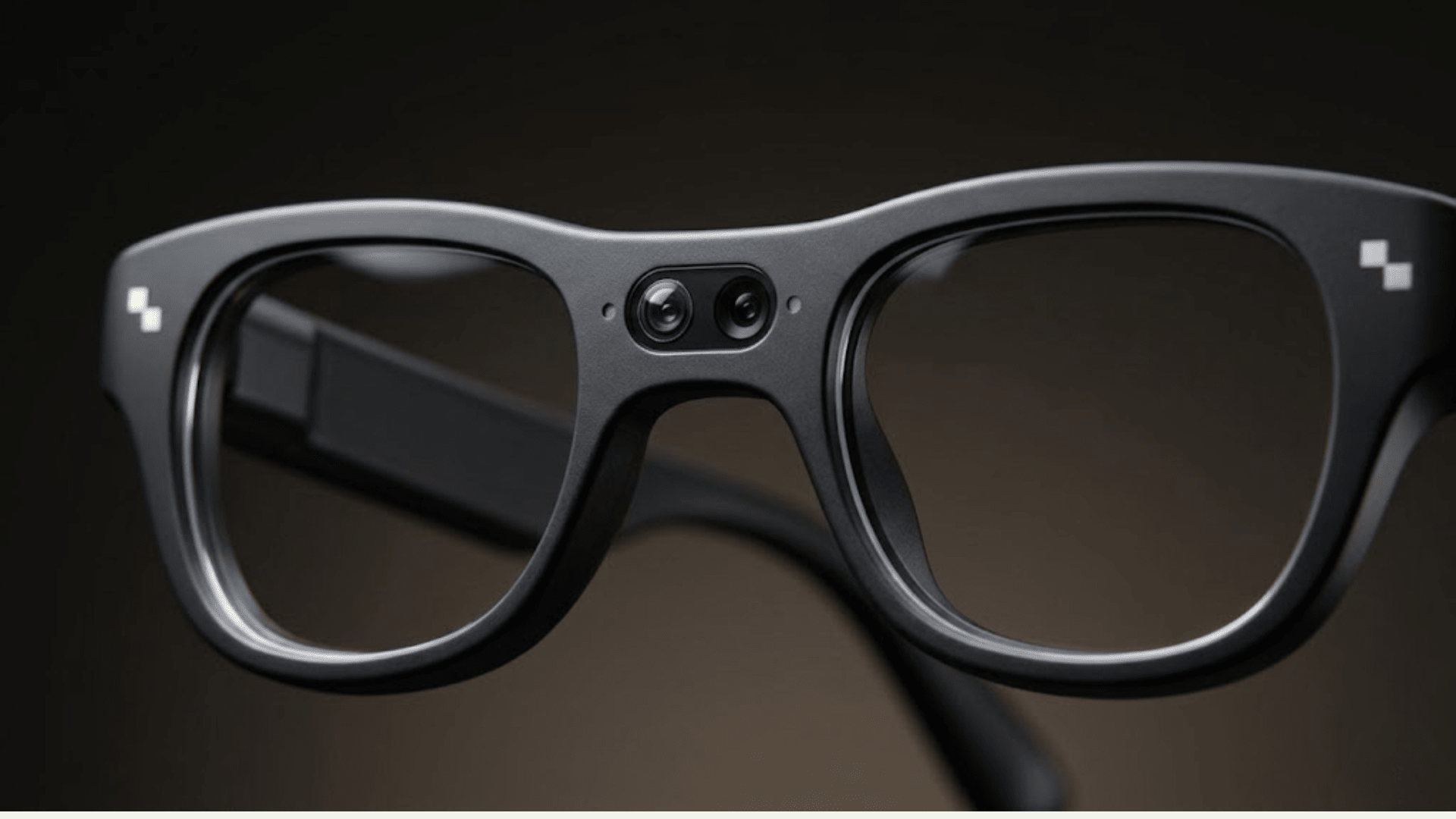
Not every pair of smart glasses with a camera qualifies as an AI camera glasses product. A basic camera glasses design just records or snaps photos on command, similar to a small action camera strapped to your face.
AI camera glasses add a processing layer. That layer typically handles three things: understanding what the camera sees, responding to voice commands beyond a simple shutter trigger, and in some cases displaying information back to the wearer.
The AI itself usually runs partly on the device and partly in the cloud. Cloud processing is why most AI camera glasses need an internet connection, either through your phone or a direct data plan, to handle anything beyond basic photo capture.
Right now, AI camera glasses split into two experiences that are easy to confuse from a spec sheet but feel very different in daily use.
Voice-only AI glasses. These have a camera and a built-in AI assistant, but no display. You ask a question, the AI looks at what the camera sees, and it answers out loud through the built-in speakers. There's no visual overlay, so you never see text or graphics in your field of view.
Display-equipped AI+AR glasses. These pair the same kind of AI capability with a display built into the lens. Instead of only hearing a translation or a navigation cue, you see it projected in front of you, positioned in your actual field of view.
RayNeo X3 Pro falls into this second category. It uses Google Gemini to power features like real-time translation, navigation prompts, and notification mirroring, and shows the output on a dual-color MicroLED display rated up to 6,000 nits of brightness.
| Feature | Voice-only AI camera glasses | AI+AR glasses with display (RayNeo X3 Pro) |
|---|---|---|
| How AI responds | Spoken through speakers only | Text/graphics shown in your field of view, plus audio |
| Real-time translation | Heard, not seen | Displayed as on-screen subtitles near your line of sight |
| Navigation cues | Spoken directions | Visual directional prompts overlaid ahead of you |
| Notifications | Read aloud (if supported) | Mirrored as text on the display |
| Typical form factor | Closer to regular sunglasses | Slightly bulkier due to display hardware |
The camera hardware on most AI camera glasses is fairly ordinary by smartphone standards. A 12-megapixel sensor is common across this category, including on RayNeo X3 Pro, which uses a Sony IMX681 sensor for its main 12MP camera.
What AI changes isn't the sensor. It's what happens before and after the shutter.
Before capture, capture is triggered via the temple button. The wake phrase, reported as "Hey RayNeo" by some sources and "Hello RayNeo" by others, summons the AI assistant, which some reviews note can also be asked to take a photo.
During use, the AI can identify objects, translate speech in real time, or pull up navigation and schedule information on request, all without pulling out a phone.
After capture, some AI systems can summarize what was recorded. One hands-on review has noted that RayNeo X3 Pro can turn a voice recording of a meeting into a text summary with key points extracted.
It's worth being precise about one common misconception. RayNeo X3 Pro has two cameras, but only one of them takes photos. The second is a monochrome camera used for 6DoF spatial tracking, the system that keeps AR content anchored in place as you turn your head. It is not a second photo or video lens.
Basic photo and video capture is a local camera function. It generally does not require an internet connection, since the glasses are just recording and storing footage on the device.
Object recognition, real-time translation, navigation, and conversational AI features work differently. These typically rely on cloud processing, which means they generally need a data connection through your paired phone to function.
RayNeo X3 Pro is built around the idea that AI output is more useful when you can see it, not just hear it. That's the core difference between this product and voice-only AI camera glasses.
Display and AI. The glasses use a dual-color MicroLED display, up to 6,000 nits of brightness, to project Google Gemini's output directly into your field of view. This covers live translation, turn-by-turn navigation prompts, and phone notifications.
Camera system. The main camera is a 12MP Sony IMX681 sensor. Photos max out at 4K resolution, and video is capped at 1440p. The second, monochrome camera is dedicated to spatial tracking, not photography.
Chip and memory. RayNeo X3 Pro runs on a Qualcomm Snapdragon AR1 chip with 4GB of RAM, which handles the AR display, camera pipeline, and AI processing simultaneously.
Translation coverage. According to RayNeo's own product information, the live translation feature supports 14 languages. Independent reviewers testing language pairs like Spanish-English and Russian-English have generally described results as workable, while noting that translations can sometimes read as literal rather than fully natural. Several testers also describe a noticeable delay between speech and the translated text appearing, though reviews don't agree on a consistent number of seconds.
Battery. This is the honest limitation. RayNeo X3 Pro has a 245mAh battery. RayNeo's own launch page lists battery life by feature: up to 5 hours of continuous recording, 3 hours of music playback, or 36 minutes of video playback on a full charge.
Those figures describe single features running on their own. When translation, recording, and the display all run together, the real-world picture looks different. Multiple independent reviews report battery life dropping to roughly 45 minutes to just over an hour under that kind of heavy combined use.
App and platform. Capture and settings are managed through the RayNeo AR app, which requires iOS 15.5 or later, with Android 9 or later recommended for stability. App updates have continued to expand X3 Pro support after launch. Version 2.1.0 added full support for the model, and version 2.2.0 introduced X3 Pro-specific gesture controls, an indication that the AI and interaction features on this device are still being actively refined through software updates rather than fixed at launch.
Price. RayNeo X3 Pro is priced at $1,299 as of August 2026.

To put the display-based approach in context, here's how RayNeo X3 Pro stacks up against two other categories of AI-enabled eyewear currently on the market: a voice-only AI camera glasses model, and a developer-focused AR glasses platform.
| RayNeo X3 Pro | Voice-only AI camera glasses | Developer-focused AR glasses | |
|---|---|---|---|
| AI output | Displayed in field of view, plus audio | Audio only, no display | AI/vision features built by developers, not fixed consumer features |
| Main camera | 12MP (Sony IMX681) | 12MP | Dual color cameras plus 2 infrared tracking cameras (detailed specs undisclosed) |
| Video resolution | Up to 1440p | Up to 3K/30fps, roughly 3-minute clips | Not primarily a capture-focused device |
| Display | Dual-color MicroLED, up to 6,000 nits | None | LCoS, 51° field of view (display FOV, not camera FOV) |
| Real-time translation | Text overlay in field of view, 14 languages | Spoken only, if supported | Not a built-in consumer feature |
| Battery, heavy combined use | Roughly 45 min to just over 1 hr (independent reviews); up to 5 hrs single-feature recording (official) | Manufacturer claims around 8 hours | Roughly 4 hours |
| Price (as of Aug 2026) | $1,299 | Around $379 | Around $2,195 |
| Availability | Shipping | Shipping | Preorder, expected fall 2026 shipping |
The comparison makes the trade-off clear. Voice-only glasses last longer on a charge and cost less, but you lose the ability to see anything the AI tells you. Developer-focused AR glasses are built for people creating spatial computing apps, not for someone who just wants a capable AI camera.
RayNeo X3 Pro sits in the middle. Battery life during heavy combined use is shorter than the voice-only option, but it's the only one of the three that lets you actually see a live translation or a navigation arrow in front of you rather than just hearing about it.
None of this should be read as AI camera glasses being a finished, frictionless product category yet. A few honest limits are worth knowing before buying any model.
Battery life under load. Small frames mean small batteries. Running AI, display, and camera features at the same time is the most demanding combination, and it shows up first in battery drain, especially on display-equipped models like RayNeo X3 Pro.
Translation isn't flawless. Cloud-based AI translation, including Gemini-powered translation on RayNeo X3 Pro, handles common language pairs reasonably well according to independent testing, but accents, slang, and technical jargon can still trip it up.
Photo and video quality has ceilings. These are not phone camera replacements. Resolution and frame rates across this category, RayNeo X3 Pro included, are modest compared to a modern smartphone, and are better suited to quick, hands-free capture than to serious photography.
Connectivity is required for most AI features. Basic photo and video capture is a local camera function and does not require an internet connection. Object recognition, translation, and conversational AI generally depend on a data connection through your phone; without it, these features are limited or unavailable.
If you mainly want a lightweight way to snap photos and occasionally ask an AI a question, without anything showing up in your vision, a voice-only AI camera glasses model is simpler and lasts longer per charge.
If you want live translation you can actually read while looking at the person speaking, navigation prompts you can see without checking your phone, or notifications mirrored in front of you, that requires a display. This is where RayNeo X3 Pro's AI+AR approach applies. Buyers should go in expecting shorter battery life during heavy combined use, and should confirm their phone's OS version meets the RayNeo AR app's requirements before buying.
If you're building AR applications rather than looking for a consumer photo/video device, a developer-focused AR platform is a different product category entirely, aimed at software development rather than everyday capture.
Can AI camera glasses translate menus or street signs in real time? It depends on the model. Display-equipped glasses like RayNeo X3 Pro can show translated text as an overlay near what you're looking at. Voice-only AI camera glasses can only speak a translation aloud; they can't display translated text over the object itself.
Does the AI voice assistant need an internet connection? Yes, in most cases. Cloud-based AI models like Gemini require a data connection, typically through your paired phone, to process translation, object recognition, or conversational questions. Basic photo and video capture, by contrast, is a local function and generally works without one.
Do AI camera glasses replace a phone camera? No. Resolution and video capabilities in this category are currently modest. RayNeo X3 Pro tops out at 4K photos and 1440p video, and voice-only alternatives are generally similar or lower. They're built for quick, hands-free capture, not as a primary camera.
How long does the battery last when using AI, display, and camera together? It depends heavily on which features are active. RayNeo's official figures list up to 5 hours of continuous recording, 3 hours of music playback, or 36 minutes of video playback for single features used on their own. When translation, recording, and the display all run at the same time, independent reviews report real-world battery life dropping to roughly 45 minutes to just over an hour, due to the glasses' compact 245mAh battery.
What's the difference between "smart glasses with a camera" and "AI camera glasses"? Smart glasses with a camera just capture photos or video on command. AI camera glasses add a processing layer that can recognize what the camera sees, translate speech, or respond to questions, sometimes with the response spoken aloud, and in display-equipped models, shown visually as well.
Does a second camera on AI glasses mean it can take two different photos at once? Not necessarily. On RayNeo X3 Pro, for example, the second camera is a monochrome sensor used for spatial tracking, which keeps AR content anchored as you move your head. It isn't a second photo or video lens.
AI camera glasses are less about the camera hardware and more about what happens with the footage and voice input afterward: recognition, translation, and response. The biggest practical divide in the category right now is whether that response stays audio-only or gets displayed in your field of view.
RayNeo X3 Pro represents the display-equipped side of that divide, using Gemini-powered AI shown on a MicroLED display to handle translation, navigation, and notifications you can actually see. That capability comes with a real trade-off in battery life during heavy combined use, which is worth weighing against a simpler, longer-lasting voice-only alternative depending on what you actually plan to use the glasses for.







Share:
Prescription Camera Glasses: Can You Wear Them With Vision Correction?
Best Camera Glasses in 2026: A Side-by-Side Comparison