


Contents
- Fit Check: Diagnosing Your "Daily Driver" Needs
- The Physics of "Daily Use": Display vs. No Display
- Deep Dive: Living with "Audio Glasses" (No Display)
- Deep Dive: Living with "AR Glasses" (With Display)
- The Reality of "All-Day" Wear: Universal Compromises
- Market Comparison: Representative Devices by Category
- Prerequisite Check: Are You Ready for a Screen?
- Scenario Analysis: Visual vs. Audio Efficiency
- Act: A Decision Framework for Daily Use
- FAQ

As smart glasses move from "tech demo" to "fashion accessory," buyers face a fundamental fork in the road. Do you want a device that subtly enhances your hearing (Audio Glasses), or do you want a device that overlays information onto your vision (Display/AR Glasses)?
The choice isn't just about features; it's about lifestyle physics. Adding a screen changes the weight, the battery life, and—crucially—how other people perceive you.
The Short Answer:
-
"Without Display" (Audio Glasses) prioritize invisibility and comfort. They function primarily as open-ear headphones with cameras, suitable for users who want to capture moments or stay connected without visual distraction.
-
"With Display" (AR Glasses) prioritize information access and independence. They provide visual overlays for navigation and translation, reducing the need to check a phone screen, but come with trade-offs in weight and power consumption.
In this guide, we will break down the pros and cons of both form factors, analyze the "Daily Driver" viability of representative devices like Meta Ray-Ban and RayNeo X3 Pro, and help you decide which compromise fits your routine.
Fit Check: Diagnosing Your "Daily Driver" Needs
Before you buy, ask yourself: What is the one thing I hate doing with my phone?
Type A: The "Digital Detoxer"
Your Pain Point: You are tired of looking at screens. You want to stay connected (calls/music) but disconnect from the visual clutter of notifications.
-
The Verdict: Without Display. Audio glasses allow you to keep your head up and eyes open to the world.
Type B: The "Information Snacker"
Your Pain Point: You hate fumbling for your phone to check a text, see who is calling, or check Google Maps while your hands are full (carrying groceries, riding a bike).
-
The Verdict: With Display (HUD). You need a Heads-Up Display that gives you bite-sized info instantly.
Type C: The "Power User"
Your Pain Point: You need complex tools—translation, visual search, teleprompter—available instantly.
-
The Verdict: With Display (True AR). Only devices with cameras + screens (like the RayNeo X3 Pro) can solve these problems.
The Physics of "Daily Use": Display vs. No Display
To wear something on your face for 8-10 hours, physics matters more than software.
1. The Weight Threshold
-
Without Display (e.g., Meta Ray-Ban): ~48g - 50g.
-
Feeling: Indistinguishable from heavy prescription frames. Zero fatigue.
-
-
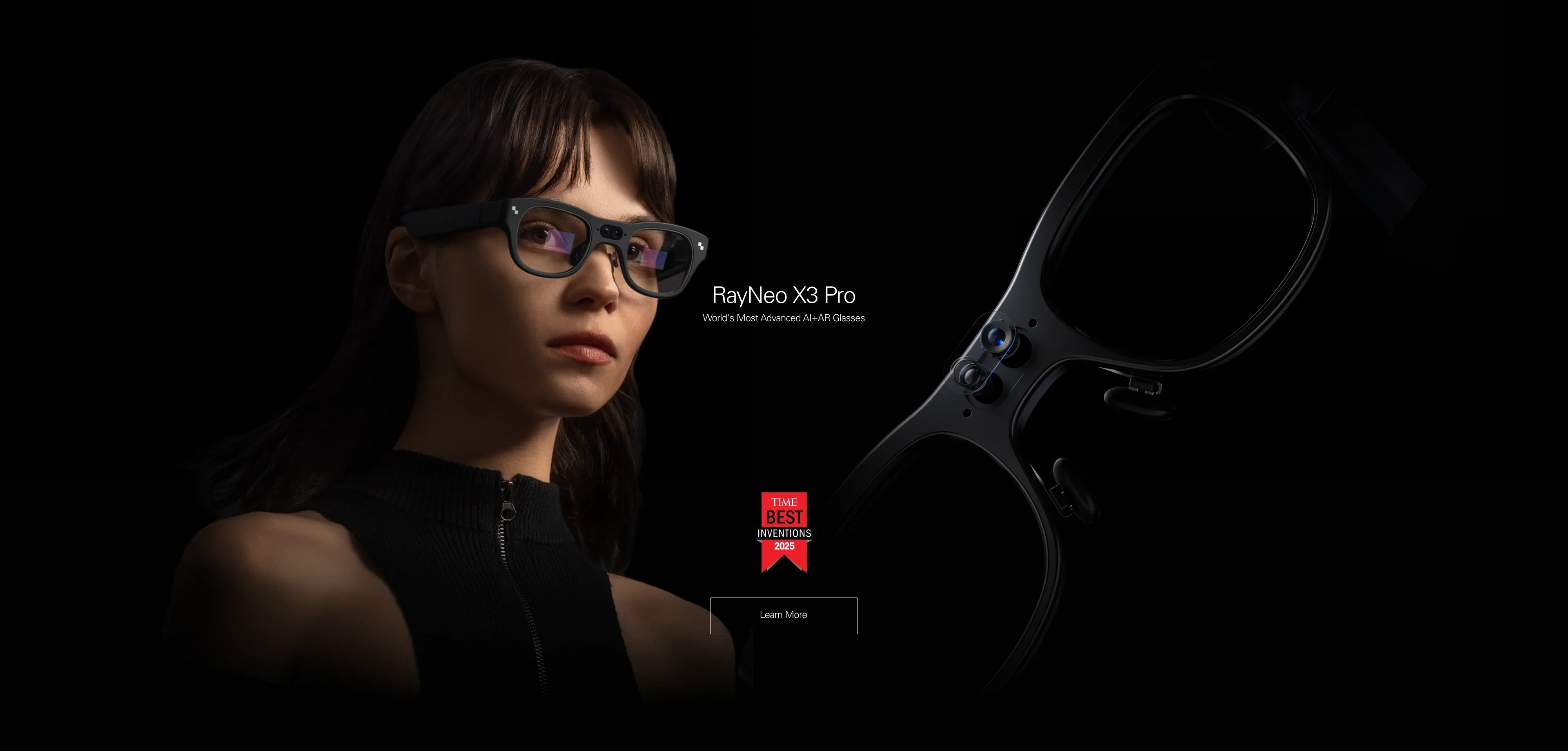
With Display (e.g., RayNeo X3 Pro): ~76g.
-
Feeling: Noticeable but balanced. You will feel the presence of the device, especially if you have a sensitive nose bridge. It is "wearable" but not "invisible."
-
2. The Battery Reality
-
Without Display: Can often last a full day of moderate use (calls/music) because audio is power-efficient.
-
With Display: Powering a MicroLED projector drains energy. Standalone AR glasses typically last 3-4 hours of continuous display use.
-
The Fix: You must rely on a charging case (similar to AirPods) to top them up during downtime.
-
3. The Social Factor
-
Without Display: People often don't know they are smart glasses until they see the recording light.
-
With Display: Even transparent waveguide lenses (like on the X3 Pro) have a slight glint or rainbow reflection. The frames are thicker. It signals to others, "I am wearing technology."

Deep Dive: Living with "Audio Glasses" (No Display)
The Experience: It feels like having a soundtrack to your life.
-
Best For: Commuting, jogging, office work.
-
Limitation: The "Phantom Vibrations." You hear a notification ding, but you don't know if it's an urgent text from your boss or a spam email. You still have to pull out your phone to check. This defeats the purpose of "hands-free" for many users.
Deep Dive: Living with "AR Glasses" (With Display)
The Experience: It feels like having a superpower.
-
Best For: Navigation, Translation, Cooking, Maintenance.
-
Characteristics of Devices like RayNeo X3 Pro: Unlike older, bulky headsets, devices in this category utilize MicroLED Optical Waveguides. This technology aims for high transparency (85%+) to allow the wearer to see the world clearly when the display is off. When active, bright green or color text is projected into the field of view.
-
The "Glance" Factor: This addresses a core use case for smart glasses: triaging information. When a text comes in, the sender and message float in your peripheral vision, allowing for immediate dismissal or action without phone interaction.
The Reality of "All-Day" Wear: Universal Compromises
Regardless of which path you choose, adopting smart glasses into your daily routine involves managing new frictions.
1. Battery Anxiety
Both categories introduce a new device to charge.
-
Audio Glasses: Often last a workday but need charging for evening use.
-
AR Glasses: Require active power management. You will likely need to carry the charging case and dock the glasses during lunch or meetings to ensure they last until dinner.
2. Social Navigation
Wearing cameras and computers on your face changes social dynamics.
-
Privacy: You must be mindful of recording indicators.
-
Eye Contact: Tinted or reflective lenses can create a barrier in conversation. "Transparent" AR lenses are better but still noticeable.
3. Environmental Dependencies
-
Audio: Struggles in high-wind or loud environments (subways).
-
Visual: Displays must compete with the sun. While MicroLED is bright, direct sunlight can still wash out AR overlays.
Market Comparison: Representative Devices by Category
Let's examine the current market landscape to see how different devices attempt to solve the "Daily Use" equation.
Category 1: "No Display" (Audio/Camera Focus)
Representative Device: Meta Ray-Ban
-
Design Philosophy: Prioritizes style and weight reduction above all else.
-
Trade-off: Sacrifices all visual utility for social acceptability and comfort. Interaction is limited to voice commands and audio feedback.
Category 2: "With Display" (Standalone AR Focus)
Representative Device: RayNeo X3 Pro
-
Design Philosophy: Prioritizes independence and visual utility. It integrates an Android OS, battery, and MicroLED display into a standalone frame.
-
Trade-off: Accepts a higher weight (~76g) and thicker temples to deliver features like visual navigation, translation subtitles, and notification previews. It represents a current approach to balancing power and wearability.
-
Reference: You can review the technical specifications to understand the physical dimensions.
Category 3: "Hybrid" (Tethered Display Focus)
Representative Device: RayNeo Air 2s
-
Design Philosophy: Prioritizes screen quality for media consumption.
-
Daily Use Viability: These are generally considered "Stationary" devices rather than "Lifestyle" devices. The cable tether and tinted lenses make them less suitable for walking around or social interaction, though they excel in specific contexts like commuting on a train.
Prerequisite Check: Are You Ready for a Screen?
If you decide to explore the "With Display" (AR) category, ensure you can meet these operational requirements:
-
Vision Correction: AR displays have a fixed focal distance. If you wear prescription glasses, you must use magnetic inserts (available for devices like the X3 Pro). You generally cannot wear them over your existing frames.
-
Audio Glasses Contrast: These frames can often be fitted with standard prescription lenses at an optician.
-
-
Charging Habit: You will need to treat your glasses like your TWS earbuds—putting them in the case whenever you aren't using them actively.
-
Connectivity: To utilize advanced visual AI features (like object recognition), you will typically need a stable mobile hotspot connection.
Scenario Analysis: Visual vs. Audio Efficiency
Scenario: Navigation
-
Audio Approach: Voice prompts ("Turn right in 200 feet") require mental visualization and can be missed in traffic.
-
Visual Approach: A 3D arrow floating over the correct intersection provides immediate spatial guidance.
-
Analysis: Visual AR reduces cognitive load in complex spatial tasks but requires a display bright enough to compete with daylight.
Scenario: Social Interaction (Dinner Date)
-
Audio Approach: Looks like normal glasses. Socially invisible and acceptable.
-
Visual Approach: The other person might see a faint glow or reflection on your lens, potentially creating a distraction.
-
Analysis: Audio glasses are superior for purely social contexts where technology should be invisible.
Scenario: Notification Triage
-
Audio Approach: Voice assistant reads the subject line. To read the body content, you often still need to pull out your phone.
-
Visual Approach: You read the full email body in your peripheral vision while drinking coffee.
-
Analysis: Visual displays allow for faster, private information consumption without interrupting audio streams (like music or conversation).
Act: A Decision Framework for Daily Use
To choose the right device, map your priorities to the device capabilities.
If your priority is Invisibility & Comfort:
-
Research the Audio Glasses category. These are best if you want a device that looks and feels like standard eyewear but adds a smart layer for audio and capture.
If your priority is Information Independence:
-
Research the Standalone AR category (e.g., RayNeo X3 Pro). Evaluate if the utility of visual navigation, translation, and notifications outweighs the need for daily charging and a slightly heavier frame.
-
Resource: Explore the RayNeo ecosystem to see how accessories like control rings can aid daily interaction.
Consider a Multi-Device Strategy: Many users find that one pair cannot do it all. It is common to own Audio Glasses for social/active wear and Display Glasses (like RayNeo Air 2s) for dedicated travel entertainment.
FAQ
Q: Is the display on AR glasses distracting? A: Most modern AR interfaces are designed to be "Off by default" or minimalist. They light up only when you receive a notification or actively ask for information. The transparency of waveguide optics ensures the display doesn't block your view of the world when idle.
Q: Can I watch movies on standalone AR glasses (like X3 Pro)? A: Technically yes, but it is not the primary purpose. The Field of View (FOV) is optimized for information overlays (notifications/nav), not immersion. For movies, Display Glasses (like the RayNeo Air 2s) are the superior tool due to their wider FOV and opaque lenses.
Q: Are AR glasses bad for my eyes? A: Generally, no more than a phone. In fact, focusing on a virtual image projected 3-4 meters away (as in AR glasses) is often less straining for the ciliary muscles than focusing on a phone screen held 30cm away. However, users should take regular breaks as with any screen use.
共有:
What Smart Glasses Are People Currently Using or Planning to Buy? (The 2026 Trend Report)
What Smart Glasses Have a Display? The 2026 Visual Guide