

$449.00

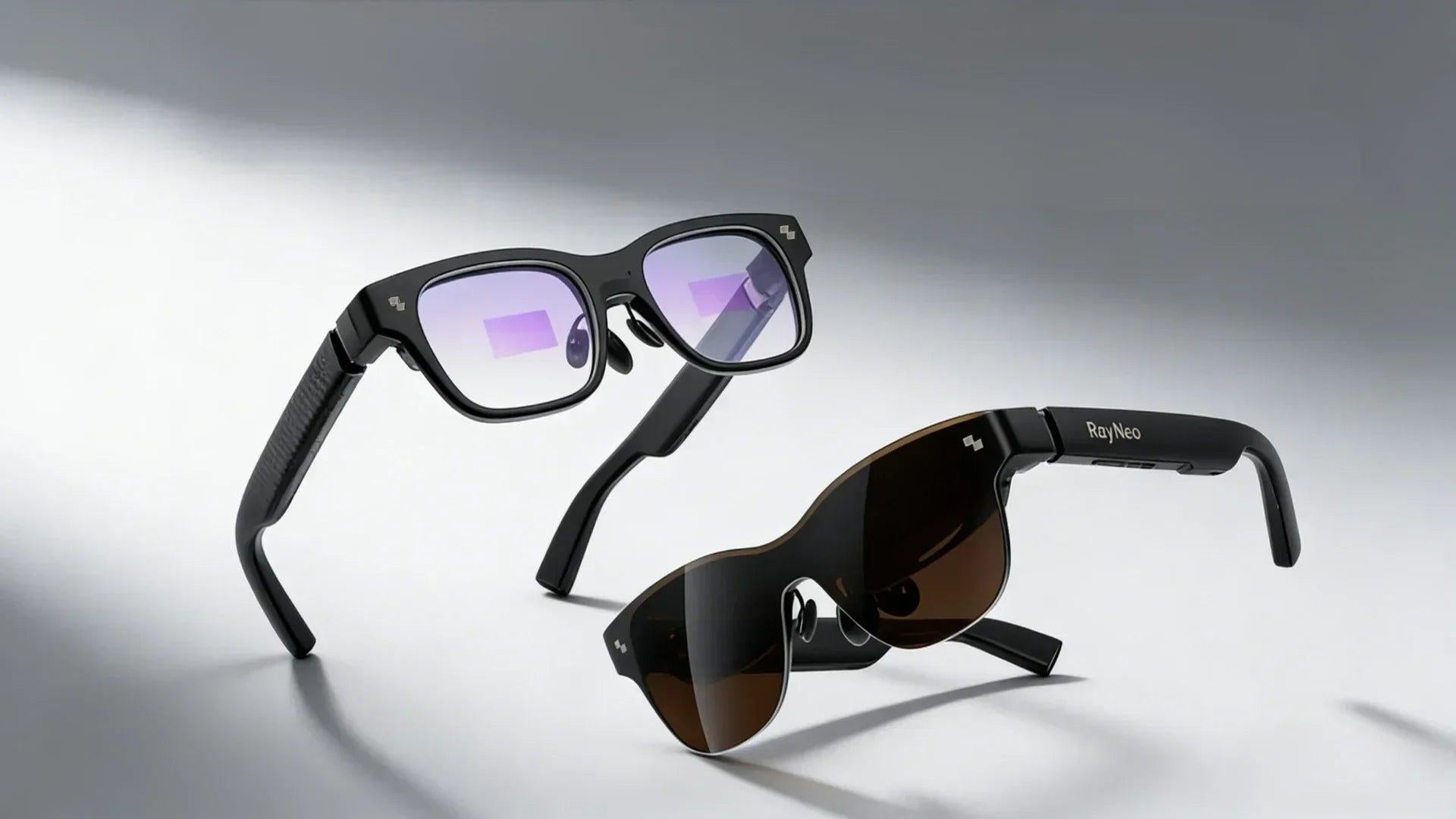
Hands-free recording is built for moments like these: a bike descent worth capturing without stopping to dig a phone out of a jersey pocket, or a kid doing something camera-worthy for four seconds while your hands are covered in flour from a baking project. Yes, some smart glasses can actually handle that.
RayNeo's current camera-equipped model is the X3 Pro, which uses a 12MP Sony IMX681 sensor and lets you start recording with a voice command or a touch on the frame, so your hands stay free for whatever you're already doing. Not every smart glasses model can do this, though. RayNeo's own Air series, for example, is built for AR display only and has no camera at all, so it's worth checking the spec sheet rather than assuming any pair of "smart glasses" records video.
This guide focuses on RayNeo's current and previous camera-equipped models, checked directly against their official specs. Dedicated action cameras and other display-free, camera-only glasses come up along the way for context, so you can see where a model like the X3 Pro fits in the broader market.
Camera glasses in general split into a few different categories worth knowing before you shop by name alone: dedicated action cameras (helmet- or chest-mounted, usually longer battery life and not worn as everyday eyewear), AR display glasses with no camera at all, and camera-only glasses with no display. RayNeo's own lineup spans two of those categories, display-plus-camera and display-only, which is exactly where the confusion tends to start. Here's the current breakdown, so you don't buy the wrong model expecting a camera that isn't there.
| Model | Camera? | Status | Notes |
|---|---|---|---|
| RayNeo X3 Pro | Yes, dual camera (12MP main + monochrome spatial camera) | Current, available | Core focus of this guide |
| RayNeo X2 | Yes, 16MP camera, 1080p video | Previous generation, listed as sold out on RayNeo's site | Useful for context, not currently purchasable new |
| RayNeo Air series (e.g., Air 3s Pro) | No | Current, available | AR display glasses only; no camera, cannot record video |
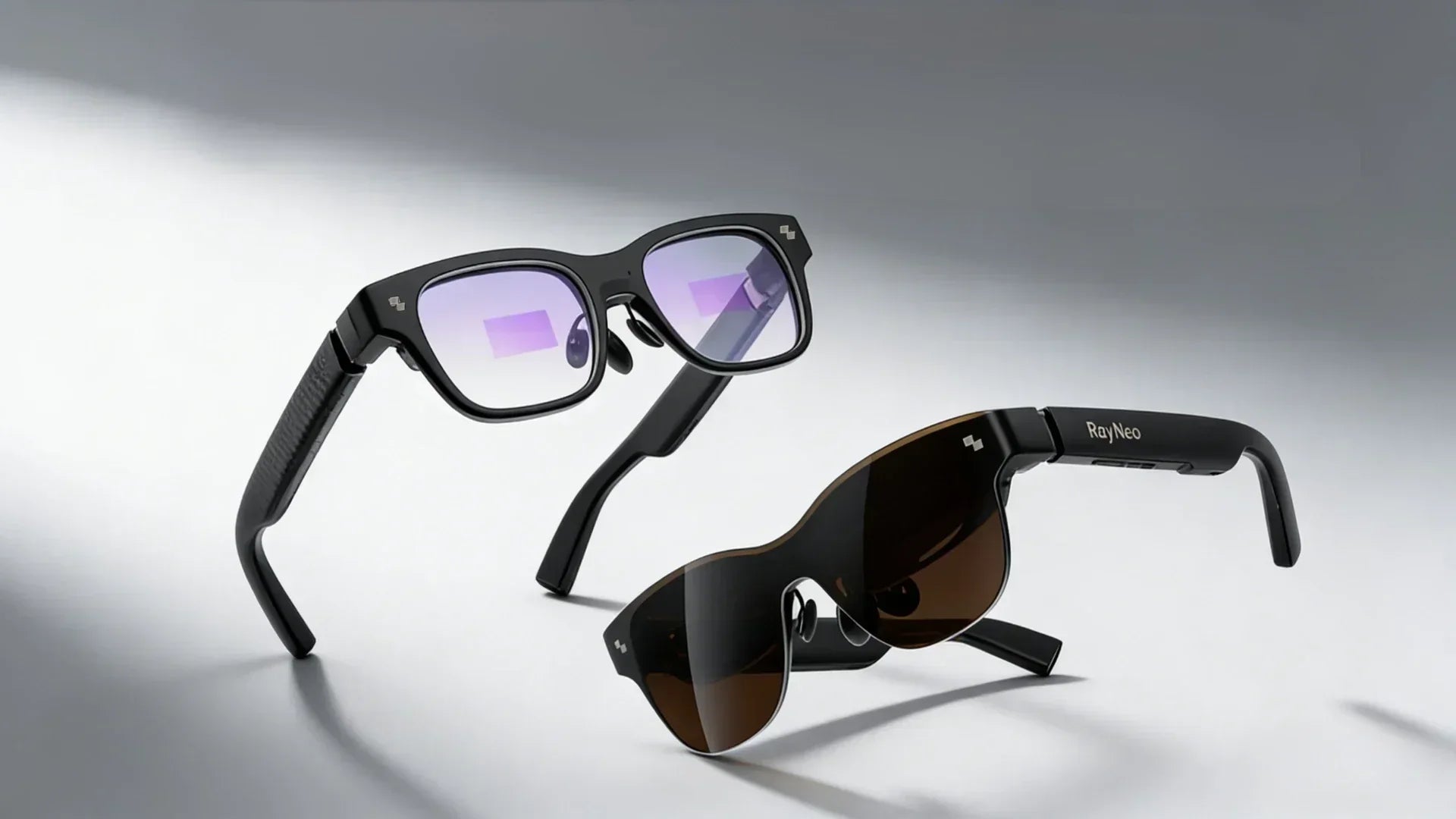
If hands-free video recording is your main reason for buying smart glasses, the Air series is not the right choice: it's designed for a different job (displaying information, not capturing it). The X3 Pro is currently the only new RayNeo model with a recording camera.
The X3 Pro is an AI+AR glasses model that pairs a dual-camera system with a full-color MicroLED binocular display, so it can both capture video and show AR overlays (translation, navigation, notifications) at the same time.
| Spec | Detail |
|---|---|
| Display | 640 × 480 full-color MicroLED, binocular |
| Chipset | Qualcomm Snapdragon AR1 |
| AI assistant | Google Gemini, built in |
| Controls | 5-way touch pad on the frame, plus Apple Watch support |
| Main camera | 12MP Sony IMX681 sensor |
| Secondary camera | Monochrome, used for spatial/depth tracking (6DoF positioning), not for photo/video capture |
| Photo resolution | Up to 4K |
| Weight | Approximately 76 grams |
| Hands-free recording trigger | Voice command or a touch gesture (double-tap/long-press) on the frame |
| Prescription lens support | Through RayNeo's lens partners |
| Price | $1,299 |
| Warranty | 1 year |
In practice, the touch control sits along the frame within easy reach of a fingertip, which matters when you're trying to start a recording without looking away from whatever you're filming. A voice command works reasonably well in a quiet room; on a bike or in a windy backyard, a firm double-tap is the more reliable trigger of the two. At 76 grams, the X3 Pro sits closer to a pair of thicker-framed sunglasses than to bare reading glasses, and the weight is spread across the nose bridge and temples rather than concentrated up front. For an hour of casual wear (a bike ride, a cooking session), that's noticeable but not the kind of weight that leaves a mark on your nose by the end.
Battery life is the practical limit to plan around. Independent hands-on reviews from outlets such as TechRadar and The Ghost Howls have noted that battery drains noticeably faster during active camera and AR use than it does on standby, so continuous, hours-long recording isn't realistic; shorter segments spread across a charge is the more workable pattern. Storage isn't unlimited either: once onboard storage fills up, footage needs to come off the device, most likely through a companion phone app, though RayNeo hasn't published the exact transfer workflow or whether cloud sync is supported.

RayNeo's own published sources give conflicting figures for several of the X3 Pro's camera and recording specs, and none of the numbers below should be treated as final:
The X2 was RayNeo's earlier camera-equipped model, and it's worth knowing about even though it isn't sold new anymore: RayNeo's own product page lists it as out of stock, so it's referenced here for comparison rather than as a current purchase recommendation.
| Spec | Detail |
|---|---|
| Camera | 16MP, 1080p video, with anti-shake filming |
| Display | Binocular full-color micro-LED waveguide, up to 1,000 nits brightness |
| Chipset | Qualcomm Snapdragon XR2 |
| Memory | 6GB RAM + 128GB storage |
| Battery | 590 mAh |
| Price when available | $499 |
| Hands-free trigger | Temple-slide gesture, could start capture even with the display off |

One design detail stands out: the X2's slide gesture could start recording even with the display switched off, useful if you wanted the camera running without also lighting up the AR overlay in a dark room or at night. Its larger 128GB of onboard storage is one reason some earlier reviewers found it well suited to longer recording sessions than typical smart glasses cameras. Its video resolution is a confirmed 1080p, a real number rather than an estimate; the X3 Pro's top video resolution isn't clearly confirmed across RayNeo's own materials (see the note above), so a direct resolution comparison between the two models isn't possible right now.
Here's how a camera-equipped model like the X3 Pro fits (or doesn't fit) common hands-free recording scenarios.
Crafts, DIY, and cooking tutorials Good fit. Your hands are busy with tools or ingredients, and a POV camera at eye level naturally frames what you're working on. Voice-triggered start/stop means you don't have to touch anything with messy or occupied hands. Battery and clip-length limits matter more here if you're recording a long project in one sitting, so plan for shorter segments rather than one continuous multi-hour take.
Parenting and everyday moments Good fit for short, spontaneous clips (a kid's first steps, a park visit) where you want to react quickly without fumbling for a phone. Less ideal if you want to capture an entire multi-hour outing continuously, given the realistic battery constraints on active camera use.
Cycling and light outdoor activity Workable, but with caveats. The glasses are worn like eyewear rather than mounted rigidly to a helmet, so footage will move with your head, not just your bike. For sustained action-sports recording in rough conditions, a helmet or chest-mounted action camera will generally hold up better and record for longer. Camera glasses are a reasonable option for casual rides where hands-free convenience matters more than production quality.
Pets Good fit for quick, candid clips at the pet's eye level; the natural framing advantage of wearable cameras applies here too.
Vlogging / first-person content Good fit for short-form, first-person clips (walking tours, "day in the life" segments). Less suited to long single takes, given battery and clip-length constraints, so plan to record in shorter segments and edit them together.
Privacy and etiquette matter more with camera glasses than with a phone. Recording people around you is less obvious when the camera is built into your eyewear than when you're visibly holding up a phone, which can raise privacy concerns in public or shared spaces. Being transparent about when you're recording, and turning it off around people who haven't consented, is good practice regardless of which device you use.
Camera glasses aren't a replacement for a dedicated action camera in demanding conditions such as water exposure, heavy impact, or extreme temperatures. Helmet- or chest-mounted action cameras are built for that kind of abuse; smart glasses cameras are built for everyday moments like the ones described above, not extreme-sports durability.
Do all smart glasses have a camera? No. Camera hardware is specific to certain models. RayNeo's Air series, for instance, is AR display glasses with no camera at all, while the X3 Pro and the earlier X2 include a recording camera.
Can I record video hands-free without touching my phone? On models built for it, yes: recording can typically be started with a voice command or a touch control on the frame itself, without picking up a phone. A phone app may still be needed for initial setup or to transfer files off the device; RayNeo hasn't published exactly how dependent recording itself is on having the app open.
How long can camera glasses record continuously? This varies by model and depends on both battery capacity and any built-in clip-length limits. Expect shorter continuous recording windows than a dedicated action camera or phone, and plan to record in segments for longer activities. As noted earlier, RayNeo's own launch page and blog content list different numbers for the X3 Pro specifically, so treat any single figure you see elsewhere as provisional.
Is the RayNeo X3 Pro the same as a dedicated action camera? No. The X3 Pro is AI+AR glasses with a display and camera combined. It's designed for everyday hands-free capture plus features like translation and navigation, not for extreme-sports durability or the longest possible continuous recording times.
What happened to the RayNeo X2? The X2 was RayNeo's previous camera-equipped model. It's currently listed as sold out on RayNeo's official site, so it's referenced here for comparison rather than as a model you can currently buy new.
Match your choice to what you actually need, not just the brand or model name:
Whichever direction you lean, hold off on a final decision until RayNeo confirms the X3 Pro's actual video resolution, recording duration, and audio-capture behavior. Those are the numbers most likely to change your answer, and right now RayNeo's own published sources don't agree on them.







Share:
Best Smart Audio Glasses for Calls, Music & Daily Wear (2026 Guide)
Which Smart Glasses Actually Have a Camera? A Buyer's Comparison Guide (2026)