Want to capture photos, check notifications, or access digital information without constantly reaching for your phone? Smart glasses with camera and display combine hands-free image capture with wearable visual technology, making it easier to interact with digital content throughout the day.
However, not all smart glasses offer the same experience. Some prioritize photography, while others focus on notifications, heads-up displays (HUDs), or larger virtual screens.
This guide explains how camera and display technologies work, compares different types of smart glasses, and highlights the key features to consider when choosing the right pair for your needs.
Key Takeaways
Before exploring the technology, here are the main differences worth understanding.
-
Three main categories: Smart glasses can feature a camera, a display, or both, depending on their intended use.
-
Display options: HUDs show quick information, while virtual displays provide larger viewing areas.
-
Camera capabilities: Camera-equipped glasses may support photography, video recording, visual AI recognition, and contextual assistance.
-
Buying priorities: Consider display clarity, battery life, comfort, and privacy.
Choose the features that match your needs. The RayNeo X3 Pro combines a camera with a full-color AR display, while the camera-free RayNeo iO focuses on notifications, captions, and AI productivity.
How Camera and Display Glasses Work
Smart glasses combine cameras, optical displays, sensors, and wireless connectivity to capture information and present digital content. Their capabilities depend on the hardware and software in each model.
-
Camera and image processing: Cameras capture photos, videos, or visual information that supported AI software can analyze.
-
Optical display technology: Miniature screens and optical components project digital information into the wearer's field of view. Some models use waveguides to display content through transparent lenses.
-
Sensors and connectivity: Motion sensors support tracking, while Bluetooth or Wi-Fi connects the glasses to compatible devices and online services.
-
Voice and touch controls: Microphones, buttons, and touch-sensitive surfaces enable hands-free interaction.
Smart glasses with a camera and a display combine visual input with digital output. However, features such as notifications and live captions do not necessarily require a camera.
Camera Glasses vs Display Glasses
Before choosing a pair, consider what you want your glasses to accomplish. The three main categories offer noticeably different experiences.
Camera-Only Smart Glasses
Camera-only glasses focus on capturing photos, videos, and other visual information. They typically combine a camera with microphones and wireless connectivity.
Common uses include:
- Taking hands-free photos and recording videos.
- Accessing supported voice assistants.
- Documenting everyday activities without holding a phone.
These glasses cannot display notifications or visual information directly in front of your eyes because they lack an integrated display.
Display-Only Smart Glasses
Display-only glasses present digital information without using an outward-facing camera to capture the surroundings. Depending on their design, they may use transparent displays for brief notifications or virtual screens for larger content.
Typical features include:
- Viewing notifications, navigation prompts, and live captions.
- Accessing translated text and other supported digital information.
- Viewing virtual screens for compatible work or entertainment applications.
Without a camera, these glasses cannot independently analyze physical objects or read printed text through visual recognition. However, they can still support voice-based AI features and information received from connected devices.
Camera and Display Smart Glasses
These glasses combine visual capture with an integrated display, allowing users to access camera-based features and view digital information through the lenses.
Depending on the hardware and software, they may support:
- Capturing photos and videos.
- Recognizing printed text or objects through compatible AI features.
- Displaying translations, navigation prompts, and AI-generated responses.
- Supporting spatial tracking and augmented reality (AR) applications on compatible models.
Important: Having both a camera and a display does not guarantee advanced AI or AR capabilities. Check the device's supported features, processing hardware, sensors, and software compatibility before buying.
HUD vs Virtual Display Glasses
Another important distinction is how the information appears. Heads-up displays (HUDs) and larger virtual screens serve different purposes, even though both use wearable display technology.
HUDs Show Glanceable Information
A heads-up display projects information into your field of view, making it easier to check essential details without looking down at your phone.
Common uses include:
- Viewing notifications and calendar reminders.
- Reading live captions or short messages.
- Following brief navigation prompts.
HUDs prioritize text clarity and quick access over immersive visuals. However, displayed information should not distract you from your surroundings.
Virtual Displays Create Bigger Screens
Virtual display glasses create the experience of viewing a larger digital screen, making them suitable for:
- Watching videos and other visual content.
- Reading documents and viewing presentations.
- Working with compatible devices in a virtual workspace.
Some models use tinted lenses or light-blocking accessories to improve image contrast, although these can reduce awareness of your surroundings.
When choosing between the two, consider your main priorities:
- Choose a HUD for notifications, captions, and quick updates throughout the day.
- Choose a virtual display for larger content and more focused viewing sessions.
Your decision should also account for display quality, comfort, and the environments in which you plan to use the glasses.
What Makes a Good Heads-Up Display?
Wondering what separates an effective HUD from one that's difficult to use? A few display specifications can make a noticeable difference. When evaluating the best smart glasses with a heads-up display features for your needs, consider the following factors together rather than focusing on a single number.
Brightness
Display brightness, measured in nits, affects visibility under different lighting conditions. Higher brightness can help in bright environments, but actual readability also depends on optical efficiency, lens transparency, and contrast. Adjustable brightness is useful when switching between indoor and outdoor settings.
Field of View
Field of view (FOV) describes the angular area occupied by the displayed image. A wider FOV can provide more space for visual information, while a narrower one may be sufficient for notifications, short messages, and navigation prompts. Choose a display that suits the amount of information you need to see.
Transparency
Transparent lenses allow you to view digital information while maintaining visibility of your surroundings. However, greater transparency does not always mean better readability, as background lighting and image contrast also affect how clearly text appears. Consider where you will use the glasses most often.
Resolution and Text Clarity
Resolution affects the level of detail a display can reproduce, but pixel density, optical quality, font size, and contrast also influence readability. For everyday HUD use, clear text and well-spaced information are often more important than detailed graphics. If possible, check whether small characters remain legible at your preferred viewing position.
Full Color vs Monochrome
Full-color displays can present richer graphics, photographs, and color-coded information. Monochrome displays use a single color to show text, captions, and simple graphics.
-
Full-color displays: Better suited to applications that benefit from varied colors and detailed visuals.
-
Monochrome displays: Often sufficient for notifications, captions, and brief AI responses.
Choose based on your intended use rather than assuming that full color always provides a better viewing experience.
What Should the Camera Be Able to Do?
When choosing camera-equipped smart glasses, look beyond resolution. Image quality, recording controls, and supported AI features all affect how useful the camera will be.
Photo and Video Capture
Camera-equipped glasses can capture first-person photos and videos without requiring you to hold a phone. When comparing models, check:
-
Image quality: Resolution, detail, and low-light performance.
-
Video recording: Stabilization and maximum recording duration.
-
Ease of use: Quick recording controls and convenient file access.
-
Recording indicators: Clear signals showing when the camera is active.
Visual AI Recognition
Compatible AI features can analyze camera images to help users:
- Identify objects and unfamiliar items.
- Recognize and translate printed text.
- Obtain descriptions of visible scenes.
Accuracy depends on lighting, image clarity, and software capabilities. AI-generated descriptions may contain errors, so verify important information rather than relying on visual recognition alone.
Spatial Awareness
Some smart glasses combine cameras, motion sensors, and tracking software to estimate movement and understand spatial relationships. These capabilities can support:
- Anchoring digital objects within a physical environment.
- Tracking head movements for AR interactions.
- Supporting spatial interfaces and other augmented reality applications.
Advanced tracking may use technologies such as simultaneous localization and mapping (SLAM). A camera alone does not guarantee spatial awareness, so check which tracking features the device actually supports.
Live AI Assistance
Some glasses let you ask questions about objects, text, or scenes captured by the camera. The AI system processes the available visual information and generates a response through a supported display or audio interface.
Before buying, check whether the glasses support your intended visual questions and whether these features require internet access. Image quality, processing capabilities, and software compatibility can affect the results. Also review the device's privacy settings for image capture and data storage.
When a Camera Is Actually Useful
A built-in camera is most useful when you need to capture moments or interpret visual information without holding a phone. Depending on the device's capabilities, camera-equipped glasses can support several tasks:
-
Hands-free documentation: Capture first-person footage during travel, demonstrations, or creative projects when holding a phone would be inconvenient.
-
Visual information retrieval: Use supported AI recognition to identify objects, read visible text, or obtain contextual descriptions.
-
Work-related documentation: Record permitted demonstrations or visual reference material while keeping your hands available for the task.
-
Augmented reality interactions: Use compatible cameras and sensors to support spatial tracking and digital overlays.
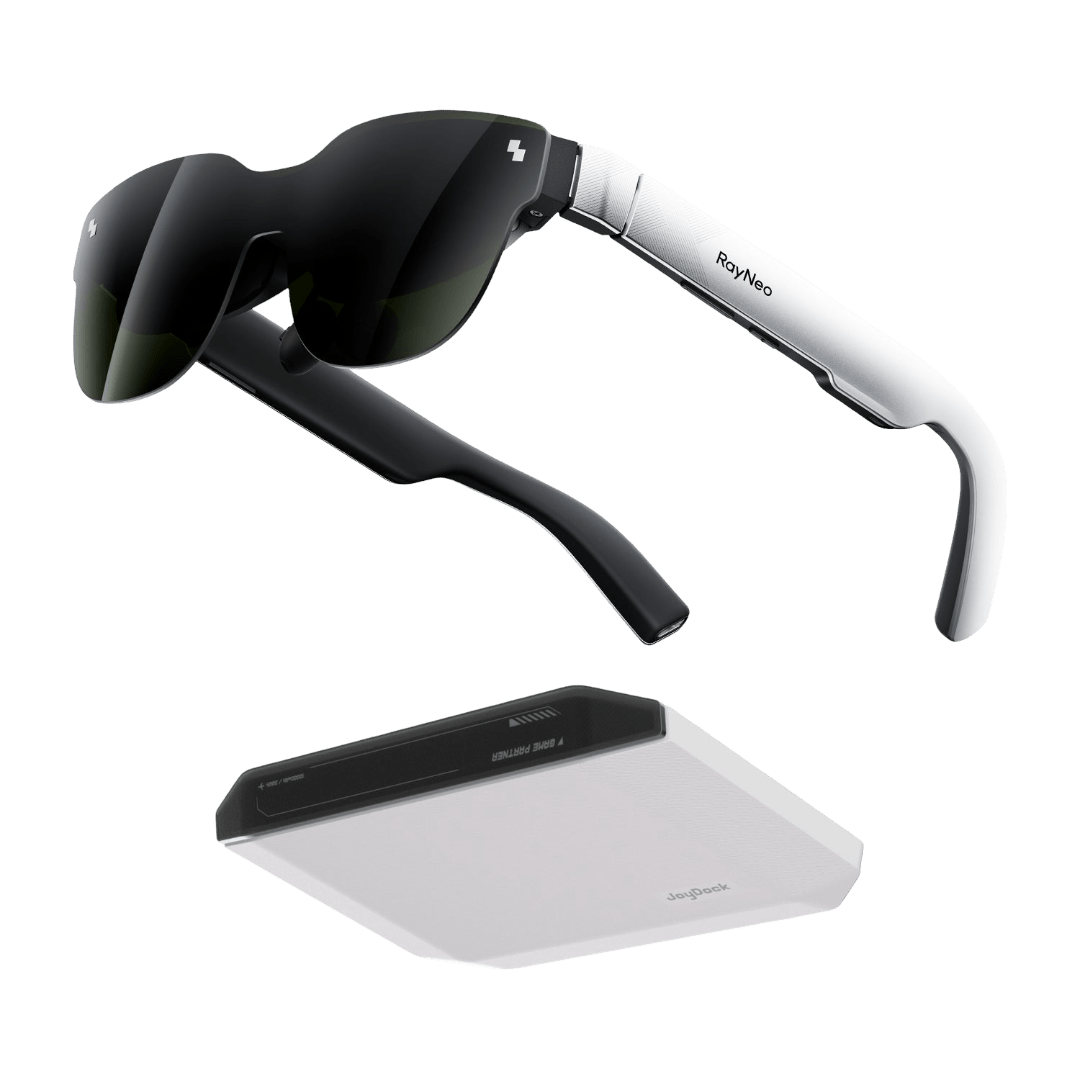
The RayNeo X3 Pro AI+AR Glasses show how camera-equipped smart glasses can combine visual capture with AI assistance and augmented reality.
-
Travel and first-person photography: The 12MP Sony IMX681 main camera captures photos and videos without requiring you to hold a phone, making it convenient for documenting trips and exploring unfamiliar places.
-
Visual AI assistance: Google Gemini-powered features support voice-based questions and compatible visual AI interactions. The MicroLED display, with 640 × 480 resolution and a 30° field of view, presents supported responses and digital information within your view.
-
Spatial AR experiences: The secondary spatial camera, combined with 6DoF and SLAM capabilities, supports compatible applications that position digital content in relation to your surroundings.
These features make the X3 Pro worth considering for users who want photography, visual AI assistance, and interactive AR in one device. Actual capabilities depend on supported software and connectivity.
Privacy considerations: Camera-equipped glasses may raise privacy concerns, and recording may be restricted in certain settings. In the US, laws vary by state and circumstance. For example, California Penal Code Section 632 generally requires all-party consent to record confidential communications. Obtain any required consent and respect applicable restrictions in workplaces, healthcare facilities, and other sensitive environments.
When Camera-Free Glasses Make More Sense
Not everyone needs an outward-facing camera. Camera-free smart glasses can be a better choice when your priority is accessing digital information rather than capturing images.
-
Everyday productivity: View notifications, reminders, and calendar updates through a transparent display without visual recording.
-
Live captions and translation: Use compatible microphones and software to display spoken words or translated conversations as text.
-
Meetings and presentations: View teleprompter scripts and use supported audio transcription tools to organize meeting notes.
-
Privacy-conscious environments: Avoid camera-based recording while still checking microphone permissions and audio-recording settings.
Camera-free designs can suit users who prefer lightweight glasses for text-focused productivity. However, they may still process or record audio, so check their privacy controls before use.
Regardless of the design, avoid interacting with displayed information while driving. The NHTSA's distracted-driving guidance explains the risks of activities that divert attention from the road.
RayNeo iO AI Glasses: Camera-Free Display Option
For users who want digital information without a camera, the RayNeo iO AI Glasses provide a lightweight, display-focused solution. These glasses combine a transparent monochrome MicroLED display with voice-based AI assistance, live captions, and productivity tools. Rather than recording images, they present information directly within the wearer's field of view. The camera-free design is particularly useful for everyday notifications, meetings, translations, and presentations where visual recording isn't necessary.
Key Features and Specifications
-
Transparent display: 1,300-nit eye-level brightness, a 23.5° field of view, and 97% active display transparency for viewing text while maintaining visibility of your surroundings.
-
AI translation: Supports live captions and translation across 55 languages and 109 accents.
-
Lightweight design: Weighs approximately 33g, making it suitable for extended everyday wear.
-
Battery life: The 240mAh battery supports up to two days of typical use, depending on usage patterns.
With its camera-free design and text-focused display, RayNeo iO is best suited to notifications, captions, translation, and presentations rather than photography or immersive visual content.
Conclusion
Choosing smart glasses with a camera and display comes down to how you want to use them. If you value hands-free photography, visual AI, and augmented reality, a model that combines a camera with a full-color display may be the better fit. If your priorities are notifications, live captions, and everyday productivity, camera-free glasses may be sufficient.
Before buying, compare display clarity, camera capabilities, comfort, battery life, and privacy features. The RayNeo X3 Pro AI+AR Glasses are worth considering if you want camera-based features alongside a full-color AR display, while the RayNeo iO AI Glasses offer a camera-free alternative focused on visual information and AI productivity. Choose the features that best fit your daily routine.
FAQs
Can smart glasses show what the camera sees?
Yes, smart glasses equipped with both a camera and a built-in display can show visual information captured by the camera. Depending on the model, they may display a live camera feed, captured images, or AI-generated information about nearby objects. However, not all camera-equipped glasses support live video previews. This capability depends on the device's display technology, processing power, and software features.
Are there any smart glasses with a display?
Yes, several types of smart glasses feature built-in displays. Heads-up displays (HUDs) show information such as notifications, navigation prompts, and live captions within your field of view, while virtual display glasses create larger viewing areas for videos, documents, and other digital content. The best option depends on whether you need quick, glanceable information or a larger virtual screen.
Are camera-free smart glasses more private?
Yes, camera-free smart glasses offer greater visual privacy because they cannot capture photos or videos of surrounding people and environments. This removes privacy concerns associated with built-in cameras, such as unwanted photography and visual surveillance. However, they aren't entirely private. Some models include microphones, voice assistants, and wireless connectivity that may collect or process information. Always review microphone permissions, data storage policies, and privacy settings before using them.




Want to capture photos, check notifications, or access digital information without constantly reaching for your phone? Smart glasses with camera and display combine hands-free image capture with wearable visual technology, making it easier to interact with digital content throughout the day.
However, not all smart glasses offer the same experience. Some prioritize photography, while others focus on notifications, heads-up displays (HUDs), or larger virtual screens.
This guide explains how camera and display technologies work, compares different types of smart glasses, and highlights the key features to consider when choosing the right pair for your needs.
Key Takeaways
Before exploring the technology, here are the main differences worth understanding.
Choose the features that match your needs. The RayNeo X3 Pro combines a camera with a full-color AR display, while the camera-free RayNeo iO focuses on notifications, captions, and AI productivity.
How Camera and Display Glasses Work
Smart glasses combine cameras, optical displays, sensors, and wireless connectivity to capture information and present digital content. Their capabilities depend on the hardware and software in each model.
Smart glasses with a camera and a display combine visual input with digital output. However, features such as notifications and live captions do not necessarily require a camera.
Camera Glasses vs Display Glasses
Before choosing a pair, consider what you want your glasses to accomplish. The three main categories offer noticeably different experiences.
Camera-Only Smart Glasses
Camera-only glasses focus on capturing photos, videos, and other visual information. They typically combine a camera with microphones and wireless connectivity.
Common uses include:
These glasses cannot display notifications or visual information directly in front of your eyes because they lack an integrated display.
Display-Only Smart Glasses
Display-only glasses present digital information without using an outward-facing camera to capture the surroundings. Depending on their design, they may use transparent displays for brief notifications or virtual screens for larger content.
Typical features include:
Without a camera, these glasses cannot independently analyze physical objects or read printed text through visual recognition. However, they can still support voice-based AI features and information received from connected devices.
Camera and Display Smart Glasses
These glasses combine visual capture with an integrated display, allowing users to access camera-based features and view digital information through the lenses.
Depending on the hardware and software, they may support:
Important: Having both a camera and a display does not guarantee advanced AI or AR capabilities. Check the device's supported features, processing hardware, sensors, and software compatibility before buying.
HUD vs Virtual Display Glasses
Another important distinction is how the information appears. Heads-up displays (HUDs) and larger virtual screens serve different purposes, even though both use wearable display technology.
HUDs Show Glanceable Information
A heads-up display projects information into your field of view, making it easier to check essential details without looking down at your phone.
Common uses include:
HUDs prioritize text clarity and quick access over immersive visuals. However, displayed information should not distract you from your surroundings.
Virtual Displays Create Bigger Screens
Virtual display glasses create the experience of viewing a larger digital screen, making them suitable for:
Some models use tinted lenses or light-blocking accessories to improve image contrast, although these can reduce awareness of your surroundings.
When choosing between the two, consider your main priorities:
Your decision should also account for display quality, comfort, and the environments in which you plan to use the glasses.
What Makes a Good Heads-Up Display?
Wondering what separates an effective HUD from one that's difficult to use? A few display specifications can make a noticeable difference. When evaluating the best smart glasses with a heads-up display features for your needs, consider the following factors together rather than focusing on a single number.
Brightness
Display brightness, measured in nits, affects visibility under different lighting conditions. Higher brightness can help in bright environments, but actual readability also depends on optical efficiency, lens transparency, and contrast. Adjustable brightness is useful when switching between indoor and outdoor settings.
Field of View
Field of view (FOV) describes the angular area occupied by the displayed image. A wider FOV can provide more space for visual information, while a narrower one may be sufficient for notifications, short messages, and navigation prompts. Choose a display that suits the amount of information you need to see.
Transparency
Transparent lenses allow you to view digital information while maintaining visibility of your surroundings. However, greater transparency does not always mean better readability, as background lighting and image contrast also affect how clearly text appears. Consider where you will use the glasses most often.
Resolution and Text Clarity
Resolution affects the level of detail a display can reproduce, but pixel density, optical quality, font size, and contrast also influence readability. For everyday HUD use, clear text and well-spaced information are often more important than detailed graphics. If possible, check whether small characters remain legible at your preferred viewing position.
Full Color vs Monochrome
Full-color displays can present richer graphics, photographs, and color-coded information. Monochrome displays use a single color to show text, captions, and simple graphics.
Choose based on your intended use rather than assuming that full color always provides a better viewing experience.
What Should the Camera Be Able to Do?
When choosing camera-equipped smart glasses, look beyond resolution. Image quality, recording controls, and supported AI features all affect how useful the camera will be.
Photo and Video Capture
Camera-equipped glasses can capture first-person photos and videos without requiring you to hold a phone. When comparing models, check:
Visual AI Recognition
Compatible AI features can analyze camera images to help users:
Accuracy depends on lighting, image clarity, and software capabilities. AI-generated descriptions may contain errors, so verify important information rather than relying on visual recognition alone.
Spatial Awareness
Some smart glasses combine cameras, motion sensors, and tracking software to estimate movement and understand spatial relationships. These capabilities can support:
Advanced tracking may use technologies such as simultaneous localization and mapping (SLAM). A camera alone does not guarantee spatial awareness, so check which tracking features the device actually supports.
Live AI Assistance
Some glasses let you ask questions about objects, text, or scenes captured by the camera. The AI system processes the available visual information and generates a response through a supported display or audio interface.
Before buying, check whether the glasses support your intended visual questions and whether these features require internet access. Image quality, processing capabilities, and software compatibility can affect the results. Also review the device's privacy settings for image capture and data storage.
When a Camera Is Actually Useful
A built-in camera is most useful when you need to capture moments or interpret visual information without holding a phone. Depending on the device's capabilities, camera-equipped glasses can support several tasks:
The RayNeo X3 Pro AI+AR Glasses show how camera-equipped smart glasses can combine visual capture with AI assistance and augmented reality.
These features make the X3 Pro worth considering for users who want photography, visual AI assistance, and interactive AR in one device. Actual capabilities depend on supported software and connectivity.
Privacy considerations: Camera-equipped glasses may raise privacy concerns, and recording may be restricted in certain settings. In the US, laws vary by state and circumstance. For example, California Penal Code Section 632 generally requires all-party consent to record confidential communications. Obtain any required consent and respect applicable restrictions in workplaces, healthcare facilities, and other sensitive environments.
When Camera-Free Glasses Make More Sense
Not everyone needs an outward-facing camera. Camera-free smart glasses can be a better choice when your priority is accessing digital information rather than capturing images.
Camera-free designs can suit users who prefer lightweight glasses for text-focused productivity. However, they may still process or record audio, so check their privacy controls before use.
Regardless of the design, avoid interacting with displayed information while driving. The NHTSA's distracted-driving guidance explains the risks of activities that divert attention from the road.
RayNeo iO AI Glasses: Camera-Free Display Option
For users who want digital information without a camera, the RayNeo iO AI Glasses provide a lightweight, display-focused solution. These glasses combine a transparent monochrome MicroLED display with voice-based AI assistance, live captions, and productivity tools. Rather than recording images, they present information directly within the wearer's field of view. The camera-free design is particularly useful for everyday notifications, meetings, translations, and presentations where visual recording isn't necessary.
Key Features and Specifications
With its camera-free design and text-focused display, RayNeo iO is best suited to notifications, captions, translation, and presentations rather than photography or immersive visual content.
Conclusion
Choosing smart glasses with a camera and display comes down to how you want to use them. If you value hands-free photography, visual AI, and augmented reality, a model that combines a camera with a full-color display may be the better fit. If your priorities are notifications, live captions, and everyday productivity, camera-free glasses may be sufficient.
Before buying, compare display clarity, camera capabilities, comfort, battery life, and privacy features. The RayNeo X3 Pro AI+AR Glasses are worth considering if you want camera-based features alongside a full-color AR display, while the RayNeo iO AI Glasses offer a camera-free alternative focused on visual information and AI productivity. Choose the features that best fit your daily routine.
FAQs
Can smart glasses show what the camera sees?
Yes, smart glasses equipped with both a camera and a built-in display can show visual information captured by the camera. Depending on the model, they may display a live camera feed, captured images, or AI-generated information about nearby objects. However, not all camera-equipped glasses support live video previews. This capability depends on the device's display technology, processing power, and software features.
Are there any smart glasses with a display?
Yes, several types of smart glasses feature built-in displays. Heads-up displays (HUDs) show information such as notifications, navigation prompts, and live captions within your field of view, while virtual display glasses create larger viewing areas for videos, documents, and other digital content. The best option depends on whether you need quick, glanceable information or a larger virtual screen.
Are camera-free smart glasses more private?
Yes, camera-free smart glasses offer greater visual privacy because they cannot capture photos or videos of surrounding people and environments. This removes privacy concerns associated with built-in cameras, such as unwanted photography and visual surveillance. However, they aren't entirely private. Some models include microphones, voice assistants, and wireless connectivity that may collect or process information. Always review microphone permissions, data storage policies, and privacy settings before using them.
Share:
Leave a Comment
We'd love to hear your thoughts. Comments are reviewed before publication.