

$449.00

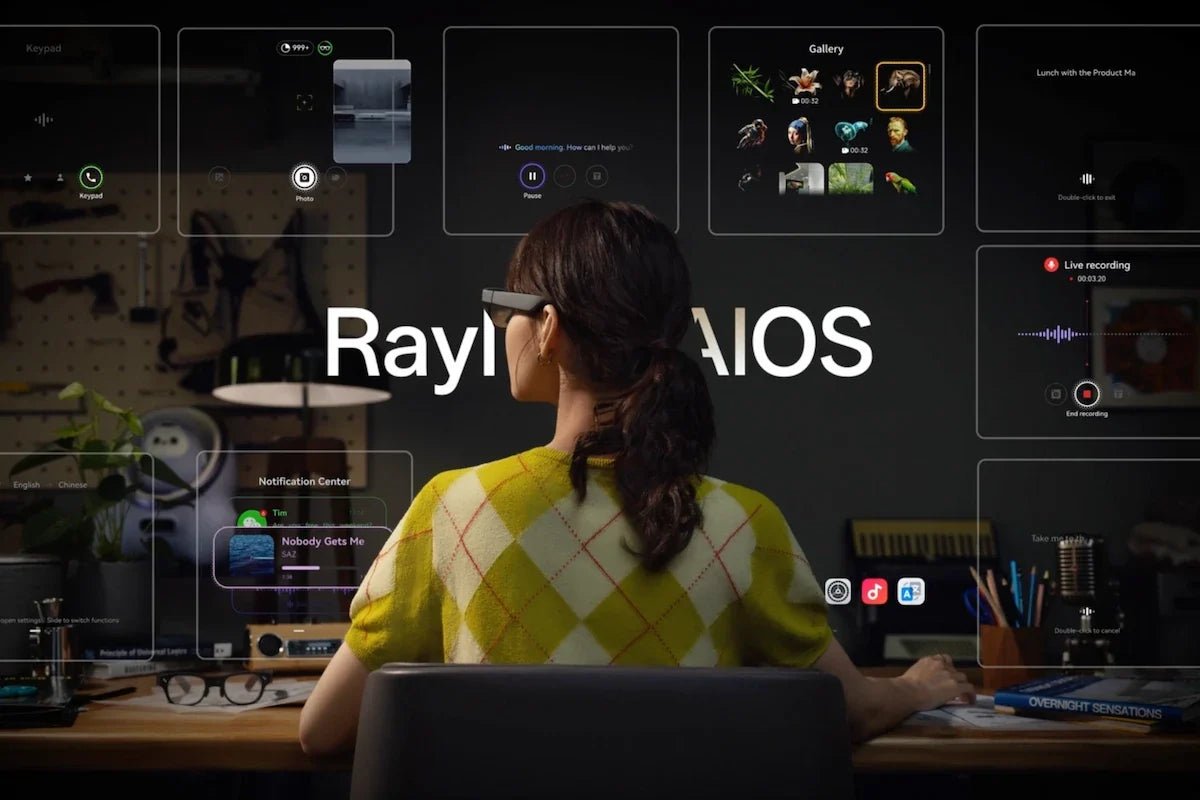
Imagine checking directions, translating a conversation, or capturing a first-person moment without stopping to pull out your phone. That is the appeal of smart glasses, but not every pair works the same way.
Some look like everyday eyewear and focus on AI assistance, audio, or cameras; others add transparent displays or create a large virtual screen for work and entertainment. In this guide, we’ll explain the main smart glasses categories, the features that matter, how AI fits into the experience, typical price ranges, and practical use cases.

Smart glasses are eyewear with embedded electronics—such as microphones, speakers, cameras, sensors, AI processors, or near-eye displays—that add digital functions without requiring you to hold a screen.
The important point is that smart wearable glasses are a broad category rather than one fixed type of device. Depending on the design, they can capture photos, provide audio or AI assistance, show captions and directions, or work as a virtual display.
Some operate largely on their own, while others rely on a smartphone or another connected device.
Smart glasses technology varies widely, so it is more useful to group glasses by what they actually do than by the “smart” label alone. These categories can overlap, a pair may have both a camera and display, for example, but the main output method usually tells you what the experience will feel like.
Audio-first glasses build microphones and open-ear speakers into a conventional-looking frame. They are mainly designed for calls, music, notifications, voice assistants, and spoken directions without putting earbuds in your ears.
These add a front-facing camera so you can capture first-person photos and videos or give a multimodal AI assistant visual context. Some models combine the camera with audio but do not include an in-lens display.
Display glasses place lightweight information—such as captions, notifications, prompts, translation, or navigation cues—inside your field of view. Transparent optical systems such as waveguides can keep the real world visible while adding digital information on top.
These glasses are designed primarily as a wearable display. Connect them to a compatible phone, laptop, tablet, or game console and they can create the perception of a much larger private screen for movies, gaming, or work.
More advanced models combine displays, cameras, sensors, onboard computing, and spatial tracking. Rather than simply mirroring a screen, they can support contextual AI, navigation, interactive AR interfaces, and digital content that responds to the wearer or environment.
The most important smart glasses features depend on what you want the glasses to replace—or reduce your reliance on.
A creator may care most about camera quality, while a traveler may prioritize translation and battery life, and someone buying display glasses should look closely at image quality and device compatibility.
A built-in camera makes hands-free, first-person capture possible, which is useful for travel, events, quick documentation, and POV content. Cameras can also give multimodal AI systems visual context, allowing supported glasses to answer questions about objects or scenes in front of you.
AI functions can range from basic voice commands to translation, object recognition, reminders, summarization, and contextual assistance. Camera-equipped models may also let AI work with visual input.
Where the processing happens varies. Some tasks can run on the glasses, while others may use a paired phone or cloud service.
Some smart glasses place speakers near your ears so you can listen to calls, music, directions, or assistant responses without blocking the ear canal. That can help you remain more aware of environmental sounds than with fully sealed earbuds.
Display-equipped smart glasses generally follow one of two approaches. Transparent near-eye displays can place text, icons, captions, or navigation cues over your normal view, while wearable display glasses can create a much larger virtual screen for content from another device.
The answer depends largely on what type of experience you want. Today’s smart glasses 2026 market includes simple audio-focused eyewear, camera-enabled AI glasses, display glasses, and more advanced AI+AR devices with dedicated processors and visual systems. Because these categories use very different hardware, prices can vary from a few hundred dollars to well over $1,000.
Entry-level smart glasses typically start at around $200–$400. Glasses in this range often focus on basic smart features such as audio, calls, voice assistants, or hands-free camera functions. They are usually designed for everyday convenience rather than advanced AR experiences.
Mid-range models generally fall around $400–$800 and may add more advanced features, such as improved AI capabilities, better cameras, higher-quality audio, or display functions. These glasses are often aimed at users who want a more capable wearable experience without moving into professional-level hardware.
Premium AI and AR smart glasses can cost $1,000 or more because they require more complex components, including advanced optical systems, displays, onboard computing, cameras, sensors, and spatial features. These devices are typically designed for users who want richer AI assistance, immersive AR experiences, or specialized productivity applications.
Once you have chosen the right pair, they will naturally fit into your existing routines. They can support travel, communication, content creation, and quick access to information.
New AI glasses combine microphones, cameras, AI processing, and connected services. Depending on the model, you can use them to ask questions, identify objects, get help, or translate speech. However, translation quality can vary due to accents, noise, language support, and network conditions, so it should be treated as a helpful tool rather than a replacement for human interpretation.
Camera-equipped smart glasses can make POV content creation easier by allowing creators to capture first-person photos and videos while keeping their hands free. They are useful for recording moments during travel, walks, or events without having to hold up a phone. However, creators should always follow venue rules and respect other people’s privacy before recording.
Built-in audio and communication features make lightweight smart glasses a convenient option for staying connected without adding bulky equipment. You can listen to music, take calls, or use voice controls while keeping your ears open to your surroundings. This hands-free design can make everyday activities more comfortable and convenient.
Most new AI glasses turn real-world input into a useful response through four basic stages: sensing, processing, context, and output.
1. Input: Microphones can capture voice commands or conversations, while camera-equipped glasses can also use images or video. Motion sensors may provide information about head movement or orientation.
2. AI processing: Depending on the device and task, processing can happen directly on the glasses, on a connected smartphone, or in the cloud. On-device processing can reduce latency and keep some tasks working without constantly sending data elsewhere, while cloud models can provide access to more computationally intensive AI services.
3. Context and services: The AI may combine your request with supported services such as navigation, reminders, translation, or other app information.
4. Output: The answer can reach you through audio, an in-lens display, captions, visual directions, or another supported interface.
That is why two pairs of AI smart glasses can feel completely different even if both advertise an AI assistant: the sensors, processor, display, connectivity, and software integration determine what the AI can actually do.
There is no single pair of smart glasses that fits every use case. Some people want discreet AI assistance they can wear through the day, others want full-color AR and navigation, while gamers and travelers may care more about having a large portable display.
These three RayNeo options are built around those different priorities.
Designed for people who want AI assistance without making their eyewear feel like another bulky device, RayNeo iO AI Glasses bring a transparent heads-up display and everyday productivity tools into a 34g frame with balanced 50:50 weight distribution.
The standout idea is simple: useful information stays within easy view, while your phone can spend more time in your pocket. A Personal Dashboard handles glanceable information, while features such as Life Log, Live Captions, and Voice Memo help keep track of conversations, ideas, and daily context.
Best for: Professionals, frequent travelers, meeting-heavy users, and anyone who wants discreet AI assistance, captions, reminders, and note-taking in glasses designed for everyday wear.
Key features:
For users who want more than notifications or audio assistance, the RayNeo X3 Pro AI+AR Smart Glasses bring full-color visual information, Gemini-powered AI, navigation, and AR applications into the same wearable.
Its strongest distinction is the combination of a dual-eye Full-Color MicroLED display and standalone AI+AR platform, so information can do more than simply appear as a basic text prompt.
You can use visual navigation, translation, AI assistance, apps, and spatial experiences without treating the glasses as only a phone accessory.
Best for: Tech enthusiasts, international travelers, developers, and users who want full-color visual AI, navigation, translation, apps, and more advanced AR capabilities in one pair of glasses.
Key features:

When your priority is a bigger screen rather than an always-on AI assistant, the RayNeo Air 4 Pro AR Glasses turn a compatible phone, laptop, tablet, or handheld console into a private wearable display.
They are especially well suited to movies and gaming, combining an up to 201-inch perceived virtual screen with HDR10 support and a 120Hz display experience. At 76g, they are also easy to pack for flights, hotel stays, commuting, or anywhere carrying a monitor is unrealistic.
Best for: Travelers, gamers, movie watchers, and mobile workers who want a large private screen from compatible USB-C devices without carrying a monitor or headset-style setup.
Key features:

By combining open-ear audio, cameras, AI tools, and display technology, smart glasses can support communication, travel, content creation, productivity, and entertainment. As these technologies continue to improve, they are making digital information easier to access without constantly relying on a phone.
Smart glasses can handle tasks such as playing audio, making calls, capturing photos and videos, providing voice assistance, and displaying information. Depending on the model, they can also support AI-powered translation, navigation, and visual assistance. Some connect to smartphones or other devices to access apps, entertainment, and productivity features.
Smart glasses can look similar to regular eyewear, so they may not always be easy to identify. Some models have visible cameras, distinctive speaker areas, touch controls, or recording indicator lights. If you’re unsure, asking the wearer is the clearest approach, especially when privacy or recording is involved.
Yes, smart vision glasses can work effectively, but their capabilities depend on the model and technology. Audio-focused glasses can handle calls and music, while camera-equipped models capture photos and videos. AI and display features may require compatible apps, internet access, or another device, so performance varies based on the intended use.







Share:
Smart Reading Glasses Explained: What Actually Helps You Read and See Better
What Do AI Glasses Do? How They Work and Who They’re For