

$449.00

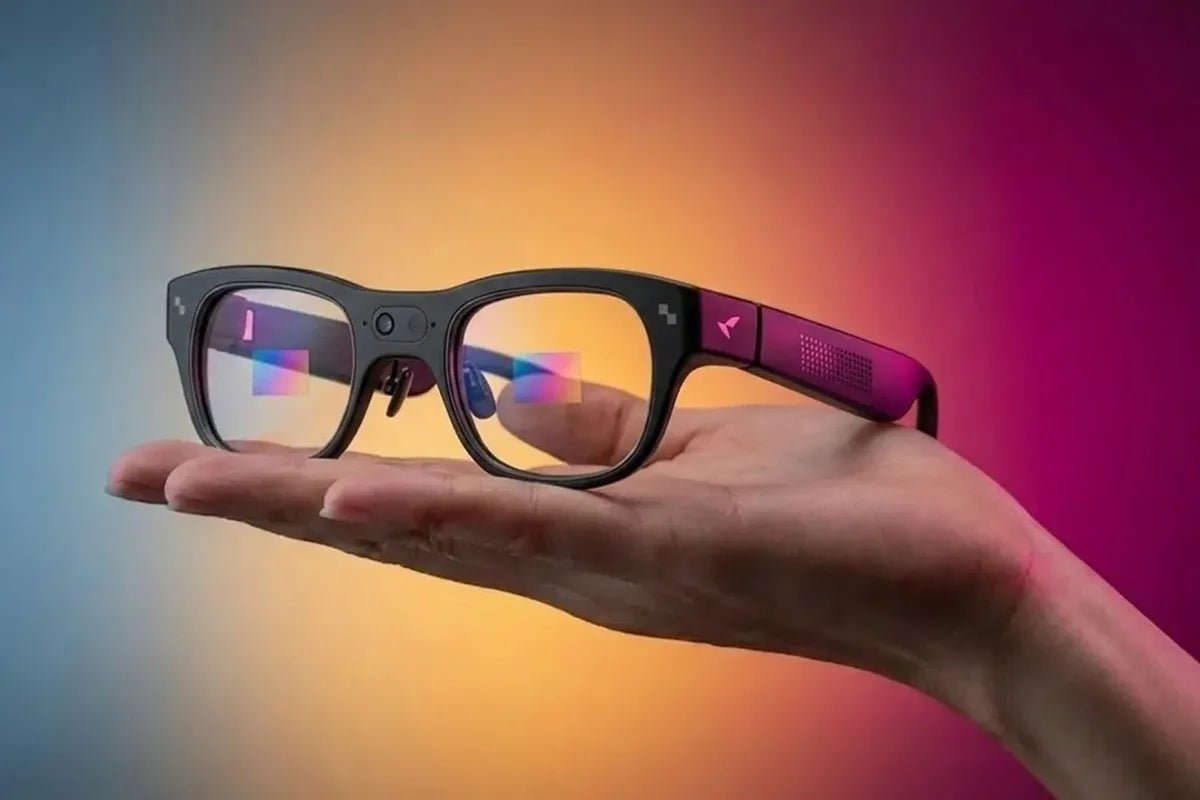
Smart prescription glasses combine vision correction with features such as voice AI, audio, cameras, calls, or augmented-reality displays. Prescription compatibility depends on the design: some frames accept prescription lenses much like conventional eyewear, while AR glasses may require dedicated prescription lenses or optical inserts. Before buying, check the supported prescription range, lens type, comfort, battery life, phone compatibility, total cost, and return policy.

The best smart prescription glasses depend on two questions: which smart features you want and whether the exact product supports your prescription.
| If You Need… | Look For… | Prescription Consideration |
|---|---|---|
| Voice AI, calls, and audio | AI/audio smart glasses | Often simpler prescription integration |
| Hands-free photos or visual AI | Camera-enabled smart glasses | Check supported lens configurations |
| Information displayed in your field of view | AI + AR display glasses | Check dedicated prescription lens or insert support |
Prescription correction is added to smart eyewear through either lenses fitted directly into the frame or a separate optical insert. The right solution depends on how the electronics, cameras, speakers, and display components are arranged.
Some smart glasses are designed to accept prescription lenses directly, depending on the frame and optical system. In these designs, an optical provider can fit compatible prescription lenses into the frame, allowing vision correction and smart features to work within the same pair of glasses.
This approach can feel most like wearing regular glasses. Depending on the frame and optical provider, compatible lens options may include single-vision or other specialized lens configurations. Progressive, tinted, and photochromic options should always be confirmed for the specific model before ordering.
AR glasses may use a dedicated prescription insert that works with the built-in display optics. The insert provides vision correction while allowing you to view the digital content produced by the glasses.
Prescription inserts are typically model-specific and use a mounting system designed for the glasses’ optical hardware. Because the insert must align correctly with the display, an ordinary pair of replacement lenses may not be a suitable substitute.
Compatibility depends on frame geometry, display optics, lens thickness, optical alignment, and the wearer’s prescription. Strong prescriptions can require thicker lenses that do not fit comfortably around electronics or sit correctly in front of a display.
Your pupillary distance and the position of each pupil also matter. Even a lens with the correct power can produce discomfort or blurred vision if it is not centered properly.
Prescription AI glasses and AR glasses can look similar, but they provide different experiences. AI or audio glasses generally keep your view unobstructed and deliver information through speakers, while AR glasses add visual content to the environment you see.
| Factor | AI / Audio Smart Glasses | AR Display Glasses |
|---|---|---|
| Main Experience | Voice, audio, AI assistance | AI plus visual information |
| Visual Display | Usually no | Yes |
| Prescription Integration | Often more conventional | More dependent on the optical system |
| Typical Uses | Calls, audio, voice assistance | Heads-up navigation, on-screen translation, notifications, visual AI |
| Optical Complexity | Generally lower | Generally higher |
AI/audio glasses may suit people who mainly want calls, music, voice assistance, or camera functions without a screen. Without a visual display, they may feel closer to conventional eyewear and can be a better fit for users who prioritize audio and voice interaction.
AR glasses are more appropriate when visual information is central to the experience. They can be useful for navigation, on-screen translation, notifications, or visual AI, but their display optics can make fit, battery life, and prescription compatibility more important considerations.
There is no universal prescription range for smart glasses. Support depends on the model, optical design, lens material, frame size, and whether correction is provided through direct lenses or an insert. Always compare your prescription with the manufacturer’s current requirements.
| Lens Type | What to Check |
|---|---|
| Single-Vision | Supported SPH range and lens configuration |
| Progressive / Multifocal | Frame and optical-system compatibility |
| Photochromic | Availability with the selected prescription solution |
| Astigmatism Correction | Supported CYL and axis values |
| Stronger Prescriptions | Lens thickness and optical limitations |
| Prescription Inserts | Compatibility with the specific AR system |
Your prescription may include several values that affect compatibility:
Choosing the best prescription smart glasses is easier when you evaluate the smart features and optical solution together. Use the following framework before comparing prices or designs.
Start with the biggest product distinction. Choose AI/audio functionality if voice and audio are sufficient for your needs. Consider AR glasses if you want navigation, translation, notifications, or visual AI information displayed in your field of view.
Compare your SPH, CYL, axis, PD, and ADD, where applicable, with the exact model’s supported prescription solution. Do not assume that a frame advertised as “prescription-ready” supports every prescription or lens type.
Determine whether you need single-vision, progressive, photochromic, astigmatism correction, or another lens configuration. If you use photochromic lenses, confirm that they are available with the specific frame and prescription-ordering process.
Check frame dimensions, weight, bridge design, temple thickness, nose pads, and hinge movement. Smart glasses may weigh more than ordinary frames because of their batteries, speakers, cameras, and processors.
For AR models, optical alignment is especially important. The frame should remain stable when you walk, look down, or adjust it. Comfort matters because smart glasses are most useful when you can wear them for extended periods.
Review expected battery life, charging methods, wireless connectivity, required apps, and operating-system compatibility. Also check whether the glasses work independently or rely on a compatible phone or internet connection for specific features.
The purchase price may not include prescription lenses, inserts, coatings, photochromic treatment, fitting, shipping, or future lens replacement. Compare the complete cost rather than the frame price alone.
Camera and microphone features deserve particular attention. Check how recording is indicated and how permissions can be managed. Also review warranty coverage, return deadlines, prescription-lens policies, replacement options, and after-sales support before placing your order.
If you want both AI assistance and information displayed directly in your field of view, choose smart glasses designed specifically around an integrated AI+AR system.
Best for: Users who want prescription-compatible AI glasses with a full-color heads-up display for navigation, translation, visual information, and hands-free assistance.
The RayNeo X3 Pro AI+AR Glasses combine AI assistance with a binocular full-color MicroLED display, making them well suited to users who want navigation, translation, visual information, and hands-free interaction directly in their field of view. Prescription lenses are available separately through RayNeo’s official prescription lens partner.
When ordering smart glasses with prescription lenses, confirm both the optical requirements and the smart features before placing your order.
If you experience persistent blur, headaches, double vision, or eye strain, stop using the glasses and consult an optician or your optical provider.
The right smart prescription glasses should match both your vision needs and the smart features you actually plan to use. Start by choosing between an AI/audio experience and an AR display, then confirm prescription compatibility, fit, and everyday usability.
For shoppers who want both AI assistance and a full-color visual AR experience, RayNeo X3 Pro brings these capabilities together in a standalone glasses-style design. If you need vision correction, review the available prescription lens solution and confirm your prescription details before ordering so your smart prescription glasses provide both the digital experience and visual clarity you need.
Yes, many smart glasses can use prescription lenses, but compatibility is model-specific. Some frames accept lenses fitted directly into the eyewear, while AR models may require dedicated prescription inserts. Check supported prescription powers, lens types, required measurements, and the manufacturer’s recommended ordering process before purchasing. “Prescription-ready” does not necessarily mean every prescription is supported.
Sometimes. Progressive and photochromic lens availability depends on the specific frame, optical system, and prescription solution. Confirm progressive-lens support, photochromic options, astigmatism correction, and prescription limits for the exact model before ordering.
Smart glasses do not share one universal prescription range. The supported range depends on the frame, lens thickness, optical alignment, and whether correction uses direct lenses or an insert. Your SPH, CYL, axis, PD, and ADD can all affect eligibility. Have the manufacturer or an optician verify your prescription before purchase.





Share:
11 Valentine’s Day Gifts That Are More Affordable Than They Seem
What Are Smart Glasses? A Guide to Smart Eyewear