


$429.00

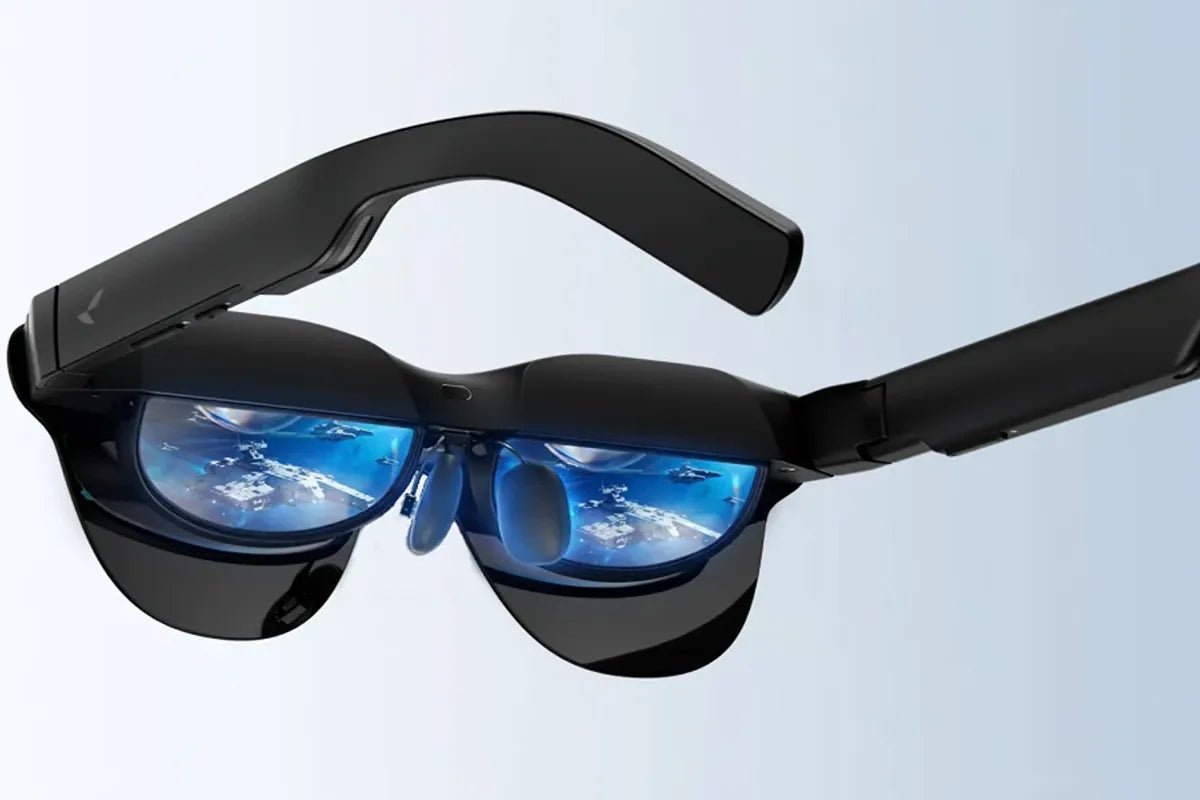
What are the smart glasses with display, and how do they differ from other smart eyewear? These glasses use built-in displays and optical systems to show information, images, or virtual screens in your field of view. Unlike audio-only smart eyewear, they provide visual content. Models such as RayNeo Air 4 Pro focus on entertainment, gaming, and portable big-screen viewing.

Smart glasses with a display are wearable glasses that show digital images, text, or video through built-in screens and lenses. They may look similar to ordinary eyewear, but they incorporate display electronics and may also include processors, sensors, speakers, and connectivity hardware, depending on the model.
Some smart glasses offer only audio, cameras, voice assistants, or AI features. Those products can be useful, but they do not qualify as display spectacles if they cannot place visible content in front of the wearer’s eyes.
Display glasses may receive content from a phone, computer, game console, media device, or onboard application. Tiny displays and optical elements then direct the image toward the wearer’s eyes.
To the user, the result can look like floating text, a transparent overlay, or a large virtual screen positioned at an apparent distance. The exact experience depends on the optics, field of view, tracking, brightness, and software.
A micro-display is a very small screen located inside the frame. Optical components enlarge and redirect its image so your eyes can focus on a virtual picture rather than the tiny panel itself.
Products sometimes described as glasses with screen display may connect through USB-C, DisplayPort, an adapter, Bluetooth, Wi-Fi, or a companion device, depending on the model. A wired connection is often used for video because it provides stable image quality and low latency.
Compatibility varies by model and device. Before purchasing, confirm video-output support and whether an adapter or accessory is required.
The term “AR glasses” can describe several different products, so it is more useful to classify display glasses by how they present images and what they are designed to do.
Monocular display glasses project information into one eye. They are often designed for quick-glance tasks such as navigation prompts, work instructions, inventory data, notifications, or teleprompter-style text.
Binocular AR glasses present images to both eyes and may place digital objects over the real environment. More advanced models may add capabilities such as spatial mapping, hand tracking, depth sensing, or spatially anchored virtual content.
Wearable video glasses create a private virtual screen for content from a connected device. They are popular for watching movies, playing games, traveling, or working away from a traditional monitor.
Professional models are built for hands-free work. They may display repair instructions, warehouse information, equipment data, remote-expert video, or step-by-step procedures.
Available features depend on the glasses, software, accessories, and connected device. Common possibilities include:
Some display glasses can show incoming messages, calendar information, or navigation prompts without requiring you to look down at a phone. Compatible applications may also provide live translation, captions, or visual alerts.
Glasses with a screen can act as portable personal displays for movies, games, or computer content. They are especially useful while traveling or anywhere you want a large personal viewing experience without carrying a full-size monitor.
In professional environments, display glasses can show instructions while keeping both hands free. A worker might see a wiring diagram, a checklist, or a live video feed from a remote expert.
Category boundaries overlap, and manufacturers do not always use terms consistently. In particular,“AR glasses” may refer to anything from a transparent information overlay to video glasses with a virtual screen.
| Category | Display Type | Immersion | Typical Use | Connectivity | Portability | Major Limitations |
|---|---|---|---|---|---|---|
| Audio/AI smart glasses | No visual display | Low | Calls, music, voice assistants, cameras | Bluetooth, phone apps | Very high | Cannot show visual content |
| HUD/display glasses | Small monocular or limited overlay | Low to moderate | Notifications, navigation, work prompts | Phone, wireless connection, or onboard software | High | Limited viewing area |
| AR/display glasses | Binocular see-through display | Moderate to high | Spatial apps, visualization, training | Phone, computer, or wireless connection | Moderate | Higher cost and software complexity |
| Wearable virtual-monitor glasses | Large virtual display | Moderate for video | Movies, gaming, portable displays | USB-C, adapters, computers, or consoles | High | Limited interaction with the physical environment |
| VR/MR headsets | Enclosed stereoscopic displays | High | Immersive games, simulation, mixed reality | Computer, console, or standalone | Lower | Bulkier and less convenient for everyday mobile use |
Display glasses provide visual content, while audio smart glasses focus primarily on calls, music, and voice interaction.
Display glasses broadly present visual content, while AR glasses typically combine digital content with the physical environment; virtual-monitor glasses mainly emphasize a large personal screen.
VR and MR headsets generally provide greater immersion and more advanced tracking but are bulkier than lightweight display glasses.
Specifications matter, but comfort, visibility, compatibility, and your intended device are equally important.
Look for resolution, contrast, brightness, field of view, and refresh rate. Higher resolution can improve text clarity, a wider field of view can make content feel larger, and higher refresh rates can make motion smoother. Overall image quality also depends on the display panel, optics, and ambient lighting.
Even lightweight display glasses can feel tiring if the nose pads, temple arms, or cable are poorly designed. Consider how long you expect to wear them and whether the frame stays stable when you move.
Prescription support differs by model. Some models support prescription inserts or custom prescription lenses, while others offer limited or no prescription correction options. Confirm the supported prescription range before ordering.
Some glasses draw power from a connected device, while others use an external or built-in battery. Check power requirements, expected runtime where applicable, and available onboard controls.
Confirm compatibility with iPhone, Android, Windows, macOS, handheld consoles, and gaming systems individually. USB-C does not automatically guarantee video support.
If the glasses include cameras or microphones, review their recording indicators, privacy controls, and app permissions. Also consider warranty coverage, software support, and any accessories required for your intended setup.
Factor required adapters, prescription inserts, and other essential accessories into the total cost.
The simplest buying process is to start with your main use case, then confirm the display requirements, device compatibility, comfort, and total cost.
Make a list of the devices you plan to use and confirm whether they support the required video connection or need an adapter. Also check operating-system compatibility and whether wired or wireless connections best suit your intended use.
If possible, try the glasses before buying or choose a retailer with a suitable return policy so you can evaluate comfort and visual clarity during real-world use. Look for eye strain, pressure points, blurred edges, reflections, and difficulty seeing the screen in your usual environment.
If you need vision correction, confirm prescription-insert availability and fit before purchasing.
The RayNeo Air 4 Pro AR Glasses are display-focused AR glasses designed for movies, gaming, and portable big-screen viewing. Their emphasis on display quality, smooth motion, and integrated audio makes them particularly suitable for travelers, movie viewers, and gamers who want a large personal screen without carrying a monitor.
Users who prioritize navigation, notifications, camera-based assistance, or advanced spatial computing should consider a different class of smart glasses.
Smart glasses with displays can be worthwhile for hands-free information, AR applications, workplace guidance, or portable big-screen viewing. Key considerations include compatibility, comfort, visibility, power requirements, and software support.
If you are asking “what are the smart glasses with display,” they range from simple HUD eyewear to spatial AR devices and wearable virtual monitors. The right choice depends on your main use case. For entertainment-focused users, RayNeo Air 4 Pro is designed for movies, gaming, and portable big-screen viewing from compatible devices.
No. Some smart glasses provide only audio, cameras, voice assistants, or AI features. If you need a visual display, check specifications such as resolution, brightness, field of view, and supported video input.
Yes. Compatible display glasses can show movies or function as a virtual monitor when connected to a supported phone, computer, handheld console, or other video source. For extended office work, however, comfort and text clarity vary by product and user.
Not always. Display glasses include any smart eyewear with a visual display, while AR glasses usually add digital content to a view of the real world. Some video glasses are marketed as AR glasses even when their primary function is providing a large virtual screen.
Many models work with iPhone or Android, but compatibility is not universal. The phone may need video output, a special adapter, or a companion app. Wireless features can also vary between operating systems. Check the manufacturer’s compatibility list for your exact phone model before purchasing.
Often, yes, but support varies by model. Some display glasses accept prescription inserts or custom lenses, while others offer limited correction options. Check the supported prescription range before purchasing.







Share:
Oakley Meta HSTN Smart Glasses: Are There Better Alternatives?
What are the Best Alternatives for Meta Smart Glasses?