

$429.00

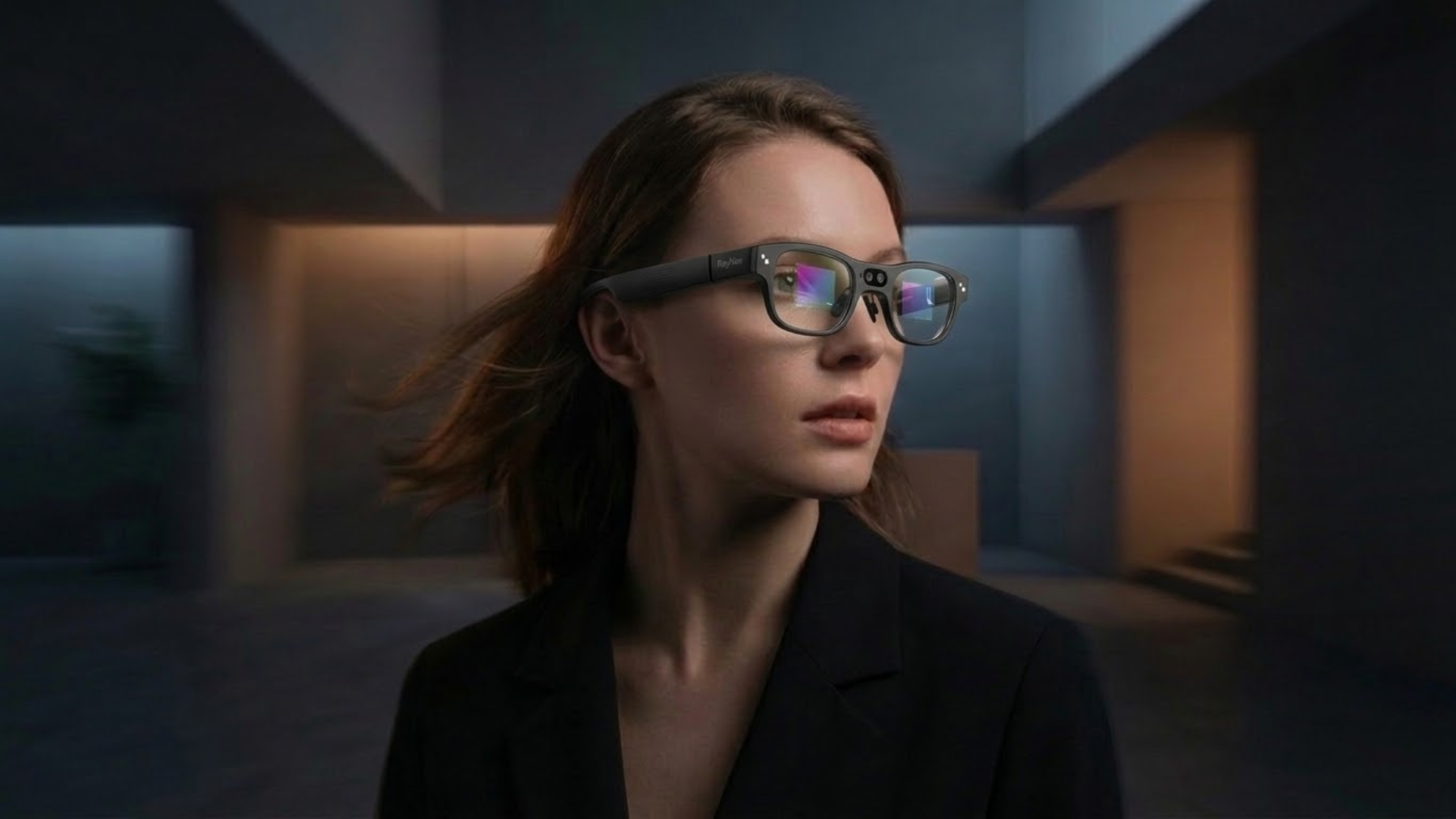
Whether a pair of smart glasses passes as everyday eyewear comes down to a handful of concrete things: frame thickness, how tinted the lenses are, how many color or style choices are available, and whether any hardware detail (a camera lens, a blinking light, a visible logo) signals "this is a gadget" before anyone notices what it actually does.
Function and style pull in opposite directions here. A display or a camera needs physical space and power that a plain frame doesn't, and that space usually shows up as extra bulk. If you've ever tried on a pair of AR glasses and felt the frame sit noticeably thicker on your face than your regular glasses do, that's exactly the trade-off at work.
That trade-off plays out differently depending on what a given pair of smart glasses is actually built to do. Camera-only glasses with no screen can stay closest to a normal frame profile, since there's no optical engine to fit behind the lens. Glasses that add a display, RayNeo's Air series among them, need more room and usually ship with tinted lenses so the projected image has enough contrast to read clearly. Glasses that combine a camera, a display, and onboard AI, like RayNeo's X3 Pro, tend to land at the thicker end of that scale, because they're carrying the most hardware.
None of that makes any category "unstylish" outright. It just means the honest answer to "which smart glasses look normal enough for everyday wear" depends on which trade-off you're willing to make, and that's what this guide walks through.
Before comparing specific models, it's worth breaking "looks good day to day" into the factors that actually drive it, since these are the same factors that separate a pair you'd wear to the office from one you'd only wear at home.
A plain pair of glasses is just lenses and a frame. The moment you add a display, you're also adding an optical engine (a projector, a waveguide or birdbath lens system, and driver electronics) that has to sit somewhere in or behind the frame. Add a camera and you're adding a sensor, image processor, and usually a bigger battery to keep it running. All of that hardware has to go somewhere, and "somewhere" is almost always the front of the frame, exactly where a normal pair of glasses is thinnest.
This is a physical constraint, not a design failure on any one brand's part. It's also why the market splits into the rough tiers described above: less hardware packed behind the lens generally means a slimmer, lighter result, and more hardware means more bulk that has to go somewhere.
RayNeo currently sells two different kinds of smart glasses, and they land in different spots on that spectrum for different reasons.
The RayNeo Air 2s, Air 3s Pro, and Air 4 Pro are display-only AR glasses (no camera), built for watching video, gaming, or mirroring a laptop screen rather than being seen. RayNeo lists all three at 76 grams with an adjustable 9-point FlexiFit frame, which keeps them comfortable enough for a long flight or a full work session, and side by side, the three models share a similar overall frame profile.
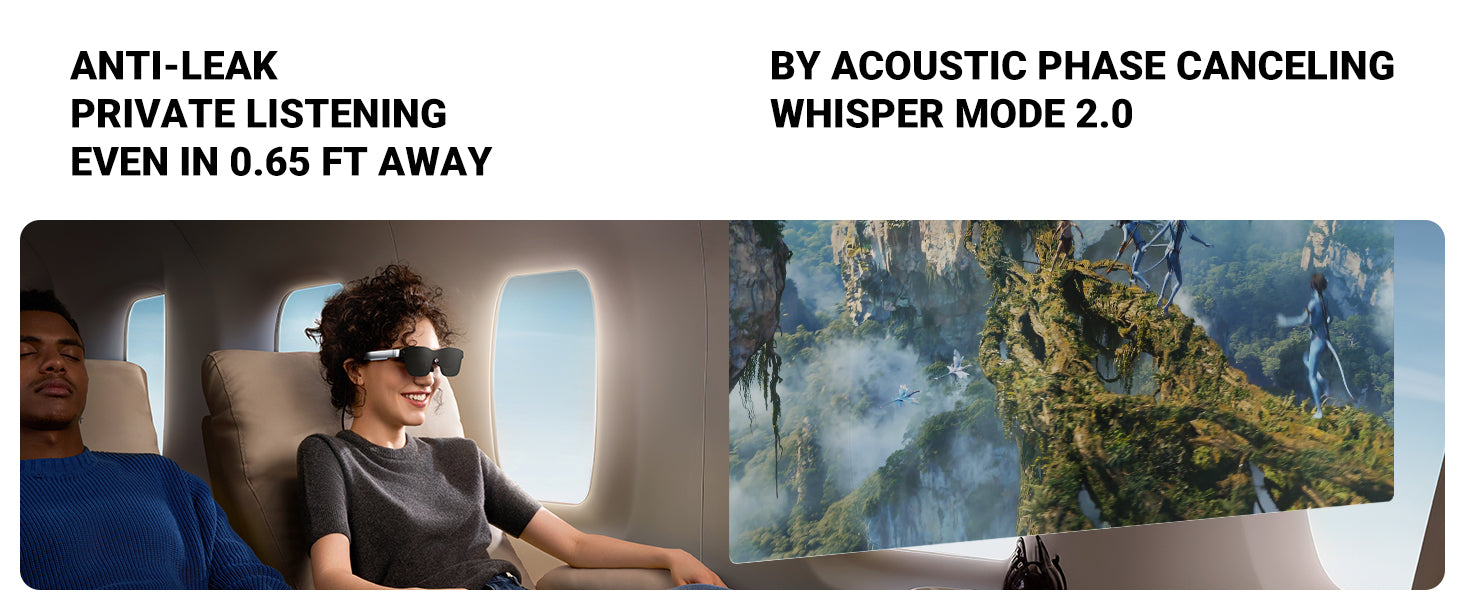
Where the Air series runs into a real limit for everyday style is the lenses. Because the birdbath-style optical system behind the lens needs enough contrast to display a bright image, independent reviewers, including Gaming Nexus in its Air 3s Pro coverage, describe the lenses as noticeably dark-tinted. That's a deliberate engineering trade-off, not a flaw, but it means the Air series reads visually more like sunglasses than like clear everyday eyewear, even indoors under normal office lighting. If you're picturing wearing them at a desk next to coworkers the way you'd wear ordinary glasses, that's not really what they're built for.
RayNeo's product pages for the Air 2s and Air 3s Pro, checked as of August 2026, don't offer a color or frame-style selector at checkout; each ships in the single finish shown on its product page. The Air 4 Pro is the exception. Alongside its Standard edition, RayNeo also sells a Justice Edition and a Chaos Edition, a themed collaboration built around Batman and the Joker, each with its own detachable lens shade design and matching insignia detail. The display, optics, and core hardware are identical across all three Air 4 Pro editions; what changes is the shade design and a few cosmetic touches, not a lineup of everyday, mix-and-match colorways the way a mainstream eyewear brand might offer.
For prescription wearers, each Air model handles correction a little differently: the Air 2s uses clip-on Lensology lenses, the Air 3s Pro uses a magnetic Lensology insert (myopia up to -10.00D, astigmatism up to -2.00D), and the Air 4 Pro uses a magnetic prescription frame rated up to 1000 degrees of myopia.
Tip: none of these approaches make the smart-glasses hardware disappear visually. They add correction on top of the same tinted, display-equipped frame, so if you wear glasses specifically because they're unobtrusive, that's worth factoring in before you buy.
The RayNeo X3 Pro takes a different design approach. Instead of the more rounded, dark-lensed look of the Air series, it uses a squared-off, thick-rimmed black frame that several independent reviewers, including Tom's Guide and TechRadar in their respective X3 Pro reviews, have described as taking visual cues from a classic Wayfarer silhouette. That's a deliberate attempt to look closer to a familiar, everyday frame shape than a typical AR headset does.

It doesn't fully close the gap, though. The same reviews that note the Wayfarer-style shape also flag that the frame is noticeably thicker and boxier than an ordinary pair of glasses once you're actually wearing it, since the front of the frame has to house a 12MP camera, a depth sensor for AR tracking, dual MicroLED displays, and the battery and processor that run all of it. RayNeo's own product page lists the same 76-gram weight as the Air series, but that weight is concentrated more toward the front of the frame, which is part of why reviewers describe the look as "chunky" rather than "invisible."

There's also a practical style factor worth flagging: the front-facing camera lens itself is a visible cue that marks the glasses as more than ordinary eyewear, whatever else is or isn't happening on the frame around it. RayNeo's product materials don't specify whether the X3 Pro includes a separate recording indicator light, so that detail stays unconfirmed here rather than something we state as settled.
RayNeo's US and EU product pages, checked as of August 2026, list the X3 Pro in a single black finish, with no color or frame-shape options at checkout. Prescription support runs through RayNeo's Lensology lens partners for nearsighted (myopia) correction, though the exact diopter range and regional availability aren't detailed on the product page itself.
None of RayNeo's current models offer the kind of everyday, mix-and-match color lineup a traditional eyewear collection might, where the same frame comes in five or six colors to match different outfits or face shapes. The Air 4 Pro's Justice and Chaos editions add a themed lens shade on top of the same core hardware, but that's a limited collectible variant, not a rotating everyday colorway. That's the honest trade-off to weigh here, not something to gloss over.
So the decision mostly comes down to what you're not willing to give up. If passing as ordinary glasses in every setting, with a choice of colors or shapes, matters more to you than a display or a camera, a camera-only pair of smart glasses built through an eyewear-brand partnership is likely to get you closer to that goal.
If what you actually want is the AR screen for video, gaming, or work, or the camera-plus-AI functionality for translation, navigation, and hands-free capture, RayNeo's Air series and X3 Pro are reasonable options within their own categories, as long as you go in knowing what you're trading for that functionality.
| RayNeo Air 2s / Air 3s Pro / Air 4 Pro | RayNeo X3 Pro | Camera-Only Smart Glasses (No Display) | |
|---|---|---|---|
| Category | Display-only AR glasses | Standalone AI+AR glasses with camera | Camera-only smart glasses |
| Weight | 76g | 76g | Noticeably lighter than either RayNeo model, since there's no optical engine to carry; exact figures vary by brand and frame style |
| Lens look | Dark-tinted (needed for display contrast); reads like sunglasses indoors | Clear lenses over a thick black frame | Clear lenses, closest to standard eyewear thickness |
| Frame style | Rounded, similar profile across all three models | Squared, Wayfarer-inspired but noticeably thicker than ordinary glasses | Closest to a conventional glasses/sunglasses silhouette |
| Color/style options at checkout | Air 2s & Air 3s Pro: single finish, no selector. Air 4 Pro: Standard edition plus limited Justice/Chaos themed lens shades (same core hardware) | Single black finish, no color selector | Often multiple frame styles and colors through an eyewear-brand partnership |
| Visible tech cues | None beyond frame thickness | Visible camera lens (separate recording indicator light not confirmed) | Front-facing recording LED, visible camera lens |
| Best for | Watching video, gaming, working on a virtual screen | Camera capture, AI translation, hands-free tasks | Everyday-passing looks with lightweight hands-free photo/video |
| Official price (at time of writing) | 159−299 depending on model | 1, 299(1,099 early-bird pricing has been offered) | Varies by brand and frame style |
Prices, colors, and lens details are based on RayNeo's official product pages as of August 2026 and are subject to change. Always confirm current specs and pricing on rayneo.com before purchasing.
Do any smart glasses look exactly like regular glasses? Not quite, once a display or camera is added. Camera-only smart glasses with no screen get closest to a normal profile. Anything with a display needs extra depth behind the lens, and combining a camera, display, and AI processor in one frame adds the most bulk of the three.
Why do RayNeo's Air series glasses have tinted lenses? The Air 2s, Air 3s Pro, and Air 4 Pro use a birdbath-style optical system that projects the display image onto the lens. That system needs enough contrast against ambient light to look clear, which is why the lenses are noticeably tinted rather than fully clear. It's a functional trade-off for display brightness, not a styling choice.
Can I wear RayNeo Air glasses or the X3 Pro at the office all day? Comfort-wise, yes: RayNeo lists all four models (Air 2s, Air 3s Pro, Air 4 Pro, X3 Pro) at 76 grams with adjustable frames, which is workable for a full workday. Visually, neither is marketed as a discreet daily-office pair the way clear prescription glasses are, since the Air series' tint and the X3 Pro's frame and camera lens are both noticeable indoors.
Does RayNeo offer different frame colors for its smart glasses? Mostly no, with one exception. The Air 2s, Air 3s Pro, and X3 Pro each ship in a single finish, with no color or frame-shape selector at checkout. The Air 4 Pro is the exception: alongside its Standard edition, RayNeo sells a Justice Edition and a Chaos Edition with themed lens shades tied to a Batman/Joker collaboration. That's a limited, collectible variant, not an everyday color lineup like the multi-colorway options some traditional eyewear brands sell.
Is a thicker smart-glasses frame automatically less stylish? Not necessarily; it depends on what you're optimizing for. A thicker, Wayfarer-inspired frame like the X3 Pro's can still look intentional, especially if that silhouette suits your face shape. But if your goal is to have the glasses go unnoticed as "smart" hardware, thickness and a visible camera lens work against that regardless of how well the shape is styled.
Does face shape affect how smart glasses look? Yes, the same way it affects any eyewear. Rounder faces tend to balance out with squared or angular frames like the X3 Pro's Wayfarer-inspired shape, while angular faces often pair better with the Air series' more rounded profile. That said, added frame thickness and lens tint still read as "tech" regardless of face shape, so shape alone won't make bulkier hardware disappear.
Are tinted lenses like the Air series' a problem outdoors? Less so than indoors. Outdoors in daylight, the Air series' tinted lenses function similarly to sunglasses, so the tint doesn't stand out the way it does at a desk under indoor lighting. The X3 Pro's clear lenses don't offer that same built-in sun protection, so in bright outdoor conditions you'd likely still want separate sunglasses or a prescription-tinted option through RayNeo's Lensology partners.
If you're weighing an immersive AR screen against a slimmer everyday profile, the fastest way to settle it is to compare specs and current pricing side by side on RayNeo's product pages for the Air 2s, Air 3s Pro, Air 4 Pro, and X3 Pro before deciding which trade-off you're comfortable making.







Share:
Best Smart Glasses with Bluetooth for Calls and Music
Safety Glasses With a Camera for Worksite Recording and Inspections