

$429.00

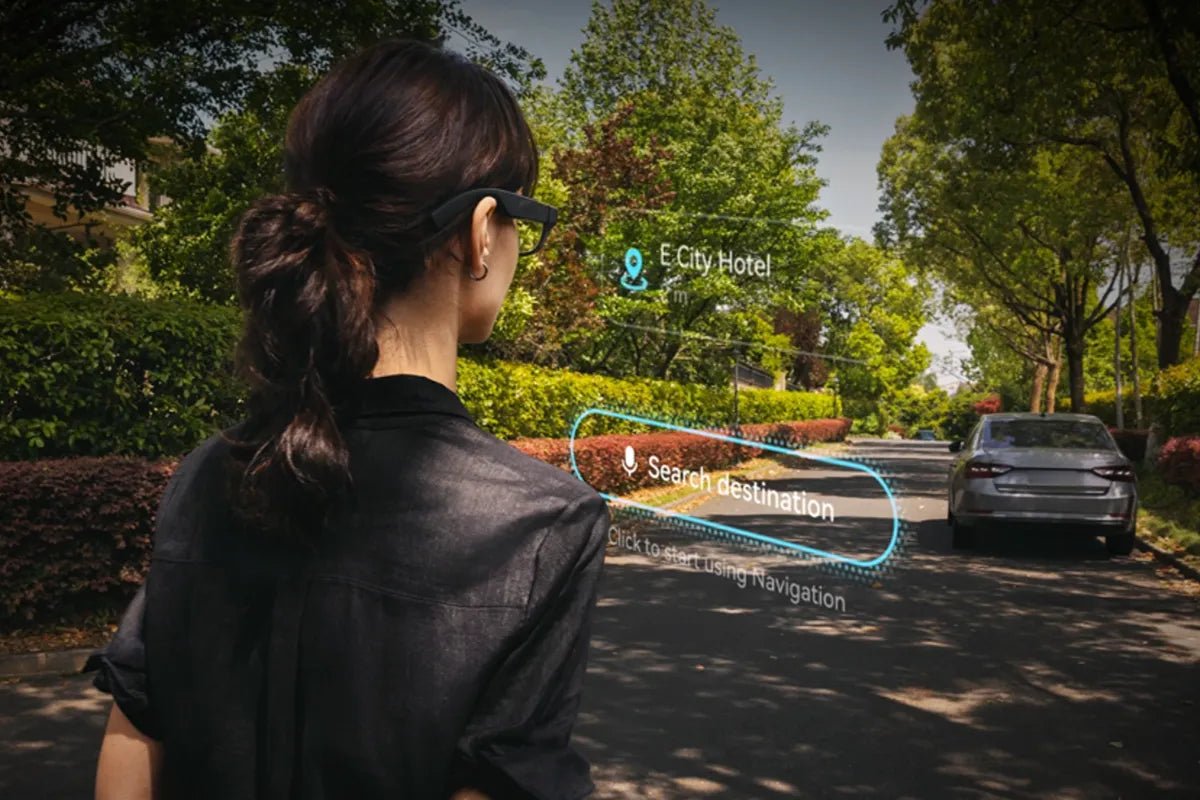
Smart glasses with HUD bring digital information directly into the user's field of view through a transparent display, allowing quick access to navigation, notifications, translations, and other useful data without constantly checking a smartphone. By combining optical technology with compact displays, these glasses create a more convenient hands-free experience for daily activities.
This guide explains how HUD smart glasses work, the key factors to consider before buying, and how to choose the right type for your needs.

Smart glasses with HUD use transparent displays and optical technology to place digital information in your field of view. They are designed for quick access to navigation, notifications, translation, and other information without constantly checking a phone. When choosing a pair, focus on display quality, comfort, compatibility, battery life, and whether you need HUD information or a larger AR screen experience.
HUD smart glasses work by combining a microdisplay, optical components, and transparent lenses to project digital images into the user's field of view. The process begins with a tiny light engine that generates the image, which is then directed through an optical system into the user's eyes.
Many smart glasses use advanced microdisplay technologies, including MicroLED or Micro-OLED, to create bright and detailed visuals in a compact form. The optical system, which may use technologies such as waveguides or reflective optics, guides the projected light through the lens and positions the virtual image so it appears in front of the user while keeping the lens transparent.
When the projected image reaches the eye, the brain combines the digital information with the surrounding environment, creating a head-up display effect. This allows users to view virtual content while maintaining awareness of the real world around them.
Choosing the right HUD smart glasses depends on how you plan to use them. Before comparing models, consider the type of information you want to see, how long you will wear them, and whether they fit your daily devices and needs.
The display determines what content the glasses can show and how clearly you can view it.
Since HUD smart glasses are designed for regular use, comfort directly affects whether you will keep using them.
The software experience determines what your smart glasses can actually do.
For users who wear prescription glasses, lens compatibility is an important buying factor.
Smart glasses with HUD features are most useful when you need quick access to information without checking a phone. Common use cases include:
Different smart glasses are designed for different needs. If you want digital information to appear within your view while staying aware of your surroundings, a HUD-focused design is the better choice. If your priority is entertainment, gaming, or creating a private large screen, AR display glasses are more suitable.
RayNeo X3 Pro AI+AR Smart Glasses are designed for users who want information displayed in their field of view during daily activities. They combine a transparent HUD experience with AI features, making them suitable for navigation, translation, hands-free assistance, and quick information access.
Key features include:
Best suited for:

Not all smart glasses are designed as HUD devices. RayNeo Air 4 Pro AR Glasses are designed as AR display glasses rather than HUD smart glasses. Instead of placing small information overlays in your view, they create a large private virtual screen for watching content, gaming, and productivity.
Key features include:
Best suited for:

Choosing the right smart glasses depends on how you plan to use them. Smart glasses with HUD are designed for quick access to essential information through a glanceable display, while AR display glasses focus on larger virtual screens for entertainment and productivity. Understanding the difference between these technologies helps you select a device that matches your daily activities, comfort preferences, and functional requirements. Consider display quality, compatibility, comfort, and intended use before making a decision.
Yes, both RayNeo models support prescription lens options, though the lenses are ordered separately. X3 Pro supports snap-on custom prescription lenses through partner lens makers, and ships with interchangeable nose pads for different face shapes. Air 4 Pro includes a magnetic insert frame that accepts custom lenses for myopia up to 1000 degrees, hyperopia up to 800 degrees, and astigmatism up to 200 degrees. Budget for the lenses when you buy, and start with your current prescription.
Treat this carefully. No US federal law directly addresses smart glasses, so drivers fall under state distracted-driving and video-display rules. California, for example, restricts video screens visible to the driver under Cal. Veh. Code § 27602, and NHTSA treats any attention-diverting device as a distraction risk. Never wear a full-screen display while driving or cycling. Check your state and local rules first. This is general information, not legal advice.
Generally yes, but check the compatibility list for your exact handset before you buy, since support varies by model and system version. X3 Pro runs its own Android-based OS and pairs with the RayNeo app over Bluetooth and Wi-Fi. Air 4 Pro needs no app at all: it plugs into any device with a USB-C port that supports DisplayPort Alt Mode, including recent iPhones, USB-C Android phones, laptops and handhelds.







Share:
AR Glasses for Gaming: What to Know Before You Buy
Smart Glasses with Translation: A Complete Guide to Features, Benefits, and Buying Tips