

$429.00

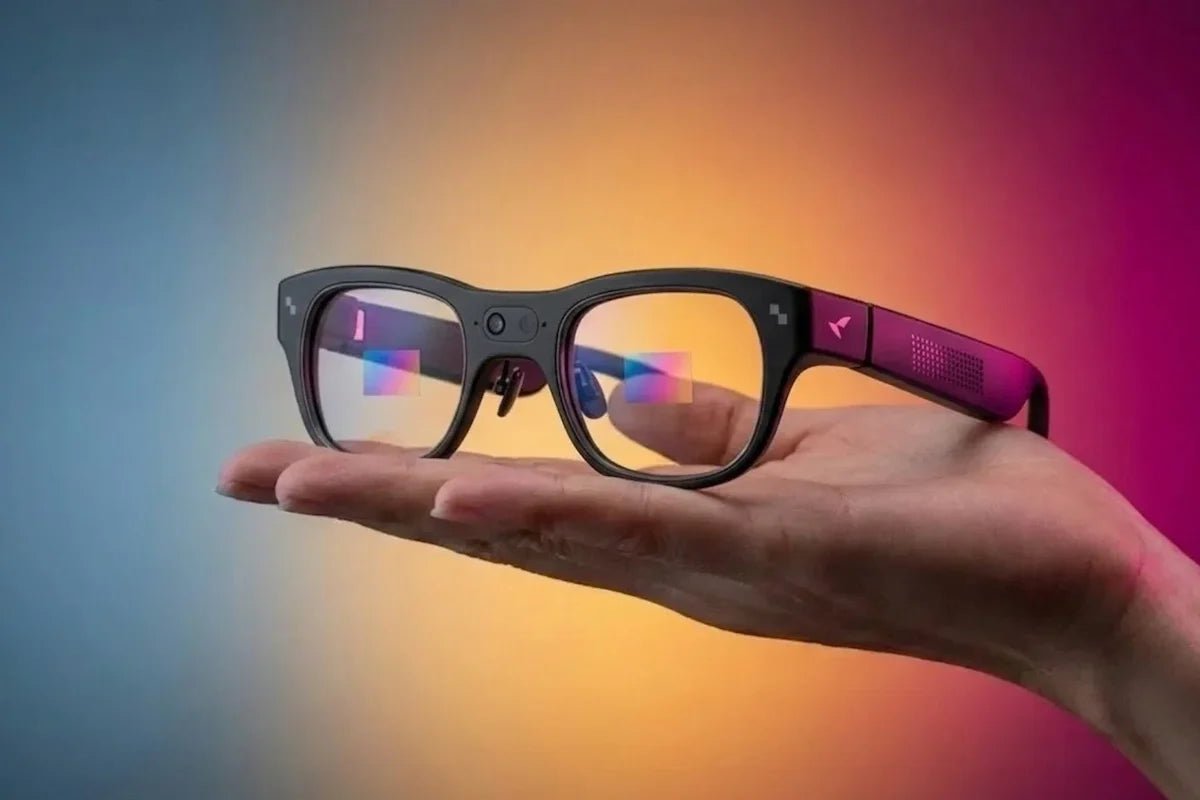
AI is making smart eyewear more useful in moments that would normally send you reaching for your phone. The best smart glasses with AI assistant can answer questions, translate conversations, organize information, and display useful prompts directly in your view. Yet the experience varies depending on whether the glasses use audio, a camera, or a heads-up display.
Those design choices also affect weight, battery life, and price. Lightweight AI glasses may be better suited to everyday communication and work, while advanced AR models can add visual navigation and richer on-screen information. This guide compares the main options to help you choose the right model for your needs.

Smart glasses with an AI assistant combine an eyewear-style frame with software, microphones, connectivity, and, depending on the design, a display, camera, or speakers. The assistant may answer voice questions, summarize conversations, translate speech, analyze what a camera sees, or place useful information in your field of view.
Not every pair includes the same hardware. Some AI assistant glasses are audio-first, camera-equipped models can capture or interpret what you see, and display glasses can show captions, directions, reminders, or AI responses without making you look down at your phone.
Processing also varies. Some functions run on the glasses, while others rely on a paired phone, internet connection, or cloud service.
Start with the task you want the glasses to handle most often. A feature-rich model is not automatically the best fit if its display, camera, weight, or connection requirements do not suit your day.
Think about the moments when you currently reach for your phone. That usually reveals which features will make a real difference:
Choose the format around how you prefer to receive information:
The best AI glasses with a display are worth having when visual information genuinely helps. If you mainly want calls or occasional spoken answers, a simpler audio-first design may feel lighter and less distracting.
Smart glasses still need to work as comfortable eyewear. Pay attention to the details that affect a full commute, meeting, flight, or gaming session rather than judging the frame from a product photo alone.
The best AI glasses products depend on what you want to see and do. At RayNeo, our smart glasses cover different needs, from discreet everyday assistance to full-color AI+AR for entertainment or work.
The RayNeo iO AI Glasses are designed for people who move between meetings, notifications, travel, and other information-heavy tasks.
The camera-free, speaker-free design keeps the frame closer to familiar everyday eyewear, while the discreet display can surface captions, reminders, and useful updates without making you reach for your phone every few minutes.
At 34 g with a 50:50 weight distribution, iO is designed to feel balanced during longer wear. The Smart Crown provides clear tactile control, while supported head gestures offer a subtle way to respond to prompts.
Best for: Professionals, presenters, and frequent travelers who want glanceable AI support in a lightweight frame without a built-in camera.
In everyday use, that means:
For people who want smart glasses to do more than play audio or mirror a screen, the RayNeo X3 Pro AI+AR Smart Glasses bring Gemini-powered AI assistance and full-color AR into the same wearable.
Answers, directions, translations, and app content can appear directly in view, while built-in cameras add visual context and hands-free capture. Practical tools for meetings, presentations, and spatial creation make the X3 Pro useful for both everyday tasks and more advanced AR experiences.

Best for: People looking for one of the best AI glasses for work, navigation, visual answers, camera capture, and developer-ready AR tools in one standalone design.
Here is how its main features can help in everyday use:
The RayNeo Air 4 Pro AR Glasses are designed as a connected personal display rather than a standalone conversational AI assistant. Plug them into a compatible phone, computer, tablet, or gaming device to watch movies, play games, or work with a larger private screen while traveling or in a room without a monitor.

Best for: Travelers, gamers, and remote workers who care more about screen quality and broad device connectivity than a built-in voice assistant.
For everyday viewing, the key benefits are:
Choosing the right smart glasses with AI assistant comes down to knowing which daily task you want to make easier. A voice-first model may be enough for questions and notes, while a visual display is more useful for captions, navigation, or AR guidance.
Before buying, check the offered comfort, battery life, prescription support, device compatibility, and privacy controls. Avoid paying for impressive features that do not fit your routine. When the right pair works quietly around your needs, it becomes a practical tool instead of another gadget to manage.
Yes, many smart glasses have AI, but the type of AI varies. Some AI glasses products route voice commands to a phone assistant, while others include a platform assistant that can answer questions, summarize meetings, translate speech, or analyze what a camera sees. Display models may also show captions, directions, and responses in your view. Always check which require a phone, which features require internet access, and whether a subscription is needed separately.
Yes, you can use ChatGPT with some AI assistant glasses, but availability depends on the model and its software ecosystem. Some glasses may provide ChatGPT through an app or connected device, while others use a different AI assistant by default. For example, RayNeo X3 Pro uses Google Gemini 2.5 for its AI assistance rather than ChatGPT.
The best AI glasses depend on what you want to accomplish. The RayNeo X3 Pro is a strong choice for advanced AI+AR features, including Gemini assistance, full-color displays, visual navigation, translation, camera capture, and spatial apps. If you prefer lighter, more discreet everyday eyewear, the RayNeo iO focuses on glanceable notifications, live captions, translation, voice notes, and teleprompter support in a camera-free design.







Share:
Which Smart Glasses Are Best for Daily Use Without Feeling Bulky? (Weight & Fit Data)
How to Translate Contact Prescription to Glasses: Step-by-Step Guide