

$429.00

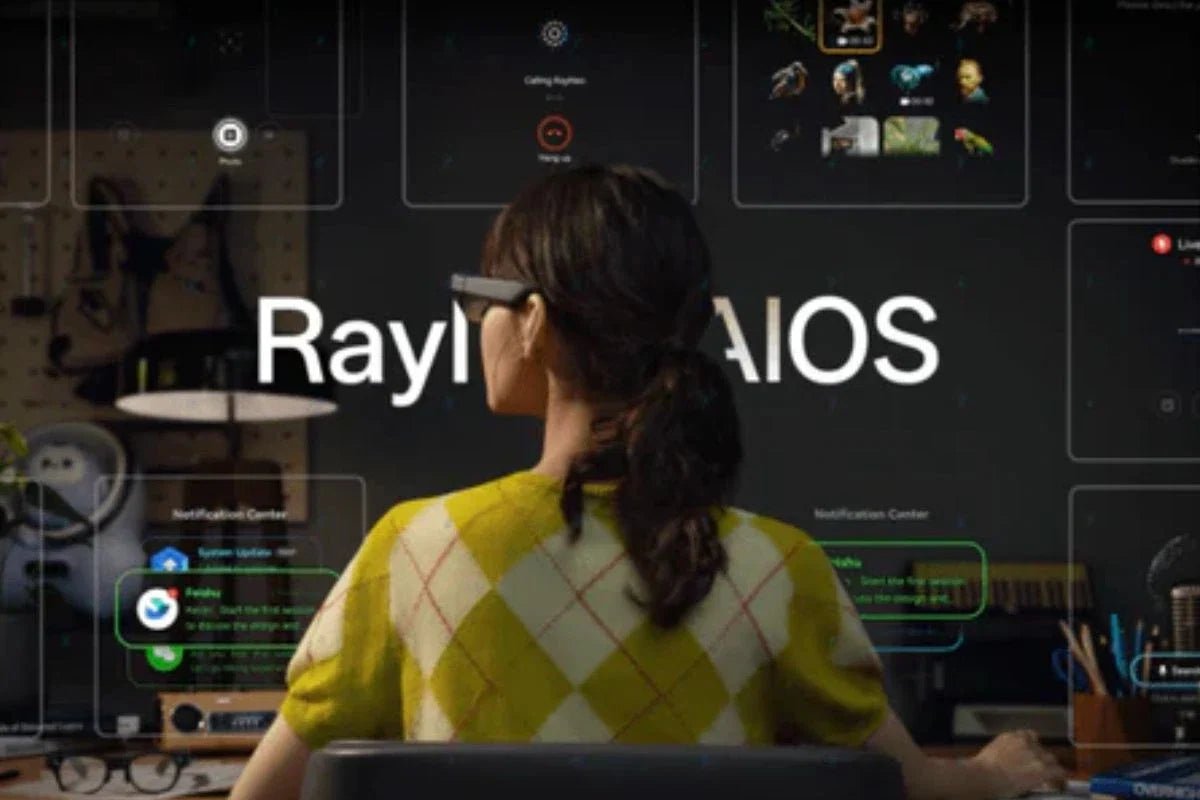
Imagine having useful information available without reaching into your pocket every few minutes. This convenience highlights some of the main smart glasses benefits, as these devices combine audio, cameras, AI, and digital displays in a wearable design. In this article, we'll cover the key benefits, explain who can benefit most, discuss how to choose smart glasses, and recommend AR smart glasses from RayNeo.

Smart glasses are wearable devices that combine the form of standard eyeglasses with technologies such as cameras, microphones, speakers, artificial intelligence (AI), augmented reality (AR), and built-in digital displays. They allow you to capture photos, listen to audio, interact with AI, or view digital content, reducing the need to reach for a smartphone. As these features make everyday tasks, communication, entertainment, productivity, and accessibility more convenient and hands-free, smart glasses are becoming more relevant in 2026.
Smart glasses are about more than just adding technology to your face. From capturing memories to getting AI assistance and enjoying content hands-free, these glasses can simplify how you work and communicate.
One of the biggest conveniences smart glasses offer is hands-free operation. Rather than reaching for your phone, you can interact with technology via voice commands and receive real-time responses while staying focused on your surroundings. Depending on the model, you can also view messages and notifications, follow conversations, or access translation directly through your field of vision.
Smart glasses with built-in cameras make capturing photos and videos easier because you don't have to interrupt what you're doing. With a voice command or button press, you can start recording without reaching for your phone. The captured media is temporarily stored on the glasses before being transferred to a connected smartphone via a companion app.
AI can transform smart glasses into practical assistants by providing support through voice or visual interaction. For students, the benefits of smart glasses can provide definitions, summaries, and simple explanations of unfamiliar topics or concepts. Depending on the model, AI can also identify objects or information in front of the user and provide relevant details through audio or an integrated display.
Built-in speakers and microphones allow smart glasses to handle calls, music, podcasts, notifications, and voice assistants without requiring separate earbuds. Some models use open-ear or directional audio to deliver sound. However, audio privacy and quality can vary depending on the glasses' design, volume level, surrounding noise, and how well the frame fits.
Smart glasses with AR displays provide directions. When exploring a new city, you can use voice commands to ask for directions, and connected AI can use mapping data from your smartphone to help guide you. AR technology can overlay information on a built-in screen or via a projection system, placing digital content directly in your line of sight.
Some smart glasses use advanced sensors and AI to collect information about your activity and certain body functions throughout the day. Depending on the model, biosensors may monitor metrics such as heart rate. The collected data can then be transmitted wirelessly to a cloud-based platform for storage and analysis. These advantages of smart glasses can give users a clearer view of their activity and health trends over time.
Specialized smart glasses can support people who are blind or have low vision by using AI to recognize their surroundings and provide helpful guidance. The glasses can detect obstacles and hazards, such as stairs or puddles, and alert the user with audio cues or vibrations. By providing information about their surroundings, smart glasses can help users navigate more safely.
Smartphones offer larger screens and access to a wider range of apps. Smart glasses, on the other hand, allow you to use voice commands, audio, cameras, and AR displays without holding a device. This hands-free approach is more convenient for quick tasks, navigation, communication, and accessing information.
Smart glasses can be useful for different types of users. Their hands-free design and range of features can support everyday tasks while offering a more convenient way to interact with technology. Here are three types of users who may benefit most from smart glasses:
Instead of choosing based only on the longest feature list, think about the problem you want the glasses to solve. Here are the main factors to consider:
Do you want to capture moments without using your phone, listen to audio while staying aware of your surroundings, access an AI assistant, or use a large virtual screen while traveling? Your answer will help you determine the type of smart glasses you need. If you choose smart glasses based on your routine, you might not pay for features you rarely use.
Compatibility is key to ensuring that your smart glasses fit into your existing setup. Before buying, check the supported smartphones, operating systems, connection methods, apps, and video output standards. Some models rely heavily on a connected phone, and display glasses may require USB-C output or an adapter for certain laptops and gaming devices.
Because smart glasses sit on your face, comfort deserves attention too. Consider frame weight, balance, fit, lens options, battery placement, and how long you expect to wear them. A lightweight design may be preferable for extended use, while prescription compatibility can matter for people who normally wear corrective lenses.
RayNeo offers different approaches to smart glasses, so your choice should depend on whether you prioritize AI assistance and AR interaction or immersive visual entertainment. Here are the two best options from RayNeo:
The RayNeo X3 Pro AI+AR Smart Glasses are great for users who want hands-free AI assistance and AR information in their glasses. The glasses feature a full-color MicroLED head-up display (HUD) with a 640 x 480 AR display, Google Gemini-powered AI assistance, and a 12-megapixel RGB camera paired with an OV spatial camera for photos and spatial awareness.

The RayNeo Air 4 Pro AR Glasses are good for users who prioritize a lightweight, immersive viewing experience and productivity. The 76-gram design includes TÜV-certified low-blue-light technology, and the 201-inch virtual giant screen supports HDR10 for a more engaging viewing experience.

Choosing smart glasses is less about finding the device with the most features and more about finding one that fits naturally into your daily routine. The smart glasses benefits you get can range from hands-free communication and AI assistance to media capture, AR navigation, immersive viewing, and accessibility support. By comparing these capabilities with your priorities, you can choose a pair that adds genuine value.
No, not all smart glasses have cameras. Some models focus on audio, AI assistance, or virtual displays, while others have cameras for taking photos, recording videos, and recognizing surroundings. Before buying, check the specifications to confirm whether the glasses have a camera, and make sure you understand how captured data is stored and shared.
Yes, some smart glasses allow you to manage text messages using voice commands, notifications, or connected smartphone apps. Depending on the model, you may be able to hear incoming messages, dictate replies, or view notifications on an integrated display. However, most smart glasses still require a paired smartphone for connectivity and messaging features.
Sometimes, but it depends on the glasses and your surroundings. Many smart glasses use open-ear or directional speakers, which allow you to hear audio while remaining aware of nearby sounds. However, some sound may still be audible to people nearby, especially at higher volumes or in quiet environments. The level of audio privacy varies by design and fit.







Share:
Can Smart Glasses Correct Vision? Correction Methods and Limits
Smart Glasses Wiki: Everything You Need to Know