

$429.00

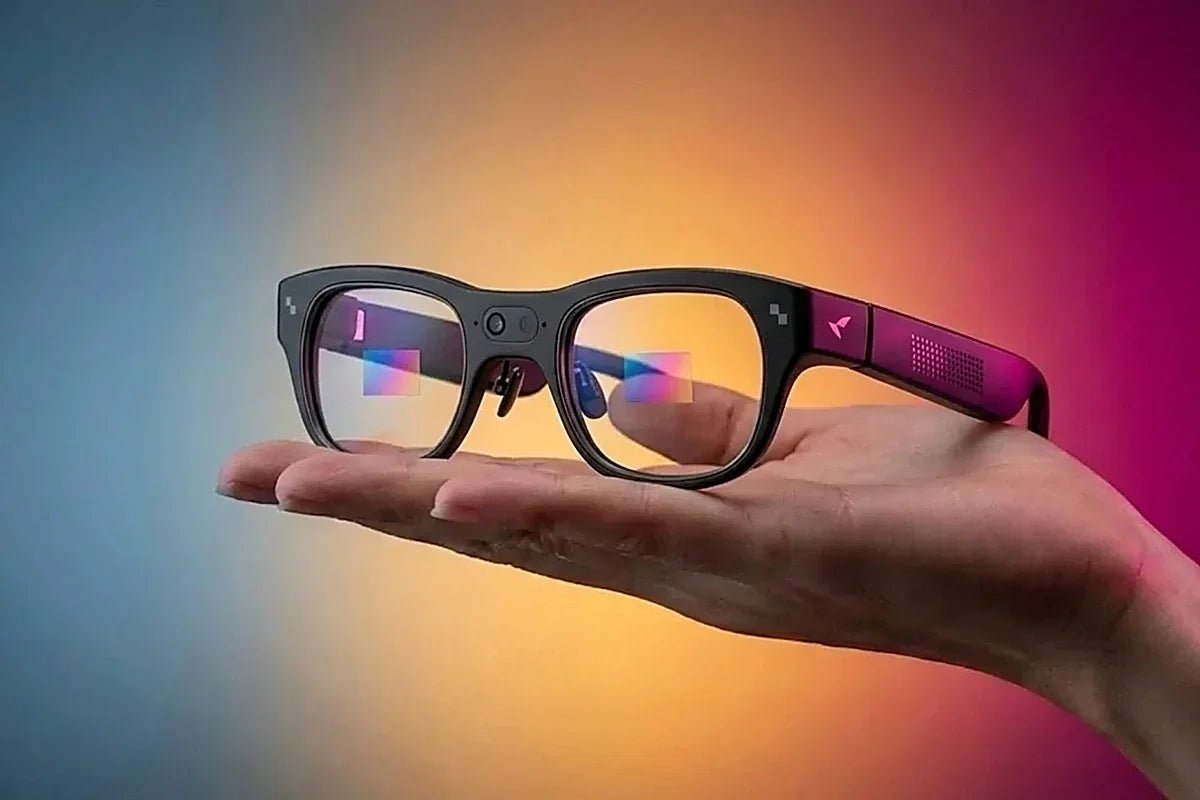
The RayNeo X3 Pro is built around a 12-megapixel Sony IMX681 sensor as its main camera, plus a second sensor RayNeo’s spec sheet labels the “OV Spatial Camera.” Among RayNeo’s display and AI glasses covered in this series, it is the one with a built-in camera.
This guide covers the confirmed camera hardware, what the spec sheet says about video capture, how long the glasses can record per charge, and what to know about the camera’s placement and recording light.
RayNeo’s current product page lists the camera hardware in its Tech Specs table using these labels:
| Component | Official spec sheet entry |
|---|---|
| Main camera | Sony IMX681, 12MP |
| Secondary camera | OV Spatial Camera |
| Video capture | Up to 4K / 3K |
| Processor | Snapdragon AR1 Gen 1 |
| Memory | 4GB RAM + 32GB storage |
| Battery | 245mAh |
| Weight | 76 ± 1g |
The spec sheet has a “Video Capture” line but no separate still-photo resolution line, and it does not mention a recording indicator light. Both points are covered below.
The X3 Pro is a standalone glasses platform with its own processor, storage, Wi-Fi, and battery. The Snapdragon AR1 Gen 1 chip handles the glasses’ processing, including the binocular full-color MicroLED display. A 12-megapixel sensor is a modest spec by smartphone standards.
At 76 ± 1g with a 245mAh battery, the glasses are light for what they carry, and that small battery is shared by the camera, display, and processor. RayNeo’s rated video recording time is measured in minutes rather than hours, as the recording-time section below shows.
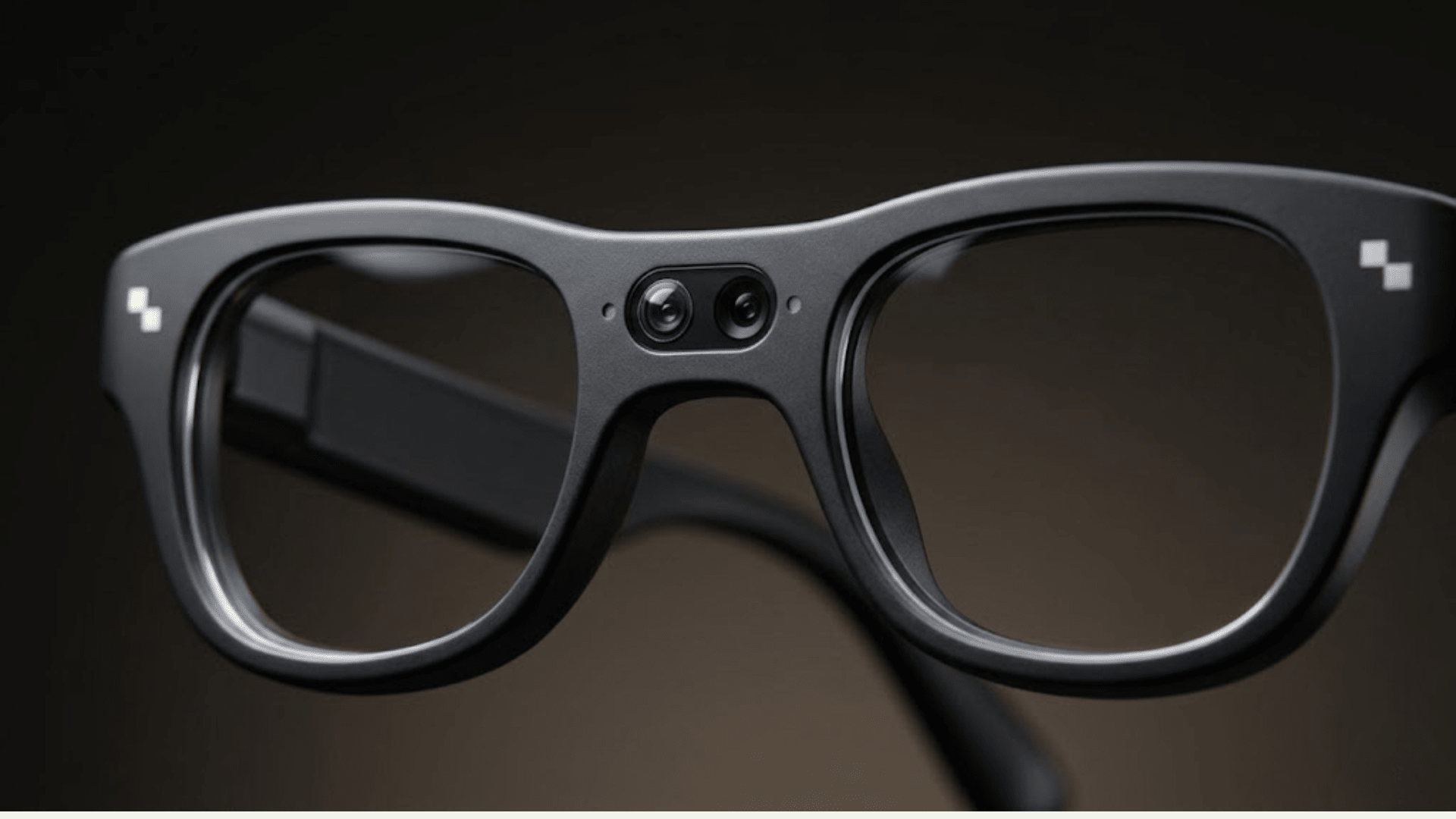
RayNeo markets the X3 Pro as a dual-camera design, which can read as “two cameras for photos.” The Sony IMX681 is the main camera for photos and video. The second sensor, which RayNeo labels the OV Spatial Camera, is described as a spatial camera rather than a second photo lens.
RayNeo’s X3 Pro launch page describes the OV sensor as a black-and-white camera that improves positioning and enables dual recording. That is not the same as two interchangeable conventional photo lenses.
RayNeo’s product page lists video capture as “Up to 4K / 3K,” without describing individual recording modes. Review the available recording options on your current unit and firmware before relying on a particular mode. RayNeo blog and third-party coverage cite lower video figures (1440p is one example), so don’t assume the highest figure applies to every clip.
Because the product page labels this line “Up to,” treat it as a ceiling rather than a guaranteed setting.
For footage examples and outside testing, RayNeo summarizes reviews in a separate post: camera and AI performance roundup.
Recording time on the X3 Pro depends on what you record and how you use the glasses, and the 245mAh battery is the practical limit.
For planning, treat roughly 30 to 36 minutes as the video window per charge, and expect real results to vary with the features you run alongside the camera. Since the X3 Pro supports charging while in use, a USB-C power source can extend a longer shoot; see the battery guide for details.
Both the main sensor and the spatial sensor are mounted in a visible opening on the front of the frame, between the lenses. That differs from camera glasses designed to hide the lens inside an ordinary-looking frame. The visible module is a practical cue to people nearby that a camera is present, and it takes frame space that the display hardware and battery also need.
RayNeo’s product page doesn’t list a recording indicator light in its specs or feature descriptions. That is a gap in the documentation, not proof that no light exists. TechRadar’s review and other hands-on coverage describe a small LED on the front frame that turns on during recording. How it behaves in detail (solid or blinking, and whether photos trigger it) isn’t published by RayNeo, so treat those specifics as reviewer observation. If an indicator matters for how you plan to use the glasses, check RayNeo’s current product page and your own unit. Wherever you record, follow local rules and get consent where it is required.
| Spec | Value | Source |
|---|---|---|
| Main sensor | Sony IMX681, 12MP | RayNeo product page |
| Secondary sensor | OV Spatial Camera; black-and-white positioning and dual-recording roles described on the launch page | RayNeo product and launch pages |
| Photo resolution | Not listed separately | RayNeo product page |
| Video capture | Up to 4K / 3K | RayNeo product page |
| Frame rate | Not published | RayNeo product page |
| Camera field of view | Not published; the “30°” figure describes the AR display | RayNeo product page |
| Rated recording time | Up to 5 hours audio recording, 3 hours music, 36 minutes video | RayNeo launch page |
| Measured video recording | About 30 minutes continuous in one test | Notebookcheck |
| Storage | 4GB RAM + 32GB storage | RayNeo product page |
| Low light | Quality can decrease in dark or challenging lighting | RayNeo product page FAQ |
| Video export | RayNeo companion app over Bluetooth/Wi-Fi; one review reported iPhone sync issues | RayNeo connectivity blog; independent review |
| Processor | Snapdragon AR1 Gen 1 | RayNeo product page |
| Camera placement | Visible opening on the front frame | RayNeo product page |
| Recording indicator light | Not listed on product page; reported by reviewers | TechRadar and other hands-on coverage |
| Battery | 245mAh | RayNeo product page |
| Weight | 76 ± 1g | RayNeo product page |
The X3 Pro isn’t a standalone camera with glasses attached. It is a pair of AI and AR glasses where the camera is one feature among several, alongside a binocular full-color MicroLED display, spatial sensing, live translation, and a voice assistant, all drawing on the same small battery. Compared with a phone or action camera, it trades recording time and sensor size for hands-free, glasses-mounted capture. Weigh the camera against what else the glasses do, not only the megapixel and resolution figures.
Does the RayNeo X3 Pro shoot in 4K?
How many megapixels is the RayNeo X3 Pro’s camera?
Does the second camera on the X3 Pro also take photos?
Is the X3 Pro’s camera hidden inside the frame?
Does the X3 Pro have a light that shows when it’s recording?
What chip processes the camera on the X3 Pro?
How long can the X3 Pro record before the battery dies?
Is the X3 Pro’s “30° FOV” spec about the camera or the display?
The X3 Pro’s camera hardware is straightforward: a 12MP Sony IMX681 main sensor, a separate OV Spatial Camera, a Snapdragon AR1 Gen 1 chip, and a visible camera opening on the front frame. The spec sheet lists video capture as up to 4K / 3K. Rated video recording is up to 36 minutes per charge, so budget your shoot around the battery and a USB-C power source.







Share:
RayNeo X3 Pro Live Translation Explained: 14 Languages, Speed, and Network Needs
RayNeo iO Battery Life Explained: Typical Use, Recording, Translation, and Standby Numbers