

$429.00


Most camera-equipped smart glasses connect to your phone over Bluetooth, often paired with Wi-Fi for faster data transfer between the glasses and your phone. The companion app handles setup, photo and video transfer, firmware updates, and any AI feature like translation or navigation. Basic photo and video capture can often work with the glasses alone, but almost everything else, especially AI-driven features, needs the phone and an internet connection nearby.
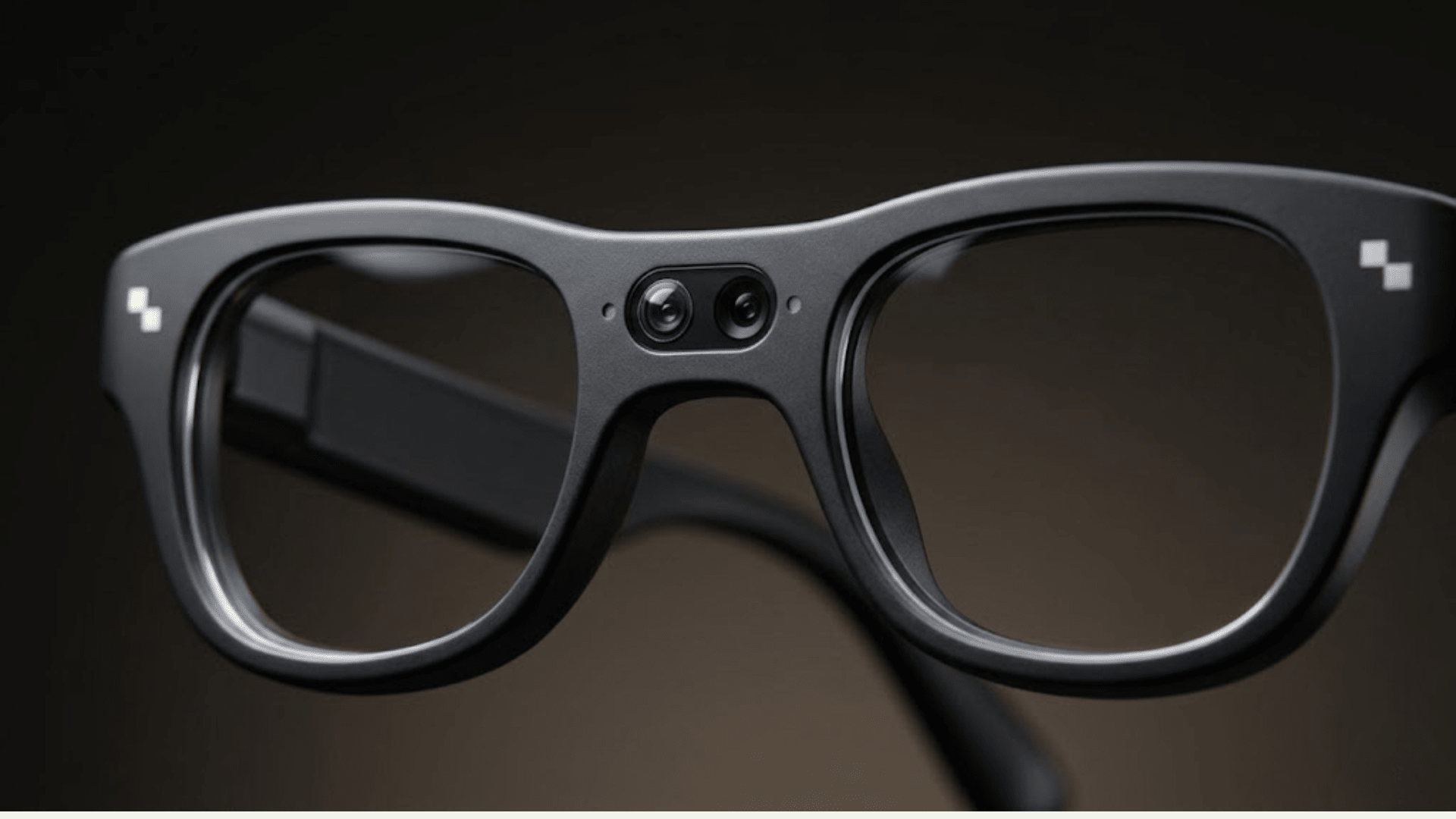
That distinction, what works standalone versus what needs the app and the network, is usually the deciding factor for people choosing between these devices. Here is how it actually breaks down, using RayNeo X3 Pro as a detailed example alongside the two other common types of camera glasses on the market today.
Setting up a pair of camera smart glasses almost always starts the same way a wireless earbud pairs with your phone. During first setup, the glasses and the companion app perform a Bluetooth handshake, and that connection stays active in the background to carry commands, status updates, and often audio for calls or notifications.
Some models add Wi-Fi as a second connection layer once pairing is complete. Wi-Fi comes into play for larger data transfers, since moving a batch of 4K photos or several clips of 1440p video from the glasses to your phone goes noticeably faster over Wi-Fi than it would over Bluetooth alone.
RayNeo X3 Pro uses both channels together. It connects to a paired phone over Bluetooth and Wi-Fi, and that dual connection is part of why AI features and media transfer on the X3 Pro feel closer to a full phone accessory experience than a basic Bluetooth headset would.
The app is not optional decoration bolted onto the hardware. For nearly every camera smart glasses product on the market, it is the control center that the glasses depend on for anything beyond basic capture.
Typical app responsibilities include initial pairing and account setup, transferring photos and video from the glasses to your phone's gallery, pushing firmware and feature updates, adjusting settings for capture resolution and gestures, and running AI features that require cloud processing, such as translation or navigation.
For RayNeo X3 Pro, the companion app is called RayNeo AR. It requires iOS 15.5 or later on iPhone.
On Android, RayNeo's own materials point to Android 9 as a practical stability baseline rather than a strict, enforced minimum. Neither the App Store nor Google Play currently lists a hard version cutoff that blocks installation below that point. What specifically happens on an older Android version, whether the app simply won't install, installs but runs unreliably, or works with certain features limited, has not been published by RayNeo in a way we could confirm, so that specific behavior is listed below as something to verify before buying if you're on an older Android phone.
One detail worth knowing if you check the app listing yourself: the main App Store description text still centers on the previous-generation RayNeo X2 glasses rather than the X3 Pro. That's based specifically on the app's version update history, not a guess. Version 2.1.0 added full RayNeo X3 Pro support, including camera, AI recording, translation, and navigation, and version 2.2.0 added an X3 Pro-specific gesture interaction system on top of that. The changelog confirms X3 Pro support directly; the marketing description text in the main listing simply hasn't been rewritten to reflect it yet.
This is usually the real question behind "how does the app work": can you use the glasses at all if your phone is dead, out of range, or you just don't want to carry it that day?
| Feature | Works standalone (glasses only) | Needs phone + app | Needs internet connection |
|---|---|---|---|
| Basic photo/video capture | Likely yes, stored on internal memory | No | No |
| Viewing or reviewing captured media on your phone | No | Yes | No |
| Firmware updates | No | Yes | Yes |
| AI translation | No | Yes | Yes |
| Navigation prompts | No | Yes | Yes |
| Notification display on the lens | No | Yes | Depends on the notification source |
| Voice assistant / Live AI conversation | No | Yes | Yes |
| Phone calls through the glasses | No, glasses relay audio | Yes | Only for the call itself, over the phone's own connection |
For RayNeo X3 Pro specifically, basic capture likely runs off the glasses' 32GB of internal storage without the phone present, since the glasses need somewhere to hold footage before you sync it later. RayNeo has not published confirmation of expandable storage via a memory card, so treat that as unconfirmed rather than assuming it either way.
Everything built on Google Gemini, meaning real-time translation, spatial navigation, and Live AI conversation, needs the app running and an active internet connection. That's the tradeoff for AI features doing real language processing in the cloud instead of running everything locally on the glasses.
Generally, yes, in degree rather than in kind. Most camera smart glasses support both iOS and Android, but feature parity and stability guidance can differ between the two.
| Product | iOS requirement | Android requirement | Notes |
|---|---|---|---|
| RayNeo X3 Pro | iOS 15.5 or later | Android 9 or later recommended for stability, not published as a strict enforced minimum | App is RayNeo AR |
| A camera-and-audio glasses line from a major eyewear and social platform partnership | Broadly supported on current iOS versions | Broadly supported on current Android versions | App is the primary hub for media and assistant features |
| A developer-focused AR glasses platform | Supported, with a developer tooling emphasis | Supported, with a developer tooling emphasis | Built more for building apps than for casual daily use |
If you're an iPhone user considering any of these, compatibility is rarely the blocking issue. If you're on an older or budget Android phone, it's worth checking the app's current minimum OS listing yourself before buying, since RayNeo has not published exactly what happens below its recommended Android 9 baseline, and that detail can also change as the app updates over time.
This is a secondary but frequently searched question, because several camera glasses double as an open-ear audio accessory in addition to a camera.
RayNeo X3 Pro is built with a Triple Mic and Dual Speaker audio configuration, which is published in RayNeo's product and retail specifications rather than left to guesswork. On battery life, RayNeo's own launch page states the glasses run for up to 5 hours of recording, 3 hours of continuous music playback, or 36 minutes of continuous video on a single charge, with an all-day low-power mode available to extend that further depending on how you use the glasses.
Independent hands-on reviews describe the microphones as picking up voice clearly during calls, so the person on the other end can generally hear you well. At least one hands-on review also noted a caveat worth keeping in mind: incoming audio through the open-ear speakers, both call audio and music playback, can sound slightly muffled compared to a phone earpiece or dedicated earbuds.
Finer details like exact speaker decibel output, frequency response, and any call-specific noise cancellation technology have not been published by RayNeo in a way we could confirm, so those remain open questions rather than confirmed specs.
Audio is not RayNeo X3 Pro's headline feature. By contrast, a well-known camera-and-audio glasses line from a major eyewear and social media partnership leans much harder into audio as a primary selling point. That product has no display at all, and its main use cases are hands-free photo and video capture paired with open-ear audio for calls and music, which its maker markets extensively.
If audio quality for calls and music is your top priority, a display-free audio-and-camera product built specifically around that use case is likely to perform better in that one area than a display-equipped AR device like RayNeo X3 Pro, where audio is a well-specified supporting feature rather than the core design goal.

A quick summary of what governs the day-to-day experience:
| RayNeo X3 Pro | Audio-and-camera glasses (eyewear/social partnership line) | Developer-focused AR platform | |
|---|---|---|---|
| Display | Dual MicroLED, up to 6,000 nits | None | LCoS, 51-degree field of view |
| Primary connectivity | Bluetooth + Wi-Fi | Bluetooth | Bluetooth + Wi-Fi, developer-oriented tooling |
| App role | Core hub for AI features, capture settings, media transfer | Core hub for media, assistant, audio settings | Developer console, less consumer-oriented |
| Audio as a selling point | Well-specified supporting feature, not the focus | Major selling point | Not a focus |
| Camera | 12MP main + monochrome spatial camera | 12MP | Not primarily a camera product |
| Battery life | Up to 5 hrs recording / 3 hrs music / 36 min video, mode-dependent | About 8 hours | About 4 hours |
| Price (as of Aug 2026) | $1,299 | About $379 | About $2,195, preorder, expected fall 2026 shipping |
Each of these serves a different job. The audio-and-camera glasses line is built for people who mainly want hands-free capture and open-ear audio at a lower price. The developer platform is built for people building software for AR glasses, not for typical daily use. RayNeo X3 Pro sits in a different category: a display-equipped AR device where the app and dual Bluetooth/Wi-Fi connectivity exist to support real-time translation, navigation, and AI interaction, with capture and audio as well-specified supporting features rather than the main draw.
If you want a simple, affordable way to capture photos and video hands-free and use open-ear audio for calls and music, a display-free audio-and-camera glasses product is likely the better fit. It also asks less of your phone's connection, since there's no on-lens display or cloud-based AI translation layer running in the background.
If you're a developer or want to build for an AR glasses platform, a developer-focused device is the more appropriate starting point, with the understanding that its app ecosystem is built for developers rather than casual, non-technical use.
If you want an on-lens display for real-time translation, navigation, and AI assistance, along with solid capture and audio as supporting features, RayNeo X3 Pro is built around that combination specifically. It asks more of your phone and internet connection, since core AI features run through the cloud, but that's also what enables translation and navigation features the display-free options don't offer at all.
Can camera glasses work without a phone at all? Basic capture, meaning photo and video, can likely work with the glasses alone if there's onboard storage, as with RayNeo X3 Pro's 32GB of internal memory. Almost everything else, including AI features, media transfer, and app-based settings, requires the phone and the companion app.
Does the app need to stay connected to the internet the whole time? Not for basic capture. Any AI-driven feature, such as real-time translation, navigation, or Live AI conversation, needs an active internet connection through the app whenever you're using it.
Can you make phone calls with camera smart glasses? On models with a built-in speaker and microphone, yes, calls route through your paired phone and play through the glasses' open-ear speakers. RayNeo X3 Pro has a published Triple Mic and Dual Speaker configuration, and independent reviews describe voice pickup during calls as clear, though at least one review noted incoming audio can sound slightly muffled compared to a phone earpiece or dedicated earbuds.
Is a display-free audio-and-camera glasses product better for phone calls and music than RayNeo X3 Pro? For audio specifically, likely yes, since that category of product is built around open-ear audio as its main feature. RayNeo X3 Pro treats audio as a well-specified supporting feature alongside its display and AI capabilities, not as the primary design focus.
Does it matter if I have an iPhone or an Android phone? For RayNeo X3 Pro, iOS 15.5 or later is required, and Android 9 or later is recommended for stability rather than published as a strictly enforced minimum. Compatibility is rarely a dealbreaker either way, but check the current App Store or Play Store listing before buying, since minimum OS guidance can change with app updates.
Why does the RayNeo AR app description mention the X2 instead of the X3 Pro? The main App Store description text hasn't been rewritten yet to center on the X3 Pro, but the app's version update history confirms full X3 Pro support was added in version 2.1.0, with an X3 Pro-specific gesture system added in version 2.2.0. The changelog is the basis for that support, not an assumption.







Share:
Prescription Camera Glasses: Can You Wear Them With Vision Correction?
AI Camera Glasses: Photos, Video & Visual AI