

Sale price$399.00
Regular priceReg. $429.00
Save $30.00

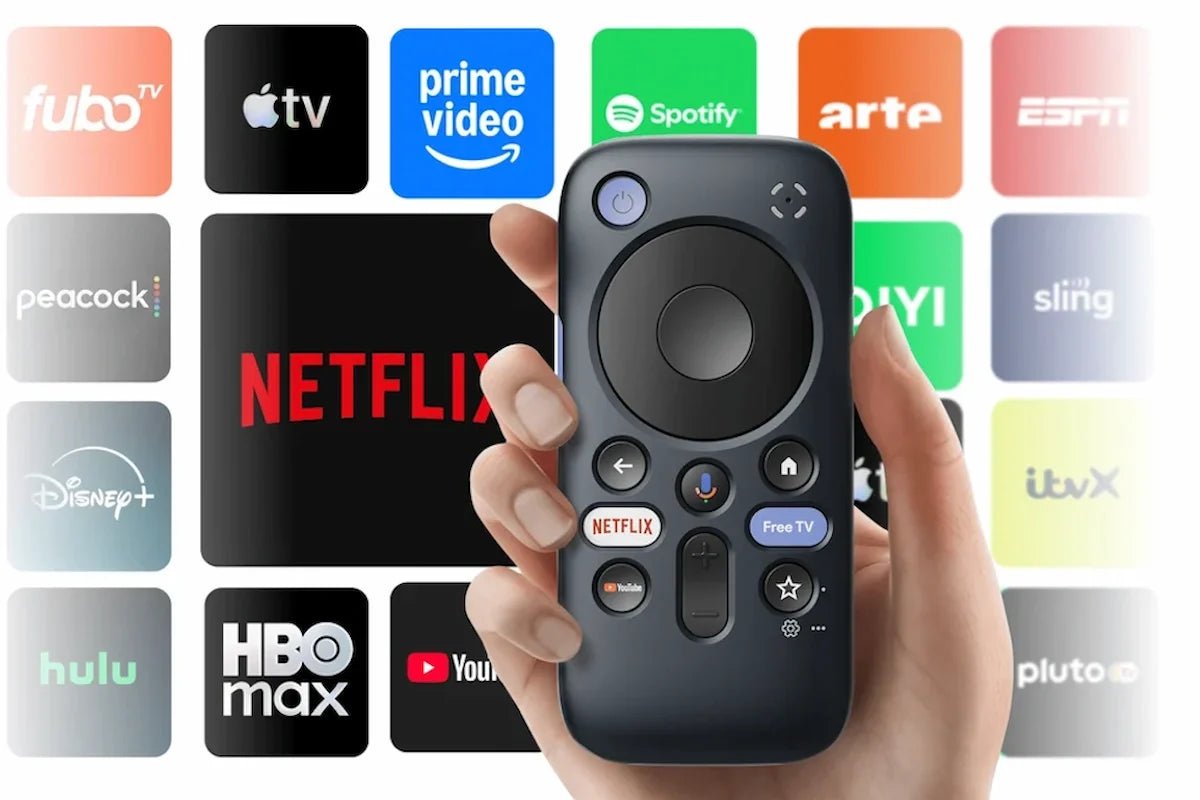
A big-screen AR setup is more convenient when you do not have to tie up your phone every time you want to watch something. The RayNeo Pocket TV Pro is a pocket-sized Google TV media player designed to pair with RayNeo AR glasses, and with the GT Series it enables Dolby Vision playback on compatible content.
It also brings its own 6,500mAh battery, 64GB of storage, microSD expansion up to 2TB, and dual USB-C ports. Below, we will look at what Pocket TV Pro adds to the viewing experience, how Dolby Vision works with the GT Series, how to set it up, and which GT model best suits the way you watch.

The RayNeo Pocket TV Pro is a portable Google TV media player designed to serve as a dedicated entertainment source for compatible RayNeo AR Glasses. Instead of running every movie or streaming app from your phone or laptop, you can connect the glasses to Pocket TV Pro and browse entertainment through its own Google TV interface.
Its biggest role in the GT ecosystem is Dolby Vision: pairing Pocket TV Pro with RayNeo GT Series glasses enables Dolby Vision playback on compatible content.
The device also combines its own battery, local storage, microSD expansion, Google Assistant voice control, and dual USB-C connectivity, making it useful both at home and while traveling.
| Feature | RayNeo Pocket TV Pro |
|---|---|
| Platform | Google TV |
| Battery | 6,500mAh |
| Viewing time | Up to 5.5 hours of continuous viewing |
| Memory and storage | 3GB RAM + 64GB internal storage |
| Expandable storage | microSD up to 2TB |
| Connectivity | Dual USB-C; connect glasses and charge at the same time |
| Streaming | 10,000+ apps and 400,000+ movies, shows, and more, including Netflix, YouTube, Prime Video, and Disney+ |
| Voice control | Google Assistant |
| Dolby Vision | Supported with RayNeo GT Series and compatible Dolby Vision content |

Dolby Vision is an HDR format designed to deliver more controlled brightness, deeper contrast, richer color, and more visible detail across supported content. Rather than treating every scene with one fixed image setting, Dolby Vision uses metadata within the supported playback chain to guide how the picture is presented.
For the RayNeo setup, three parts need to work together: RayNeo GT or GT Max AR glasses, Pocket TV Pro, and content available in Dolby Vision. Pocket TV Pro supplies the Google TV media source and supported Dolby Vision playback path, while the glasses provide the wearable display.
Pocket TV Pro is designed to work with the GT Series for Dolby Vision viewing, so the next choice is which pair of glasses better matches the way you watch.
Both models provide native 3DoF spatial viewing, Micro-OLED displays, up to 120Hz refresh in 2D, and B&O-tuned quad-speaker audio, but each has a different emphasis.
The RayNeo GT Max AR Glasses is the cinema-focused pairing for Pocket TV Pro. Its 59-degree field of view and 267-inch default virtual display create a broad, immersive image, while 227- and 307-inch screen settings let you adjust the scale to suit different viewing positions.
GT Max also comes in S, M, and L IPD sizes, giving you more flexibility in matching the optical fit before a long movie session. Native 3DoF adds Pinned, Steady, and Follow modes, so the virtual screen can stay fixed, remain steadier during travel, or stay centered as you move your head.

Best for: Viewers who want Pocket TV Pro to deliver the widest and most immersive GT Series cinema experience.
The RayNeo GT AR Glasses gives Pocket TV Pro a lighter everyday pairing. At 68g, it is designed for travel and longer casual viewing, while its 46-degree FOV and 201-inch default virtual screen still provide a large cinema-style image without prioritizing maximum visual width.
Its 49 PPD helps preserve fine visual detail, which is useful for subtitles, menus, and smaller interface elements. Like GT Max, it also includes Pinned, Steady, and Follow modes, along with B&O-tuned quad speakers and Whisper Mode 2.0.

Best for: Everyday movies and travel when lower frame weight and clear image detail matter more than maximum screen width.
Setting up Pocket TV Pro is mainly a matter of connecting the glasses, completing the Google TV setup, and choosing compatible content. A Dolby Vision glasses setup does not require a separate pair of glasses settings, but the correct GT Series, Pocket TV Pro, and content path needs to be in place.
Pocket TV Pro is most useful when you want a dedicated entertainment setup without tying the experience to one room - or to your everyday phone.
In an AR glasses home theater system, the value comes from combining a compact media source, a large wearable display, and familiar streaming access in a setup that can move with you.
From a sofa or bed, Pocket TV Pro gives the GT Series its own entertainment source instead of borrowing your phone or laptop. The virtual display remains personal to the wearer, while Google TV keeps streaming apps and playback controls together in one dedicated interface.
The 6,500mAh battery is rated for up to 5.5 hours of continuous viewing, and the second USB-C port lets you keep charging while the glasses stay connected. That combination is especially useful on long flights, in hotel rooms, or anywhere you do not want to depend on a television being available.
Pocket TV Pro includes 64GB of internal storage and supports microSD expansion up to 2TB, giving you more room for supported local content. That can be useful when travel Wi-Fi is weak or inconsistent, although offline availability still depends on the app, content rights, and how the media is stored.
The RayNeo Pocket TV Pro is most useful when you want a dedicated entertainment source for AR glasses without relying on your phone for every movie. Google TV, up to 5.5 hours of viewing, expandable storage, and dual USB-C make it practical at home and on the go, while pairing it with the GT Series adds Dolby Vision playback for compatible content. For a portable personal-cinema setup, it brings the streaming source, storage, and power into one compact device.
Yes. The RayNeo Pocket TV Pro runs on Google TV and supports popular streaming apps such as Netflix, YouTube, Prime Video, and Disney+. The platform provides access to more than 10,000 apps and over 400,000 movies, shows, and other titles. You will still need the appropriate account or subscription for paid streaming services, and availability may vary depending on the app or region.
No. RayNeo GT and GT Max can connect directly to compatible phones, laptops, tablets, handheld consoles, and other supported video sources, so Pocket TV Pro is not required for normal viewing. It becomes more useful when you want a dedicated Google TV media source with its own battery and storage. Pairing Pocket TV Pro with the GT Series also enables Dolby Vision playback when you watch compatible Dolby Vision content.
Yes. RayNeo Pocket TV Pro has two USB-C ports, allowing the glasses to remain connected through one port while the other is used for charging. This is especially useful during longer movies, flights, or binge-watching sessions when you want to keep the media player powered beyond its rated up to 5.5 hours of continuous viewing. You can continue watching without disconnecting the glasses simply to recharge the device.







Share:
Best Portable Monitor AR Glasses: 2026’s Picks for Work and Travel