

Sale price$399.00
Regular priceReg. $429.00
Save $30.00


Ready to buy AR glasses but don't know where to start?
That's totally normal. AR glasses are still a relatively new category. They don't have the established buying wisdom of smartphones or headphones. Most first-timers see terms like "nits," "PPD," and "waveguide" and feel completely lost.
Here's the good news: the buying logic for AR glasses isn't complicated. Figure out 7 key questions, and you'll dodge 90% of the pitfalls and find the right product for you.
This guide won't just tell you "buy this one." Instead, it'll help you build a decision framework. By the end, you'll know what questions to ask, what specs to check, and what mistakes to avoid.
This is the most important question, yet it's often overlooked.
AR glasses aren't one-size-fits-all. Different products optimize for different use cases. Pick the wrong type and you'll be disappointed. Before looking at any specs, get clear on your main purpose:
My advice: If your use case is "movies + gaming + occasional work," display AR glasses are your best bet. That's also where the mainstream market is. RayNeo's Air series falls into this category.
Brightness is the most underrated spec in AR glasses.
Many people think "I'll only use it at home, brightness doesn't matter." But once you own a pair, you'll want to watch movies on planes, work in coffee shops, binge shows in hotel rooms. These environments are often way brighter than your living room.
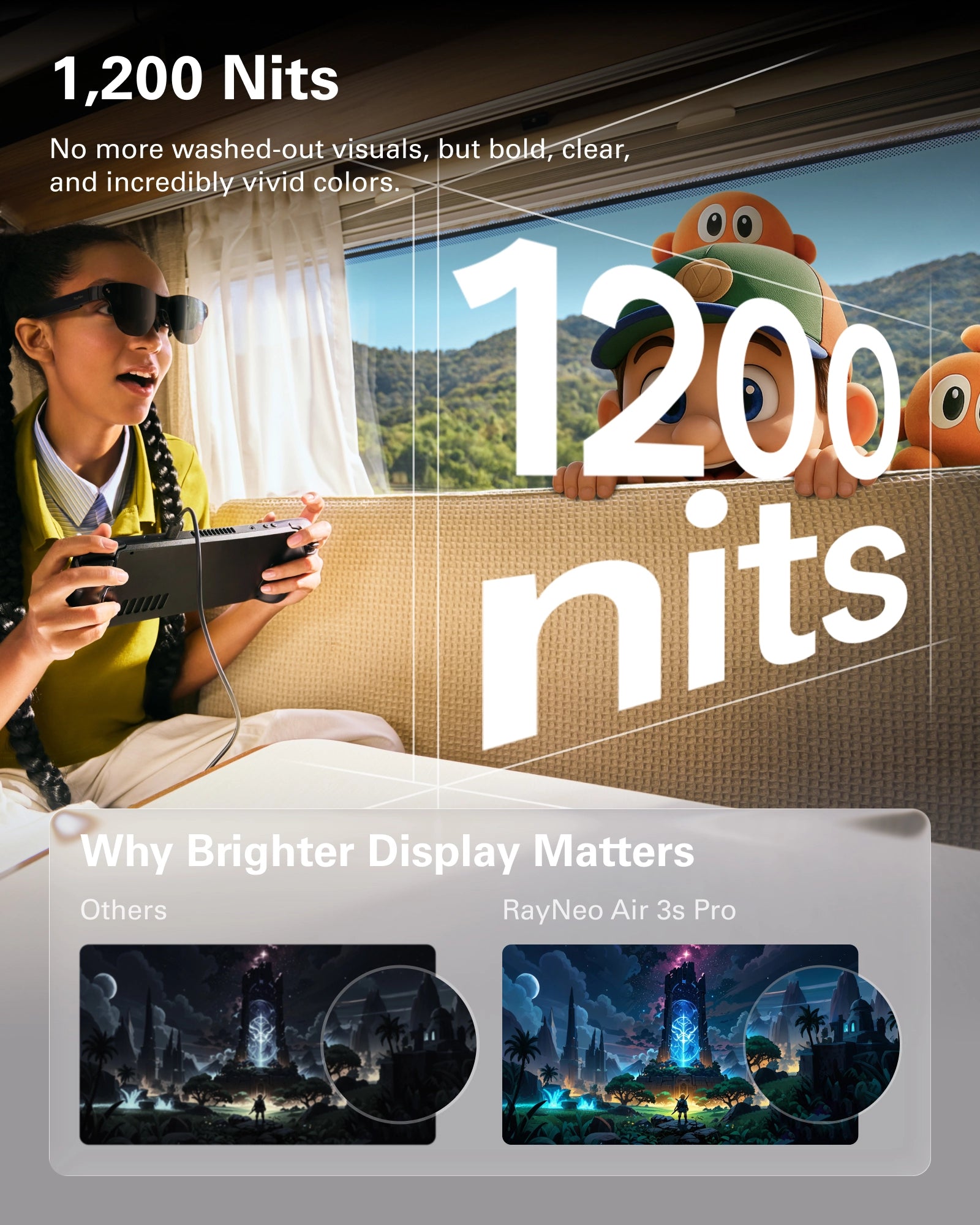
Brightness benchmarks:
Benchmark reference: RayNeo Air 3s Pro hits 1200 nits peak brightness, staying clear even in bright airplane cabins. X3 Pro reaches 6000 nits, readable even in direct sunlight.
Minimum recommendation: If there's any chance you'll use your glasses outside or in bright indoor spaces, pick at least 600 nits. 800+ nits is more comfortable. 1200 nits is the current leader among consumer products.
Depends on what you're doing.
Refresh rate determines how smooth the image looks. Its importance varies wildly by use case:
| Use Case | Is 60Hz Enough? | Is 120Hz Worth It? |
|---|---|---|
| Movies (24/30fps content) | Plenty | Barely noticeable difference |
| TV shows / variety | Enough | Slight improvement |
| Casual gaming | Enough | Nice to have, not essential |
| Action / competitive gaming | Borderline | Strongly recommended |
| Fast motion scenes | Will see blur | Noticeably smoother |
My take: If you have any gaming needs, 120Hz is worth the investment. The smoothness improvement is visible to the naked eye, especially in games like Zelda or Astro Bot with fast camera movement.
Benchmark reference: RayNeo's entire Air lineup supports 120Hz, including the entry-level Air 2s at $159. You don't need to pay a flagship premium for 120Hz.
Specs don't matter if you can't stand wearing the thing.
AR glasses sit on your face. Comfort directly determines whether you'll actually use them. Three dimensions to watch:
| Weight Range | Wearing Experience |
|---|---|
| >90g | Noticeable discomfort after 30 minutes |
| 80-90g | Acceptable for 1 hour, some pressure |
| 75-80g | Comfortable for 2 hours |
| <75g | No pressure even during extended wear |
Benchmark reference: Both RayNeo Air 4 Pro and Air 3s Pro weigh approximately 76 grams. This lightweight design ensures both models sit firmly in the "extended wear, no pressure" zone.
Two glasses with the same weight can feel completely different depending on how that weight is distributed.
The ideal ratio is 4:6 front-to-back (40% front, 60% temples), spreading weight between your nose bridge and ears rather than dumping it all on your nose.
Many AR glasses are designed for Western facial structures with higher nose bridges. Asian users might find the glasses "won't stay up" or the lenses sit too close to their eyes.
Buying tip: If possible, try before you buy. If you can't, choose products with adjustable nose pads or multiple nose pad options.
This is a must-address question for nearsighted users.
If you're nearsighted, AR glasses without prescription lens support are basically useless. Three options exist today:
My advice: If you're nearsighted, strongly consider products that support magnetic prescription lenses. It's currently the most comfortable solution.
Benchmark reference: RayNeo's entire lineup supports magnetic prescription lenses up to -8.00D (800 degrees), covering roughly 93% of common prescription needs worldwide.
An AR glasses' value largely depends on what it can connect to.
Most display AR glasses connect via USB-C DP (DisplayPort Alt Mode). Plug in the cable, and the display mirrors automatically. No apps, no drivers.
Compatible devices (typically supported):
iPhone 15 / 16 Series (Plug-and-play)
MacBooks (2016 and later)
iPad Pro (M1 chip and later)
Steam Deck, ROG Ally, Legion Go
Most Android flagships (confirm DP output support)
Incompatible devices (need adapters):
Older iPhones (iPhone 14 and earlier)
Nintendo Switch (needs dedicated dock;
Switch Lite is NOT supported) PS5 / Xbox (need HDMI adapter)
Nintendo Switch: Standard Switch and OLED models don't output video in handheld mode. You need RayNeo JoyDock ($69) to bypass this. Note: Nintendo Switch Lite is NOT supported as it lacks video output hardware.
iPhone: iPhone 15 and 16 models connect directly via USB-C. For iPhone 14 and earlier, you'll need a wireless adapter like the RayNeo Pocket TV to stream via AirPlay.
Buying tip: Before ordering, confirm your main devices are compatible. Check RayNeo's compatibility page.
The "true cost" of AR glasses is often higher than the "list price." Smart budgeting should account for:
| Accessory | Price | Who Needs It |
|---|---|---|
| Magnetic prescription lenses | $50-80 | Nearsighted users (essential) |
| JoyDock | $69 | Switch owners (essential) |
| Pocket TV | $109 | Wireless use / iPhone users |
| HDMI Adapter | $69 | PS5 / Xbox / legacy device users |
Say you're nearsighted, own a Switch, and want Air 3s Pro:
Air 3s Pro: $249
Magnetic prescription lenses: ~$60
JoyDock: $69
Total cost: ~$378
That's quite a bit more than the $249 sticker price. Factor in accessories when setting your budget.
"This one has the highest brightness, I'll get it." "That one's the lightest, picking that."
AR glasses are about overall experience. Leading in one spec doesn't mean the best total package. A 1500-nit pair that weighs 95 grams might deliver worse experience than a 1200-nit pair at 76 grams.
Advice: Look at the complete picture, not individual champions.
Before buying: "I'll just watch movies at home." After buying: you want to use it everywhere, but brightness isn't enough and accessories are missing.
Advice: Choose based on your "widest possible use case," not your "ideal use case."
Sub-$100 no-name AR glasses often fail to meet basic specs. Buy one, hate the experience, shelve it. That's wasted money.
Advice: Better to spend an extra $30-50 on an entry-level product from a reputable brand than to save money on a random brand. RayNeo ranked #1 globally in AR glasses shipments from 2022-2025. Their entry-level Air 2s is just $159.
"Should I spend $50 more for better specs?" "This one's slightly better but costs $100 more..."
Advice: Go back to Question 1. Think about your actual use case. If you mainly watch movies indoors, the gap between 650 nits and 1200 nits won't matter much. If you travel frequently, 1200 nits becomes essential. Choose based on need, don't endlessly upgrade chasing "better."
If you've read this far and still aren't sure what to pick, here's my simplified guidance:
1200 nits brightness covers the vast majority of use cases
120Hz refresh rate works for both gaming and movies
76 grams for comfortable extended wear
Supports magnetic prescription lenses
Value-for-money ranks among the best in today's market
Budget-constrained: RayNeo Air 3s ($199) or Air 2s ($159)
Chasing ultimate picture quality: RayNeo Air 4 Pro ($299), world's first HDR10 AR glasses
Need AI assistant / translation: RayNeo X3 Pro ($1,299), TIME's Best Inventions of 2025
RayNeo ranked #1 globally in AR glasses shipments for four consecutive years (2022-2025), with about 24% global market share in Q3 2025. Choosing the market leader means the lowest chance of stepping on landmines.
Read More:







Share:
Can You Recommend Some AR Glasses? Here's My 2026 Buyer's Guide
What Are the Best AR Glasses and Why? A Technical Buyer's Guide