

$429.00

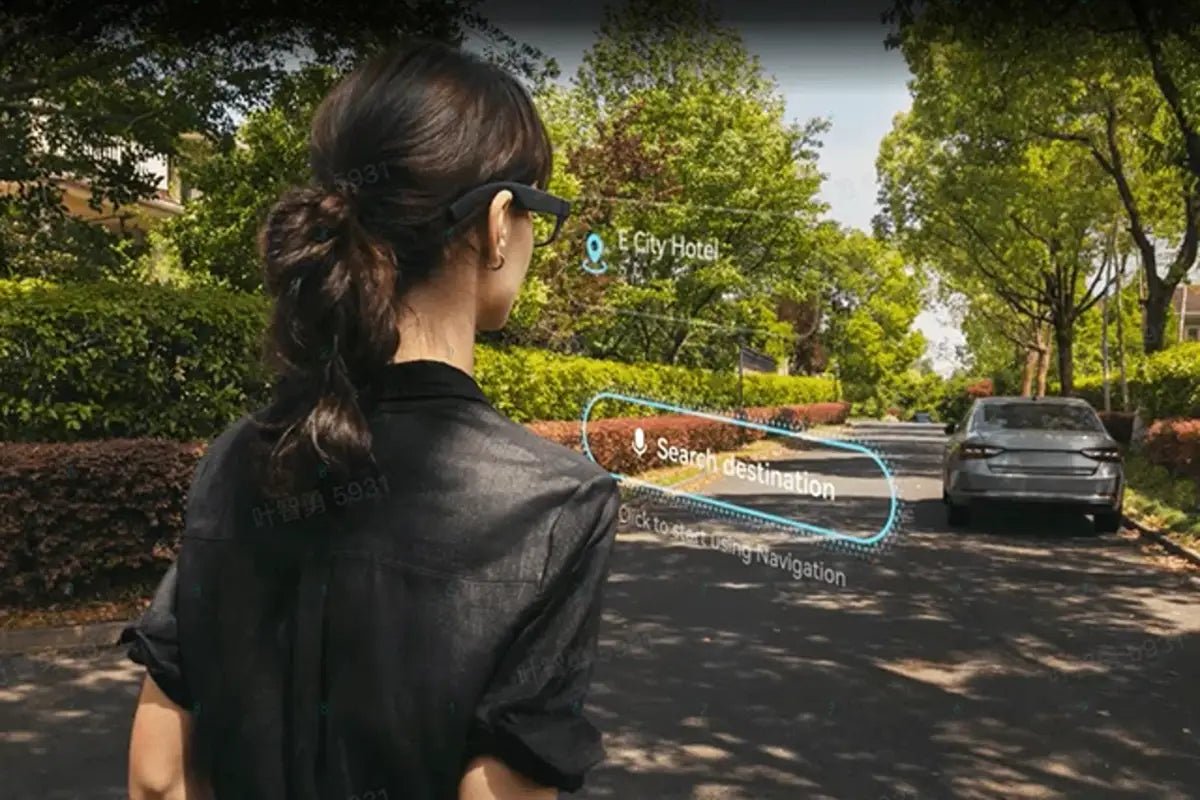
Translation glasses are wearable devices that convert spoken or written language into translated audio or text. Audio models play translations through open-ear speakers, while visual models show subtitles on or near the lenses. The main buying decision is whether you prefer audio translation or a heads-up display. Advanced AI+AR glasses such as RayNeo X3 Pro combine translation with in-lens display capabilities and other smart features.

The basic process is simple: the glasses capture speech or text, translation software analyzes it, and the result reaches you as audio or an on-lens caption. In practice, speed and accuracy depend on the hardware, connectivity, language pair, and translation software.
When someone speaks, built-in microphones record the sound. Multi-microphone systems can focus on the person in front of you and reduce some ambient noise. Speech-recognition software transcribes the audio before an AI translation engine converts it into another language.
Audio models use open-ear temple speakers, allowing you to hear the translation without blocking surrounding sounds. Display models use small projectors, MicroLED displays, or other optical systems to place text in the lens area.
A camera can capture a restaurant menu, street sign, product label, or printed document. Optical character recognition identifies the words, and translation software converts them into the selected language. Results are best when the text is well lit, in focus, and printed clearly.
Audio, display, and AI+AR glasses prioritize different translation experiences. Audio models focus on spoken conversations, display models emphasize readable captions and text, and AI translation glasses can combine translation with broader smart-glasses features.
| Feature | Audio glasses | Visual display glasses | AI+AR glasses |
|---|---|---|---|
| Output type | Translated speech | Text or subtitles | Audio, text, and AI information |
| Best use case | Hands-free conversations | Signs, menus, and captions | Travel, work, and broader assistance |
| Text translation | Limited or camera-assisted | Usually a core feature | Usually supported if cameras are included |
Audio glasses suit users who primarily need hands-free help with spoken conversations, while open-ear speakers allow surrounding sounds to remain audible.
Display glasses are designed for users who want to read translated speech or text. Subtitles can be valuable in classrooms, meetings, museums, and travel situations where hearing a translated voice would be inconvenient.
AI+AR glasses combine cameras, microphones, speakers, and in-lens displays. In addition to translating speech and text, they may answer questions, identify objects, provide captions, or present contextual information.
Phone requirements vary widely by product. Some translation glasses rely on a companion app for setup, connectivity, language settings, or translation processing, while more self-contained models can perform certain functions directly on the glasses. If you are specifically looking for smart glasses that translate without phone app, check which translation functions work independently and which still require Wi-Fi, a hotspot, or a companion phone.
When a phone is required, Bluetooth typically handles the connection, while Wi-Fi or cellular data may provide access to online translation services. Check whether setup, transcripts, or other controls also depend on the companion app.
Offline translation requires the device or companion app to support downloadable or onboard language processing. Available languages and features may differ between offline and online modes, so check the manufacturer's specifications for the exact language pair you need.
Glasses that translate languages can assist with spoken conversations, printed text, and live captions, depending on the device.
Conversation mode can listen to another person and deliver a translation through speakers or captions. Some systems support two-way exchanges, allowing each person to speak naturally while the glasses or app handles the language conversion.
Camera-equipped glasses can translate menus, transit signs, packaging, and other printed material. This is especially useful when the original text uses an unfamiliar alphabet or when taking out your phone would be inconvenient.
Some models can caption nearby speech in real time and translate those captions into another language. Visual subtitles may help people who are hard of hearing, users in noisy spaces, or anyone who prefers reading to listening.
Start with the functions you will actually use. When comparing everyday display smart glasses translation features, focus on language support, translation output, connectivity, display readability, and battery life. A conversation-focused traveler may prioritize clear audio, while someone who needs to read foreign text should look for explicit camera-based text translation support. A recent translating glasses review can also help you assess real-world speech recognition, background-noise performance, and comfort.
Check the exact source and target languages, not just the total number advertised. Some products support dozens of languages for text but far fewer for live speech. Regional dialects and offline language packs may have separate limitations.
Decide whether you want to hear translations, read them, or use both. Audio can feel more natural for hands-free, face-to-face conversation, while text is useful for names, addresses, captions, and information you may need to review.
For display glasses, compare brightness, sharpness, text size, field of view, outdoor visibility, prescription support, and weight distribution. For audio models, prioritize microphone pickup and speaker clarity while maintaining awareness of surrounding sounds.
Translation can draw on microphones, displays, cameras, and wireless connections at the same time, so compare battery estimates for active use rather than standby time alone. For extended wear, also consider total weight, nose and temple pressure, heat, fit, and prescription-lens compatibility.
Confirm the required operating system, Bluetooth version, internet connection, account registration, and subscription fees. Also check what remains available if the app is discontinued or the service changes its pricing.
If you travel internationally, check whether the translation features work over Wi-Fi, a phone hotspot, or a local SIM or eSIM, and whether any essential functions remain available without an internet connection.
Camera-equipped glasses may capture other people, private documents, or sensitive conversations. Use camera features in accordance with local laws, and review recording indicators and the manufacturer's privacy policy to understand what data is processed on the device, sent to cloud services, or retained in your account.
RayNeo X3 Pro AI+AR Glasses are best suited to travelers, multilingual professionals, and users who want real-time translation integrated into a full-color AI+AR display. They combine in-view translated text and synchronized audio with broader AR features, making them more versatile than translation-focused audio glasses.
If your priority is lighter everyday wear rather than full-color AR, explore AI Glasses for other RayNeo options. RayNeo iO, for example, uses a 33g camera-free design with a monochrome display and 55-language live translation, making it better suited to everyday captions, meetings, and translation. X3 Pro is the stronger choice for users who also want cameras, full-color AR, and heads-up navigation.
Translation glasses can be worth it when their output style and capabilities match how you plan to use them. Audio models favor hands-free conversations, while display models are better suited to captions and supported visual translation tasks.
Your decision should account for budget, supported languages, battery life, comfort, phone and internet requirements, privacy, and preferred output. If you want a broader smart-glasses experience that can show real-time translated text directly in your view, a display-based AI+AR model such as RayNeo X3 Pro may be appealing.
Yes, translation glasses can work well in supported languages and situations, but accuracy varies with the model, language pair, background noise, lighting, and connectivity. Errors can still occur with accents, slang, noisy environments, or difficult-to-read text.
Yes, some glasses translate spoken language in near real time through open-ear speakers or in-lens captions. Exact language pairs, conversation modes, and response speed depend on the model, app, software version, and region. Most systems introduce a short delay and may require the other speaker to pause between sentences.
Some camera-equipped smart glasses can translate written signs and menus when their software specifically supports text recognition and translation. A built-in camera alone does not guarantee this capability, so check whether the manufacturer explicitly lists camera-based text translation or OCR for the model you are considering.







Share:
What Are the Best Smart Glasses? The Comprehensive 2026 Guide
What Smart Glasses Are Good for Navigation? The 2026 HUD Guide