

Sale price$399.00
Regular priceReg. $429.00
Save $30.00


The modern workspace has collapsed. It used to be a cubicle with dual monitors. Then it became a laptop on a kitchen table. Now, as we move into 2026, the office is wherever you are—a train seat, a hotel lobby, or a factory floor.
But portability has always come at a cost: Screen Real Estate. A 13-inch laptop screen is a productivity bottleneck for coders, writers, and data analysts. You sacrifice efficiency for mobility.
You are here because you want to reclaim that digital space. You want to know: "Can I really replace my dual-monitor setup with a pair of glasses? Can I see schematics while my hands are fixing a machine? Is this technology ready for the 9-to-5 grind?"
The Short Answer: Yes, smart glasses are ready for work, but "Work" means two very different things.
For the "Desk Nomad" (Coders, Writers, Analysts): You need AR Display Glasses (like the RayNeo Air 2s) that act as a private, portable multi-monitor setup. They prioritize resolution, text clarity, and connection to laptops.
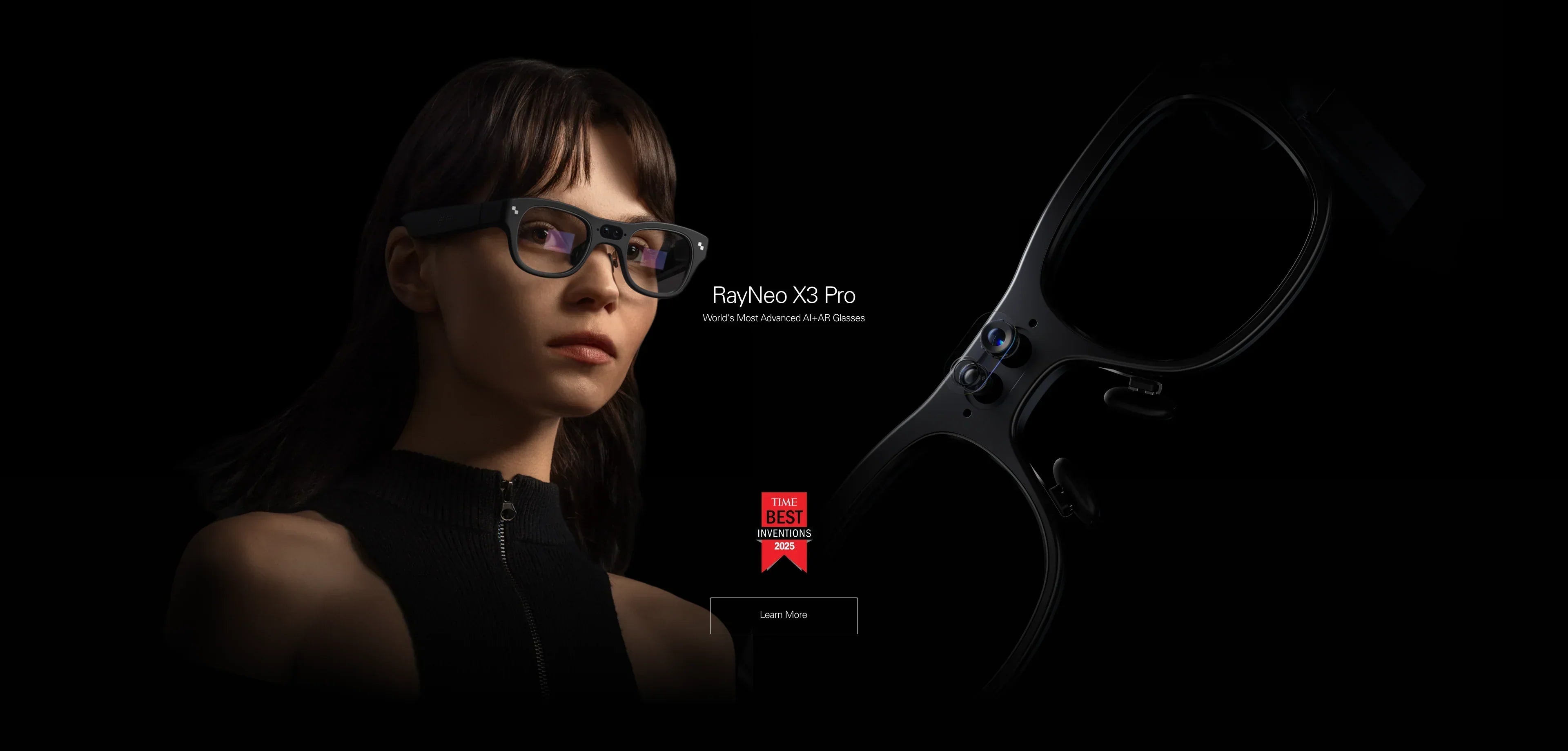
For the "Deskless Worker" (Technicians, Medical, Logistics): You need Standalone AR Glasses (like the RayNeo X3 Pro) that provide heads-up information overlay. They prioritize transparency, hands-free control, and situational awareness.
In this guide, we will dismantle the hype, analyze the software ecosystems, and help you choose the right tool to upgrade your professional workflow.
Before investing in hardware, you must categorize your workflow. A device that is perfect for a software engineer is useless for a warehouse manager.
Your Job: Software Engineer, Financial Analyst, Writer, Graphic Designer. Your Pain Point: You feel cramped on a laptop screen. You miss your office monitors. You worry about people shoulder-surfing your confidential data in coffee shops.
The Need: High PPD (Pixels Per Degree). Text must be razor-sharp. Color accuracy is vital.
The Recommended Category: Tethered Display Glasses. You want a device that plugs into your MacBook or ThinkPad and extends your desktop.
Your Job: Field Service Technician, Surgeon, Architect, Event Coordinator. Your Pain Point: You need to access data (manuals, blueprints, schedules) but your hands are dirty or occupied. Holding a tablet slows you down.
The Need: Optical See-Through AR. You must see the real world clearly. You need voice control or simple touch gestures.
The Recommended Category: Standalone AR Glasses. You want a computer on your face, not a screen for your laptop.
Your Job: Sales Director, Diplomat, Consultant. Your Pain Point: Language barriers and "meeting fatigue." You need to understand foreign partners instantly and discreetly.
The Need: Real-Time AI Assistance. Translation subtitles and meeting transcription.
The Recommended Category: AI-Integrated AR Glasses.
Replacing a physical monitor with a virtual one is a major behavioral shift. Before you buy, ensure your setup can handle it.
0DoF (Zero Degrees of Freedom): The screen is locked to your face. If you turn your head left, the screen moves left. This is fine for movies but can induce motion sickness for work.
3DoF (Three Degrees of Freedom): The screen is "pinned" in the air. You can turn your head to look at the left edge of the spreadsheet, just like a real monitor.
The Requirement: For serious work, 3DoF is mandatory. This usually requires running specific software (like RayNeo Mirror Studio) on your host device. Check if your laptop allows software installation (corporate IT policies often block this).
For coding or reading Excel sheets, resolution is king.
The Benchmark: You need a PPD (Pixels Per Degree) of at least 45. The RayNeo Air 2s uses Sony Micro-OLED panels to achieve this, making small fonts readable. Lower-end generic video glasses will result in blurry text and eye strain within 30 minutes.
Display glasses draw power and video from your laptop via USB-C.
The Friction: It drains your laptop battery faster.
The Fix: You may need a "pass-through charging" adapter to keep your laptop charged while the glasses are plugged in.

Let's simulate a workday using Display Glasses like the RayNeo Air 2s.
09:00 - The Train Commute You connect the glasses to your Samsung phone (DeX Mode). You have a full desktop environment floating in the train car. You review a presentation in privacy. No one sees your screen.
11:00 - The Coffee Shop You connect to your MacBook. Using the AR desktop software, you spawn three virtual screens.
Center: Your code editor (VS Code).
Left: Slack and Discord.
Right: Browser for documentation.
The Experience: You have a triple-monitor command center that fits in a sunglasses case. The 120Hz refresh rate ensures the cursor movement is buttery smooth.
14:00 - The Zoom Call You switch the glasses to "Whisper Mode" audio. You can hear the meeting clearly without wearing earbuds, and the directional sound prevents leakage to the table next to you.
The Verdict: For this user, the RayNeo Air 2s offers the highest ROI. It transforms any space into a private office.
Now let's look at the Standalone AR workflow with the RayNeo X3 Pro.
10:00 - The Site Inspection You are an architect visiting a construction site. You wear the X3 Pro. It is bright enough (1500 nits) to work outdoors.
The Action: You look at a wall. Using the camera and AI, you overlay the blueprint onto the physical wall to check for pipe alignment.
13:00 - The Cross-Border Negotiation You are meeting a supplier who speaks Mandarin.
The Action: You activate "Face-to-Face Translation." As they speak, English subtitles float below their face. You maintain eye contact, building trust, rather than looking at a translation app on your phone.
16:00 - Hands-Free Repair You are fixing a server rack. Both hands are holding tools.
The Action: You ask the onboard AI: "Show me the wiring diagram for this model." The schematic appears in your upper right vision field. You fix the issue without putting down your tools.
The Verdict: For this user, the RayNeo X3 Pro is a safety and efficiency tool. It removes the friction of stopping work to check a device.
Let's compare the top contenders for productivity in 2026.
Best For: Creative pros, coders, writers.
Why: It prioritizes image quality above all. The Sony Micro-OLED panels offer better color accuracy (108% sRGB coverage) than many competitors, which is crucial for designers. The screen is flat and sharp edge-to-edge.
Limitation: It is a tethered display. You are wired to your machine.
Best For: "Deskless" workers and frequent travelers.
Why: It is a computer, not a screen. The multimodal AI capabilities (vision + voice) make it a proactive assistant.
Limitation: The field of view (FOV) is smaller than the Air series. It is not meant for "multi-monitor" work; it is meant for "information overlay."
Best For: Audiovisual professionals.
Why: If your work involves video editing or sound design, the addition of HDR10 and Bang & Olufsen audio tuning makes this the first pair of smart glasses capable of reference-level playback.
Action: Check launch details.
We must manage your expectations. Smart glasses are productivity boosters, not magic wands.
Text Input: Smart glasses do not solve the keyboard problem. You still need a physical keyboard (laptop or Bluetooth) to type effectively. Virtual keyboards in AR are slow and frustrating for work.
Eye Strain: While Micro-OLEDs are low-blue-light certified, staring at a fixed focal distance for 8 hours is tiring. Follow the 20-20-20 rule.
Peripheral Vision: Display glasses (Air series) block your lower peripheral vision. You cannot easily see your coffee cup or your keyboard if you are not a touch typist.
Battery Management (X3 Pro): If you use the AI camera and translation features continuously, the standalone battery lasts about 3-4 hours. You need to dock them in the case during lunch breaks.
Which tool belongs in your briefcase?
Scenario 1: You want a portable Triple-Monitor setup.
The Choice: RayNeo Air 2s. It offers the best price-to-performance ratio for screen clarity.
Check: Ensure your laptop has a USB-C port with DP Alt Mode.
Link: Verify compatibility.
Scenario 2: You work with your hands or travel internationally.
The Choice: RayNeo X3 Pro. The standalone form factor and AI translation are unrivaled for "real world" interaction.
Link: Explore X3 Pro features.
Scenario 3: You are a video editor or audiophile.
The Choice: Wait for RayNeo Air 4 Pro. The color accuracy of HDR10 and the fidelity of B&O audio will be critical for your workflow.
Q: Can I use these glasses for coding? A: Yes. The RayNeo Air 2s is particularly popular among developers because it creates a vertical monitor setup (portrait mode) easily, allowing you to see hundreds of lines of code without scrolling, all while sitting in a cafe.
Q: Do they work with Windows? A: Yes. RayNeo glasses act as a standard plug-and-play monitor for Windows. For the "Virtual Multi-Screen" (3DoF) experience, you may need to download the companion Windows software (RayNeo Mirror Studio).
Q: How is the text clarity? Can I read spreadsheets? A: Yes. The PPD (Pixels Per Degree) of modern Micro-OLED glasses (~49 PPD) is high enough to render small text clearly. It is comparable to a 1080p monitor sitting on your desk. However, proper fit (nose pad adjustment) is crucial to ensure the corners of the spreadsheet aren't blurry.
Q: Can I take calls on them? A: Yes. Both the Air series and X3 Pro have microphones and speakers. They work like a Bluetooth headset for Zoom or Teams calls, keeping your ears open to your environment.







Share:
Smart Glasses with Full-Color Display: The 2026 Visual Guide
What Smart Glasses Are People Currently Using or Planning to Buy? (The 2026 Trend Report)