

$429.00

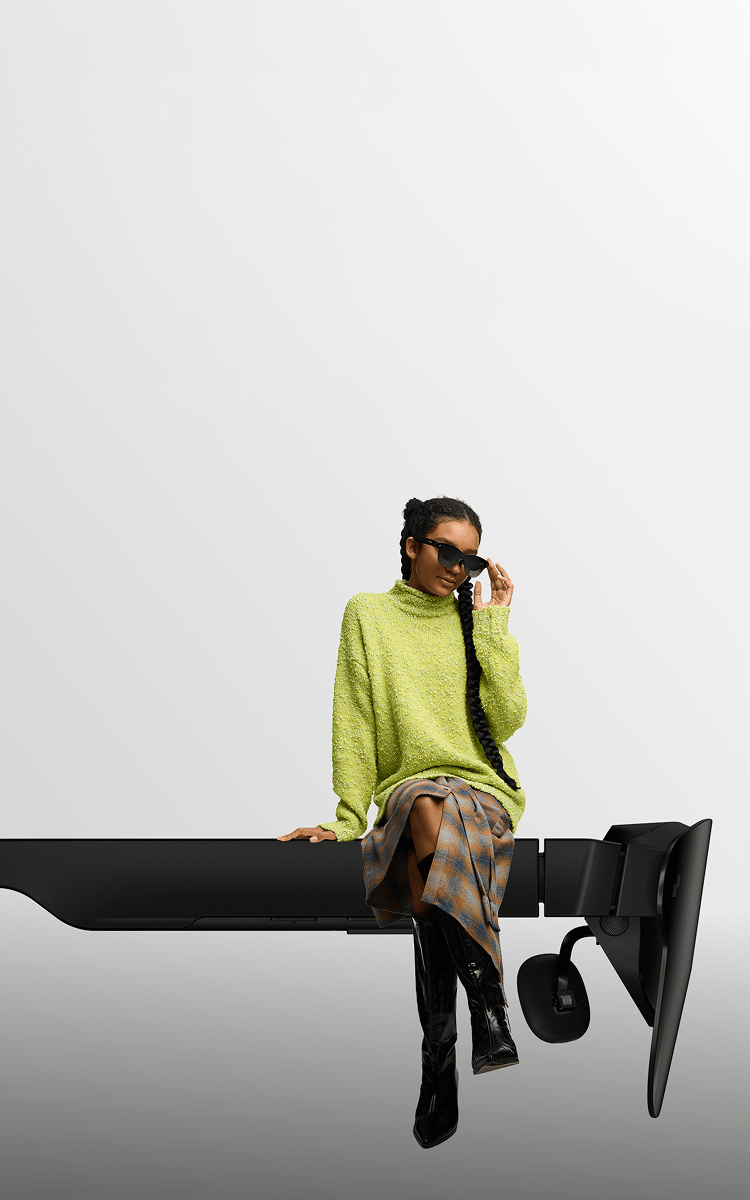
Commuting puts smart glasses through two different physical tests: walking somewhere, and sitting still on a train, bus, or plane. The deciding factor is whether a wired connection works for you, since a cable to your phone is fine at a desk but not while weaving through foot traffic. That’s why the RayNeo X3 Pro connects untethered over Bluetooth and Wi-Fi for the walking portion, while RayNeo’s Air series plugs into a phone, laptop, or console over USB-C for the seated portion.
If most of your commute is spent walking, biking, driving, or standing on a platform, a wired connection isn’t practical. A cable running from your glasses to a phone in your pocket works fine at a desk. It doesn’t work well weaving through foot traffic or holding a bike’s handlebars.
That’s why the X3 Pro is the only current RayNeo model built for the moving portion of a commute. It carries its own processor (a Qualcomm Snapdragon AR1 Gen 1 chipset), battery, camera, and radios, so it doesn’t need a live cable connection to function.
The Air series is built around the opposite assumption: that you’re sitting still with a phone, laptop, or handheld console nearby to plug into. That’s a legitimate use case for a different part of a commute, a long train ride or a flight, covered in more detail further down.
| Commute situation | Needs untethered operation? | RayNeo fit |
|---|---|---|
| Walking to a bus stop, train platform, or office | Yes | X3 Pro |
| Standing on a crowded train or bus | Yes | X3 Pro |
| Driving or biking | Yes (hands-free is the point) | X3 Pro |
| Seated on a long train ride or flight, phone or laptop in hand | No | Air 2s / Air 3s Pro / Air 4 Pro |
That same moving-versus-sitting-still split isn’t limited to the commute itself. A weekend spent walking a farmers market, running errands, or out with a dog lands on the same side as a walking commute, and points toward the X3 Pro for the same untethered reasons. An evening on the couch streaming something, or working from a coffee shop with a laptop nearby, is closer to a seated train ride, and points toward the Air series for the same reason. Commuting is just the most predictable version of a question that applies to casual, off-the-clock time too: are you moving, or are you sitting still near a device you can plug into?
For casual, everyday wear, how a pair of glasses reads to other people matters as much as what it does. RayNeo’s two product lines land in different places on that scale, and it’s a real trade-off rather than a solved problem.
The X3 Pro uses a squared, Wayfarer-inspired black frame with clear lenses, built to read as ordinary eyewear rather than a headset. Independent reviews, including Tom’s Guide and TechRadar’s coverage of the device, back that up. One detailed hands-on account from Skarred Ghost, worn powered off for a full day at a tech conference, found that bystanders didn’t give the glasses a second look, even face to face. That indoor, climate-controlled setting is different from a windy platform or a crowded sidewalk, so it’s a solid proxy for how the frame reads to people around you rather than a direct measure of a specific outdoor commute.
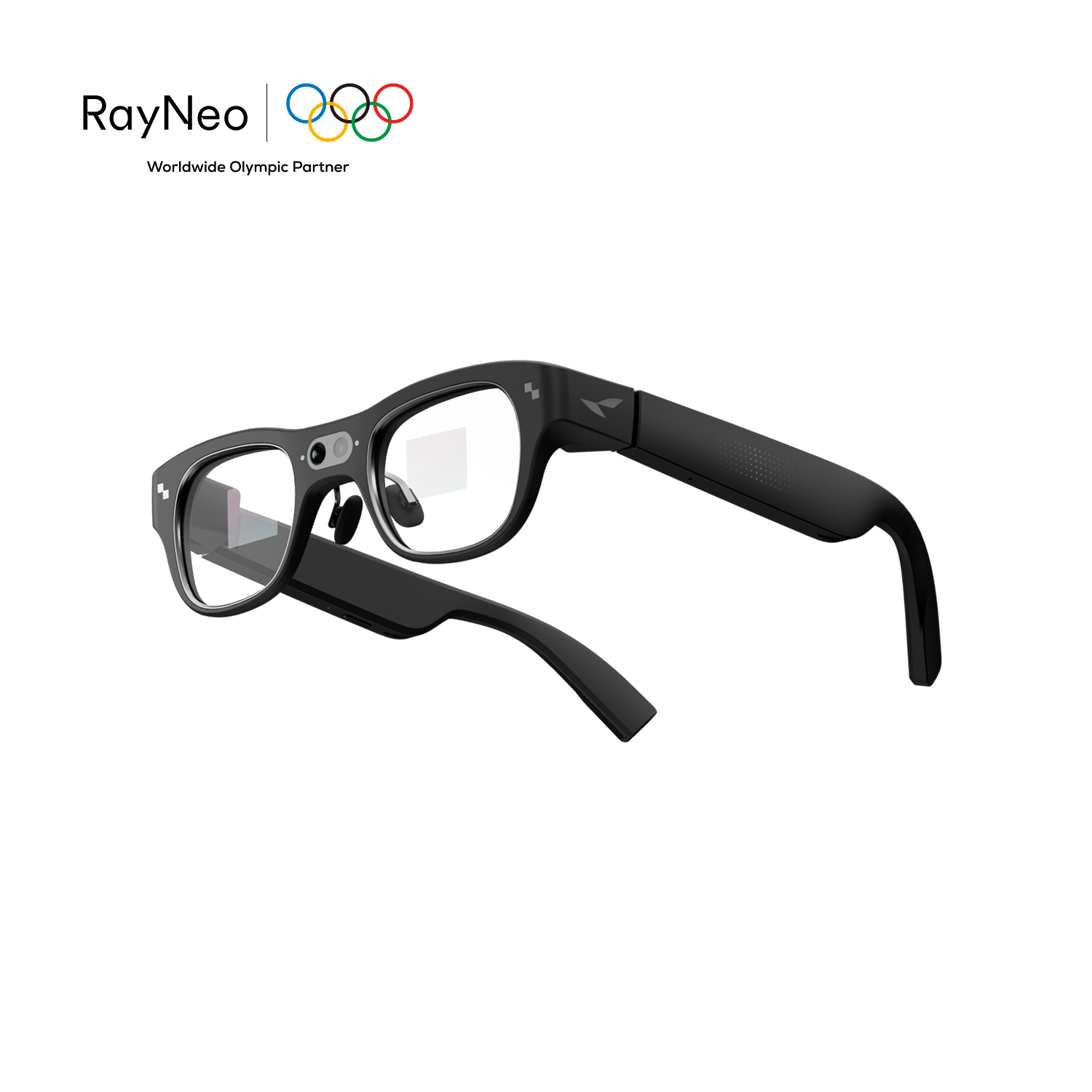
That changes once the display is active. The same review noted the screen becomes noticeably visible to people nearby as a room gets darker. For a commute, that mostly plays out outdoors and in daylight, where a lit display is far less noticeable than it would be in a dim room, so the discreetness holds up better on a typical commute than it would at an evening event.
The Air series takes a different approach. Its lenses are noticeably tinted, a side effect of the birdbath-style optical system that needs contrast to project a bright image, so the Air 2s, Air 3s Pro, and Air 4 Pro read more like sunglasses than clear everyday eyewear, whether the display is on or off. Outdoors on a bright commute, that tint doubles as sun protection. Indoors, it reads as sunglasses worn inside, which is worth knowing if you’d plan to keep them on at a desk right after arriving.
Neither line currently offers multiple frame colors the way a traditional eyewear brand might (the Air 4 Pro’s Justice and Chaos editions are a themed collectible variant, not an everyday colorway). All four current models ship in a single black finish otherwise.
Battery life is the detail that decides whether smart glasses actually make it through a workday, not just a single ride. Because the Air series draws power through its USB-C connection rather than an internal battery, its “battery life” is really a question of how long your phone, laptop, or console stays powered, not a separate number to plan around.
The X3 Pro is the one model that needs its own charge, and RayNeo’s official figures break down by function rather than as one all-day number:
| Function | Battery life | Source |
|---|---|---|
| Continuous music playback | Up to 3 hours | RayNeo’s official spec sheet |
| Continuous audio recording (sound only, like a voice memo, no video) | Up to 5 hours | RayNeo’s official spec sheet |
| Continuous video recording (camera capturing footage) | Up to 36 minutes | RayNeo’s official spec sheet |
| Mixed everyday use (camera, navigation, AI queries, notifications) | Roughly 1 to 2 hours | Independent reviews cited in RayNeo’s own comparison materials |
The two recording rows aren’t the same feature. Audio recording only captures sound through the microphones, which draws relatively little power and can run for hours. Video recording also runs the camera and processes footage, which is far more demanding on the battery, hence the gap between 5 hours and 36 minutes. If your commute plan involves filming rather than just capturing audio notes, the 36-minute figure is the one that applies.
That figure matters most if biking or driving is part of your commute. Thirty-six minutes of continuous recording covers a single leg of most trips, but it rules out using X3 Pro as a full-route dashcam that films door to door. It’s better suited to capturing specific segments, a tricky intersection, a scenic stretch, a near-miss worth having on record, rather than recording continuously for the whole ride.
For most people, a commute doesn’t look like any single one of those functions running nonstop. It looks like a few minutes of music, a voice query or two, maybe a quick photo, spread across a 20-to-40-minute ride each way. That mixed pattern is closer to the 1-to-2-hour row than to any single-function ceiling, and it means the X3 Pro can reasonably cover a commute in each direction on one charge, with less headroom left over for heavy use once you’ve arrived.
The X3 Pro ships with a carrying case, not a charging case, so once the battery runs low, recharging means a wall outlet rather than a top-off on the go. RayNeo lists a roughly 38-minute full charge time over USB-C, which is fast enough for a lunch-break top-off if a heavy-use day runs the battery down before the ride home.
Every current RayNeo model weighs about the same, roughly 76 grams, so weight alone won’t help you choose between them. What differs is where that weight comes from and how the frame is built to hold it in place:
RayNeo doesn’t publish a front-to-rear balance figure for the X3 Pro, but the layout explains what wearers can expect: with the camera, depth sensor, and dual MicroLED displays sitting ahead of the hinge, the frame’s weight leans toward the front. Skarred Ghost’s full-day, indoor test at a tech conference is the most detailed account of what that means in practice: strangers never clocked the device as smart glasses, but the reviewer needed short breaks after a few hours due to nose-bridge discomfort, something he partly attributed to his own head shape. That test ran indoors without rain, wind, or a brisk walking pace, so it’s a useful reference point for a full day of continuous wear more than an exact match for an outdoor commute.
A typical walking commute segment runs well under an hour each way, shorter than the point where that reviewer’s discomfort started to show up, which suggests the walking portion of a commute is a lighter ask on the nose bridge than a full day of continuous indoor wear. It’s not a guarantee, since individual head shape and how snugly the frame sits both affect this in practice.
For anyone who already wears glasses for nearsightedness, farsightedness, or astigmatism, this is usually a purchase-blocking question before any of the above matters. None of RayNeo’s current models grind a prescription directly into the display lens the way an optical shop grinds a regular pair of glasses. The display and camera hardware inside the frame take up the space a ground lens would otherwise need.
Instead, every current RayNeo model works with a third-party optical partner, Lensology, on a clip-in prescription insert that snaps onto the inside of the frame, between your eye and the display. That insert is ordered separately after you buy the glasses, typically in the $100 to $125 range, and it isn’t included in the glasses’ price.
Coverage varies by model in how specific RayNeo gets about it. The Air 2s has the clearest published numbers: RayNeo’s dedicated prescription-lens purchase page lists myopia from 0 to -10.00D and astigmatism from 0 to -2.00D, and states that its glasses “are not suitable” for prescriptions beyond that range. The Air 3s Pro and Air 4 Pro are also confirmed Lensology-compatible frames and ship with a sample prescription-lens frame in the box, but their current product pages describe accommodating near- and far-sighted users without publishing a specific diopter ceiling. The X3 Pro’s product page links directly to a dedicated Lensology insert page built for that model, confirming clip-in support exists, though neither RayNeo nor Lensology currently publishes a diopter range for it.
Practically, that means anyone with a moderate, common prescription has a documented path on any of these models, most concretely on the Air 2s. If your prescription is stronger or you want the number confirmed in writing before paying for an insert, particularly on the X3 Pro, Air 3s Pro, or Air 4 Pro, contacting Lensology directly with your prescription ahead of ordering is worth the extra step.
Rain, sweat, and cold are realistic conditions for anyone commuting outdoors, so here’s the direct answer: the X3 Pro doesn’t carry a published IP rating (short for Ingress Protection, the standard scale for dust and water resistance) or any other formal water-resistance figure.
That’s consistent with the rest of the AI and AR glasses category. Packing a display, camera, and processor into a frame this size makes formal water sealing a harder engineering target than it is for simpler electronics, so most devices in this class go without a published rating rather than fail to earn one. The practical guidance holds either way: the X3 Pro is fine for normal outdoor exposure like light drizzle or cold air, but it isn’t built to be submerged, run under a tap, or worn through a heavy downpour.
For the moving portion of a commute, hands-free audio and quick voice queries matter more than a display does. This is where the X3 Pro’s radio and microphone setup actually earns its keep.
Its 3-microphone beamforming array picks up your voice and filters background noise, which is what makes phone calls usable on a crowded platform or a windy street corner. Once paired over Bluetooth, incoming calls route through the glasses’ own speakers and mic, so your phone can stay in a pocket or bag for the call itself.
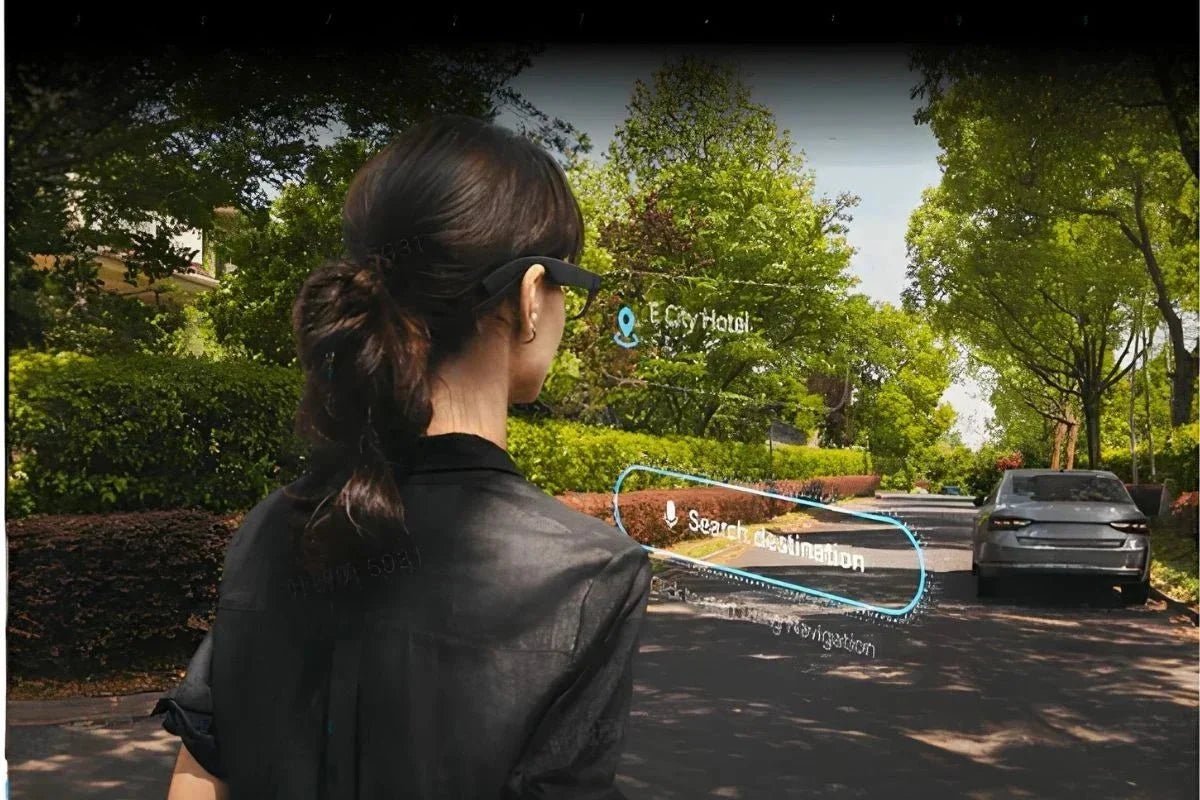
The voice assistant, built on Google Gemini, activates with the wake phrase “Hey RayNeo,” no touch required. On a walking commute, that covers quick tasks like a translation, a reminder, or a general question, though cloud-based features like translation and open-ended queries need an internet connection. Since the X3 Pro carries its own Wi-Fi 6 radio, that connection doesn’t have to route through your phone at all if there’s a network nearby to join directly; it can just as easily come from your phone’s data plan or a paired hotspot when you’re out walking with no other Wi-Fi around. Touch controls along the temple arm handle answering and ending calls; the in-box quick-start guide has the exact tap and swipe mapping, worth a quick look before you need it in a hands-full moment.
None of this is available on the Air series, since none of those three models include a microphone or camera at all. If calls, ambient awareness, and a voice assistant on the move are the priority, the X3 Pro is currently the only RayNeo model built for that combination.
A long train ride or flight is a different kind of commute, one where sitting still for 30 minutes to a few hours is the norm rather than the exception. That’s the exact use case RayNeo built the Air series around: a large virtual screen for watching video, working through a laptop’s second display, or gaming on a handheld, plugged into whatever device you brought along.

That comes with the same USB-C limitation covered earlier. You’ll need a phone, laptop, or console with a USB-C port that supports video output (DisplayPort Alt Mode) nearby and within cable reach, and not every Android phone’s USB-C port carries that capability even when the port looks identical to one that does. Confirming that with your specific phone’s specs before boarding a long flight expecting to watch a movie is worth the two minutes it takes.
Pricing across the Air lineup runs well below the X3 Pro:
All three are worth considering as a lower-cost entry point if a bigger screen for a long, seated ride matters more to you than anything untethered.
| RayNeo X3 Pro | RayNeo Air series (Air 2s / Air 3s Pro / Air 4 Pro) | |
|---|---|---|
| Connection | Bluetooth 5.3 + Wi-Fi 6 (untethered) | Wired USB-C only |
| Fits which part of a commute | Walking, standing, biking, driving | Sitting still (train, bus, plane) |
| Weight | 76 ± 1g | 76g |
| Lenses | Clear | Tinted (doubles as sun protection outdoors) |
| Camera / microphone | Yes, 12MP camera + 3-mic array | No |
| Calls and voice assistant | Yes, Bluetooth calls + Google Gemini assistant | No |
| Battery | 245mAh; mixed-use estimate roughly 1-2 hours per charge | Powered through host device; no separate battery |
| Published water/weather rating | None published | None published |
| Price (as of late August 2026) | $1,099 sale / $1,299 list | $159 to $299 depending on model |
Prices and promotions reflect RayNeo’s official product pages as checked in late August 2026 and can change without notice. Confirm current pricing at checkout on rayneo.com.
Most of your commute is spent walking, standing, or otherwise moving → the X3 Pro is the only current RayNeo model built to work untethered. It handles calls, quick photos, a voice assistant, and translation without a cable, and its clear-lens frame is the closer match to ordinary eyewear when the display isn’t active.
Your commute is mostly a long, seated ride and you want a bigger screen for video or work → the Air series fits that specifically, at a fraction of the X3 Pro’s price. Confirm your phone or laptop’s USB-C video output support first.
You want one pair that handles both the walking and the seated parts of a commute equally well → that’s not a single-product answer in RayNeo’s current lineup, since the wired-versus-wireless split is a hardware decision, not a setting you can toggle. Most commuters lean toward whichever portion of their trip is longer or matters more to get right.
You mainly want hands-free calls and music with no display or camera at all → that’s a lighter, display-free category of audio-only smart glasses that exists in the broader market. RayNeo’s current lineup pairs its microphone and camera hardware with a display by design on the X3 Pro, so a screen-free audio option isn’t something RayNeo currently sells.
Rain or heavy weather exposure during your commute is a regular concern → go in with realistic expectations. Neither RayNeo line publishes a water-resistance rating, which is typical for this product category. Treat both lines the way you’d treat any unrated electronics: fine for everyday exposure like light rain or cold air, not something to run under a tap or wear through a heavy downpour.
You already wear prescription glasses and want to know if that’s even possible here → yes, on any current model, through a separate clip-in insert from RayNeo’s optical partner Lensology. The Air 2s has the most specific published diopter range; the X3 Pro, Air 3s Pro, and Air 4 Pro confirm compatibility without publishing an exact ceiling, so confirming your specific prescription with Lensology first is worth doing if you’re outside a common, moderate range.
Can I wear smart glasses while walking to work or to a train station?
How long does the battery actually last on a typical commute?
Do smart glasses look like ordinary glasses on a commute?
Are RayNeo’s smart glasses waterproof for rainy commutes?
Do I need my phone with me to use the X3 Pro on a commute?
Can I get prescription lenses for a smart glasses commute pair?
Is the X3 Pro worth the price just for a daily commute?
A commute isn’t one activity, it’s at least two: getting somewhere on foot or in transit, and often sitting still once you’re there or on a longer leg of the trip. RayNeo’s lineup answers each half differently rather than trying to cover both with one frame.
The X3 Pro is built for the part of a commute where you’re moving and your hands are full, calls, quick photos, navigation cues, and a voice assistant, all without a cable tying you to a phone. The Air series is built for the part where you’re sitting still and want a bigger screen than your phone offers, at a lower price and without a battery to manage.
Time your own trip: count the minutes spent walking to a stop or platform against the minutes spent seated once you’re on board. That ratio, not a spec sheet, is what puts you on the X3 Pro side of this decision or the Air series side. Full specs and current availability for each model are on RayNeo’s product pages: X3 Pro, Air 2s, Air 3s Pro, and Air 4 Pro.







Share:
AR Glasses or a Portable Monitor for Travel Work? Here's How to Actually Decide
AR Glasses or a Portable Monitor for Travel Work? Here's How to Actually Decide