

$429.00

Choosing between AR display glasses and a portable monitor for travel work comes down to weight, privacy, what it plugs into, setup in a cramped seat, and price. AR glasses like the RayNeo Air 3s Pro project a private, near-eye screen wired into your phone or laptop over USB-C; a portable monitor gives you a real, physical screen anyone nearby can also see. For most travelers, packing weight and privacy make AR glasses the better fit.
RayNeo lists the Air 2s, Air 3s Pro, and Air 4 Pro at the same official weight: 76 grams. That’s the whole display, folded flat like a pair of sunglasses, plus a USB-C cable that adds only a few more grams. It fits in the same pocket of a bag you’d use for sunglasses, next to a phone charger.
A portable monitor is a different category of object. Based on current product listings and reviews from outlets including Tom’s Hardware, typical panels weigh somewhere between roughly 1 and 1.7 pounds (450 to 770 grams) on their own, with a handful of ultralight models dropping closer to 400 grams at a price premium. Add a folding stand or protective case, which most people use rather than carry the bare panel loose in a bag, and the real number for what you’re packing usually lands closer to a pound and a half or more.
For someone already carrying a laptop, its charger, and a personal bag through security, that difference matters. A pound and a half is the gap between a bag that zips closed easily and one that’s stuffed to its limit, while 76 grams of folded glasses barely registers against everything else already in the bag.
This is the factor that actually changes what kind of work you can do in public, not just how heavy your bag is.
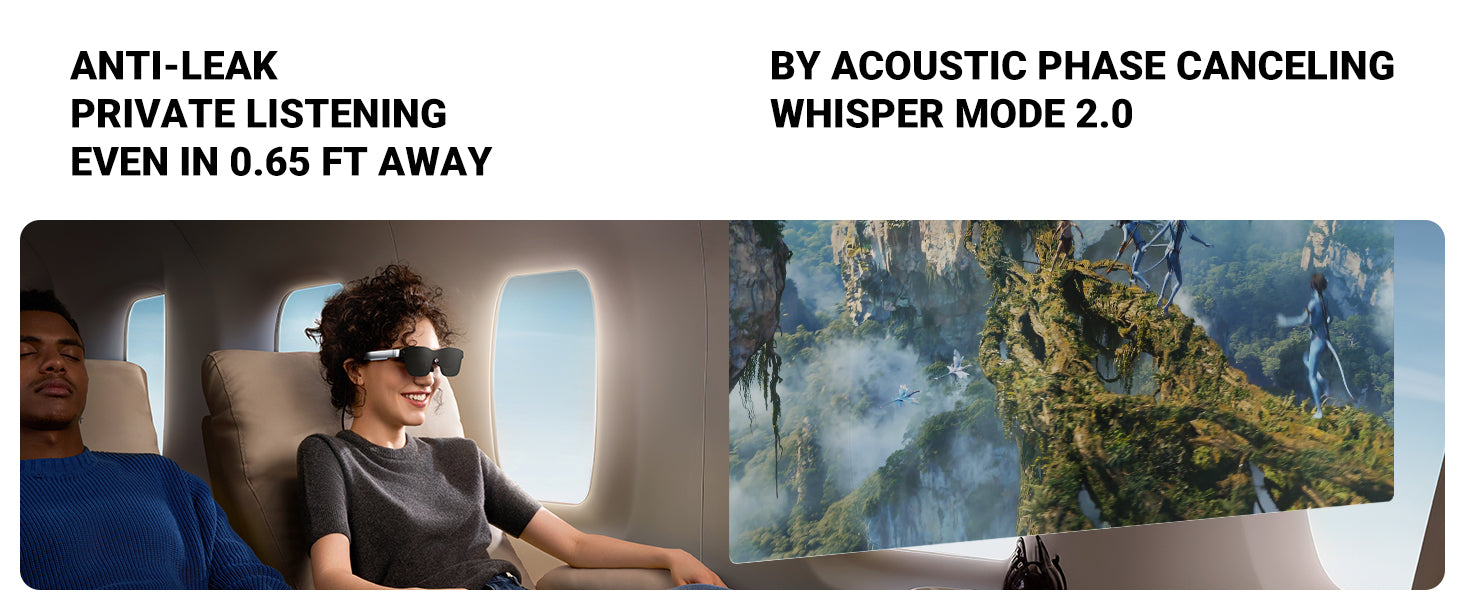
RayNeo describes the Air series display as a private, portable screen, since the image is projected through near-eye optics directly to the wearer rather than shown on an outward-facing panel. Nobody sitting next to you on a plane, or standing behind you in a coworking space, sees what’s on your virtual screen unless they’re wearing the glasses too. RayNeo’s Whisper Mode 2.0, a phase-cancellation audio feature built into the Air series, extends that same privacy to sound: RayNeo’s acoustic testing rates it at keeping audio virtually inaudible to someone as close as 0.65 feet away.
A portable monitor works the opposite way. It’s a real, upright panel facing outward, which makes it more visible than a laptop screen alone, not less. A window or aisle seatmate, or a stranger walking past a coworking table, can glance over just as easily as they could glance at your laptop, and the monitor gives them a second, wider surface to look at. The usual fix is a separate privacy filter, a thin micro-louver film that narrows the visible viewing angle to roughly 30 degrees. That’s an effective, well-established accessory (companies like Kensington have sold them for years), but it’s one more item to pack, and it dims the screen at an angle for you too, which can make side-by-side use with your laptop a little more awkward.
If you handle anything sensitive on a screen while traveling, client data, financial documents, unreleased work, this single factor can outweigh every other spec on this page.
Both categories share the same underlying technical dependency, but they handle it differently.
A quick definition first, since this term does most of the work in this comparison: not every USB-C port carries video, even though most USB-C ports charge a device and move data. DisplayPort Alt Mode is the specific capability that lets a USB-C port also carry a video signal, alongside power and data. A phone or laptop needs that specific capability, not just a USB-C port, for either the Air series or a single-cable portable monitor to work over one wire.
To check whether your own device has it, look up your exact model’s spec sheet for phrases like “USB-C video output,” “DisplayPort over USB-C,” or “DP Alt Mode,” or simply plug it into any USB-C monitor, dock, or projector you already have access to; if a picture shows up without a separate adapter, that port supports video out.
| Factor | AR display glasses (RayNeo Air series) | Typical portable monitor |
|---|---|---|
| Primary connection | Wired USB-C, single cable for video (and power draw) | USB-C (single cable for video and power) or HDMI, most models offer both |
| Needs DisplayPort Alt Mode on the host device? | Yes, for the direct USB-C connection | Yes, but only for single-cable USB-C mode |
| Fallback for devices without USB-C video output | Optional RayNeo HDMI adapter, confirmed available for Air 3s Pro and Air 4 Pro, for consoles or PCs without USB-C DisplayPort support | Built-in HDMI input on most models, which sidesteps the DisplayPort Alt Mode question entirely |
| Confirmed device compatibility | RayNeo’s Air 4 Pro page groups iPhone, Android, Mac, Windows PC, tablets, Steam Deck, Nintendo Switch, and PlayStation as compatible via USB-C or the HDMI adapter | Varies by model; check the specific monitor’s port list |
| Built-in battery | None. Draws power through the same USB-C connection from whatever it’s plugged into | Varies. Some portable monitors include their own battery; many draw power the same way the Air series does |
The practical difference is in the fallback path. If your laptop or phone’s USB-C port doesn’t support DisplayPort Alt Mode, a portable monitor’s built-in HDMI input still works, since HDMI (sometimes via a small mini or micro adapter) is common even on older laptops that never had USB-C video output at all. RayNeo’s Air series covers the same gap with an official HDMI adapter for the Air 3s Pro and Air 4 Pro, which handles a console or an HDMI-only PC, but it’s a separate accessory to buy and pack rather than a port built into the glasses.
Neither product line adds battery life on its own. If you’re planning to run either one off a laptop for a long flight with no outlet, that draw comes out of the same battery your laptop is already using, unless your specific portable monitor happens to have its own internal battery, which not all of them do.
This is worth answering directly, because it changes what “second screen” actually means for your workflow: does it just duplicate your laptop screen, bigger, or does it give you a genuinely separate workspace where email lives in one window and a document lives in another?
Technically, both the Air series and a portable monitor connect the same way: as a standard USB-C DisplayPort video signal. Whether the connected phone or laptop treats that signal as a mirrored copy or an extended desktop is a setting controlled by that device’s operating system, not something built into the display itself, the same as it would be for any external monitor plugged into a laptop.
The Air series is engineered primarily as a high-fidelity wearable display for mirroring content, screening movies, and gaming. Multi-window, side-by-side desktop use runs over that same USB-C connection, but whether it works depends on a setting controlled by your connected device’s operating system rather than a feature switch built into the glasses. If running an extended desktop, with two separate windows open at once, is the specific reason you want a second screen, test that combination on your own hardware before buying: some laptops and some Android phones in desktop mode support extending across USB-C video out, while others default to mirror-only.
RayNeo’s Air glasses need no flat surface at all. Put them on, plug the USB-C cable into your phone or laptop, and the display is in front of you immediately. That works standing at a charging kiosk, in a middle seat with the tray table barely wider than a laptop, or on a train without a full-size table at all.
A portable monitor needs a stable, flat surface and a kickstand or folding case propped at a workable angle, plus enough room in front of you for the monitor and your laptop keyboard side by side (or stacked, in a dual-screen case). That’s a non-issue on an actual desk. It’s a real constraint on a domestic economy tray table shared with a laptop, a drink, and whatever else is already there.
This is the factor most comparisons skip, and it’s worth being direct about it.
RayNeo’s official materials for the Air series center on watching video, gaming, and mirroring a screen for movies, not on multi-hour document or spreadsheet work specifically. Using it to mirror a laptop for email or a Google Doc across a long flight is a real, workable use of the same USB-C connection. RayNeo’s published comfort engineering for the Air series, weight balance, temple adjustment, and brightness tuned for a range of lighting (1,200 nits on the Air 3s Pro, for example, aimed at staying visible from a dim room to a sunlit window), centers on movie-viewing and gaming sessions; multi-hour document or spreadsheet work draws on that same hardware but is a newer use case for the category than the ones RayNeo has published specific comfort figures for.
Near-eye AR displays also introduce something a physical monitor doesn’t have. According to the American Academy of Ophthalmology, most digital eye strain comes from how people use any screen (blinking less, holding a close focus for long stretches) rather than from the display technology itself, and its standard advice, the 20-20-20 rule, applies to every screen equally. Near-eye displays specifically add a factor called vergence-accommodation conflict, where your eyes focus and converge differently than they would for a real object at the same apparent distance. That’s a documented, temporary form of visual fatigue seen across AR and VR devices generally, including RayNeo’s, not a sign of long-term harm, and it’s a genuine difference from looking at a monitor sitting at a normal arm’s-length distance the way your eyes already expect.
For a two-hour movie, that distinction barely registers. For six hours of continuous spreadsheet work, it’s worth taking the same breaks you’d take with any screen, and worth knowing that a standard external monitor doesn’t introduce this particular consideration at all.
If the trip in question mostly means working from a seat you don’t control, a plane, a train, a shared hotel desk, and the priority is not carrying extra weight and not having your screen visible to a stranger, RayNeo’s Air series is built for exactly that trade-off.
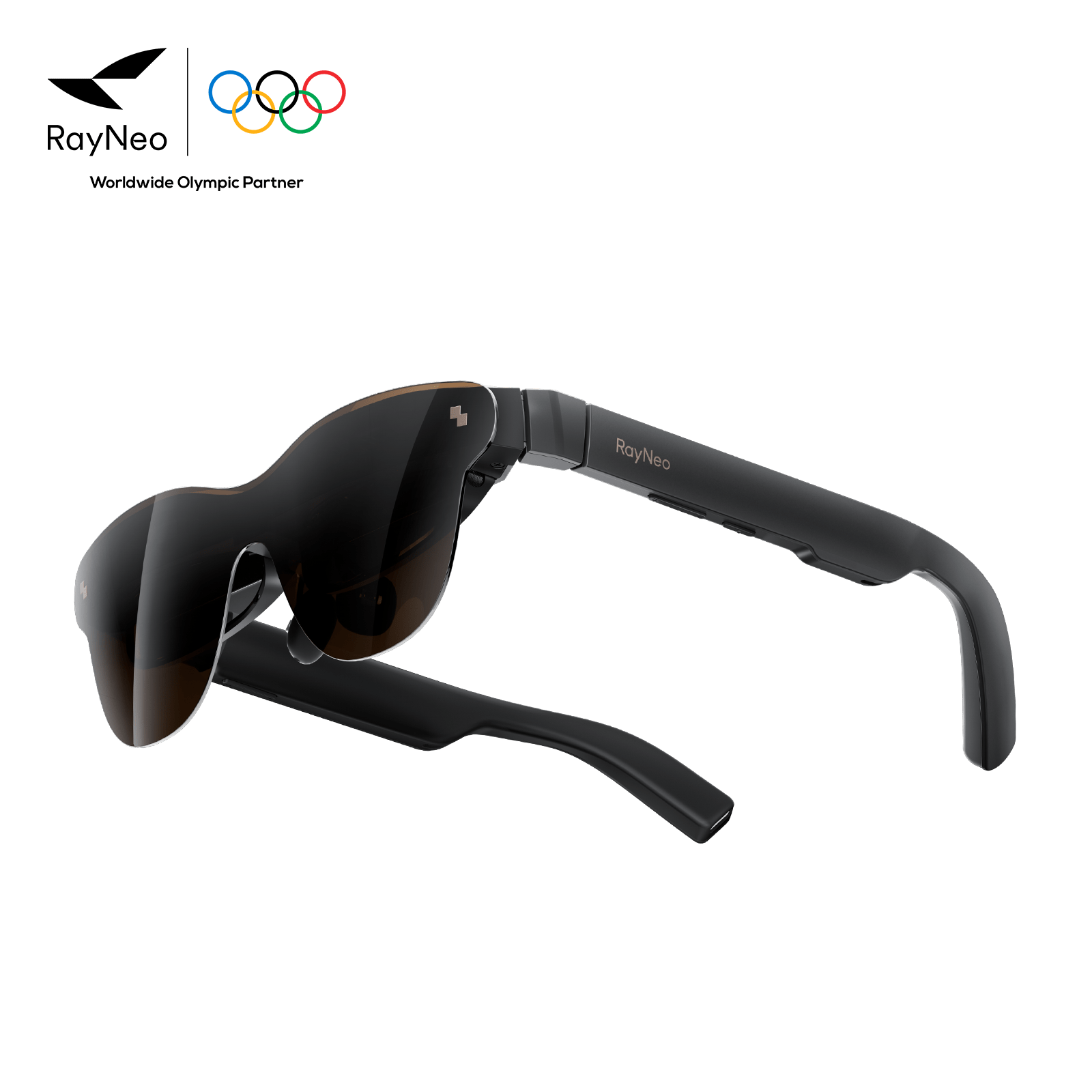
The RayNeo Air 3s Pro is the model to look at if outdoor or bright-terminal readability matters most.
The RayNeo Air 4 Pro adds HDR10 display support and a Bang & Olufsen co-tuned audio system, aimed at travelers who also want a genuinely good movie experience during downtime, not just document work in transit.
The RayNeo Air 2s is the lightest entry point into the category price-wise.
None of the three are the right pick if you regularly need to share your screen with a colleague or client mid-trip, or if you’re doing detailed visual work, photo editing, precise color matching, dense multi-column spreadsheets, where verified pixel resolution and physical screen size matter more than perceived size. Between the three, the Air 3s Pro currently has the clearest published pixel-resolution numbers to plan around (1920x1080 2D, 3840x1080 3D); the Air 4 Pro’s display delivers Full HD resolution tuned for HDR10 cinematic playback, without that same granular pixel breakdown published.
A portable monitor is still the better tool in a few specific situations that AR glasses can’t cover by design:
Can I use RayNeo Air glasses instead of a laptop screen entirely, without carrying a laptop?
Do RayNeo Air glasses work with an iPad or other tablet?
Does a portable monitor need its own battery, or does it draw power from my laptop?
Is the RayNeo Air series comfortable enough for a full long-haul flight?
Can two people watch the same thing on RayNeo Air glasses at once?
A portable monitor and RayNeo’s Air series aren’t competing to be the same product done better; they’re built around opposite priorities. A monitor gives you a real, shareable, verifiably-sized screen at the cost of extra weight, a visible target for anyone nearby, and a bit of setup at every stop. RayNeo’s Air series gives you a private, near-zero-weight screen that only you can see, at the cost of single-user viewing, since marathon text-work sessions and extended-desktop multitasking are newer use cases for the category than the movie and gaming scenarios its published specs are built around.
For most travelers whose main friction point is packing weight and not wanting a stranger reading over their shoulder on a flight, that trade favors the Air series, and the Air 3s Pro in particular for its brightness, documented resolution, and long-session comfort features. For anyone who regularly needs to show a screen to someone else mid-trip, or who’s doing detailed visual work where verified resolution matters more than perceived size, a portable monitor is still the right tool for that specific job.







Share:
Best Smart Glasses for Everyday Use, Commuting, and Casual Wear
Best Smart Glasses for Everyday Use, Commuting, and Casual Wear