

$429.00

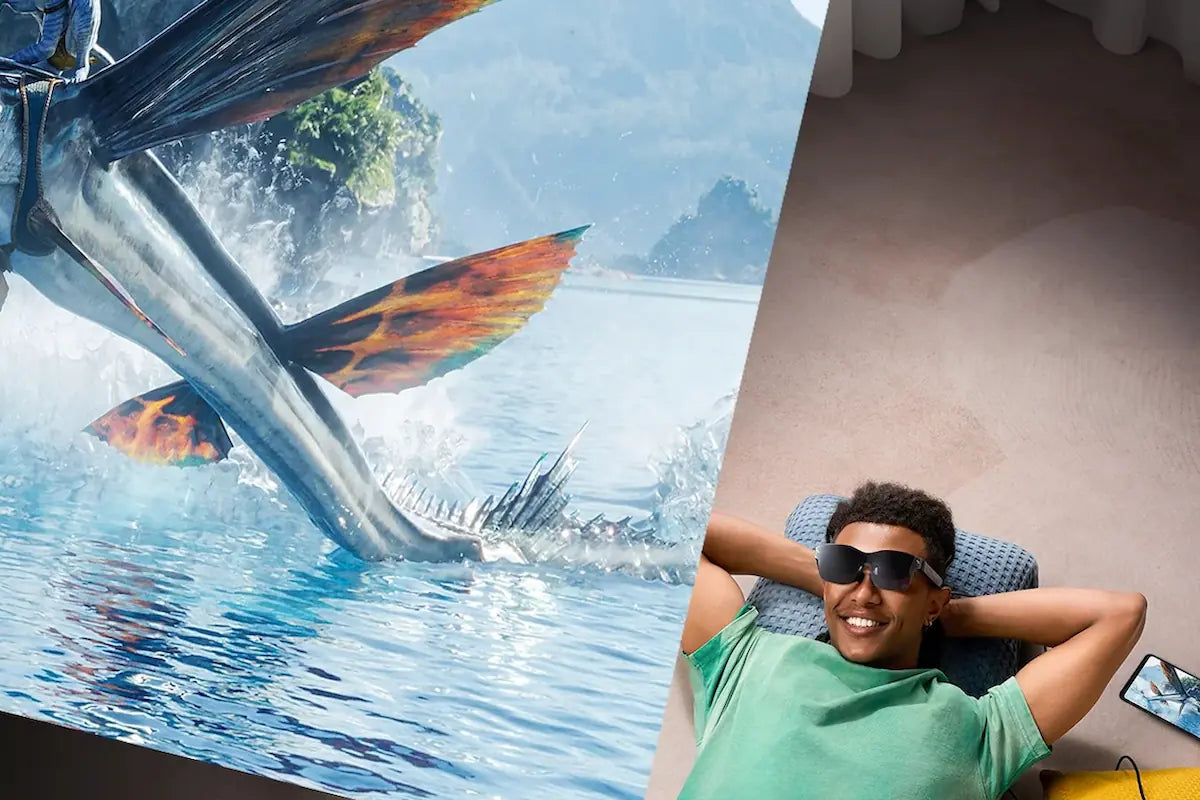
Watching 3D or spatial video on AR glasses works differently than watching it on a TV, because a stereoscopic display can show each eye a slightly different image instead of sharing one flat screen through a pair of tinted lenses. The RayNeo GT Max is built around that capability, with a 1920x1080 Micro-OLED display, per RayNeo’s spec sheet, as its foundation for stereoscopic 3D playback.
That said, “3D video” isn’t one format. Content can arrive as native 3D, get converted from regular 2D footage in real time, or come from Apple’s spatial video format. GT Max supports all three, but each one has its own device requirements, and mixing them up is the easiest way to end up disappointed with a purchase that technically works, just not the way you expected.
Native 3D is video that was shot or mastered specifically for stereo playback, usually in a side-by-side format where the left and right frames are already separate. GT Max’s spec sheet lists a 3D-specific 60Hz refresh mode (versus 120Hz for standard 2D content) alongside its Native 3D support.
AI 2D-to-3D conversion takes ordinary flat footage, movies, shows, YouTube clips, and instantly converts it into 3D, in RayNeo’s own description of the feature. It’s the feature to use when the content itself was never shot in 3D.
Spatial video playback is the newest addition to GT Max’s feature list. Apple defines spatial video as a stereoscopic format captured with the dual-camera system on iPhone 15 Pro and later models, according to Apple’s own announcement, designed primarily for immersive playback on Vision Pro. RayNeo’s product page confirms spatial video playback is now live on GT Max.
Both of these features share the same device requirement: RayNeo’s product pages list them as available only on the iPhone 15, 16, and 17 series, with the 16e, 17e, and Air excluded.
| 3D Source | What It Is | Device Requirement |
|---|---|---|
| Native 3D | Content pre-mastered in stereo format | Source device must output a supported 3D signal |
| AI 2D-to-3D conversion | Flat 2D footage converted to 3D | Eligible iPhone only (see above) |
| Spatial video playback | Apple’s stereoscopic spatial video format | Eligible iPhone only (see above) |
Practically, this means an Android phone, a MacBook, or an iPad can feed GT Max native 3D content, as long as the source is outputting a format GT Max supports, while the 2D-to-3D conversion and spatial video playback features are locked to that specific run of iPhone models.
GT Max works as a wired external display: whatever is plugged in over USB-C, an iPhone, an Android phone, a laptop, a game console, sends video output to the glasses. RayNeo’s own FAQ describes the relationship this way: “The connected device powers the glasses and processes video.”
For native 3D content, that means the player already running on the source device, whatever plays your side-by-side video file, has to be outputting that format; GT Max doesn’t convert flat footage into native 3D on its own. AI 2D-to-3D conversion and spatial video playback are limited to the eligible iPhone models listed above.

Passive 3D on a television relies on your two eyes sharing one screen, split by polarized or shutter lenses that cut brightness and resolution roughly in half for each eye. GT Max’s spec sheet lists a 1920x1080 Micro-OLED display built through the Peacock Optical Engine 3.0 Max, RayNeo’s own optical engine design for the GT series.
The field of view matters just as much as the panel itself. GT Max projects a 59-degree FOV mapped to a virtual screen available in three sizes, 227, 267, and 307 inches, which is closer to sitting in a theater than watching a screen across the room. RayNeo also lists 200,000:1 contrast and 98% DCI-P3 color coverage for the display.
Brightness works differently depending on which spatial mode you’re using. GT Max offers three, in RayNeo’s own words: Follow “keeps the screen centered as you move your head,” ideal for casual and everyday viewing; Steady offers “stable viewing with subtle natural movement,” ideal for travel and commuting; and Pinned “keeps the screen fixed in one position,” which RayNeo describes as built for “focused, cinema-like viewing.”
Pinned mode runs at 336 nits perceived brightness. Switching to Follow or Steady raises that to up to 1,200 nits, useful in a brighter room, though a movie session is exactly the use case RayNeo built Pinned mode for.

A 3D picture without matched audio feels flat no matter how good the depth effect is. GT Max pairs its display with Bang & Olufsen-tuned quad speakers and Head-Tracked Spatial Audio, so sound shifts position as you turn your head, reinforcing the sense that objects on screen have actual location rather than just floating in front of a flat image.
For anyone watching in a shared space, Whisper Mode 2.0 is RayNeo’s setting for what it describes as reducing “audio leakage in quiet or public environments,” without switching to wired earbuds. Because the speakers are open-ear, people about 1.5 meters away typically have a hard time making out what you’re hearing, though anyone sitting right next to you may still catch some sound. You can turn it on with a long press on the volume rocker, cycling between Standard, Whisper, and Spatial Surround, or through the RayNeo XR App under Glasses Settings.

GT Max plugs in over USB-C using DisplayPort Alt Mode and has no internal battery of its own; RayNeo’s FAQ notes that “the connected device powers the glasses and processes video,” so expect the connected device’s own battery to run down a bit faster during a long 3D session. Two settings can help on the phone side: Eco Mode, toggled inside the XR Space video player, dims the phone’s screen during playback, and Auto-Dim Brightness, toggled inside the RayNeo XR App under Immersive Casting, dims the phone’s screen after about 10 seconds of no interaction. Both save power on the phone rather than changing anything about the glasses’ own display. GT Max ships with an included USB-C cable, per RayNeo’s own product FAQ, so the base connection doesn’t require a separate cable purchase; if you swap in a different cable later, confirm it supports DisplayPort Alt Mode video output rather than a charge-only data line.
Direct USB-C connections work with iPhone 15, 16, and 17 series (not the 16e, 17e, or Air), and RayNeo’s compatibility list gives Galaxy S8 through S25 as example Android phones, plus iPad 10th generation and later and MacBooks from 2015 onward, all of which need USB-C DisplayPort video output. Older Lightning-based iPhones need Apple’s Digital AV Adapter, which isn’t included in the box. Handheld gaming devices with USB-C DisplayPort video output connect the same direct way; RayNeo lists them as a separate category from laptops and PCs, but the connection method is identical. Devices whose only video output is HDMI, most game consoles and PCs connected through a dock, need RayNeo’s $64 HDMI Adapter instead. RayNeo’s FAQ specifically advises making sure the adapter itself is “connected correctly and sufficiently powered” with its own USB-C PD power source, since HDMI doesn’t carry that power to the glasses on its own.
Both models in RayNeo’s GT series share the same three 3D formats, the same 1920x1080 Micro-OLED display type, and the same Bang & Olufsen audio system. The difference comes down to screen size, field of view, and fit.
| GT Max | GT | |
|---|---|---|
| Price (at time of writing) | $399 | $299 |
| Field of view | 59° | 46° |
| Virtual screen sizes | 227” / 267” / 307” | 136” / 201” / 231” |
| Weight | 78g | 68g |
| IPD fit | Choice of S / M / L sizes at purchase | Fixed 64mm |
| 3D support | Native 3D, AI 2D-to-3D conversion, spatial video* | Native 3D, AI 2D-to-3D conversion, spatial video* |
*AI 2D-to-3D conversion and spatial video playback require an eligible iPhone (15, 16, or 17 series; the 16e, 17e, and Air are excluded).
GT uses a fixed 64mm interpupillary distance, so how well it fits depends on how close your own IPD falls to that number; RayNeo’s FAQ recommends measuring your IPD before ordering. GT Max sidesteps that with a choice of S, M, and L sizes at checkout, plus the wider 59-degree view for a more immersive 3D session. RayNeo’s IPD measurement tool is worth checking before deciding between the two.
For anyone specifically shopping around 3D or spatial video playback, GT Max is the model in RayNeo’s lineup designed for it. Its 1920x1080 Micro-OLED display, the 3D-specific 60Hz refresh mode, and the fact that it lists all three 3D sources, native, AI-converted, and Apple spatial video, on the same product page make it a more complete answer than picking a display glasses model built primarily around 2D productivity or notifications.
The main condition to plan around is the iPhone requirement for AI 2D-to-3D conversion and spatial video playback. If your 3D library is mostly native content (side-by-side 3D movies, PC and console 3D games that output a supported stereo signal) rather than iPhone-captured spatial video or converted 2D footage, an Android phone, iPad, or MacBook can serve as the source instead. If you specifically want spatial video playback or 2D-to-3D conversion, an eligible iPhone is part of the setup, not optional.
Do I need an iPhone to watch 3D video on GT Max?
Can GT Max play spatial videos recorded on an iPhone 15 Pro?
Does GT Max support Dolby Vision for 3D content?
Is 3D gaming supported, or just movies?
What’s the difference between GT Max and GT for watching 3D content?







Share:
What AR Glasses Are Comfortable to Wear While Lying in Bed?
Which Glasses Have a HUD Display, and How Useful Is It in Real Life?