

$449.00

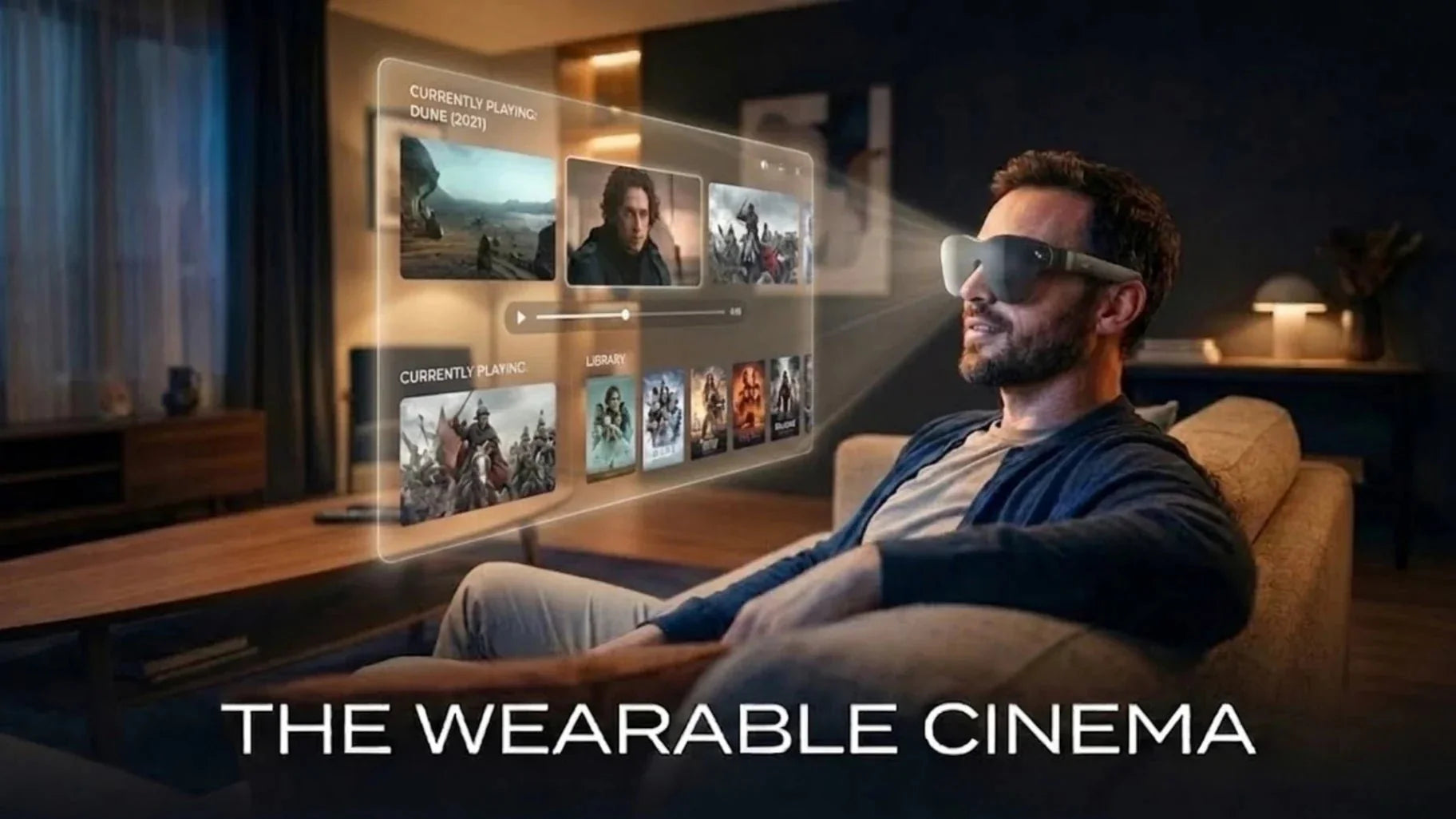
Over the past two years, we have spent nearly every day playing mobile and cloud games on various brands of AR glasses. We specifically focused on core pain points like immersion, privacy, and posture. In this article, we will systematically break down mobile gaming big-screen solutions in 2026. We will cover AR gaming glasses through the lens of display technology, ergonomics, price, and performance. Using our own product test data, we will help you decide if a 201-inch virtual screen is worth becoming your next primary display.
In the early days of mobile gaming, screen size evolution relied on the phones themselves. Sizes grew from 4 inches to 6.8 inches, with most flagship slabs now settling between 6 and 6.9 inches. Physical screens have reached the limit of single-handed use. Meanwhile, cloud gaming and 120 Hz mobile games are becoming mainstream. Players want console-like visual immersion in any setting. This demand has directly driven the rise of screen mirroring, portable monitors, and AR glasses.
When talking to hardcore mobile gamers and users of Switch or Steam Deck, we found they truly want two things: a field of view similar to a large home screen and a private space anywhere. Traditional phone screens and 13 to 16-inch portable monitors often compromise on either mobility or privacy. AR gaming glasses offer a new path by turning the big screen from a physical device into a virtual canvas floating in front of you.
While phone screens are stuck at 6 to 7 inches, AR glasses already provide a virtual image equivalent to a 130 to 201-inch screen. These are typically rated at a viewing distance of 4 to 6 meters. This size feels similar to a 120 to 150-inch projector setup in a living room. With a field of view (FOV) around 45 to 50 degrees, users can easily catch HUD and mini-map details in MOBA, racing, and FPS games. The eye movement range is much closer to watching a TV than staring at a 6-inch phone.
From the perspective of pixel density and clarity, mainstream 1080p micro OLED panels offer a Pixels Per Degree (PPD) between 30 and 45 at a 200-inch equivalent. This is significantly better than the detail of a traditional 1080p projector at the same viewing angle. Some players on Reddit debate text sharpness and UI clarity. After testing multiple RPGs and strategy games, we found that with proper scaling, text clarity on a 200-inch virtual canvas covers the needs of almost all mobile and cloud gaming scenarios.

In the context of 2026, the AR gaming glasses we refer to are primarily display-oriented glasses. These devices mirror screens from smartphones, handhelds, or consoles to a virtual big screen using USB-C DisplayPort Alt Mode or wireless solutions. Unlike VR headsets that completely isolate the user, these products usually feature a see-through design. This allows you to view the virtual screen while remaining aware of your surroundings for a better sense of security.
Unlike AI glasses that run a full operating system, specialized gaming glasses focus heavily on image quality, latency, weight, and compatibility. Based on our tests, hardcore gamers care most about four specific factors:
Direct connectivity: Whether the glasses can connect directly to phones and handheld consoles.
Text clarity: Whether fonts remain sharp and readable.
High refresh rate: Whether the display supports 60 to 120 fps.
Long-term comfort: Whether there is noticeable pressure on the ears or bridge of the nose after an hour of use.
These real-world priorities often differ from the flashy features highlighted in many marketing campaigns.
Currently, 200-inch class AR gaming glasses generally use 0.5 to 0.6-inch micro OLED panels. These usually offer resolutions of 1920x1080 or higher. Brightness levels range from 500 to 1200 nits, while contrast ratios can reach 100,000 to 1 or even 200,000 to 1. We repeatedly tested these in dark RPGs, horror games, and OLED UI environments. Compared to traditional LCD portable screens, micro OLED has a clear advantage in black levels and color saturation. HUD elements are not muddied by gray backgrounds, and details in dark areas are much easier to see.
To project this small panel in front of your eyes, many brands use a Birdbath optical architecture. This setup uses semi-reflective lenses and free-form optical elements to magnify the image and suspend it several meters away. The advantage of Birdbath is high light transmittance and controlled brightness loss. The downside is slight distortion at the lens edges, which requires significant optimization in algorithms and calibration. After comparing multiple products, we found that well-tuned Birdbath optics maintain uniform brightness and clarity across most of the field of view. This makes them ideal for gaming scenarios where you focus on UIs and text for long periods.
From the demand side, players care more about where they can play, what posture they can use, and how big the screen is for the same game. In our user interviews and long-term testing, AR gaming glasses deliver on these needs by putting an immersive big screen in your pocket, syncing perfectly with cloud gaming platforms, and relieving neck strain by keeping the line of sight fixed.
In real-world use, the biggest difference a 201-inch virtual screen makes is how it completely changes your field of view and removes environmental distractions. Whether on a subway, a plane, or in a small bedroom, physical screens are always limited by ambient light, viewing distance, and placement. AR glasses hang the image exactly where you are looking. This ensures that the HUD, characters, and battle scenes always dominate your vision. In our tests, playing cloud-based racing games for 90 minutes with 70 to 80-gram glasses felt significantly more immersive than playing the same content on a 6.7-inch phone or a 13.3-inch portable monitor.
Furthermore, many players mention that it is often inconvenient to use speakers or show their screen to others in dorms or shared apartments. The built-in directional speakers and virtual large screen of AR glasses allow for a living-room-level experience without disturbing roommates. This combination of privacy and immersion is something traditional monitors struggle to provide.
Cloud gaming is shifting processing power and content from local devices to data centers. The phone or handheld in a player's hands acts more like a network terminal. This trend fits the form factor of AR glasses perfectly. Services like Xbox Cloud Gaming or NVIDIA GeForce Now allow users to run major titles at 60 fps or higher on a standard Android phone and AR glasses combo, provided the network is stable. The visuals appear directly on the virtual big screen, while the device itself produces significantly less power consumption and heat compared to native local rendering.
It is well known that staring down at a phone for long periods causes neck stiffness and shoulder pain. We conducted a week-long experiment where users switched all their mobile gaming on subways and in bedrooms from their phones to a virtual large screen. The results showed that most users significantly reduced their forward-leaning angle after the third day, and neck discomfort decreased rapidly.
AR glasses lift your line of sight to a nearly horizontal position. This keeps the cervical spine at an angle more similar to looking at an office monitor. This does not mean every problem disappears, as eye fatigue and nose bridge pressure still require attention. However, from the perspective of Tech Neck, the 201-inch virtual screen solves the issue of extreme downward posture.
To understand the value of AR glasses in mobile gaming, we must look at both their unique advantages and real limitations. We can break these down into specific categories: privacy, weight, compatibility, battery drain, and situational awareness. For mobile players, AR glasses act like a portable, folding big screen. In some ways, they beat any portable monitor. In others, you must understand their boundaries.
The advantages of AR gaming glasses focus on three areas: private viewing, plug-and-play ease, and lightweight wear. Compared to a portable monitor weighing 1 to 1.5 kg, a 70g pair of glasses provides a 150 to 200-inch equivalent screen. This weight-to-screen ratio is unmatched by current display solutions.
Regarding input lag, wired AR glasses using HDMI or USB-C DP depend mostly on the host device and the cloud gaming server. The glasses themselves add almost no extra latency. As long as network latency stays under 30ms, cloud gaming on a virtual large screen feels identical to a traditional monitor. This is vital for rhythm and action games.
Many users choose AR glasses for privacy. Whether you are on a train, in an open office, or in a shared living room, your screen is hidden. Only you can see the content. Players of RPGs or niche games often report that they feel more comfortable playing in public. They no longer worry about others seeing their screen.
This Private Theater experience makes long commutes much more productive. You no longer have to worry about a bright screen bothering others or neighbors seeing your chats. You can use noise-canceling headphones or directional speakers to stay immersed in your game while keeping minimal awareness of your surroundings.
From an engineering perspective, USB-C DP Alt Mode is the standard for AR gaming glasses. If your phone, handheld, or laptop supports DP Alt Mode, most AR glasses are plug-and-play. No extra drivers or complex setups are required. Compared to wireless solutions, a direct USB-C connection is more stable and has lower latency.
Weight determines how long you can wear the device. Our tests with glasses in the 70 to 90-gram range show a clear difference. Products under 80g stay stable on the nose and ears more easily. They cause less pressure and sliding. Glasses over 90g often force users to adjust their posture every 40 minutes.
RayNeo has kept several models at approximately 76g. This weight is on the lighter end for the industry. Combined with balanced weight distribution and soft nose pads, users stay comfortable during intense gameplay or long cloud gaming sessions. This comfort is the foundation for enjoying a 200-inch virtual screen.

Current AR gaming glasses still face real limits in power supply, light management, and visual fatigue. During cloud gaming or heavy 3D games, the phone battery drains much faster. In bright light, you may need an extra light shield to maintain high contrast. These limits are boundaries to manage rather than dealbreakers. For long flights, we recommend using a USB-C hub with passthrough charging. In the city, use a light shield to fix issues with ambient light.
AR glasses have low power consumption, but they draw power directly from the host via USB-C. This puts all the battery pressure on your phone or handheld. When using cloud gaming and driving AR glasses, a flagship phone's battery life can drop by 30% to 40%. This drain is even faster when using 5G networks.
To manage this, use a flagship phone with a large battery. Pair it with a USB-C hub that supports passthrough charging. This setup removes battery anxiety and makes the virtual big screen experience feel more like a traditional console setup.
The see-through nature of AR gaming glasses creates a delicate balance. Users want cinema-like immersion but need to see their surroundings for safety in public. We have observed two types of players. One group uses light shields for total immersion, similar to a VR headset. The other group prefers to see ambient light to stay aware of their environment.
Portable monitors and AR glasses both solve the second screen problem for mobile users. However, they meet different needs. A portable monitor is a mini desktop display focusing on color accuracy and desk layout. AR glasses are a wearable cinema and playground focusing on privacy, weight, and viewing freedom.
The following table compares the factors mobile gamers care about most:
|
Item |
Portable Monitor (13–16 in) |
AR Gaming Glasses (200-in class) |
|
Viewing Experience |
Similar to a laptop; many distractions |
Similar to a projector or large TV |
|
Weight |
Mostly 600–1000g |
Mostly 70–90g |
|
Privacy |
Screen content is fully exposed |
Nearly impossible for others to see |
|
Posture |
Requires looking down or sideways |
Eyes stay at a natural horizontal level |
|
Portability |
Needs a backpack and protective case |
Highly portable; similar to a phone |
Portable monitors offer a fixed rectangular screen. They require a stand or a magnetic case on a desk. In hotels or cafes, desk space is often limited. The screen position depends on the desk size and the location of power outlets.
AR glasses move the screen into the air. You can change the position of the image in your field of view with a slight turn of your head. You do not need to move any hardware. This spatial freedom lets you maintain a consistent view on a sofa, in bed, or while standing in line. This is a huge benefit for mobile and cloud gamers who switch locations frequently.
Most 13 to 16-inch portable monitors require a dedicated bag and stand. Carrying one usually takes up a full compartment in a backpack. They require more setup steps and have a higher risk of breaking. This leads many users to leave them at the office instead of carrying them daily. In contrast, AR glasses are the size of large sunglasses. They fit easily into a side pocket or small crossbody bag. You can carry them as part of your everyday carry (EDC) kit along with your phone and power bank. This pocket-sized presence makes you more likely to use them for quick gaming sessions.
Portable monitors in the $200 to $400 range are very mature in 2026. They offer 1080p or 2.5K panels with high refresh rates. They provide excellent value for work and light gaming. AR gaming glasses generally cost more than a portable monitor with the same resolution. however, if you look at the equivalent screen area, the value per inch is quite competitive.
Market research predicts that the AR and VR smart glasses market will grow from $20.58 billion in 2025 to nearly $87.7 billion by 2035. This growth will lower hardware costs in the coming years. For players, this means more budget-friendly options for 200-inch virtual screens, including both flagship AR glasses and light gaming-focused models.

Once you move from whether to buy to which one to buy, the marketing buzzwords matter less than three core constraints: compatibility, display specs, and vision correction. You need to know if your phone or handheld can connect directly. You must understand how PPD, refresh rate, and color gamut affect the gaming experience. Finally, you should check if wearing glasses or contacts impacts image quality and comfort. A pair of AR gaming glasses must connect easily, fit securely, and provide a clear image. Only then do other features matter.
Compatibility starts with output ports and protocols. For Android users, most phones with USB-C 3.x and DP Alt Mode support can drive AR glasses with a single cable. Some brands offer desktop modes that turn the virtual screen into a light PC. This adds value beyond cloud gaming.
Since the iPhone 15, Apple devices use USB-C, providing a direct connection path. Some AR glasses use a native cable, while others need adapters for HDMI or DisplayPort. For handhelds like the Steam Deck and ROG Ally, DP Alt Mode is standard. You can output video while charging if you use a powered USB-C hub.
Compatibility Checklist:
Android: Requires USB-C 3.x with DP Alt Mode.
iPhone: iPhone 15 or later (USB-C) allows direct or adapted connections.
Handhelds: Steam Deck and ROG Ally support direct DP output.
For gamers, PPD, refresh rate, and color accuracy determine how natural the image looks. Higher PPD means more detail and smoother text edges. Mainstream 1080p Micro OLED panels meet the clarity needs of most mobile and cloud games. We recommend a refresh rate of 90Hz or 120Hz. This significantly reduces motion blur in racing and rhythm games.
Color gamut and accuracy impact the overall look and HDR performance. Micro OLEDs covering 140% sRGB and 98% DCI-P3 accurately reproduce UI colors and lighting. With a Delta E of less than 2, skin tones and sky gradients remain stable. This is crucial for players who demand high visual quality.
Key Performance Standards:
Clarity: High PPD for sharp text and no jagged edges.
Motion: 90Hz to 120Hz for reduced ghosting.
Color: 98% DCI-P3 coverage and Delta E < 2 for professional-grade accuracy.
Many AR glasses users also wear regular glasses. The main pain point is finding a balance between clarity and comfort. Many products lack official prescription solutions. This forces users to wear AR glasses over their regular frames, which adds weight and nose pressure.
A better solution is using custom or swappable prescription lens frames. These integrate directly into the internal optics of the AR glasses. This ensures proper optical alignment and removes the weight of a second pair of glasses. Users with high myopia or astigmatism should check the supported prescription range before buying. Ensure the 201-inch virtual image is clear and stable from the start.
Yes. 200-inch class AR gaming glasses are becoming the most promising big-screen solution for mobile and cloud gaming. They have already created a clear generational gap over traditional portable monitors, especially in privacy, portability, and posture health. The AR, VR, and smart glasses market is expected to expand at a compound annual growth rate of over 15% over the next decade. As this happens, micro OLED, optics, and thermal solutions will continue to iterate rapidly. This means there is still plenty of room for further optimization in image quality, weight, and price.
When choosing a product, we encourage players to view AR glasses as a combination of a personal cinema and a primary gaming display, rather than just a larger phone screen. For those who frequently use Xbox Cloud Gaming or GeForce Now, or for users who enjoy deep gaming sessions during commutes or in the bedroom, the RayNeo Air 4 Pro 201-inch virtual screen smart glasses already offer a mature experience. It can reliably serve as your third screen and gradually replace traditional portable monitors and small TVs in many scenarios.
Strictly speaking, the original Nintendo Switch uses a non-standard USB-C video output. It cannot drive most AR glasses with a single cable like Android phones or handhelds that support DP Alt Mode. In our testing, we usually need a dedicated Switch-to-HDMI dock, followed by an HDMI-to-DP or HDMI-to-USB-C video adapter. This chain is slightly less stable and has higher latency than a direct connection, but it remains acceptable for single-player games. If you plan to use AR glasses with a Switch long-term, we recommend using third-party docks and adapters that have independent power inputs and are fully tested. This avoids blackouts or disconnections caused by power shortages or protocol issues during long sessions. For handhelds like the Steam Deck that support DP Alt Mode, the connection process is much simpler and better suited for a daily AR gaming platform.
In terms of resolution, most AR gaming glasses currently use 1080p panels. Their raw pixel count is lower than a 4K TV. However, because micro OLEDs have extremely high contrast and pixel fill rates, and the virtual screen occupies a large portion of your vision, the subjective clarity often beats projectors of the same resolution. Compared to mid-to-high-end 4K TVs, they only fall slightly behind in displaying extremely fine textures or large blocks of text.
Regarding color and black levels, micro OLED AR glasses have a natural advantage in dark area performance and HDR transitions. They are especially good for nighttime use in a bedroom. In our tests across several HDR games, the highlights and shadow details on a virtual 200-inch screen approached the look of mid-to-high-end OLED TVs. However, they are still limited by optical and power designs in maximum and peak HDR brightness. This is an area where future generations will continue to improve.
Absolutely. From what we see in real-world usage, many users spend more time watching movies than gaming after buying AR gaming glasses. Using video apps on your phone or handheld, or streaming services via mirroring, you can get a private cinema experience on a virtual 200-inch screen. This is perfect for long flights, hotel stays, or late-night viewing in a shared apartment.
Based on current research and our own long-term testing, AR glasses are no different from smartphones or monitors regarding physiological safety when used reasonably. The main risks are still eye strain and poor posture. You can manage these issues through fit adjustments and good habits. We recommend following the principle of intermittent use. Keep continuous sessions between 40 to 60 minutes and take short breaks to look into the distance. This helps relieve pressure on your eyes and neck.







Share:
What is the Refresh Rate? How It Affects HUD Clarity and AI Text Overlays
Digital Minimalism in 2026: Can Smart Glasses Replace Multiple Devices?