

$449.00

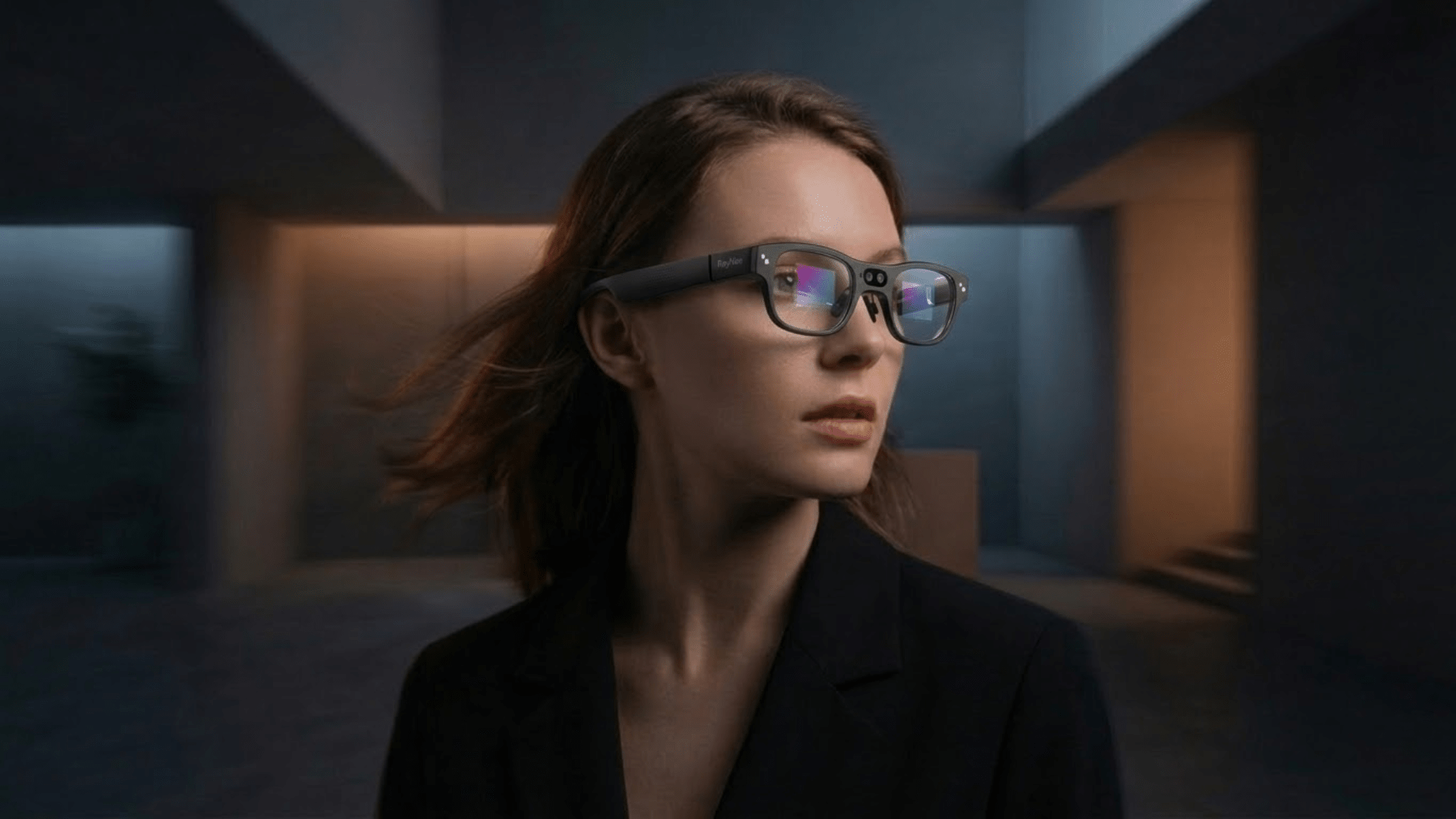
Have you ever found yourself staring blankly at a menu in a foreign country, or holding up your phone to scan books word by word, feeling like reading has suddenly become clunky and strange? The words are right there, but they feel like they are behind a pane of glass. With AI glasses text recognition, the ability to identify text has moved from your phone screen directly into your eyewear. This brings reading back to its most natural state: you look up, you see, and you understand. In this article, we will help frequent travelers and professionals who handle multilingual information discover how AI glasses text recognition is becoming an essential everyday tool for reading.
To grasp how this technology works, we need to break down the technical workflow. The journey from capturing text to displaying the result in your field of vision is a collaborative process involving multiple modules. The performance of each stage directly determines the overall speed and accuracy of the recognition.
OCR, or Optical Character Recognition, is the core engine behind the text reading capabilities of AI glasses. It converts text pixels captured by the camera into machine-readable character data, which is then passed to the AI for language processing and semantic understanding. Supported by deep learning, modern OCR can now handle various fonts, sizes, colors, and text on curved surfaces. It maintains high recognition accuracy even under uneven lighting or slight blurring.
The first step in text recognition is for the camera to capture an image, followed by the AI determining which areas of the frame contain text. Text detection algorithms must quickly locate text boundaries within complex backgrounds, distinguishing between various forms such as printed fonts, handwritten content, signage, and mixed alphanumeric strings. This process has direct requirements for camera resolution and frame rate. The clearer the camera and the more stable the frame rate, the more accurate the detection results and the higher the quality of subsequent recognition.
OCR processing for AI glasses follows two architectures: on-device and cloud-based. On-device processing completes recognition locally on the glasses without transmitting raw images to external servers, offering lower latency, stronger privacy protection, and functionality in environments without internet. Cloud processing relies on a network to upload images and return results to the glasses. While this allows for larger language models and more features, it requires a stable connection and involves data security considerations. Research from OCR Studio proves that high-precision text recognition running entirely on-device can be achieved on AR glasses with limited computing power through ultra-lightweight neural networks, fully meeting industry standards for sectors with strict data localization requirements like finance and government.
Once recognition is complete, the results must be presented in the user's field of vision in an appropriate format. This step determines whether a user can acquire information without pausing or turning their head. Effective display output should overlay translated text near the original position, use a clear font size, and provide sufficient contrast against the background while avoiding the obstruction of key areas in the line of sight. RayNeo X3 Pro utilizes binocular full-color MicroLED displays and 6000 nits peak brightness, paired with a real-time translation system supporting 14 languages, to present OCR results as floating subtitles on a 43-inch equivalent virtual screen. It remains clear and readable even in bright outdoor light, turning text recognition results into a truly practical reading aid.

The application scenarios for text display on AI glasses are far broader than simple language translation. From everyday reading to professional work, they cover a vast range of information retrieval tasks that previously required repeatedly pulling out a smartphone.
Everyday reading is the most frequent use case for text recognition on AI glasses. Ingredient lists on food packaging, shipping labels, sticky notes on a desk, or titles on book spines—these are items that previously required leaning in close, taking a photo with a phone, or simply ignoring altogether. AI glasses turn this passive reading need into a near-reflexive action: look at the text, see the result in your field of vision, and continue with what you were doing. This capability is especially valuable for older users, as reading numbers, prescription labels, and the fine print on instruction manuals often represent real barriers to independent daily living.
In travel scenarios, language barriers appear as written text with high frequency. Subway signs, museum exhibit descriptions, restaurant menus, street advertisements, and immigration forms—every piece of paper can become a friction point in the travel experience. AI glasses compress these obstacles into millisecond-level reading actions. Users no longer need to stop and pull out their phones; they complete text recognition and translation while walking and observing naturally. The 14-language real-time translation system on the RayNeo X3 Pro, developed in collaboration with Microsoft, combines visual text translation and OCR photo translation to maintain information flow and itinerary continuity in multilingual travel environments.

In work and study settings, text recognition can significantly reduce repetitive data entry and searching. Workers on industrial sites use AI glasses to read equipment nameplates, scan barcodes, and verify assembly parameters while keeping their hands free for the task at hand. Office users can quickly identify and copy business card information, contract clauses, or whiteboard content through their glasses. Students can read foreign-language materials without switching back and forth between a dictionary and their textbook.
Text information in public spaces is an often-overlooked but incredibly dense layer of data. Traffic signs, emergency evacuation guides, airport gate alerts, and hospital department signs—these texts exist in massive quantities in our daily environment, yet often require the wearer to stop and identify them carefully or ask for help. Embracing what-are-ai-glasses-and-the-future-of-wearable-tech makes real-world text information entirely accessible. For users with visual impairments in particular, this capability is directly linked to independent mobility and daily autonomy.
The improvement in reading efficiency brought by AI glasses is reflected in multiple dimensions, from reducing physical movements to relieving visual fatigue and expanding multitasking capabilities. Combined, these changes increase both the quantity and quality of information you acquire throughout the day.
Hands-free reading preserves the integrity of your attention. When you need to read while performing a task, a teleprompter content while giving a speech previously required pausing your actions to get information. Now, these can be done continuously.
The cervical spine pressure and near-distance visual fatigue caused by looking down at phone screens for long periods are common negative effects of digital reading. Glasses present information at a natural eye level directly in front of you, with a reading distance closer to the comfortable focal length of the human eye, eliminating the need to keep the head and neck in a lowered position. A study by the University of Edinburgh on patients with macular degeneration showed that 70% of participants read better using smart glasses with dynamic text presentation than on paper, and 84% found reading through glasses more relaxing. While this data comes from a visually impaired group, the posture and fatigue factors apply equally to long-duration reading for users with normal vision.
The most unique efficiency boost of AI glasses lies in allowing you to do other things while reading. Reading on a phone is an exclusive operation where the screen occupies your entire field of view. The overlay display of glasses allows text information to coexist with the real world, enabling you to continuously acquire information while waiting, commuting, or during light exercise, turning what used to be fragmented time into effective reading time.

When selecting AI glasses for text recognition, several metrics carry far more weight in practical use than others. Understanding these will help you avoid the gap between marketing specs and the actual experience. The key dimensions for selection should revolve around speed, accuracy, language coverage, data processing methods, and display quality, as detailed below.
OCR speed directly determines whether you can use text recognition naturally in your daily rhythm. If recognition latency exceeds a second or two, you will start adjusting your behavior to accommodate the device, which is an uncomfortable experience. On-device processing typically offers lower latency than cloud-based processing and is the preferred choice for scenarios requiring high real-time performance.
Recognition accuracy in low-light environments is a weak point for many products, yet the need for reading in real life does not always happen under perfect lighting. Menus in dim restaurant corners, street signs at night, and documents in shaded office areas all demand robust low-light recognition. Through specifically optimized lightweight neural networks, AR glasses can maintain high accuracy in rain, snow, fog, and low-light conditions. When purchasing, it is advisable to check for actual test cases of the product in low-light scenarios.
Support for multiple languages and fonts determines the range of real-world scenarios where you can rely on the glasses. Travelers need coverage for their destination languages, professionals need to match languages involved in their business, and academic users may need to recognize special characters and symbols. Font support is equally important; street signs, handwriting, and printed documents use vastly different fonts, and the ability to handle this diversity varies significantly by product.
A real-time copy and paste function allows recognized text to enter your downstream workflow directly rather than just being viewed. Using glasses to recognize an address or a product serial number and then immediately sending or recording it saves a massive amount of manual input time. The implementation quality of this feature varies significantly between products, so it is worth confirming specifically during selection.
Prioritizing on-device processing is an architectural choice that offers better guarantees for privacy, speed, and stability. While cloud processing has advantages in complex semantic understanding, it requires transmitting images to external servers, which can hinder use in unstable network environments and poses certain data security risks. GDPR and the EU AI Act have already categorized continuous biometric processing as high-risk, giving on-device processing a natural advantage in compliant design. For users who need to handle sensitive documents in professional settings, on-device OCR capability is a substantial factor for selection.
Here is the core parameter comparison table for selecting AI glasses with text recognition capabilities:
|
Metric |
Basic Usability |
Good Experience |
Professional Grade |
|
OCR Recognition Latency |
Within 2 seconds |
Within 500 milliseconds |
Within 200 milliseconds |
|
Supported Languages |
3 to 5 |
More than 10 |
More than 14 including rare languages |
|
Low-Light Accuracy |
Basically usable |
Stable in rain and fog |
High precision in extreme lighting |
|
Processing Architecture |
Cloud dependent |
Hybrid Edge-Cloud |
On-device priority / Offline capable |
|
Display Brightness |
500 nits |
1000 to 2000 nits |
Over 3000 nits (Outdoor readable) |

AI glasses text recognition is bringing a capability that has long belonged to professional tools or accessibility aids into the view of everyday consumers. From a user needs perspective, the logic for choosing AI glasses is clear: evaluate whether it can be fast, accurate, and stable in the scenarios where you most frequently encounter text barriers. If your usage covers multi-language travel, daily information gathering, and lightweight work, then a device integrating real-time OCR translation, high-brightness outdoor display, and a hybrid edge-cloud processing architecture is a more worthwhile investment than one that simply looks good or has long battery life. With its 14-language real-time translation developed in collaboration with Microsoft, binocular full-color MicroLED display, and 6000 nits peak brightness, the RayNeo X3 Pro integrates text recognition capabilities with a complete AI assistant and AR navigation system into a lightweight 76-gram body. It is currently one of the most complete consumer-grade AI glasses options for combining text recognition, outdoor usability, and comprehensive scenario coverage.
AI glasses with text recognition capabilities currently on the market fall into two main categories. One focuses on accessibility, such as Envision Glasses and OXSIGHT Onyx, which are designed specifically for visually impaired users and integrate GPT-enhanced OCR with audio descriptions. The other category includes consumer-grade AI and AR glasses, like the RayNeo X3 Pro, which integrates text recognition and translation into everyday scenarios while offering display, navigation, and AI assistant features. The choice depends on your needs: accessibility scenarios prioritize voice feedback and reading completeness, while daily use focuses more on speed and display quality.
AI glasses help visually impaired users perform many reading tasks independently by announcing text recognition results through audio. A field study in India involving 90 participants with visual impairments showed that 72.9% found the reading features of smart glasses helpful. Participants used them to read various materials, including textbooks, handwritten notes, brochures, and food labels. Some users reported it was the first time in years they could read printed text on their own. Be My Eyes has also partnered with Meta to provide real-time visual assistance services based on AI glasses for visually impaired users.
Some AI glasses already support integration with large language models, allowing users to interact with AI through voice or visual input for Q&A, summarization, and content explanation. RayNeo X3 Pro integrates Gemini Live as its AI engine, enabling users to interact with an AI assistant via voice and engage in real-time Q&A based on what the camera sees. This expands text recognition from simple OCR output into a reading assistance experience that allows for follow-up questions and deeper understanding.







Share:
AI Glasses for Blind: How the Technology Works in Practice
What is Spatial Audio and How Does It Work?